
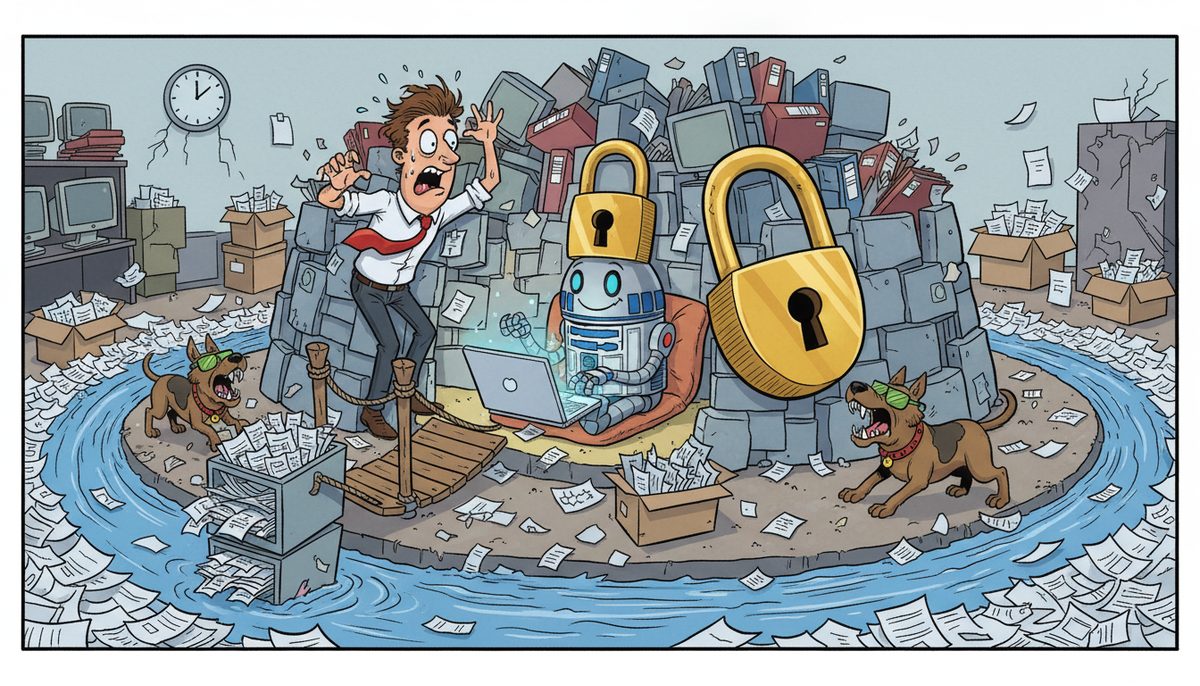
Protect CPA firm client information when using AI by implementing end-to-end 256-bit encryption, restricting data access through role-based controls, vetting AI vendors for SOC 2 Type II compliance, and maintaining air-gapped backups. Never upload raw client files containing Social Insurance Numbers or financial data directly into public AI tools—anonymize datasets first and limit AI interactions to encrypted environments with audit logging enabled.
Why is AI a unique security risk for CPA firms?
AI tools process data outside your network perimeter, often on third-party servers you don’t control. When you paste a tax return into ChatGPT or upload a client spreadsheet to an AI analysis tool, that information travels to external servers where retention policies, access controls, and encryption standards may not meet Canadian privacy regulations.
CPA firms handle extraordinarily sensitive data: Social Insurance Numbers, banking credentials, estate planning documents, and complete financial histories. A single data breach can trigger mandatory disclosure under provincial privacy legislation, destroy client trust, and expose your firm to regulatory penalties and negligence claims.
Public AI platforms typically retain conversation histories for model training unless you explicitly opt out. Even “deleted” prompts may persist in backup systems or training datasets. The convenience of AI-powered document analysis or tax research comes with the responsibility to ensure client data never leaves your secure environment without proper safeguards.
Vancouver Island CPA firms face additional complexity because many serve clients across provincial boundaries, requiring compliance with both BC’s Personal Information Protection Act and federal regulations like PIPEDA for interprovincial transactions.
The risk isn’t theoretical—Marla from a mortgage broker business (which handles similar financial sensitivity) notes that working with proper IT support means “our entire team is now working together more efficiently than ever, all while ensuring our data is protected and secure.”
AI security requires a fundamentally different approach than traditional network protection because the threat vector is human behavior, not just malware.
What specific protections should I implement before using AI tools?
Start with a clear acceptable-use policy that defines which AI tools staff can use and what data types are prohibited. Ban uploading any document containing client identifiers, financial account numbers, or personally identifiable information to public AI platforms. Make this policy part of onboarding and annual compliance training.
Deploy data loss prevention software that scans outbound traffic for patterns matching SINs, account numbers, and other sensitive data. Configure alerts when staff attempt to paste or upload flagged content to web-based AI services. This creates a technical enforcement layer beneath your policy.
Establish an approved AI tool list with vetted vendors who sign Business Associate Agreements (the healthcare equivalent) or similar data processing agreements. Require vendors to demonstrate SOC 2 Type II compliance, document their data retention policies, and confirm they don’t use your data for model training.
Implement role-based access controls so only partners and senior accountants can access AI tools that process client data, even approved ones. Junior staff should have AI access limited to general research tools that never touch client files.
Create anonymization protocols for legitimate AI use cases. Before analyzing a client dataset with AI, strip all identifiers and replace them with randomized codes. Document the de-identification process so you can demonstrate reasonable security measures if questioned.
Enable multi-factor authentication on every AI platform account. Use enterprise single sign-on where possible so you can instantly revoke access when staff leave and maintain centralized audit logs of who accessed which tools when.
CPA firms should budget $5–$15 per user per month for cyber awareness training that includes AI-specific security modules.
These controls transform AI from a liability into a productivity tool by creating guardrails that prevent accidental exposure.
How do I evaluate whether an AI vendor is secure enough for client data?
Request the vendor’s SOC 2 Type II report, which documents their security controls through an independent audit. Look specifically at data encryption standards (require AES-256 or equivalent), access logging capabilities, and incident response procedures. Vendors who refuse to share SOC 2 reports shouldn’t handle client data.
Ask where data is physically stored and processed. Canadian CPA firms should prioritize vendors with Canadian data residency to simplify privacy compliance. US-based processing may trigger additional disclosure requirements under provincial privacy laws.
Examine the vendor’s data retention policy in writing. How long do they keep your prompts and uploads? Can you request immediate deletion? Do they use customer data to train their models? Get specific commitments in your service agreement, not just general privacy policy language.
Verify the vendor maintains cyber liability insurance with coverage sufficient to compensate your firm and affected clients in a breach scenario. Request a certificate of insurance naming your firm as an additional insured party.
Test their access controls by requesting a demo account. Can you enforce multi-factor authentication? Do they support single sign-on with your identity provider? Can you generate audit reports showing which users accessed what data when?
Review their security incident history. Search for news coverage of past breaches. A vendor with no documented incidents might have excellent security or might simply hide problems—look for transparent incident disclosure practices as a positive signal.
Demand a Data Processing Agreement that explicitly states the vendor is a data processor (not a data controller), limits their use of your data to providing the contracted service, and requires them to notify you within 24 hours of any security incident.
Vendor vetting isn’t a one-time exercise—schedule annual reviews to ensure their security posture keeps pace with evolving threats.
What’s the safest way to use AI for tax research and document analysis?
Use AI for general research questions that contain no client specifics. Instead of asking “Should my client who earned $180,000 in BC claim the home office deduction?”, ask “What are the CRA requirements for home office deductions for employees earning between $150,000-$200,000?” The anonymized version gets you the same guidance without exposing client data.
For document analysis, create synthetic examples that mirror your client’s situation without using real numbers or identifiers. If you need AI to review a complex corporate structure, build a fictional version with the same entity relationships but different names, dates, and amounts.
Deploy on-premises AI solutions for sensitive analysis work. Self-hosted large language models let you run AI entirely within your network perimeter, with no data leaving your servers. This requires more technical infrastructure but eliminates third-party data exposure for firms handling high-net-worth clients or complex corporate structures.
Use AI as a first-pass research tool, not a decision-maker. Let AI draft research memos or identify relevant tax provisions, then verify every citation and conclusion against primary sources. This workflow captures AI efficiency gains while maintaining professional responsibility.
For firms on Vancouver Island working with clients across Victoria, Nanaimo, and Duncan, local IT support can configure secure AI environments tailored to CPA workflow. Advanced security solutions with local technicians who understand both the technology and the regulatory context eliminate the risk of overseas support staff who might not grasp Canadian privacy requirements.
Document every AI interaction that touches client matters in your working papers. Note what question you asked, which tool you used, and how you verified the output. This creates an audit trail demonstrating reasonable care in your research process.
The safest AI use keeps client data and AI tools in separate spheres, using AI for knowledge work while protecting the underlying facts.
How do I train staff to use AI securely without killing productivity?
Run scenario-based training that shows real examples of risky versus safe AI use. Walk through a tax research question with client details, then demonstrate how to rephrase it generically. Staff understand better when they see the specific transformation, not just abstract rules.
Create quick-reference cards that staff can keep at their desks with a simple decision tree:
- Does this contain a client name, SIN, account number, or specific financial figure?
- If yes, stop and anonymize first
- If no, proceed with approved tools
Make the security decision instant and obvious.
Designate AI champions in each practice area who become local experts in secure AI use. When staff have questions, they can ask a colleague who understands both the technology and the accounting context, getting faster answers than waiting for IT support.
Implement a monthly AI security newsletter highlighting one real-world breach or near-miss (anonymized if internal) and the specific behavior that caused it. Concrete examples stick better than general warnings. Include a “win of the month” showcasing how someone used AI securely to solve a real problem.
Build AI security into your existing quality control process rather than creating a separate compliance burden. When partners review work files, check for AI tool usage documentation alongside traditional working paper standards. This normalizes security as part of quality work, not an extra hurdle.
Offer different training tracks for different roles. Partners need strategic guidance on vendor evaluation and risk management. Staff accountants need tactical guidance on daily tool use. Tailor the content so everyone gets relevant, actionable information at their decision-making level.
Schedule training during slower periods like January or summer when staff have more capacity to absorb new protocols. Training during tax season creates resentment and poor retention.
Security training works when it helps staff work better, not just avoid problems.
What backup and recovery strategy protects against AI-related data incidents?
Maintain air-gapped backups that are physically disconnected from your network and never exposed to internet-connected systems. If client data is accidentally uploaded to an AI platform, your offline backups remain uncompromised and provide a clean recovery point.
Implement immutable backup storage where files cannot be altered or deleted once written. This protects against ransomware scenarios where attackers might compromise both production data and connected backups. Even if someone uploads credentials to an AI tool that later suffers a breach, your immutable backups can’t be reached by the attacker.
Run daily incremental backups with weekly full backups, retaining at least 30 days of history. This gives you multiple recovery points if you discover an AI-related data exposure weeks after it occurred. You can restore to a point before the incident while investigating the scope of exposure.
Test recovery procedures quarterly with realistic scenarios. Practice restoring a client file, a full practice area database, and your entire system. Untested backups are just expensive storage—you need confidence you can actually recover when it matters.
Document your backup architecture and recovery procedures in a physical binder stored off-site. If your systems are completely compromised, you need recovery instructions that don’t depend on accessing your network.
For CPA firms on Vancouver Island, working with a local provider means faster recovery when problems occur. Most problems are fixed remotely within minutes, with automatic on-site technician dispatch when remote resolution isn’t possible. This matters during tax season when every hour of downtime costs client deliverables.
Consider geo-redundant backup storage with copies in multiple physical locations. If your Victoria office experiences a disaster, your Nanaimo backup site keeps operations running. This protects against both cyber incidents and physical disasters.
Backups are your insurance policy against every AI risk scenario, from accidental exposure to vendor breaches to ransomware.
Frequently asked questions
Can I use ChatGPT for tax research if I don’t include client names?
You can use ChatGPT for general tax research questions that contain no client-specific information whatsoever—no names, amounts, dates, or identifying details. Even anonymized financial figures can sometimes be re-identified when combined with other data. Treat ChatGPT as a public forum: only ask questions you’d be comfortable posting on social media. For client-specific analysis, use approved on-premises AI tools or traditional research methods.
What happens if an employee accidentally uploads client data to an AI tool?
Immediately document what data was uploaded, to which platform, and when. Contact the AI vendor to request immediate deletion and confirm their data retention policies. Assess whether the exposure triggers mandatory breach notification under provincial privacy legislation—consult legal counsel if personally identifiable information was involved. Notify affected clients if required by law or professional standards. Review the incident with all staff to prevent recurrence, focusing on process improvement rather than blame.
Do I need separate AI security policies for different types of client data?
Yes, create tiered data classification with corresponding AI use policies. Public information like published financial statements can use broader AI tools. Confidential client data requires approved vendors with data processing agreements. Highly sensitive data like SINs, passwords, or litigation-related information should never touch AI tools at all. Clear classification helps staff make instant decisions about what’s safe to process. Document your classification scheme and train staff on applying it consistently.
How much should a small CPA firm budget for AI security measures?
Budget $25–$50 per device per month for a comprehensive cybersecurity suite that includes data loss prevention, endpoint protection, and monitoring. Add $5–$15 per user per month for cyber awareness training covering AI-specific risks. Factor in vendor vetting costs, policy development time, and potentially $150–$225 per user per month for managed IT services if you lack internal IT staff. Total security investment typically ranges from 3-8% of revenue for professional services firms handling sensitive data.
Are there AI tools specifically designed for accounting firms with built-in security?
Yes, several vendors offer accounting-specific AI tools with SOC 2 compliance, data processing agreements, and features like automatic PII redaction. Look for tools that integrate with your practice management software and process data within Canadian borders. Examples include AI-powered tax research platforms, document analysis tools for audit procedures, and workflow automation systems. Always vet these tools using the same security criteria as general AI platforms—industry-specific doesn’t automatically mean secure enough for client data.
Should I prohibit AI use entirely to avoid security risks?
Blanket AI bans create more risk than managed AI adoption because staff will use AI tools anyway without proper safeguards or oversight. Instead, establish clear policies defining approved tools and safe use cases, provide training on secure AI practices, and implement technical controls like data loss prevention. This approach captures AI productivity benefits while maintaining security. Firms that embrace AI strategically gain competitive advantages in efficiency and service quality over those that resist adoption entirely.



