
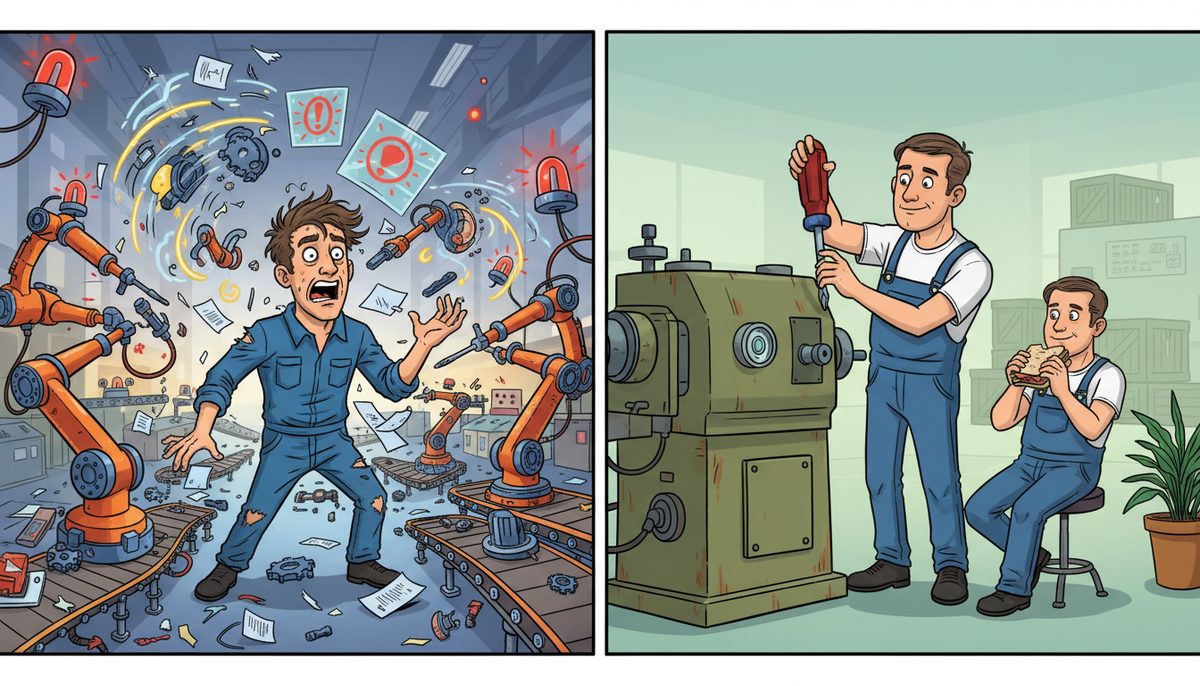
Incremental technology rollouts reduce production downtime risk by 60-80% compared to all-at-once deployments in manufacturing environments. Start with non-critical systems or a single production line, validate functionality over 2-4 weeks, then expand. This approach catches integration issues with ERP, MES, or shop floor systems before they halt your entire operation.
What are the risks of rolling out technology all at once in a manufacturing facility?
All-at-once deployments create a single point of failure across your entire operation. If the new ERP system doesn’t communicate properly with your MES or shop floor equipment, every production line stops simultaneously.
You lose the ability to fall back to your old system when everything switches at once. Your team can’t reference the previous workflow or data while troubleshooting, and you can’t compare performance between old and new systems to isolate problems.
Training becomes a bottleneck when everyone needs to learn new systems simultaneously. Production workers, quality control staff, inventory managers, and supervisors all struggle with the learning curve at the same time, with no experienced users to help.
Vancouver Island manufacturers face an additional challenge: if a critical failure occurs during an all-at-once rollout, specialized support may require mainland travel with ferry delays. Local IT providers who understand industrial systems are limited on the island.
All-at-once rollouts eliminate your safety net and amplify every integration problem across your entire facility.
How does incremental rollout protect production uptime?
Incremental deployment isolates risk to a single production line, department, or shift. When you pilot new technology on Line A while Lines B and C continue with existing systems, a failure affects only a fraction of your capacity.
You maintain a working reference system throughout the transition. When operators encounter confusion with the new work order system, they can check the old system on another line to verify correct procedures or data.
Your IT team can focus troubleshooting resources on one area instead of fighting fires across the entire facility. Problems with SCADA integration, HMI configuration, or network connectivity get resolved methodically rather than in crisis mode.
Manufacturing operations that roll out incrementally typically experience 3-5 days of reduced efficiency per line versus 2-3 weeks of facility-wide disruption with all-at-once deployment.
Ernie from a Vancouver Island manufacturing operation experienced this firsthand: “I can’t speak highly enough about the support we’ve received from DataStream. As someone who’s not very tech-savvy, dealing with IT issues used to feel like a huge challenge. But with DataStream, it’s a completely different experience. They’re incredibly quick to respond, and whenever something goes wrong, they step in and resolve the issue right away.” His previous IT provider didn’t even call back the same day, which would be catastrophic during a technology rollout affecting production.
Incremental rollout transforms technology deployment from a high-stakes gamble into a manageable, controlled process.
What’s the right sequence for rolling out manufacturing technology?
Start with back-office systems that don’t directly control production equipment. Deploy new accounting software, HR systems, or document management before touching shop floor technology. This builds organizational confidence and identifies network or infrastructure issues without risking production downtime.
Next, pilot on your most stable production line with your most experienced team. Choose the line with the fewest custom configurations and the operators most comfortable with technology. Success here creates internal champions who can support other teams later.
Roll out to additional production lines one at a time, with at least two weeks between deployments. This spacing lets you validate that the previous line is truly stable and gives your IT support team breathing room to address emerging issues.
Save your most complex or customized production line for last. By then, you’ve resolved the common integration problems, refined your training materials, and built a knowledge base of solutions. Your team is experienced and confident.
For manufacturers on Vancouver Island, this sequence is particularly important because specialized manufacturing IT support resources are concentrated in Victoria and Nanaimo. Staggered rollouts ensure local technicians can provide hands-on support to each line without spreading resources too thin.
Sequential deployment turns each phase into a learning opportunity that strengthens the next phase.
When does all-at-once deployment actually make sense?
All-at-once deployment works when you’re replacing infrastructure that must be consistent across all systems. Network switches, firewalls, or wireless access points often require simultaneous replacement because partial deployment creates security gaps or compatibility issues.
Simple, well-tested technology with minimal integration requirements can deploy facility-wide. Upgrading antivirus software, replacing desktop computers with identical configurations, or rolling out standardized mobile devices for inventory management carry lower risk.
Regulatory compliance deadlines sometimes force simultaneous deployment. If WorkSafeBC or PIPEDA regulations require specific security controls by a fixed date, you may need to implement across all systems at once to meet the deadline.
Small facilities with only one or two production lines don’t benefit much from phased rollout. The administrative overhead of maintaining two parallel systems outweighs the risk reduction when your entire operation is already small-scale.
Even in these scenarios, schedule the deployment during planned downtime or low-production periods. All-at-once doesn’t mean rushing—it means coordinated, well-prepared simultaneous implementation.
How do you measure whether your rollout strategy is working?
Track production downtime attributed to the new technology separately from normal equipment issues. Measure both planned downtime for installation and unplanned downtime from problems. Compare this against your baseline downtime before the rollout began.
Monitor your OEE (Overall Equipment Effectiveness) for each line during and after deployment. A successful incremental rollout shows temporary OEE dips isolated to the line being upgraded, with recovery to baseline within 1-2 weeks.
Count support tickets and resolution time for technology issues. An effective rollout shows high ticket volume in week one that drops sharply by week three as operators become proficient and integration bugs get resolved.
Survey operators and supervisors about confidence and productivity with the new system. Ask specific questions: “Can you complete a work order faster than before?” or “How often do you need to call IT for help?” Track these responses across each deployment phase.
Document every integration problem, workaround, and solution during the pilot phase. If you’re discovering and fixing the same issues on Line 3 that you saw on Line 1, your knowledge transfer process isn’t working and you need to slow down.
Effective measurement turns rollout from a one-time project into a continuously improving process.
What IT support do you need during a manufacturing technology rollout?
You need technicians who understand both IT systems and industrial equipment. The person troubleshooting your new MES integration must know how PLCs communicate, how SCADA systems handle data, and how network latency affects CNC machine performance.
Response time becomes critical during rollout. A problem that would be a minor annoyance during normal operations becomes a production emergency when it’s blocking your new system deployment. Local IT support with fast response eliminates the ferry delays that mainland providers face reaching Vancouver Island facilities.
Your IT partner should provide both remote and on-site support capabilities. Many configuration and software issues resolve remotely within minutes, but hardware integration with shop floor equipment requires hands-on technician presence.
Look for proactive monitoring during the rollout period. Your IT team should be watching system performance, network traffic, and error logs continuously during the first weeks after each phase deploys, catching problems before operators report them.
For Vancouver Island manufacturers in Victoria, Duncan, Nanaimo, or Cobble Hill, working with managed IT services that include live local support—not voicemail or phone trees—means you get immediate help when a production line is affected by technology issues.
The right IT support transforms technology rollout from a risk into a competitive advantage.
What’s the recommended deployment sequence for manufacturing technology?
- Back-office systems first: Deploy accounting, HR, and document management systems that don’t directly control production equipment.
- Pilot on stable production line: Choose your most reliable line with experienced operators to validate the technology and create internal champions.
- Sequential line deployment: Roll out to additional production lines one at a time with 2-4 weeks between each phase.
- Complex lines last: Save customized or high-complexity production lines until you’ve resolved common integration issues and refined training materials.
- Validation checkpoints: Confirm system stability and operator proficiency before proceeding to the next phase.
This sequence minimizes production risk while building organizational confidence and technical expertise with each successful phase.
Frequently asked questions
How long should I wait between incremental rollout phases?
Wait at least two weeks between deploying to each production line or department. This gives you time to validate system stability, identify patterns in support tickets, and ensure operators are proficient before adding the complexity of another line. For complex ERP or MES systems, extend this to three or four weeks between phases.
Can I roll out different technologies simultaneously to different areas?
Avoid simultaneous rollouts of different technologies unless they’re completely independent systems. Deploying new CAD software to engineering while rolling out new shop floor tablets creates competing demands on IT support and makes it difficult to isolate the source of integration problems. Sequence your technology projects with at least one month separation.
What if my technology vendor recommends all-at-once deployment?
Vendors often recommend all-at-once deployment because it’s simpler for their implementation team and faster to complete their contract. Push back with your business requirements: explain that production uptime is your priority and request a phased deployment plan. Most vendors will accommodate this, especially when you explain the cost of production downtime in your facility.
How do I handle software licensing during incremental rollout?
Negotiate licensing terms that support phased deployment. Some vendors charge per-user or per-device, making incremental rollout straightforward—you only license what you’ve deployed. Others require facility-wide licenses even for partial deployment. Clarify this before signing contracts and budget for the full license cost even if you’re deploying incrementally.
Should I roll out to all shifts at once or one shift at a time?
Deploy to all shifts on a production line simultaneously rather than shift-by-shift. Having different shifts use different systems on the same equipment creates handoff confusion and prevents 24-hour validation of system stability. Train all shift operators before deployment, then cut over all shifts together on a single line before moving to the next line.



