
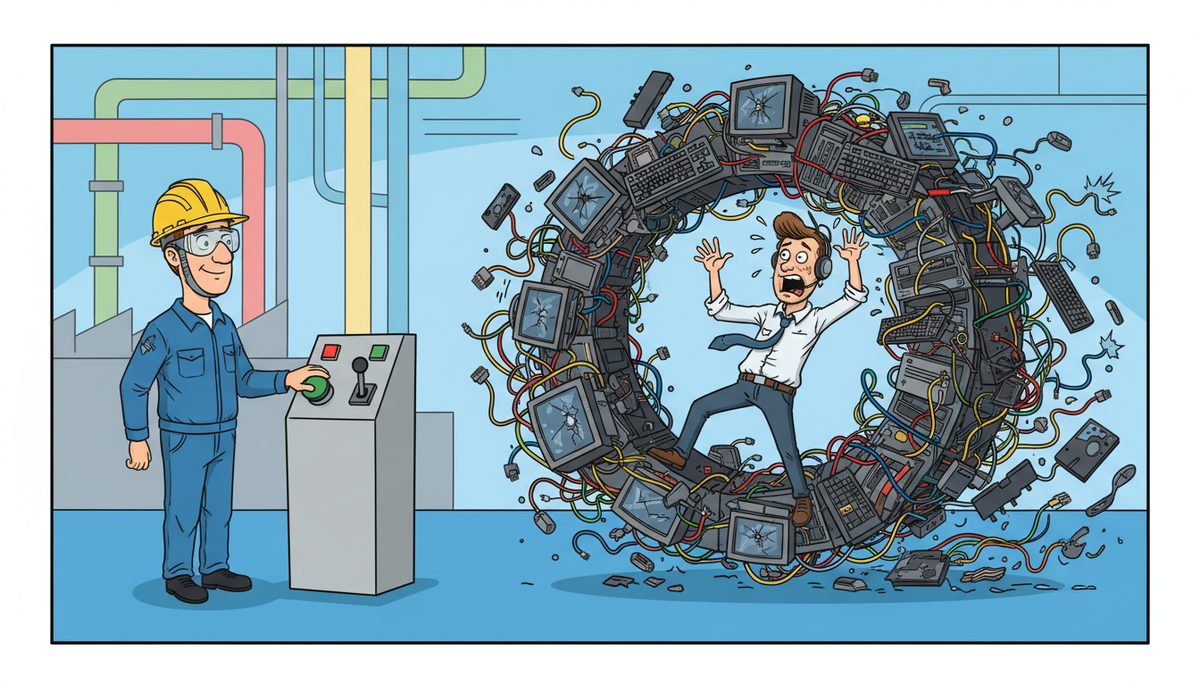
The best way to roll out new technology to manufacturing staff is a phased approach: pilot with 2-3 operators for 2-4 weeks, document workflows specific to your shop floor, train in groups of 4-6 during scheduled downtime, deploy to one production line at a time, and maintain parallel systems for 30 days to prevent production disruptions while staff adapt to the new system.
Why do most manufacturing technology rollouts fail?
Most manufacturing technology rollouts fail because they prioritize the system over the people who use it. IT teams configure software perfectly but forget that shop floor operators work in gloves, deal with noise and vibration, and can’t stop a production line to troubleshoot a login issue.
The second killer is inadequate training tailored to manufacturing environments. A 30-minute webinar doesn’t prepare someone to use a new MES system while monitoring three CNC machines. Operators need hands-on practice with the actual scenarios they’ll face: entering work orders during shift changes, reporting quality issues mid-production, or accessing CAD files on a shop floor tablet.
Timing destroys otherwise solid rollouts. Launching a new ERP system during your busiest production quarter guarantees resistance. Staff already working overtime to meet orders won’t embrace learning curves that slow them down.
Communication gaps between IT and operations create the final failure point. When technicians don’t understand that a five-minute system delay costs thousands in production downtime, they don’t prioritize the right support channels. Vancouver Island manufacturers face this acutely—if your IT provider is on the mainland, a ferry delay turns a quick fix into hours of lost production.
Ron Jasper, who provides ERP software to manufacturing clients, noted his experience with DataStream’s infrastructure services: “I’ve worked with clients using Datastream’s infrastructure and security services. I have always been impressed with their deep appreciation of both the technical and business considerations when providing servers, networks, security, firewalls, vpns and other IT provisions.” His clients thanked him for the recommendation specifically because DataStream understood how business operations and technology intersect.
Successful rollouts treat technology as a tool that must fit the workflow, not a system that forces workflow changes.
How do you prepare manufacturing staff before introducing new technology?
Preparation starts with honest conversations about why the change is happening. Don’t sell features—explain the problem you’re solving. If the new SCADA system will reduce manual data entry by 40%, tell operators they’ll spend less time on clipboards and more time on skilled work.
Identify your champions early. Every shop floor has two or three people others turn to when equipment acts up. These natural problem-solvers should see the new technology first. Give them early access, listen to their feedback, and let them help shape how it’s introduced to their peers.
Create role-specific documentation before launch day. A maintenance technician needs different information than a quality inspector. Write quick-reference guides for the six most common tasks each role performs, printed on laminated cards that survive the shop floor environment.
Schedule preparation time during normal work hours, not as overtime or lunch-and-learns. When you ask people to learn new systems on their own time, you signal the technology isn’t actually important enough to allocate proper resources.
Address the fear directly. Many experienced operators worry new technology will make their skills obsolete or expose their lack of computer experience. Acknowledge this openly and emphasize that their manufacturing knowledge is irreplaceable—the technology just captures it more efficiently.
For Vancouver Island manufacturers, preparation includes ensuring your IT support can respond without ferry delays. When problems arise during rollout, local IT support in Victoria or Nanaimo means technicians arrive within the hour, not the next day.
Proper preparation reduces rollout time by half and doubles adoption rates.
What is the step-by-step rollout process for manufacturing environments?
A structured seven-phase approach minimizes disruption while building competence across your workforce:
- Pilot Testing (2-4 weeks): Select 2-3 operators from different shifts and experience levels. Give them full access to the new system while maintaining the old process in parallel. Meet with them every 2-3 days to identify friction points: Is the login process too slow? Does the interface work with safety gloves? Can they see the screen in bright shop lighting?
- Workflow Documentation (1 week): Document exactly how the new technology fits into existing production workflows. Map every handoff point: when does the operator switch from the old system to the new one? What happens if the new system is down—what’s the backup process? Create visual workflow diagrams posted at each workstation.
- Champion Training (3-5 days): Train your 8-10 shop floor champions intensively. These are the people others will ask for help. They need to know not just how to use the system, but how to troubleshoot the most common issues. Give them direct contact information for IT support and authority to escalate production-blocking problems immediately.
- Group Training (1-2 weeks): Train operators in small groups of 4-6 during scheduled downtime or shift overlaps. Use the actual system in a test environment that mirrors your production setup. Have each person complete real tasks they’ll perform daily: clocking in, starting a work order, recording measurements, reporting a quality issue.
- Staged Deployment (2-4 weeks): Roll out to one production line or department at a time. Don’t flip the entire facility simultaneously. Start with your most stable, least complex line. Let that group work through issues for a week before moving to the next line. This contains problems and lets you refine training based on real feedback.
- Parallel Operation (30 days): Run old and new systems simultaneously for at least 30 days. Yes, it’s double work. It’s also insurance against production disasters. Operators can fall back to the familiar system when they’re stuck, and you can verify data accuracy before fully committing.
- Transition and Optimization (ongoing): After 30 days, sunset the old system but keep it accessible read-only for another 60 days. Schedule weekly check-ins with each department to identify optimization opportunities. The first rollout gets the system working; optimization makes it efficient.
This phased approach minimizes production disruptions while building confidence and competence across your workforce.
How do you train different types of manufacturing staff effectively?
Machine operators need task-based training focused on their daily repetitive actions. They don’t need to understand system architecture—they need to complete their eight most common tasks without thinking. Create muscle-memory through repetition: log in, start work order, record output, report issue, clock out. Practice each task five times in training.
Maintenance technicians require deeper system knowledge because they troubleshoot problems. Train them on the diagnostic features, error logs, and integration points with equipment. They need to understand what’s happening behind the interface so they can determine whether an issue is mechanical, electrical, or software-related.
Quality inspectors need training on data integrity and documentation. Show them how their entries flow through the system, who sees the data, and what decisions get made based on their inputs. They’re often the most detail-oriented staff—leverage that by making them data accuracy champions.
Supervisors and production managers need strategic training. They should understand reporting capabilities, how to extract production metrics, and how to identify bottlenecks through system data. Train them separately from operators so they can ask management-level questions without creating confusion.
Adjust training length to computer literacy, not job title. A 55-year-old machinist with 30 years of experience but minimal computer exposure needs more time and patience than a 25-year-old new hire who grew up with smartphones. Never make this a source of embarrassment—frame it as different starting points, same destination.
For hands-on manufacturing roles, keep training sessions under 90 minutes. Attention spans fade when people are used to physical work. Multiple short sessions beat marathon training days.
Provide job aids at the point of use: laminated quick-reference cards, visual step-by-step guides with screenshots, and QR codes linking to short video tutorials. Shop floor staff won’t return to a training manual—they need answers in 30 seconds or less.
Training effectiveness shows in adoption rates—if 90% of staff are using the system correctly within 60 days, your training worked.
What support structure prevents rollout failures after launch?
The first 90 days after launch determine long-term success. Establish a tiered support structure that matches manufacturing urgency levels.
Tier 1 is your shop floor champions—the operators who completed champion training. They handle basic questions: password resets, navigation help, and simple how-do-I tasks. Empower them to spend 10-15 minutes helping colleagues without needing supervisor approval.
Tier 2 is your IT support team with manufacturing expertise. They need to understand that a system issue during a production run isn’t the same as a printer problem in accounting. For Vancouver Island manufacturers, this means working with managed IT services that prioritize production-blocking issues and can dispatch technicians to Victoria, Duncan, or Nanaimo facilities without ferry delays.
Tier 3 is your technology vendor’s support line, but only for deep technical issues that local IT can’t resolve. Most day-to-day problems should never reach this level.
Create a dedicated communication channel for rollout issues—a Teams channel, Slack workspace, or even a simple group text. When an operator encounters a problem, they need to report it instantly and know someone is responding. Radio silence kills confidence in new systems.
Schedule daily standups for the first two weeks post-launch. Ten minutes at shift start where supervisors share common issues and solutions. This prevents the same problem from frustrating multiple people across different shifts.
Track and publish resolution times. When staff see that 90% of issues are resolved within 15 minutes, they trust the system. When issues linger for days, they revert to old workarounds.
Manufacturing technology rollouts require response times under 30 minutes for production-blocking issues.
Implement a feedback loop that actually changes things. If five different operators report the same frustration, fix it or explain why you can’t. Nothing breeds cynicism faster than collecting feedback that disappears into a void.
Plan for on-site IT presence during the first week of each phase deployment. Having a technician physically on the shop floor for the first few days catches problems before they become crises and builds relationships between IT and operations staff.
A robust support structure transforms technology rollout from a one-time event into continuous improvement.
How do you measure whether the technology rollout succeeded?
Adoption rate is your primary metric. Calculate the percentage of staff actively using the new system for their core tasks. Target 90% adoption within 60 days. Anything below 70% signals serious problems that need immediate attention.
Track system utilization by shift and department. If second shift shows 50% adoption while first shift is at 95%, you have a training or support gap specific to that shift. Dig into why—often it’s as simple as the champion for that shift needing more support.
Measure error rates in the new system compared to the old process. If data entry errors increased, the interface isn’t intuitive enough or training was insufficient. If errors decreased, the system is working as intended.
Monitor production metrics before and after rollout. Did OEE improve? Did production cycle times decrease? Did quality issues drop? Technology should deliver measurable operational improvements within 90 days. If it doesn’t, either the technology was wrong for your needs or the rollout didn’t achieve proper adoption.
Survey staff at 30, 60, and 90 days post-rollout. Ask specific questions: Can you complete your core tasks faster? Do you feel confident using the system? What’s the biggest remaining frustration? Quantitative metrics tell you what happened; qualitative feedback tells you why.
Calculate support ticket volume and type. A successful rollout shows high ticket volume in week one (people asking questions), declining volume by week four (people becoming self-sufficient), and stabilized low volume by week eight (only genuine technical issues).
Measure time-to-competency: how long until a new hire can use the system effectively? If it takes three weeks to train someone on technology that should simplify their job, the system is too complex or training needs redesign.
Compare actual rollout timeline to planned timeline. Delays aren’t always bad—sometimes they indicate you’re being appropriately cautious. But if you’re consistently two weeks behind schedule, your planning assumptions were wrong.
The ultimate success metric is whether staff would choose to keep using the new technology if given the option to revert. If the answer is yes, you rolled it out correctly.
Frequently asked questions
How long should a manufacturing technology rollout take?
A complete rollout typically takes 8-12 weeks from pilot testing to full deployment across all production lines. This includes 2-4 weeks for pilot testing, 1-2 weeks for training, 2-4 weeks for staged deployment, and 30 days of parallel operation. Rushing this timeline to save time usually costs more in production disruptions, poor adoption, and staff frustration than the weeks saved.
Should we roll out new technology during busy production periods?
Never roll out new technology during peak production periods unless it’s an emergency fix for a failing system. Schedule rollouts during your slowest production quarter when you have capacity to absorb learning curves and troubleshoot issues without missing customer commitments. The cost of delayed rollout is almost always less than the cost of production disruptions during busy periods.
What if experienced staff resist the new technology?
Resistance from experienced staff usually signals that you haven’t clearly explained what problem the technology solves or how it makes their work better. Meet with resisters individually to understand their specific concerns—often they’ve identified legitimate usability issues that need fixing. Make them part of the solution by asking for their input on workflows and training. Their expertise is valuable; channel it constructively.
How much training time should we budget per employee?
Budget 4-8 hours of initial training per employee depending on system complexity and their computer literacy, plus 2-3 hours of follow-up training within the first 30 days. Spread this across multiple sessions rather than one marathon day. Also budget 15-20% of their time in the first two weeks for reduced productivity as they adapt, so you’re not surprised when output temporarily dips.
Do we need on-site IT support during rollout?
Yes, especially for the first 3-5 days of each deployment phase. On-site IT support during rollout catches problems immediately, builds trust between IT and operations staff, and prevents small issues from becoming production-stopping crises. For Vancouver Island manufacturers, local IT support that can reach your facility in Victoria, Duncan, or Nanaimo within an hour is essential for minimizing production downtime during and after rollout.



