
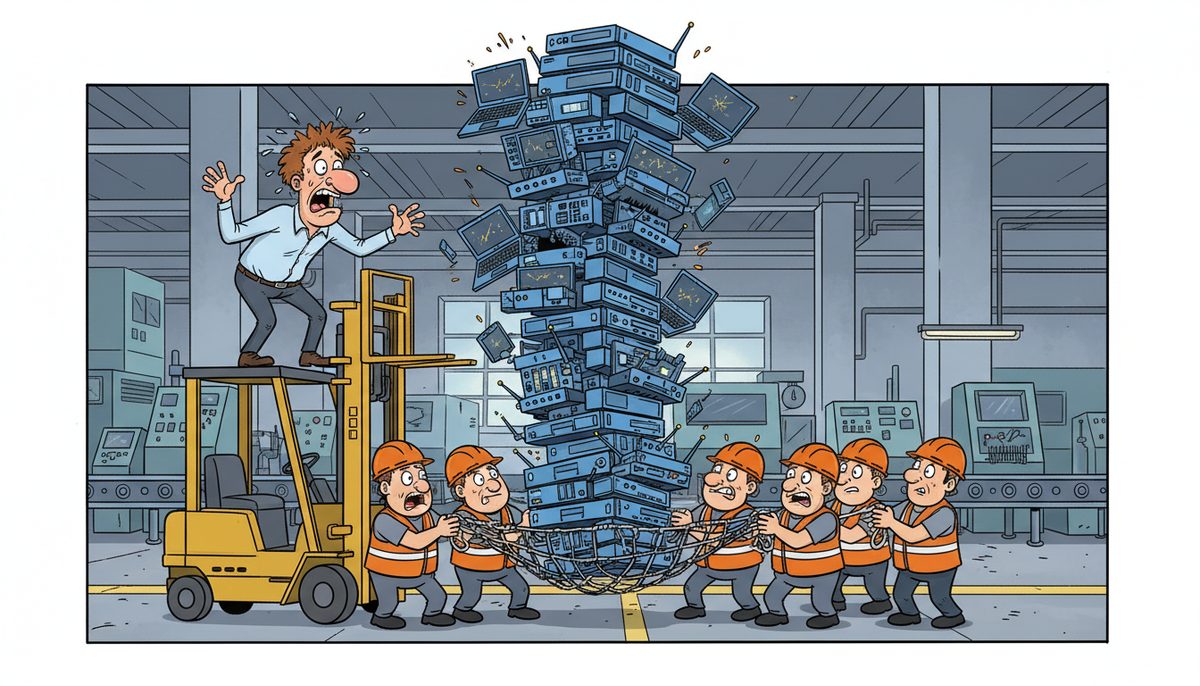
Yes, you can get help procuring the right equipment for your manufacturing operation—from servers and workstations to network switches and industrial-grade hardware. A knowledgeable IT partner evaluates your production systems, recommends compatible equipment that integrates with your ERP and SCADA networks, sources it from reliable vendors, and ensures proper installation and configuration so your shop floor technology works correctly from day one, typically within 2-4 weeks including ferry shipping to Vancouver Island.
Why does buying IT equipment for manufacturing feel so risky?
You’re not buying consumer laptops. Your production floor needs workstations that survive dust and temperature swings, servers that handle real-time data from CNC machines, and network switches that won’t choke when your MES pushes work orders to twenty stations simultaneously.
The real villain here is the knowledge gap. Equipment vendors sell you what they stock, not what your production environment actually needs. You end up with consumer-grade hardware in industrial settings, network gear that can’t handle SCADA traffic loads, or servers without the redundancy your ERP system requires.
When you guess wrong, you discover the problem mid-shift. A workstation overheats on the shop floor. Your network switch crashes under peak production load. Your server lacks the processing power to run CAD rendering and production scheduling simultaneously. Now you’re facing downtime, explaining to ownership why you need to buy replacement equipment, and scrambling to find something that actually works while your production schedule falls apart.
Island manufacturers face an extra layer of difficulty. Mainland suppliers ship to Vancouver Island on ferry schedules, turning a two-day equipment delivery into a week-long wait. When you need a replacement switch or a backup server urgently, geography turns equipment problems into extended production delays.
What happens when you buy the wrong equipment?
You waste money twice—once on equipment that doesn’t work, again on the replacement. But the real cost is the production time lost while you wait for the right hardware to arrive.
Your ERP system runs slowly because the server lacks sufficient RAM for your bill of materials database and active work orders. Employees wait for screens to load. Production scheduling takes twice as long. Your shop floor efficiency drops because the technology can’t keep pace with your actual workflow.
Network bottlenecks appear when your switches can’t handle the data volume from industrial IoT sensors, HMI terminals, and SCADA systems all communicating simultaneously. Machines lose connectivity. Work orders don’t update. Your real-time production visibility disappears exactly when you need it most.
Workstations fail in industrial environments because they weren’t built for dust, vibration, or temperature variations. You’re replacing hardware every eighteen months instead of every five years, and your CAD workstations crash mid-design because they lack the graphics processing power for complex assemblies.
A single day of production downtime from equipment failure can cost a small manufacturer $10,000 to $50,000 in lost output, missed shipments, and idle labor.
You also risk compliance problems. If your servers don’t have proper encryption capabilities, you’re vulnerable under PIPEDA and BC PIPA when storing customer data or employee records. WorkSafeBC requires certain technology standards in industrial environments—equipment that doesn’t meet those standards puts you at regulatory risk.
What equipment does your manufacturing operation actually need?
Start with your production systems. Your ERP and MES software have minimum hardware requirements, but those minimums assume light usage. A server running real-time production data, inventory management, and work order tracking needs significantly more processing power, RAM, and storage than vendor spec sheets suggest.
Industrial workstations differ from office computers. Shop floor terminals need sealed cases to prevent dust ingress, solid-state drives that tolerate vibration, and components rated for wider temperature ranges. CAD workstations require professional-grade graphics cards, not consumer gaming hardware, to handle complex assemblies and rendering.
Network infrastructure carries your production data. Managed switches with Quality of Service (QoS) capabilities prioritize SCADA and MES traffic over general office use. Redundant network paths prevent a single switch failure from taking down your entire production floor. Industrial-grade cabling and connectors survive the shop floor environment where standard Cat6 cables fail.
Backup and recovery hardware protects your production data. Local backup appliances provide fast recovery when your ERP database corrupts. Cloud backup protects against facility-wide failures. Server redundancy keeps production running when primary hardware fails—RAID arrays for drive failures, redundant power supplies, and in critical operations, failover servers that take over automatically.
Security hardware defends your manufacturing designs and customer data. Firewalls with industrial protocol inspection protect SCADA networks. Endpoint protection appliances monitor for threats across your network. Encrypted storage devices protect CAD files and proprietary manufacturing processes.
How do you choose equipment that actually fits your operation?
Start with an honest assessment of your production environment. How many users access your ERP simultaneously during peak shifts? How much data do your CNC machines and SCADA systems generate hourly? What’s your current network utilization during production runs? These numbers determine your actual hardware requirements, not vendor minimums.
Consider your growth trajectory. Equipment purchased today needs to support your operation three to five years from now. If you’re adding production lines, expanding your facility, or increasing shift coverage, your servers and network infrastructure must scale accordingly. Underpowered equipment becomes obsolete before you’ve recovered the investment.
Evaluate total cost of ownership, not just purchase price. A consumer-grade server costs less upfront but requires replacement in three years. An enterprise-grade server costs more initially but runs reliably for seven years with lower failure rates. Factor in downtime costs—if an hour of production downtime costs you $5,000, spending an extra $2,000 on redundant hardware pays for itself the first time it prevents an outage.
Match equipment to your environment. Shop floor workstations need industrial ratings. Server rooms require proper cooling and power conditioning. Network equipment in manufacturing areas needs NEMA-rated enclosures. Office-grade hardware fails quickly in industrial settings, creating recurring replacement costs.
Verify compatibility with your existing systems. Your new server must integrate with your current ERP version. Network switches must support your SCADA protocols. Workstations need drivers for your CNC programming software. Incompatibility discovered after purchase means delays, returns, and scrambling for alternatives while production waits.
How does working with an IT partner change equipment procurement?
An IT partner who understands manufacturing starts by learning your production workflow. They map your technology dependencies—which systems talk to each other, where your data bottlenecks occur, what happens when specific equipment fails. This assessment reveals what you actually need, not what a vendor wants to sell you.
They source equipment based on your operational reality. If your shop floor runs three shifts with high dust levels and temperature swings, they specify industrial-grade workstations with appropriate environmental ratings. If your ERP handles complex bills of materials with hundreds of active work orders, they size servers for your actual database load plus growth capacity.
Local Vancouver Island support matters for equipment decisions. When you’re evaluating whether to buy backup hardware or rely on cloud-only recovery, a local partner understands island-specific risks—ferry delays for replacement parts, longer shipping times for emergency equipment, limited local inventory for specialized hardware.
They handle vendor relationships and technical validation. Instead of you navigating manufacturer spec sheets and compatibility matrices, your IT partner verifies that proposed equipment actually works with your production systems. They catch incompatibilities before purchase, not after installation when your production schedule is at risk.
Configuration and integration happen correctly from the start. Your new server arrives pre-configured for your ERP system. Network switches come programmed with your VLAN structure and QoS policies. Workstations include all necessary drivers and software. You’re not troubleshooting compatibility issues during installation while your shop floor waits.
Daryl Wood, who runs a construction business, put it this way: “Considering all the cyber threats facing businesses today, you have to ask, what happens if your systems go down and you can’t operate for several days? If this would cause you big problems, I’d suggest protecting yourself by selecting DataStream as your security partner and get some peace of mind knowing they have it covered.” The same logic applies to equipment procurement—getting it right the first time prevents the operational chaos of equipment failures.
What does the procurement process actually look like?
- Call and talk to a real local technician immediately who understands manufacturing systems and can assess your current equipment, production requirements, and operational constraints without voicemail or phone trees delaying your planning.
- Get a detailed equipment assessment that maps your technology needs to your production reality—server capacity for your ERP load, network bandwidth for your SCADA traffic, workstation specs for your CAD requirements, and backup systems for your data protection obligations under PIPEDA and BC PIPA.
- Receive sourced, configured, and installed equipment from local Vancouver Island technicians who ensure everything integrates correctly with your existing systems and can dispatch immediately if any issues arise, without ferry delays or mainland travel time.
What does success look like after you get the right equipment?
Your ERP system responds instantly because the server has sufficient processing power and RAM for your actual workload. Production scheduling happens in real time. Work orders update immediately. Your shop floor operates at the pace your processes demand, not the pace your technology allows.
Network bottlenecks disappear. Your SCADA systems communicate reliably with PLCs and HMI terminals. Production data flows smoothly from machines to your MES. Real-time visibility into your shop floor remains constant because your network infrastructure handles the traffic volume without choking.
Equipment lasts its full expected lifespan. Shop floor workstations survive industrial conditions for five years instead of failing after eighteen months. Servers run reliably without unexpected crashes or performance degradation. Your technology budget becomes predictable because you’re not constantly replacing failed hardware.
You meet shipment deadlines consistently because technology problems don’t cascade into production delays. When equipment does eventually need replacement, you have local support on Vancouver Island that can respond immediately—no waiting for ferry schedules or mainland technicians to arrive while your production line sits idle.
Your manufacturing data stays protected with properly configured backup systems and security hardware that meet PIPEDA and BC PIPA requirements. Your CAD files, proprietary manufacturing processes, and customer information remain secure. You’re not explaining data breaches or compliance failures to customers or regulators.
Ready to stop guessing about IT equipment and get hardware that actually fits your manufacturing operation? Call (250) 929-0745 to talk to a real technician now about your production systems and equipment needs. Or learn more about how managed IT services protect your entire manufacturing technology environment with local Vancouver Island support in Victoria, Duncan, and Nanaimo.
Frequently asked questions
How long does it take to procure and install new manufacturing IT equipment?
Timeline depends on equipment complexity and vendor availability. Standard servers and workstations typically arrive within one to two weeks, with configuration and installation adding another few days. Specialized industrial hardware or custom configurations may require three to four weeks. Vancouver Island location adds ferry shipping time, but local IT partners often stock common equipment or have expedited supplier relationships that reduce wait times significantly.
Should I buy servers or move my ERP to the cloud?
Decision depends on your ERP system, internet reliability, and operational needs. Cloud ERP eliminates server maintenance but requires consistent high-speed internet—problematic if your facility experiences connectivity issues. On-premise servers give you control and work during internet outages but require backup systems and maintenance. Many manufacturers use hybrid approaches: on-premise servers for production-critical systems, cloud services for less time-sensitive applications. Your IT partner should assess your specific situation.
What’s the difference between consumer and industrial-grade equipment?
Industrial equipment uses components rated for harsher environments—wider temperature ranges, dust and vibration resistance, sealed enclosures, and longer component lifespans. Consumer equipment fails quickly on shop floors due to dust ingress, temperature stress, and vibration from machinery. Industrial workstations cost 30-50% more upfront but last three to five times longer in manufacturing environments, making them significantly cheaper over their lifespan when you factor in replacement costs and downtime.
Can I just buy equipment directly from manufacturers to save money?
You can, but you assume all configuration, compatibility, and integration risk. Manufacturers sell hardware, not solutions—they won’t verify your ERP compatibility, configure your network settings, or troubleshoot when equipment doesn’t integrate with your SCADA systems. You save the IT partner’s markup but pay with your time troubleshooting and risk production downtime from configuration errors. For non-critical office equipment, direct purchase works. For production-critical systems, professional procurement prevents costly mistakes.
How do I know if my current equipment needs replacement?
Watch for performance degradation: ERP systems running slowly, network timeouts during production, workstations crashing during CAD work, or backups failing to complete overnight. Check equipment age—servers older than five years and workstations older than four years risk unexpected failure. Monitor your downtime incidents: if equipment failures are increasing, replacement prevents more costly emergency situations. Your IT partner can assess current equipment health and recommend replacement timing before failures impact production.



