
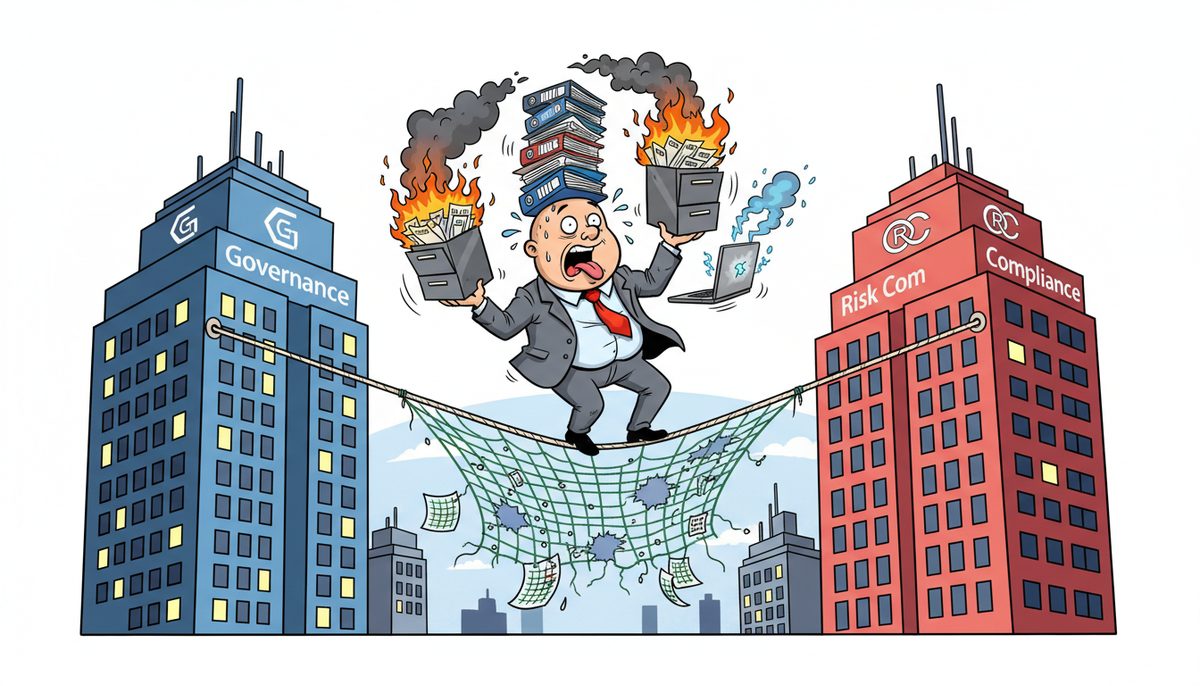
GRC alignment synchronizes your governance policies, risk management processes, and compliance requirements into one coordinated system that protects client data and meets CPA BC practice inspection standards. For Victoria CPA firms, this means your IT controls, backup procedures, and security measures work together to satisfy both PIPA and CPA Handbook requirements—reducing the 3-5 hours per month typically spent on disconnected compliance tasks while preventing the practice-threatening failures that happen when systems don’t communicate.
Why do CPA firms struggle with compliance when systems don’t align?
You’re managing client files containing T1s, T2s, working papers, and financial statements that must stay confidential under both CPA BC professional standards and BC’s Personal Information Protection Act. Your backup system, security software, and access controls were probably purchased at different times from different vendors who never coordinated.
When tax season hits and your server crashes on April 28th, you discover your backup didn’t capture yesterday’s completed returns because the backup schedule conflicts with your after-hours EFILE uploads. Or ransomware encrypts client files because your antivirus doesn’t communicate with your email filter, letting a phishing email through that your spam protection should have caught.
The villain here is fragmentation—technology systems purchased in isolation that create gaps where compliance failures hide. Your firewall protects the perimeter while your endpoint protection misses the USB drive a staff member uses to take work home. Your document retention policy says keep files for seven years, but nobody configured the backup system to match that timeline.
This fragmentation makes you anxious during every CPA BC practice inspection, wondering what the reviewer will find. You work evenings during busy season not just completing client work but also manually checking that backups ran, security updates installed, and access logs show nothing suspicious—tasks that should happen automatically.
Your professional reputation depends on confidentiality and reliability, yet your technology setup makes both harder to guarantee.
What happens when compliance gaps remain unaddressed?
Miss one CRA filing deadline because your server was down and backups failed, and you’re explaining late-filing penalties to an angry client who trusted you with their business taxes. That client tells three other business owners, and suddenly your reputation in Victoria’s tight-knit business community is damaged.
Suffer a ransomware attack that exposes client financial data, and you’re facing mandatory breach reporting to CPA BC under professional standards. You’ll also need to notify affected clients under PIPA, triggering potential regulatory investigations and almost certainly losing those clients to competitors who can demonstrate better security.
During your next CPA BC practice inspection, the reviewer identifies inadequate IT controls—backup procedures not documented, no testing of disaster recovery, insufficient access controls for client files. The inspection report notes deficiencies that must be remediated within 90 days, and you’re scrambling to fix systems that should have been aligned from the start.
Your staff burns out working weekends to manually coordinate what technology should handle automatically. Senior accountants spend billable hours checking backup logs instead of reviewing financial statements. During the compressed January-to-April busy season when Victoria firms complete 60-70% of annual revenue, these inefficiencies cost you both money and client satisfaction.
CPA firms without aligned GRC systems spend 15-20% more time on compliance tasks while facing 3-4 times higher risk of data breaches during busy season.
How does GRC alignment actually work for accounting practices?
GRC alignment starts with mapping your compliance obligations—CPA BC professional standards, PIPA requirements, CRA record-keeping rules, and your professional liability insurance requirements—against your actual technology systems and business processes.
You identify where governance policies exist only on paper. Perhaps your document retention policy says client files are kept for seven years, but your backup system retains data for only three years because nobody coordinated the settings. Or your access control policy requires removing user permissions within 24 hours when staff leave, but your actual process takes a week because IT and HR don’t communicate.
Risk management gets integrated next. You assess what threatens your ability to meet those compliance requirements—server failures during tax season, ransomware attacks on client data, accidental deletion of working papers, unauthorized access to confidential files. Then you prioritize based on likelihood and impact to your practice.
Technology systems are configured to work together. Your backup solution runs automatically after EFILE uploads complete, not during them. Your email protection communicates with endpoint security so phishing attempts are blocked at multiple layers. Access controls sync with your HR system so departing staff lose file access immediately.
Documentation becomes automatic rather than manual. Your systems generate logs proving backups completed, security updates installed, and access remained restricted—exactly what CPA BC practice inspections require. Instead of spending hours before an inspection gathering evidence, you click a button and produce compliance reports.
Testing happens on a schedule. Your disaster recovery plan isn’t a binder on a shelf—it’s tested quarterly so you know you can actually restore client files if the server fails on April 29th. Those tests generate documentation proving to CPA BC that your controls work.
What specific compliance requirements does GRC alignment address?
CPA BC practice inspections examine whether you protect client confidentiality and maintain adequate records. Inspectors look for documented IT policies, evidence of regular backups, tested disaster recovery procedures, and appropriate access controls. Aligned GRC systems generate this evidence automatically.
BC’s Personal Information Protection Act requires reasonable security safeguards for personal information, breach notification procedures, and retention limits. Your aligned system enforces encryption for client data, alerts you immediately to potential breaches, and automatically purges files according to your retention schedule.
CRA record-keeping requirements mandate that supporting documents for tax returns be kept for six years (seven years for corporations). Your backup and archive systems are configured to match these timelines exactly, with automated reminders before files are eligible for deletion.
Professional liability insurance often requires specific security measures—multi-factor authentication, encrypted backups, regular security training. Your GRC alignment ensures these requirements are met and documented, protecting your coverage if you ever need to make a claim.
If you serve clients in regulated industries—credit unions, cannabis businesses, healthcare providers—you inherit their compliance requirements. GRC alignment lets you demonstrate to those clients that your systems meet their standards, opening doors to higher-value engagements.
How does local Vancouver Island support make GRC alignment practical?
Theory is useless when your server crashes during busy season and compliance systems fail. Victoria’s geography—separated from mainland vendors by ferry schedules—makes local support critical for maintaining aligned GRC systems when problems arise.
Gayla Andrews experienced this firsthand: “Luke with DataStream Networks Inc. is always so knowledgeable and helpful. Luke and his team are always happy to help with your IT needs.” That responsiveness matters when a compliance system fails hours before a filing deadline.
Local Vancouver Island technicians understand the seasonal pressure of tax season and the consequences of missing CRA deadlines. They’ve worked with CPA firms through April 30th crunches and year-end closes. When they configure your backup schedule, they account for EFILE upload times because they’ve seen what happens when backups conflict with filing systems.
Remote resolution within minutes keeps your compliance systems running during critical periods. Most issues—backup failures, security alerts, access problems—are diagnosed and fixed before they cascade into bigger compliance gaps. When remote resolution isn’t possible, a local technician arrives at your Victoria, Nanaimo, or Duncan office without waiting for ferry schedules.
This local presence also means your GRC systems are configured for BC-specific requirements. Your technician knows PIPA differs from federal PIPEDA, understands CPA BC inspection standards, and has worked with other Vancouver Island accounting practices facing identical compliance challenges.
Since 2012, DataStream Networks has served Vancouver Island businesses with live people answering phones—no voicemail, phone trees, or overseas support during your compliance emergencies. That commitment to local, immediate support makes GRC alignment practical rather than theoretical.
What does successful GRC alignment look like in daily practice?
You arrive Monday morning during busy season and check your compliance dashboard. All backups completed overnight after EFILE uploads finished. Security scans found no threats. Access logs show only authorized staff accessed client files over the weekend. You spend two minutes reviewing instead of thirty minutes investigating.
A staff member clicks a phishing email Tuesday afternoon. Your aligned security system blocks the malicious link, quarantines the email, alerts you immediately, and automatically generates an incident report. You use the incident for required security awareness training, documenting your response for CPA BC standards.
Wednesday, you receive notice of an upcoming practice inspection. Instead of panicking and spending days gathering evidence, you generate compliance reports showing six months of successful backups, disaster recovery tests, security updates, and access control logs. The inspection preparation takes hours instead of weeks.
A long-time client asks Thursday about your data security before referring their business partner to your firm. You confidently describe your aligned GRC systems, show them your compliance certifications, and explain your tested disaster recovery procedures. They make the referral, and you gain a new client who values your professional approach to technology.
April 29th arrives, and a power surge takes down your server. Your aligned systems automatically fail over to backup systems. Client files remain accessible. EFILE continues working. You call (250) 929-0745, reach a real Victoria technician immediately, and have the primary server restored within the hour. You meet every deadline.
Your staff works normal hours during tax season because technology handles compliance tasks automatically. Senior accountants review financial statements instead of checking backup logs. You bill more hours, clients receive better service, and your team doesn’t burn out.
That’s what successful GRC alignment delivers—technology that protects your practice, satisfies regulators, and lets you focus on serving clients rather than managing disconnected systems.
How do you implement GRC alignment without disrupting busy season?
- Call (250) 929-0745 and talk immediately to a Victoria-based technician who understands CPA firm compliance requirements and busy season pressures. Describe your current systems, your compliance obligations, and your concerns about gaps or failures.
- Schedule a compliance assessment during your slower period (May through December) when a local technician can review your governance policies, risk exposures, and technology systems without interfering with client deadlines. You’ll receive a specific plan showing what needs alignment and how to prioritize implementations.
- Implement aligned systems in phases, starting with the highest-risk gaps—typically backup coordination, security integration, and access controls—with each phase tested and documented before busy season begins. Your local Vancouver Island technician handles the technical work while you maintain focus on client service.
Start the conversation today by calling (250) 929-0745. You’ll talk to a real person immediately—no voicemail or phone trees—who can answer your specific questions about aligning GRC systems for your Victoria CPA practice. Or explore managed IT services designed specifically for professional services firms that need compliance systems working together reliably.
Frequently asked questions
What’s the difference between GRC alignment and just having good IT security?
Security is one component of GRC alignment, but alignment coordinates your governance policies, risk management, and compliance requirements across all systems. You might have excellent security software but still fail compliance if your backup retention doesn’t match CPA BC requirements or your access controls aren’t documented. GRC alignment ensures every technology decision supports your compliance obligations, not just your security posture, creating a coordinated system rather than disconnected tools.
How long does it take to implement GRC alignment for a small CPA firm?
A typical 3-8 person Victoria CPA firm can achieve basic GRC alignment in 4-6 weeks when working with experienced local technicians who understand accounting practice requirements. This includes policy documentation, system configuration, integration setup, and initial testing. Full implementation with comprehensive disaster recovery testing and staff training typically takes 8-12 weeks. The key is starting during slower months (May-December) so systems are fully operational before January busy season begins.
Does GRC alignment require replacing all our current technology systems?
No. Most GRC alignment projects work with your existing systems—servers, backup solutions, security software—by configuring them to communicate and coordinate properly. You might need to add specific components like centralized logging or automated compliance reporting, but wholesale replacement is rarely necessary. The focus is integration and coordination of what you already own, making those investments work together rather than in isolation.
What does GRC alignment cost for a Vancouver Island CPA firm?
Costs vary based on your current systems and compliance gaps, but most small CPA firms invest between $150–$225 per user per month for ongoing aligned support, plus one-time costs for gap analysis and policy development. This typically costs less than the revenue lost from a single day of downtime during busy season or the professional liability increase after a data breach. Specific pricing depends on your firm’s size and complexity.
How does GRC alignment help during CPA BC practice inspections?
Aligned GRC systems automatically generate the documentation CPA BC inspectors require—backup logs, disaster recovery test results, access control records, security update histories, and policy compliance evidence. Instead of spending days before an inspection gathering scattered evidence from multiple systems, you produce comprehensive compliance reports in minutes. Inspectors see coordinated, tested systems with documented procedures rather than ad-hoc arrangements, significantly reducing the likelihood of deficiency findings.
Can GRC alignment prevent ransomware attacks on client files?
GRC alignment significantly reduces ransomware risk by coordinating multiple defensive layers—email filtering, endpoint protection, access controls, and user training—so attacks are blocked at multiple points rather than relying on a single security tool. More importantly, alignment ensures your backup and recovery systems work correctly if ransomware does penetrate, letting you restore encrypted files quickly without paying ransoms. The coordination between prevention, detection, and recovery systems is what protects your practice and client data.



