
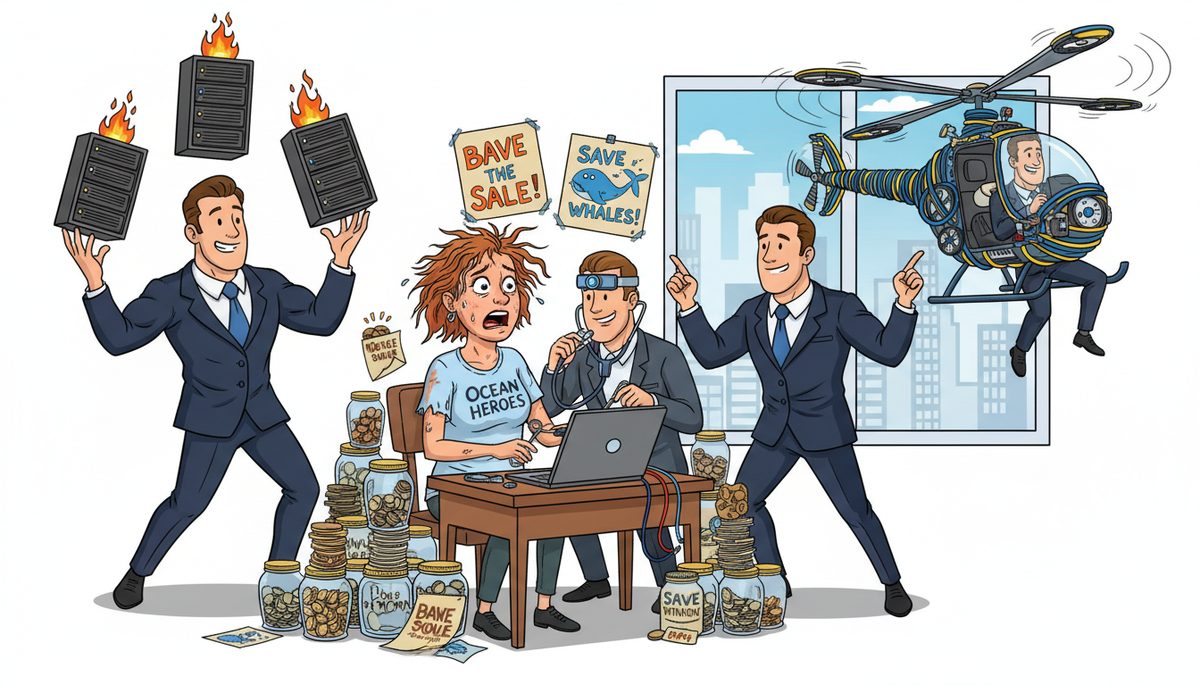
Choose an IT provider who answers calls with live people immediately, understands CRA digital record-keeping requirements for registered charities, and can fix donor management system crashes remotely within minutes—especially critical during December fundraising campaigns when 30-40% of annual donation revenue typically arrives. Verify they offer PIPA-compliant data backup, local technicians who eliminate ferry wait times during grant deadlines, and transparent pricing that respects your operating budget constraints.
Why Do Your Technology Problems Always Happen at the Worst Possible Time?
Your donor management system doesn’t crash randomly. It fails three days before your year-end mail campaign because that’s when you’re processing the largest constituent list of the year, stressing aging hardware and software that only gets attention after something breaks.
Technology that only receives reactive attention creates a predictable pattern: systems limp along until mission-critical moments—BC Gaming grant application deadlines, United Way funding windows, December donation processing—then collapse under load. Your board approved the donor database five years ago, but nobody budgeted for the server it runs on, the backup system protecting it, or the security updates required to keep credit card data PIPA-compliant.
You’re managing programs, writing grants, stewarding donors, and coordinating volunteers. Technology becomes one more thing you handle until it stops working, then you’re scrambling to find help while donation processing halts and board members ask why IT problems are threatening restricted funding.
The villain isn’t the technology itself—it’s the absence of someone watching it before crisis hits. Most nonprofits don’t have a full-time IT person, so systems degrade silently until failure becomes visible, expensive, and urgent.
What Happens If You Choose the Wrong IT Provider?
Choose an IT provider who doesn’t understand nonprofit operations, and you’ll explain charitable tax receipt requirements to someone who treats your donor database like any other CRM. They won’t grasp why losing three days of December donation processing could cost you 15-20% of annual revenue, or why you can’t simply “work offline” when grant portals have hard deadlines.
Mainland providers sound fine until your financial records become inaccessible the day before a BC Gaming grant submission deadline. They’ll promise a technician “tomorrow” after the ferry, while you watch $25,000 in restricted funding slip away because you couldn’t produce required documentation on time.
Providers who don’t prioritize immediate human contact will route you through phone trees and ticket systems while your gift processing system stays down. Donors calling to make year-end contributions hear “we’re experiencing technical difficulties”—then give to another charity. You don’t get a second chance at December revenue.
The wrong provider bills hourly without explaining costs upfront, turning every support call into budget anxiety. You’ll hesitate to report problems early, letting small issues become catastrophic failures that consume operating reserves meant for program delivery.
A data breach exposing donor credit card information triggers mandatory PIPA breach reporting, potential CRA charitable status review, and permanent loss of community trust—consequences no nonprofit can afford.
What Technical Capabilities Should Your IT Provider Have for Nonprofit Operations?
Your IT provider must understand the systems nonprofits depend on daily. Donor management platforms like Raiser’s Edge, Bloomerang, or DonorPerfect have specific backup requirements—you can’t lose constituent records, donation history, or tax receipt data without violating CRA digital record-keeping requirements for registered charities.
Look for providers who can support cloud-based and on-premise systems. Many nonprofits run hybrid environments: cloud email and collaboration tools to minimize costs, but local servers for donor databases with sensitive beneficiary information that must meet BC’s PIPA standards—stricter than federal PIPEDA.
Your provider needs remote support capability that actually works. When your volunteer coordinator can’t access the volunteer management system during a community event setup, you need someone who can diagnose and fix the problem while you’re on-site, not schedule an appointment for next week.
Verify they can handle the technology grant funders increasingly require. United Way and community foundation applications now ask for cybersecurity attestations and data protection policies. Your IT provider should help you document these controls, not leave you guessing whether you meet requirements.
Ask about backup and recovery specifically for databases. Donor systems aren’t simple file storage—they require consistent, tested backups that can restore without data corruption. A provider who treats your DMS like a folder of Word documents will fail you during recovery.
How Do You Evaluate Response Time and Support Availability?
Response time means nothing if it’s measured from when you leave a voicemail to when someone calls back. Measure from when you need help to when you’re actually talking to a technician who can solve your problem.
Test this before you commit. Call the provider’s support line during business hours. Do you reach a real person immediately, or navigate phone trees? Are you talking to someone local who understands Vancouver Island geography and BC regulations, or an overseas call center reading scripts?
Ask how they handle urgent situations during your critical periods. December donation processing, grant deadline weeks, and major fundraising events can’t wait for standard support queues. You need a provider who understands that a donor database outage during year-end campaign is genuinely urgent—not just “urgent” in air quotes.
Clarify what happens when remote support isn’t enough. If they need to dispatch a technician to your Victoria office, are they coming from Vancouver Island or catching the ferry from the mainland? Ferry delays during a BC Gaming grant deadline could cost you funding.
Marjorie Reid, working with a nonprofit organization, experienced this difference firsthand: “Working with DataStream has been transformative for our non-profit organization. What really set them apart was their transparency and the way they explained everything during our data recovery process. They took the time to walk us through all the available options, including any financial impacts, in a clear and understandable way, making sure we felt comfortable with the decisions we were making.”
That transparency during crisis—explaining options and costs while fixing the problem—separates providers who understand nonprofit constraints from those who don’t.
What Should You Know About IT Costs and Nonprofit Budget Constraints?
Every dollar you spend on IT is a dollar not spent on program delivery, and your board knows it. You need a provider who respects that reality and explains costs before work begins, not after.
Understand the difference between managed services and break-fix support. Managed services typically cost $150–$225 per user per month and include proactive monitoring, security updates, backup management, and unlimited support. Break-fix means paying hourly ($40–$70 per hour for local technicians) only when things break—cheaper monthly, but unpredictable and often more expensive annually when you factor in emergency rates and downtime costs.
For small nonprofits with 3-8 staff, co-managed IT ($50–$150 per user per month) offers middle ground: you handle day-to-day tasks with provider support for complex issues, security, and backup. This works if you have a tech-savvy staff member or volunteer who can manage basics.
Ask about nonprofit-specific pricing considerations. Some providers offer reduced rates for registered charities, but verify what you’re actually getting. Discounted managed services that exclude your donor database backup or security monitoring aren’t savings—they’re gaps that will cost you later.
Request transparent quotes for specific scenarios: “What does it cost to add cloud backup for our donor database server?” should get you a clear range (typically $40–$150 per device per month for cloud/offsite server backup), not vague “it depends” responses that leave you unable to budget.
Consider cash flow alignment. Vancouver Island’s seasonal tourism economy affects nonprofit revenue cycles—summer event income, fall grant payments, December donation surge. A provider who understands this can structure payment terms that match your cash flow, not invoice you for annual contracts in your slowest revenue month.
How Do You Verify a Provider Understands Nonprofit Compliance and Security Needs?
Your IT provider doesn’t need to be a lawyer, but they must understand what nonprofit compliance requires from technology systems. CRA digital record-keeping rules for registered charities mean you must retain donation records, tax receipts, and financial documentation in accessible formats—”the server crashed and we lost everything” won’t satisfy an audit.
Ask specifically about PIPA compliance for donor data. BC’s Personal Information Protection Act applies to nonprofits handling BC resident information, requiring reasonable security safeguards. Your provider should explain how backup encryption, access controls, and breach response procedures meet these standards.
Verify they can help you meet grant funder technology requirements. BC Gaming Policy and Enforcement Branch requires specific financial record-keeping for gaming grant recipients. United Way applications increasingly ask about cybersecurity policies. Your provider should understand these aren’t optional checkboxes—they’re funding prerequisites.
Ask about credit card data security if you process donations. PCI DSS compliance requirements apply even to small nonprofits. A provider who suggests storing credit card numbers in your donor database spreadsheet doesn’t understand the liability they’re creating for you.
Request documentation of their own security practices. If they’re accessing your systems remotely, how do they protect their own credentials and tools? A provider with weak security becomes your vulnerability—one compromised technician account could expose all your constituent data.
Test their knowledge with specific scenarios: “Our board member wants to access donor records from home—how do we do that securely?” A good provider will discuss VPN, multi-factor authentication, and access logging. A poor one will say “just share the password.”
Choosing the right IT provider means finding someone who treats your mission as seriously as you do, understands that donor trust is your most valuable asset, and responds immediately when technology threatens that trust.
How a Local IT Partner Helps You Focus on Mission Instead of Technology
You didn’t start working in the nonprofit sector to manage servers and troubleshoot email. You’re here to serve your community, deliver programs, and steward donor relationships. Technology should enable that mission, not distract from it.
The right IT partner understands the specific anxiety of handling sensitive donor information without a full-time IT person—wondering if you’re meeting PIPA requirements or risking everything. They’ve seen Victoria nonprofits stuck waiting for mainland technicians during grant deadlines while board members question why technology problems are threatening funding.
DataStream Networks Inc. has served Vancouver Island organizations since 2012, with local technicians in Victoria, Nanaimo, Duncan, and Cobble Hill who understand nonprofit technology challenges firsthand. When you call, live people answer immediately—no voicemail, no phone trees, no waiting while donation processing stops.
Most problems get fixed remotely within minutes because technicians can access your systems immediately. When on-site support is needed, local dispatch means no ferry delays during critical deadlines. This matters during December donation processing, grant submission windows, and fundraising events when every hour of downtime costs you revenue or funding opportunities.
Here’s how to get technology support that respects your mission and budget:
- Call and talk to a real Victoria technician immediately who understands nonprofit technology and compliance needs—describe what’s happening with your donor system, backup, or security concern without translating into IT jargon.
- Get your problem diagnosed and fixed remotely within minutes in most cases, with transparent explanation of what failed, why it happened, and what it costs to prevent recurrence—no surprise bills later.
- If needed, a local technician arrives at your Victoria office without ferry delays or mainland travel costs, with automatic dispatch when remote resolution isn’t possible.
What Does Reliable Nonprofit Technology Actually Look Like?
Imagine processing December donations smoothly through your busiest revenue period, knowing donor data is protected and CRA-compliant records are automatically backed up. Your staff focuses on donor stewardship calls and thank-you letters instead of troubleshooting database crashes.
You submit grant applications confidently with required cybersecurity attestations and data protection policies already documented, meeting United Way and community foundation requirements without last-minute scrambling. BC Gaming grant deadlines don’t trigger panic about whether you can access financial records.
When a staff member reports something unusual—email that looks suspicious, a system running slowly—you call immediately without worrying about hourly charges or whether it’s “important enough” to bother IT. Problems get caught early, before they become crises that threaten donor trust or charitable status.
Your board sees technology as an enabler, not a budget problem. You present annual IT costs as predictable line items with clear connections to mission outcomes: “This backup system protects 4,200 donor records and ensures we can produce CRA audit documentation.” Board members understand the value because you’re not explaining emergency recovery costs—you’re preventing them.
You sleep soundly knowing sensitive beneficiary information and donor credit card data meet PIPA standards, with documented security controls and tested recovery procedures that protect the community trust you’ve spent years building.
That’s what choosing the right IT provider delivers: technology that works reliably so you can focus on the mission that matters.
If you’re ready for IT support that understands donor systems, compliance requirements, and grant deadlines—with local technicians who answer immediately and fix problems fast—call DataStream Networks at (250) 929-0745 to talk to a real Victoria technician now. Or explore how managed IT services can protect your donor data and keep critical systems running during your busiest fundraising periods.
Frequently Asked Questions
What IT services do nonprofits need most urgently?
Nonprofits need reliable donor database backup and recovery, PIPA-compliant data security for constituent information, email and collaboration tools for distributed teams and volunteers, and immediate support during critical fundraising periods and grant deadlines. CRA-compliant digital record-keeping and credit card data security for donation processing are mandatory, not optional, for registered charities operating in BC.
How much should a small nonprofit budget for IT support?
Small nonprofits with 3-8 staff typically budget $150–$675 monthly for co-managed IT services ($50–$150 per user per month), plus $40–$150 monthly for cloud backup of donor database servers. Alternatively, break-fix support costs $40–$70 per hour only when needed, but becomes unpredictable during emergencies. Always request transparent quotes for your specific systems before committing to any service model.
Can nonprofits use volunteers for IT support instead of paid providers?
Tech-savvy volunteers can handle basic tasks like password resets and software updates, but donor database security, PIPA-compliant backup systems, and CRA audit-ready record retention require professional expertise and accountability. Volunteers lack liability coverage if data breaches occur, can’t guarantee availability during crises, and may not understand nonprofit-specific compliance requirements. Consider volunteers for tier-one support with professional backup for security and compliance.
What questions should I ask IT providers during initial consultations?
Ask: “Do live people answer your support line immediately, or will I reach voicemail?” “Are your technicians local to Vancouver Island, or based elsewhere?” “How quickly can you restore our donor database if the server fails?” “What does PIPA-compliant backup cost for our specific systems?” “Can you help document cybersecurity controls for grant applications?” Their answers reveal whether they understand nonprofit operations and Island geography.
How do I know if an IT provider understands nonprofit compliance requirements?
A provider who understands nonprofit compliance will ask about your charitable registration status, what donor data you collect, whether you process credit cards, and what grant funders you work with. They’ll explain PIPA requirements for BC resident data, discuss CRA digital record-keeping without prompting, and offer to help document security policies for grant applications. Providers who treat your donor database like generic business software don’t understand the stakes.



