
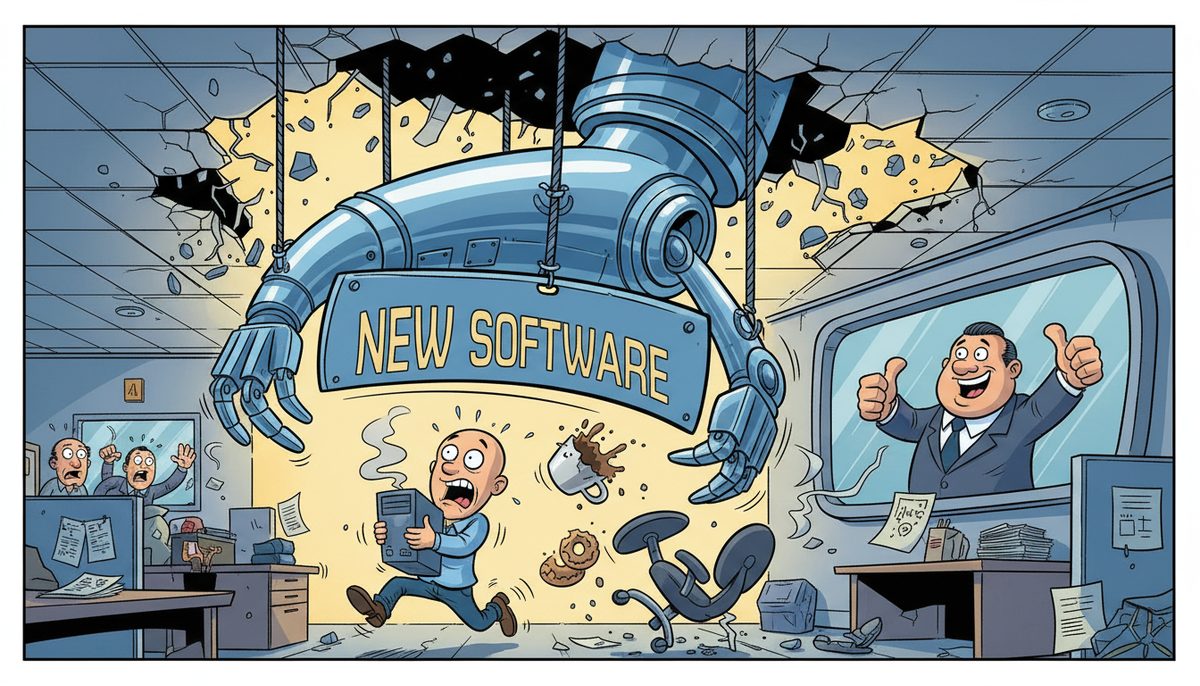
Yes, involve your employees before implementing new engineering firm technology. When you engage engineers, drafters, and project managers during planning, you’ll experience up to 70% fewer support calls post-implementation and complete technology transitions 40% faster. Early involvement identifies workflow conflicts with CAD software, BIM collaboration tools, and file-sharing systems before they disrupt tender deadlines or delay stamped drawings.
Why do engineering firms struggle with technology rollouts that seemed perfect on paper?
The villain here is distance—not just geographic distance on Vancouver Island, but the distance between IT decisions and the daily reality of producing drawing sets, coordinating with subconsultants, and meeting EGBC documentation requirements.
When you select new CAD workstations, upgrade BIM servers, or implement cloud collaboration platforms without consulting the engineers who use them daily, you’re making decisions in a vacuum. The technology might meet technical specifications perfectly while completely breaking the workflow that gets stamped drawings to municipal clients by 2 p.m. on tender day.
Your senior engineer has spent fifteen years perfecting a process for managing redlines and as-builts. Your intermediate engineers have developed workarounds for sharing large rendering files with mainland subconsultants. Your drafters know exactly which AutoCAD shortcuts save hours during final drawing production.
A new system that ignores these realities doesn’t just slow people down—it stops billable work completely while everyone relearns basic tasks under project deadline pressure.
This happens because technology vendors sell solutions based on features and specifications, not on how your team actually coordinates submittal reviews, responds to RFIs, or produces change orders when contractors are waiting on site.
What happens when you implement technology without employee input?
You watch your most experienced P.Eng. spend three hours trying to apply her professional seal to PDF drawings because the new system changed the file format workflow. That’s three hours of unbillable time at her hourly rate, plus the risk of missing the client deadline.
Your project managers can’t find archived specifications from last year’s design-build project because the new document management system organized files differently than your established naming convention. When the contractor calls with a site instruction question, you’re searching through folders instead of answering immediately.
Your BIM coordinator discovers the new collaboration platform doesn’t sync properly with the Revit version your subconsultants use. Now you’re manually exporting and emailing files like it’s 2010, losing all the coordination efficiency you paid for.
Engineering firms lose an average of 12-18 billable hours per employee during the first month after implementing technology without user input.
Your team develops workarounds that defeat the purpose of the upgrade. They export files to the old system, print to PDF and scan back in, or maintain parallel processes—one official, one that actually works. You’ve paid for new technology while still supporting the old infrastructure.
Client relationships suffer when your response time to RFIs doubles because engineers are wrestling with unfamiliar interfaces. Municipal clients notice when your tender submissions arrive at 4:45 p.m. instead of your usual 2 p.m., even if you make the 5 p.m. deadline.
The real cost isn’t just the billable hours lost during transition—it’s the competitive advantage you surrender to mainland firms whose technology actually accelerates their delivery instead of slowing it down.
How do you involve employees effectively before technology implementation?
Start by identifying your power users—the engineers and drafters who know every workaround, every bottleneck, and every critical deadline in your workflow. These aren’t necessarily your most senior people; they’re the ones who actually produce the drawing sets and coordinate the project deliverables daily.
Ask them to document their current workflow for one complete project cycle. Not the theoretical process from your procedures manual, but the actual steps they take to move a project from preliminary design through stamped drawings to as-builts. Include the workarounds, the manual steps, and the pain points.
When evaluating new CAD software, BIM platforms, or network infrastructure, give your power users hands-on testing time with realistic project files—not vendor demo files. Have them attempt common tasks: applying redlines to a drawing set, coordinating a submittal review with three subconsultants, or producing a rendering on a deadline.
Create a feedback loop where employees can identify deal-breakers early. Your intermediate engineer might discover that the new system requires four extra clicks to do something she does fifty times per day. That’s 200 extra clicks daily, 1,000 weekly—a productivity killer that’s invisible in a vendor demonstration but obvious in real use.
Test integration with your existing tools before committing. If your structural engineers use specialized analysis software that exports to AutoCAD, verify the new system handles that workflow. If your environmental team shares large GIS datasets with government clients, confirm the file transfer process works with FIPPA-compliant security.
Schedule the implementation around your project calendar, not the vendor’s availability. Don’t roll out new technology the week before a major tender deadline or during your busiest design phase. Your employees will tell you when you have the breathing room to adapt.
Employee involvement isn’t about getting permission or building consensus—it’s about making better decisions with information only daily users possess.
What specific questions should you ask employees during technology planning?
Ask your engineers: “What task do you do most frequently that’s currently slow or frustrating?” The answer reveals where new technology can deliver immediate value. If it’s waiting for large 3D models to save, you need faster workstations or better network infrastructure. If it’s reformatting drawings for different clients, you need better template management.
Ask your project managers: “What information do you need instantly when a client or contractor calls?” This identifies which data must be immediately accessible in any new system. If they need to pull up site instructions from six months ago within seconds, your document management system must support that speed.
Ask your drafters: “What workaround have you created that you’d hate to lose?” These workarounds often represent genuine workflow improvements that should be preserved or formalized in the new system, not eliminated because they’re unconventional.
Ask everyone: “What’s the one thing that would make you miss a deadline?” The answers—server crashes during final production, inability to access files remotely, collaboration tools that don’t sync—identify your mission-critical requirements that cannot fail.
Ask your prime consultants: “How do our subconsultants send us files, and how do we send them drawings?” External collaboration requirements often get overlooked until you’ve implemented a system that doesn’t work with your partners’ platforms.
Document these answers before talking to vendors. When a technology provider claims their solution is “perfect for engineering firms,” you’ll know exactly which workflows to test and which promises to verify.
How does local IT support make employee-involved implementation work?
Even with perfect employee input, technology implementation hits unexpected problems. Your BIM coordinator configured everything correctly, but one workstation won’t sync. Your senior engineer’s CAD shortcuts don’t transfer to the new version. Your project manager can’t access archived drawings from a specific date range.
This is where geography becomes critical for Vancouver Island engineering firms. When problems emerge during implementation, you need someone who answers immediately and understands both the technology and your workflow—not a mainland technician who needs to schedule a ferry trip or an overseas support center reading from a script.
Chris Wilkinson describes this difference: “Luke and his team at DataStream Networks are honestly amazing! The speed of the leader, the speed of the pack ‘they say’…and Luke sets the tone for how great his team is. First off, he cares so much about his team. Second, the DataStream team understands what it takes to provide authentic & wonderful customer service. Third, the whole team is deeply committed to service delivery and quality, including the latest greatest tech. And fourth, their simply good people.”
Local technicians who understand engineering workflows can troubleshoot implementation issues in context. When your drafter reports that Revit is running slowly, a technician familiar with your projects knows whether it’s a workstation issue, a network bottleneck, or a file size problem—and can fix it remotely within minutes rather than scheduling an on-site visit for next week.
DataStream Networks has served Vancouver Island businesses since 2012 with live people answering phones immediately—no voicemail, no phone trees, no waiting. When you’re implementing new technology and an engineer hits a problem two hours before a tender deadline, you talk to a real technician in Victoria, Nanaimo, Duncan, or Cobble Hill who can resolve most issues remotely within minutes.
For your firm, this means your employee-involved implementation plan doesn’t get derailed by technology problems that take days to resolve. Your team can adapt to new systems knowing that when they encounter issues, help is immediate and local.
What does successful employee-involved technology implementation look like?
Your engineering firm implements a successful technology change when your employees adopt it naturally because it genuinely improves their daily work. You know it’s working when your intermediate engineers voluntarily start using the new collaboration platform instead of emailing files. When your drafters complete drawing sets faster than before. When your project managers can answer contractor questions immediately instead of searching through folders.
Success means your tender submissions arrive earlier, not later. Your subconsultant coordination happens smoothly without manual workarounds. Your EGBC documentation requirements are met automatically instead of requiring extra steps at project close-out.
You maintain your competitive advantage with municipal clients and private developers because your technology accelerates delivery rather than creating new bottlenecks. Your professional reputation strengthens as your on-time delivery becomes more consistent.
Your billable utilization improves because engineers spend time on design work instead of fighting with technology. Your project margins increase because you’re not hemorrhaging unbillable hours to system problems and workarounds.
- Call (250) 929-0745 to talk to a real technician about your engineering firm’s technology plans—no voicemail or phone trees, just immediate conversation with someone who understands CAD workflows and project deadlines.
- Describe your planned technology implementation and the workflow concerns your employees have identified. Get specific guidance on testing approaches, rollout timing, and support requirements for engineering applications.
- Implement with confidence knowing that when problems emerge, you’ll reach a Vancouver Island technician immediately who can resolve most issues remotely within minutes, keeping your projects on schedule.
Your engineering firm’s technology should support your ability to deliver stamped drawings on time, coordinate complex projects with subconsultants, and meet EGBC requirements—not create new obstacles to those goals. Employee involvement during planning, combined with immediate local support during implementation, ensures your technology investments strengthen your competitive position rather than disrupting it.
Call (250) 929-0745 now to discuss your technology implementation with a technician who understands engineering firm workflows, or learn more about managed IT services designed for professional firms on Vancouver Island. If you’re planning broader infrastructure changes, explore how network infrastructure upgrades can support your CAD and BIM workflows without disrupting active projects.
Frequently asked questions
How much time should employees spend on technology evaluation before implementation?
Plan for your power users to spend 4-8 hours total testing new systems with real project files over 2-3 sessions. This includes hands-on testing of common workflows like applying redlines, coordinating submittals, and producing drawing sets. Brief testing with vendor demo files misses workflow problems that emerge only with your actual CAD files, BIM models, and collaboration requirements. Schedule testing during slower project periods to avoid impacting billable work.
Should we involve all employees or just key users in technology planning?
Involve your power users—typically 3-5 people who handle the most complex workflows daily—in detailed evaluation and testing. These are your engineers who coordinate subconsultants, drafters who produce final drawing sets, and project managers who handle client deliverables. Brief all employees on the planned changes and collect their input, but deep involvement from everyone creates scheduling problems and dilutes focus on mission-critical workflows that must work flawlessly.
What if employees resist new technology even after being involved in planning?
Resistance after involvement usually signals a genuine workflow problem you missed, not stubbornness. When an experienced engineer resists a new system, ask specifically what task has become harder or slower. Often you’ll discover the new technology breaks a critical but undocumented workflow, requires extra steps for common tasks, or doesn’t integrate properly with tools your subconsultants use. Address the specific workflow issue rather than pushing adoption of a system that genuinely hinders productivity.
How do we balance employee input with technology decisions that need to happen quickly?
Focus employee input on workflow validation, not technology selection. You can narrow vendor options to 2-3 systems that meet technical requirements, then have employees test those finalists with real project workflows. This gives you speed in initial research while ensuring the final choice actually works for daily tasks. For urgent implementations, involve employees in rollout planning and support rather than initial selection—their input on timing, training needs, and potential problems still prevents costly disruptions.
What technology changes require the most employee involvement before implementation?
Changes to core production tools require the most employee involvement: CAD software upgrades, BIM platform changes, document management systems, and collaboration tools that affect how you coordinate with subconsultants and deliver to clients. These directly impact your ability to produce stamped drawings and meet tender deadlines. Infrastructure changes like network upgrades or backup systems need less employee involvement in selection but more communication about timing to avoid disrupting active projects during implementation.



