
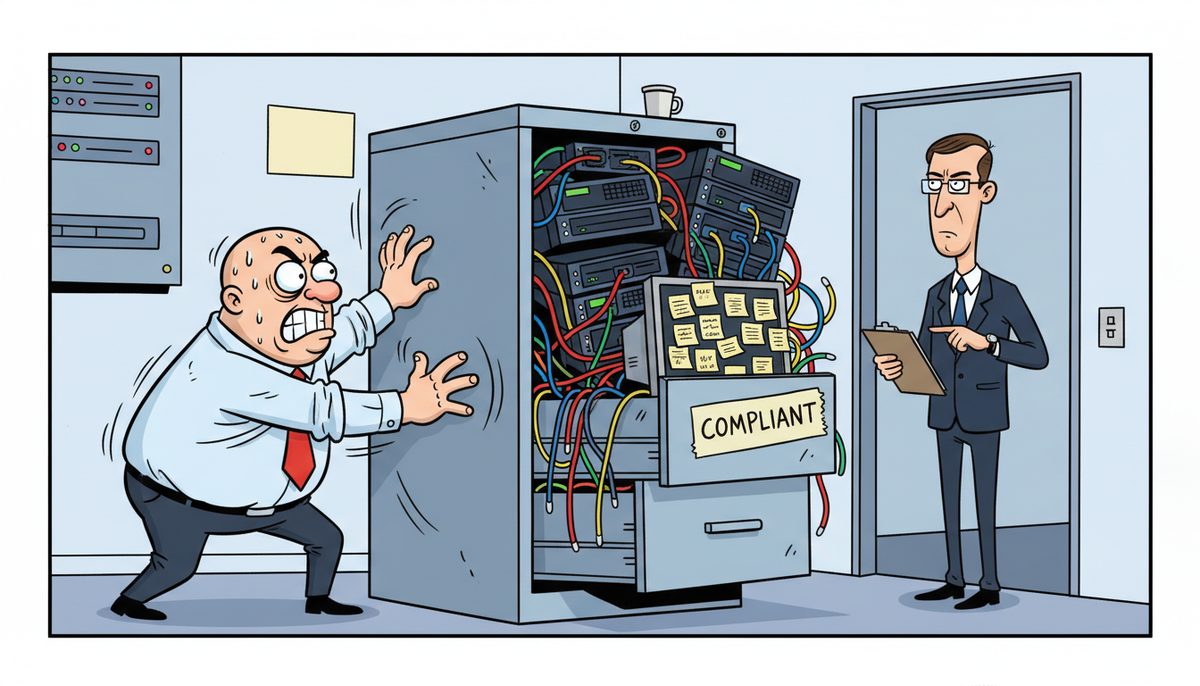
To pass a Law Society cybersecurity audit, your firm needs documented policies covering client data protection, multi-factor authentication on all systems accessing privileged communications, encrypted backups tested within the past 90 days, and evidence of staff training on confidentiality obligations—all aligned with Rule 3-98’s technological competence requirements and your professional responsibility to protect solicitor-client privilege.
Why do Law Society cybersecurity audits focus on client confidentiality rather than just general IT security?
The Law Society of British Columbia enforces Rule 3-98, which makes you professionally responsible for protecting client confidentiality through competent technology management. An audit isn’t checking whether you have antivirus software—it’s verifying that your systems protect solicitor-client privilege.
When the Law Society reviews your cybersecurity, they’re asking: Can privileged communications be accessed by unauthorized parties? Could a breach expose client matters? Do you know where confidential data lives and who can access it?
The villain here isn’t technology complexity—it’s the professional liability gap between what you assume is protected and what’s actually vulnerable. You might believe your practice management system is secure while client files sync to personal devices without encryption, or privileged emails sit in cloud accounts without multi-factor authentication.
Victoria’s legal community is small enough that a confidentiality breach becomes known quickly. The reputational damage compounds your professional liability exposure. Your errors and omissions insurance won’t cover negligence in technology management if you can’t demonstrate reasonable competence.
BC’s dual privacy framework adds complexity: PIPA governs private client work, while FIPPA applies if you handle government-related matters. Many Victoria firms touch both, meaning your systems need to meet the stricter standard across all client files.
The audit evaluates whether you can prove—with documentation, not just verbal assurances—that client confidentiality is protected at every technology touchpoint.
What specific IT documentation does the Law Society expect to see during an audit?
Auditors want written policies that demonstrate you’ve thought through confidentiality risks systematically. A verbal explanation of “how we do things” doesn’t satisfy professional responsibility standards.
Your documentation package should include an acceptable use policy defining who can access what systems and under what circumstances. This covers lawyers, articling students, support staff, and any contractors. The policy must address personal device use, remote access, and what happens when someone leaves your firm.
You need a documented data classification system identifying which information requires privileged protection. Not every document in your office carries the same confidentiality weight. Client trust account records, litigation strategy notes, and settlement negotiations demand stronger controls than general correspondence.
Incident response procedures prove you’ve planned for breaches before they happen. The Law Society wants to see that you know how to contain a confidentiality breach, who gets notified (clients, Law Society, privacy commissioner), and how you’ll preserve evidence for investigation.
Backup and recovery documentation must show testing dates and results. Saying “we back up daily” means nothing if you can’t prove you’ve successfully restored client files from those backups. The audit looks for restoration test logs from the past quarter.
Access control records demonstrate who has permissions to privileged systems. When an articling student completes their term, can you show their access was revoked? When a lawyer leaves for another firm, how quickly were their credentials disabled?
Training records prove staff understand their confidentiality obligations. Annual cybersecurity awareness training isn’t just good practice—it’s evidence you’ve met your duty to ensure everyone handling client information knows how to protect it.
Vendor agreements with technology providers must include confidentiality clauses and data handling terms. If your practice management software vendor or IT support company can access client files, you need contracts proving they’re bound to protect privilege.
Document everything in writing, date it, and keep it current—outdated policies from 2018 suggest neglect rather than competence.
Which technical controls are non-negotiable for Law Society compliance?
Multi-factor authentication (MFA) must protect every system containing client information. Passwords alone are insufficient protection for privileged communications. This includes your practice management software, email, document management system, and any cloud storage.
Encryption is mandatory for data at rest and in transit. Client files on laptops, external drives, or cloud storage must be encrypted so theft doesn’t automatically mean breach. Email containing privileged information needs encryption, especially when communicating outside your firm.
Your network must segment privileged systems from general office infrastructure. Guest WiFi for clients waiting in your reception area cannot share network access with your document management system. Proper network segmentation contains breaches and limits unauthorized access.
Endpoint protection goes beyond basic antivirus. Modern threats like ransomware require detection and response capabilities that identify unusual behavior—like a workstation suddenly encrypting thousands of files—and stop it before client data is compromised.
Regular security patching can’t be postponed indefinitely because updates are inconvenient. Unpatched systems are how breaches happen. You need a documented patch management process showing critical security updates are applied promptly.
Secure remote access is essential for Victoria lawyers working from home or attending court in Duncan or Nanaimo. VPN connections with strong authentication protect privileged communications traveling over public networks. Personal device access requires mobile device management to enforce security policies.
Email security must filter threats before they reach lawyers’ inboxes. Phishing attacks targeting law firms are sophisticated, often impersonating clients or opposing counsel. Advanced email protection catches these before someone clicks a malicious link and compromises the network.
Automatic backup systems must run daily with offsite copies protected from ransomware. Local backups alone are insufficient—if ransomware encrypts your server, it often encrypts connected backup drives simultaneously. Cloud or offsite backups provide recovery options when local systems are compromised.
The Law Society expects these controls to be implemented, monitored, and documented—not just purchased and forgotten.
How do you prove your backup and recovery systems actually work?
Untested backups are the most common gap auditors find. You might have backups running every night, but if you’ve never restored a client file from them, you don’t actually know if they work.
Quarterly restoration testing is the standard that demonstrates competence. Pick a random client matter, restore it from backup to a test environment, and verify every document is intact and accessible. Document the test date, what was restored, how long it took, and whether any issues arose.
Your testing should simulate real disaster scenarios. Can you restore your entire practice management database if the server fails the morning of a Supreme Court trial? Can you recover a specific client’s files from three months ago if they claim a document is missing?
Backup monitoring must alert you immediately when backups fail. Many firms discover backup failures only during audits or actual disasters. Daily verification reports prove backups completed successfully and flag problems before they become crises.
Offsite backup copies protect against building-level disasters—fire, flood, or theft. Victoria’s earthquake risk makes offsite protection particularly important. Cloud backups or copies stored in a different physical location ensure you can recover even if your office is inaccessible.
Ransomware-proof backups require immutable copies that malware cannot encrypt or delete. Modern ransomware specifically targets backup systems. Your backup architecture must include copies that remain intact even if your network is fully compromised.
Recovery time objectives define how quickly you need systems restored. Missing a limitation period because system restoration took three days is a professional liability issue. Your backup strategy must align with your practice’s deadline sensitivity.
Document retention requirements mean some backups must be preserved long-term. Client file retention rules require keeping closed matter information for specific periods. Your backup system must support retrieving files from matters closed years ago.
Testing proves competence; documentation proves you tested. Keep logs showing restoration test results for audit review.
What happens if your firm fails a Law Society cybersecurity audit?
The Law Society doesn’t immediately suspend your practice, but they will require a remediation plan with specific deadlines. You’ll need to document how you’re addressing each deficiency and prove compliance within the timeframe they set.
Follow-up audits verify you’ve implemented required changes. The Law Society will return to confirm deficiencies are corrected. Continued non-compliance escalates to formal practice reviews and potential disciplinary action.
Professional liability insurance may be affected if you can’t demonstrate reasonable cybersecurity competence. Insurers increasingly ask about security controls during underwriting. A failed audit could impact coverage or premiums.
Client notification might be required if the audit reveals existing confidentiality breaches. Discovering that privileged communications were inadequately protected means you have disclosure obligations to affected clients.
Reputational damage in Victoria’s legal community can be significant. Word travels quickly when a firm faces Law Society compliance issues. Clients and referral sources may question whether their matters are secure.
The cost of emergency remediation far exceeds the cost of proactive compliance. Rushing to implement proper controls under Law Society deadlines means paying premium rates for urgent work while managing practice disruption.
Prevention is cheaper and less disruptive than remediation under regulatory pressure.
How does Vancouver Island’s geography affect your audit preparation?
Ferry-dependent IT support creates unique risks for Victoria law firms. When your practice management system crashes the day before a filing deadline, waiting for a mainland technician to catch the ferry means watching limitation periods approach while you’re unable to access client files.
The Law Society expects you to have considered business continuity in your technology planning. How do you meet court deadlines when systems fail? Your audit preparation must include local support resources that respond immediately, not after a 90-minute ferry crossing.
BC Supreme Court registry e-filing deadlines don’t extend because your IT provider is stuck in Tsawwassen terminal traffic. You need technology support in Victoria that understands the professional liability implications of downtime for lawyers.
Remote problem resolution becomes critical when geography limits physical response. Most technology issues can be diagnosed and fixed remotely if you have support that answers immediately. A Victoria firm that can’t reach IT support by phone during a crisis faces both technology and professional responsibility failures.
Local backup copies aren’t sufficient given earthquake and disaster risks, but entirely cloud-dependent systems create ferry-crossing vulnerabilities during outages. Your backup strategy needs both local and offsite components with clear recovery procedures.
The audit evaluates whether your technology plan accounts for Vancouver Island’s unique business continuity challenges. Generic disaster recovery templates from mainland providers often miss these geography-specific risks.
When should you bring in IT expertise to prepare for an audit?
Waiting until you receive audit notice creates unnecessary pressure and limits your options. Proper preparation takes weeks to implement correctly, document thoroughly, and test adequately.
You need IT support that understands what the Law Society expects before a technology failure becomes a professional responsibility crisis. That means working with someone who knows the difference between general business IT and the specific confidentiality obligations you face under Rule 3-98.
The right IT partner recognizes what it feels like when your practice management system crashes before a Supreme Court filing deadline and you’re watching the clock tick toward a limitation period. They understand the professional anxiety of a potential confidentiality breach when solicitor-client privilege and Law Society obligations are on the line.
They’ve seen Victoria firms stuck waiting for mainland technicians to catch the ferry while court deadlines approach and clients call asking about their matters. They know the frustration of IT providers who don’t understand that “downtime” for a law firm means professional liability exposure, not just inconvenience.
DataStream Networks has served Vancouver Island businesses since 2012, with local technicians in Victoria, Nanaimo, Duncan, and Cobble Hill. When you call, a real person answers immediately—no voicemail, no phone tree, no overseas support trying to understand legal-specific systems while your court appearance approaches.
Most problems are fixed remotely within minutes. When on-site work is needed, technicians are dispatched automatically from Vancouver Island—no ferry waits. One client noted: “Quick response to problems and their knowledge of networks systems and computers allow them to fix the problem right the first time. I never have to worry anymore about our network going down and how I am going to get it fixed. Most of the time you know as soon as I do that, we have a problem. That peace of mind is a tremendous benefit for me.”
That immediate response matters when technology problems threaten professional obligations. Getting audit-ready requires IT support that understands both the technical requirements and the professional responsibility context.
Your three-step path to audit readiness
- Call (250) 929-0745 to talk with a real Victoria technician immediately about your current systems and Law Society compliance gaps—no voicemail or phone trees.
- Get a documented assessment of your cybersecurity controls, backup systems, and policy documentation against Law Society Rule 3-98 requirements.
- Implement the specific technical controls and documentation your firm needs, with ongoing monitoring and support from local technicians across Vancouver Island who understand legal confidentiality obligations.
What does audit readiness look like for your practice?
You walk into a Law Society audit confident that every technical control is implemented, monitored, and documented. When auditors ask about multi-factor authentication, you show them the policy and the implementation across all systems. When they ask about backup testing, you hand them quarterly restoration logs.
Your lawyers and staff understand their confidentiality obligations because training is documented and current. When someone asks “what happens if we receive a suspicious email,” they know the procedure and who to contact.
Client files are protected whether you work from the Victoria office, your home, or the courthouse in Nanaimo. Privileged communications are encrypted in transit and at rest. Access controls ensure only authorized people see confidential information.
When technology problems arise—and they will—you reach a real Victoria technician immediately who understands the professional liability implications of downtime. Problems are diagnosed and fixed remotely within minutes, or a local technician is dispatched automatically.
You sleep soundly knowing that if ransomware strikes overnight, your backup systems can restore client files and trust account records without paying criminals. Your business continuity plan accounts for Vancouver Island’s geography and your practice’s deadline sensitivity.
Most importantly, you meet your professional responsibility under Rule 3-98 to be technologically competent and protect client confidentiality. The Law Society audit confirms what you already know: your systems protect solicitor-client privilege.
That’s not just regulatory compliance—it’s protecting your professional reputation in Victoria’s tight-knit legal community and ensuring clients trust you with their most sensitive matters.
Call (250) 929-0745 to talk with a Victoria technician about preparing your firm for Law Society cybersecurity audits. Real people answer immediately, and most assessments start with a conversation about your current systems and specific compliance concerns.
Frequently asked questions
How much does it cost to implement Law Society-compliant cybersecurity controls?
Investment depends on your current systems and firm size. A gap analysis or readiness assessment typically costs $2,500–$10,000 as a one-time project to identify specific deficiencies. Policy and documentation development runs $1,500–$7,500 one-time. Ongoing managed IT services providing monitoring, support, and compliance maintenance range from $150–$225 per user monthly, covering the technical controls and documentation the Law Society expects.
Can we prepare for a Law Society audit without replacing our existing practice management software?
Yes, audit preparation focuses on how you protect and manage systems, not which specific software you use. Most practice management platforms can be configured to meet Law Society requirements through proper access controls, multi-factor authentication, encryption, and backup procedures. The audit evaluates your policies and technical controls around existing systems rather than mandating specific software replacements.
How long does it take to get audit-ready from a standing start?
Implementing proper controls, creating documentation, training staff, and establishing testing procedures typically takes 6–12 weeks when done thoroughly. Rushing the process leads to gaps auditors will find. Starting early allows time to test backup restorations, verify access controls work correctly, and ensure staff understand new procedures before audit pressure. Emergency remediation under Law Society deadlines takes similar time but costs more and creates practice disruption.
What happens to our client data if we switch IT providers during audit preparation?
Transitioning IT providers requires careful planning to maintain confidentiality protections throughout the change. Your new provider should document how they’ll secure access credentials, protect data during migration, and ensure no gaps in monitoring or backup coverage. The transition plan itself becomes part of your audit documentation, proving you maintained technological competence even during provider changes. Choose providers with experience in legal confidentiality requirements to minimize transition risks.
Do articling students need the same security training as lawyers?
Yes, anyone with access to client files and privileged communications must understand confidentiality obligations and cybersecurity procedures. Articling students often handle significant client information, making them both assets and potential vulnerabilities. Training must cover what constitutes privileged information, how to handle it securely, and what to do if they suspect a breach. Document their training completion and ensure their system access is properly controlled and revoked when their term ends.