
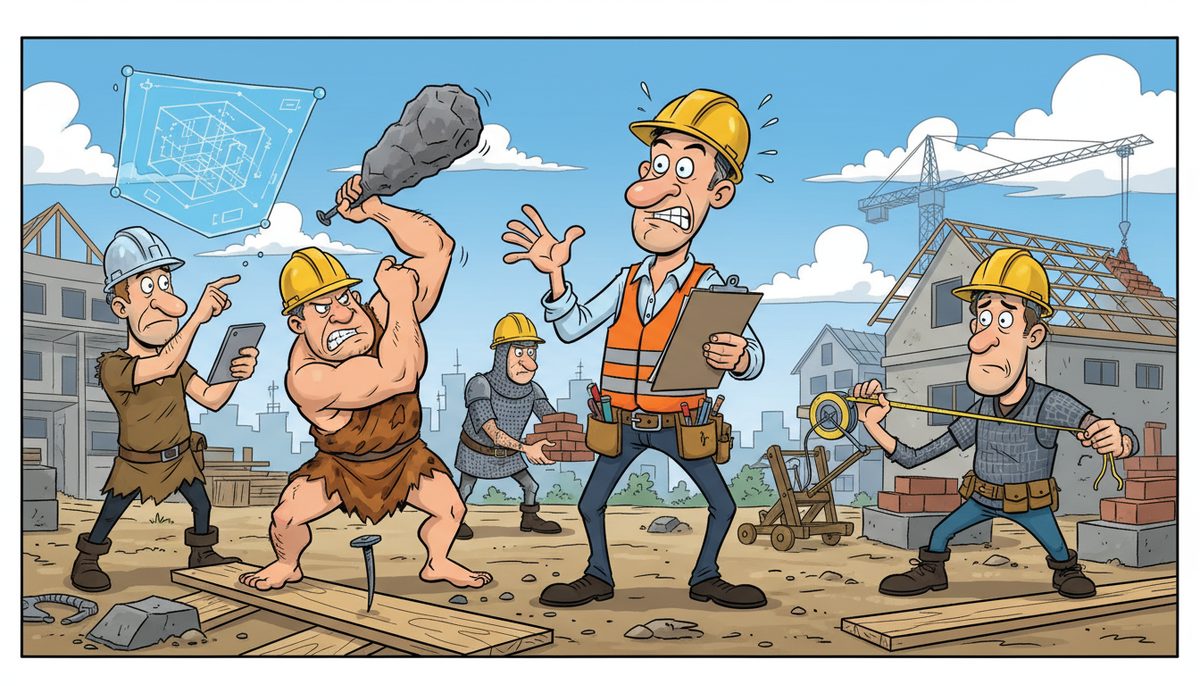
You prevent technology management gaps by conducting quarterly audits of your critical systems (estimating software, project files, backup integrity), documenting who has access to what and how recovery works, and establishing a response protocol with IT support that answers within 3 rings and resolves most issues remotely within minutes—before bid deadlines or WorkSafeBC reporting windows close.
Why do technology gaps keep appearing in construction companies?
Technology gaps emerge because your company grows through projects, not IT planning. You hire field staff for a new subdivision contract, add estimators for institutional work, or open a satellite office in Nanaimo—and technology decisions get made in the moment.
Someone sets up a laptop with estimating software but doesn’t document the license key location. A superintendent creates a Dropbox account for job site photos using a personal email. Your project manager shares the server password verbally, and when he leaves for another GC, nobody writes it down.
Each decision makes sense at the time. You’re focused on winning the next tender or keeping a project on schedule, not on whether your backup system actually captures the new estimator’s takeoff files or whether your firewall rules allow secure remote access from a job site near Duncan.
The gap widens because construction operates on deadlines that don’t wait for IT fixes. When your estimating software crashes at 4 PM and the tender closes at noon tomorrow, you need it working now—not after a mainland technician catches the 8 AM ferry and drives to your Victoria office by 11.
Geography amplifies every gap on Vancouver Island. A minor configuration issue that would take 20 minutes to fix in Vancouver becomes a half-day crisis when you’re waiting for help to arrive from across the water.
Technology gaps persist because nobody in your company owns the complete picture of what you have, who can access it, how it’s protected, and what happens when it fails during a critical deadline.
What happens when technology gaps go unaddressed?
You miss tender deadlines and lose contracts. Your estimating software locks up the morning a bid is due, and you discover your IT provider can’t get someone on-site until tomorrow. The contract goes to a competitor who submitted on time.
Six months of potential work vanishes because nobody verified that your backup system actually captured the estimating database after the last software update.
WorkSafeBC penalties arrive because a job site incident happened on Friday, your system crashed over the weekend, and you missed the mandatory reporting window. The gap between “we have backups” and “we tested whether backups actually restore” just cost you $5,000 and damaged your safety record.
Submittals and RFIs get delayed when your field staff can’t access shop drawings from the job site. The general contractor starts looking at other subs who can coordinate on their timeline. Your reputation for reliability—built over years—erodes because technology you thought was working actually had gaps nobody noticed until it mattered.
Builders Lien Act disputes become nightmares when you can’t produce change order documentation because those files lived on a laptop that died, and nobody verified they were included in the backup routine.
Your bonding capacity shrinks. Insurance underwriters see a pattern: missed deadlines, coordination failures, documentation gaps. They don’t care that the root cause was technology. They see risk, and your rates reflect it.
The cost isn’t just the immediate crisis. It’s the compounding effect of lost opportunities, damaged relationships with GCs and clients, and the constant anxiety of not knowing whether your systems will hold up when you need them most.
How do I identify existing technology gaps before they cause problems?
Start with a critical deadline audit. List every scenario where technology failure would cost you money or reputation: tender submission, progress billing, WorkSafeBC reporting, submittal deadlines, as-built delivery.
For each scenario, trace the technology path. Where do the files live? Who can access them? What happens if the primary system fails? Time how long it would take to restore access if the worst happened at 4 PM on a Friday.
Test your assumptions. Don’t just verify that backups run—restore a complete estimating project from backup and open it in your software. Don’t assume field staff can access project files from job sites—have someone actually try from a site office near Cobble Hill with spotty cellular.
Document who knows what. If your project manager is the only person who knows the server password, you have a gap. If one estimator configured the software and nobody else understands the database structure, you have a gap.
Map your access points. How many ways can someone reach your project files? Office computers, laptops, tablets at job sites, home offices? Each access point is a potential gap if it’s not secured and monitored.
Review what changed recently. Did you add staff, open a new office, upgrade software, or start a new project type? Changes create gaps because the technology setup that worked for five people in one office doesn’t automatically scale to eight people across three locations.
Ask your team about workarounds. When people create personal Dropbox accounts or email files to themselves because the official system is too slow or complicated, they’re telling you where the gaps are.
Construction companies that conduct quarterly technology audits catch gaps before they cause bid failures or compliance penalties.
What systems need documentation to prevent management gaps?
Your estimating software requires complete documentation: where license keys are stored, how the database backs up, who has access, and the exact steps to restore it on a new machine if the current one fails before a tender deadline.
Project file storage needs a clear map. Where do submittals live? Shop drawings? RFIs? Change orders? As-builts? If these are scattered across individual computers, shared drives, and cloud accounts, document every location and who owns each.
Access credentials must be centralized securely. Server passwords, software licenses, cloud account logins, firewall admin access—if this information lives in one person’s head or on sticky notes, you have a critical gap.
Backup and recovery procedures need step-by-step documentation that a non-technical person could follow. “We back up to the cloud” isn’t documentation. “Log into [specific URL], navigate to [folder], download [file type], restore using [these steps]” is documentation.
Remote access configuration requires documentation of how field staff connect from job sites, what security is in place, and how to troubleshoot when someone can’t reach project files from a site office.
Vendor and support contacts need current information. Who do you call when estimating software crashes? What’s the process if the server fails? If the answer is “we’ll figure it out when it happens,” you’re looking at a gap that will cost you hours during a crisis.
Network and security settings should be documented so you know what’s protected and what’s exposed. If you don’t know whether your firewall allows secure remote access or blocks it, you can’t manage the risk.
The goal isn’t to create binders that nobody reads. It’s to ensure that when your project manager is on vacation and the estimating software crashes before a bid deadline, someone can fix it without guessing.
How does local IT support prevent gaps that distance creates?
Distance turns small problems into disasters for island construction companies. A configuration issue that takes 15 minutes to fix remotely becomes a half-day crisis if you’re waiting for a mainland technician to catch the ferry.
You need IT support that answers immediately when you call—not voicemail, not a phone tree, not an overseas call center that doesn’t understand what a tender deadline means. When your estimating software locks up at 4 PM and the bid closes at noon tomorrow, every minute matters.
Local technicians understand construction deadlines because they work with island contractors daily. They know what “the tender closes at noon” means. They know WorkSafeBC reporting windows. They know that “we’ll get to it next week” isn’t an option when a GC needs submittals today.
Chris Wilkinson experienced this firsthand: “Luke and his team at DataStream Networks are honestly amazing! The speed of the leader, the speed of the pack ‘they say’…and Luke sets the tone for how great his team is. First off, he cares so much about his team. Second, the DataStream team understands what it takes to provide authentic & wonderful customer service. Third, the whole team is deeply committed to service delivery and quality, including the latest greatest tech.”
Remote resolution within minutes prevents gaps from becoming crises. Most technology problems don’t require an on-site visit if the right technician can access your system immediately and knows your setup.
When remote resolution isn’t possible, automatic dispatch of a local technician eliminates the guessing and waiting. You’re not calling around trying to find someone available. You’re not wondering when help will arrive. A technician is already on the way to your Victoria, Nanaimo, or Duncan location.
Proactive monitoring catches gaps before they cause failures. Your backup system stops working after a software update, but you don’t discover it until you need to restore a file. Local IT support that monitors your systems daily identifies that gap and fixes it before it matters.
The gap that distance creates isn’t just geographic. It’s the gap between understanding construction business needs and treating you like a generic IT ticket. Local support closes that gap because they’re part of the same island business community.
How do I build a system that prevents future gaps?
Establish quarterly review cycles tied to your business rhythm. After you close a major bid, review what technology worked and what caused friction. Before you start a new project type, verify your systems can handle the documentation and coordination requirements.
Create a technology decision checklist for common changes. When you hire field staff, the checklist ensures they get proper access to project files, their devices are backed up, and they know how to reach support from job sites. When you start a new project, the checklist verifies that all project files are in the backup routine and accessible to the right people.
Assign ownership for each critical system. One person owns estimating software (not necessarily operates it, but ensures it’s licensed, backed up, and documented). Another owns project file organization. Someone owns vendor relationships and support contacts.
Ownership doesn’t mean doing everything yourself. It means ensuring gaps don’t appear because nobody was watching that system.
Build redundancy into critical paths. If only one person knows how to restore the estimating database, train a second. If only one device has the software needed to open as-builts, add a backup. Redundancy prevents single points of failure from becoming business-stopping gaps.
Test recovery procedures twice a year. Actually restore files from backup. Actually have field staff connect from a job site. Actually call your IT support and time how long it takes to reach a human who can help. Testing reveals gaps that look fine on paper but fail in reality.
Document changes as they happen, not when you remember. When you add a new cloud account or change a password, update the documentation immediately. Gaps appear in the delay between “we’ll document that later” and actually doing it.
Partner with IT support that treats gap prevention as part of the service, not an extra. Managed IT services that include proactive monitoring, regular system reviews, and documentation updates prevent gaps from forming rather than just fixing them after they cause problems.
For construction companies on Vancouver Island, managed IT services typically range from $150–$225 per user per month and include the proactive monitoring and documentation that prevents management gaps.
When should I bring in outside help to close technology gaps?
You need outside help when you can’t answer basic questions about your own systems. If someone asks “how long would it take to restore your estimating software on a new computer?” and you don’t know, that’s the signal.
Bring in help before a crisis forces the decision. After you’ve missed a tender deadline because technology failed, you’re making decisions under pressure with limited options. Before that happens, you can choose the right partner deliberately.
Consider outside help when your team is spending time on IT problems instead of construction work. If your project manager is troubleshooting network issues or your estimator is trying to figure out why backups aren’t running, you’re paying construction wages for IT work—and probably getting mediocre results on both.
You need specialized help for security and compliance gaps. WorkSafeBC digital reporting, Builders Lien Act documentation requirements, and FIPPA compliance for public sector projects require IT expertise that most construction companies don’t have in-house.
Growth creates gaps faster than small teams can close them. When you’re adding staff, opening locations, or taking on larger institutional projects, the technology complexity outpaces what one person can manage alongside their primary job.
Look for IT support that understands construction business needs, not just technology. The right partner knows what a tender deadline means, understands job site connectivity challenges, and can explain technology decisions in business terms.
DataStream Networks has served Vancouver Island businesses since 2012, with local technicians in Victoria, Nanaimo, Duncan, and Cobble Hill who understand the island’s construction market. When you call, you talk to a real person immediately—no voicemail, no phone tree—and most problems get fixed remotely within minutes.
For construction companies specifically, construction IT support addresses the unique challenges of coordinating between job sites, managing project documentation, and meeting compliance deadlines that don’t wait for technology fixes.
What does success look like after closing technology gaps?
You submit every tender on time with confidence. When your estimating software has a hiccup the day before a deadline, you know exactly who to call, they answer immediately, and the problem is resolved before it threatens your bid.
Your field staff access project files from any job site without calling the office for help. Submittals, shop drawings, and daily reports flow smoothly because the technology just works, and when it doesn’t, support fixes it fast enough that nobody misses a deadline.
You sleep soundly knowing your bid documents, change orders, and as-builts are backed up and recoverable. You’ve tested the recovery process, so “we have backups” isn’t hope—it’s verified reality.
WorkSafeBC reporting happens on schedule because your systems are reliable and your team knows the process. Compliance isn’t a source of anxiety; it’s a routine part of operations.
Your project managers and estimators focus on construction work, not IT troubleshooting. Technology supports your business instead of creating friction and delays.
General contractors and clients see you as the reliable sub who coordinates smoothly and delivers documentation on time. Your reputation strengthens because technology gaps aren’t creating coordination failures.
Your bonding capacity grows because insurance underwriters see a well-managed operation without the red flags that technology problems create.
Success means technology becomes invisible—not because you’re ignoring it, but because the gaps are closed and the systems work reliably when you need them.
- Call (250) 929-0745 and talk to a real local technician immediately about the specific technology challenges your construction company faces—no voicemail, no waiting.
- Get a clear assessment of where gaps exist in your current systems, what’s at risk, and what it takes to close them before they cost you a bid or a compliance deadline.
- Establish proactive monitoring and support that catches problems before they become crises, with local Vancouver Island technicians who can be on-site when remote resolution isn’t enough.
Don’t wait for a missed tender deadline or a WorkSafeBC penalty to force the decision. Call (250) 929-0745 now to talk to a technician who understands construction deadlines and island business realities. Or explore how IT support in Victoria, IT support in Nanaimo, or IT support in Duncan can close the gaps that distance creates for your construction company.
Frequently asked questions
How often should construction companies audit their technology systems?
Construction companies should conduct technology audits quarterly, timed to business cycles—after major bid periods, before starting new project types, and whenever you add staff or locations. Each audit should verify backup integrity, test recovery procedures, review access protocols, and document any changes since the last review to catch gaps before they cause deadline failures.
What’s the biggest technology gap construction companies overlook?
The biggest overlooked gap is untested backup and recovery procedures. Most construction companies assume backups work because the software runs nightly, but they’ve never actually restored a complete estimating project or verified that as-builts and submittals are captured. This gap only appears when you desperately need to recover files before a deadline or compliance window closes.
How quickly should IT support respond to construction company emergencies?
IT support for construction companies should answer calls immediately with a real person—no voicemail or phone trees—and resolve most problems remotely within minutes. For Vancouver Island construction companies, support must include local technicians who can be on-site within hours when remote resolution isn’t possible, preventing ferry delays from turning minor issues into missed tender deadlines.
What technology documentation do construction companies need for compliance?
Construction companies need documentation of backup and recovery procedures, access control protocols, data retention policies for Builders Lien Act requirements, WorkSafeBC digital reporting processes, and FIPPA compliance measures for public sector projects. Documentation should be detailed enough that a non-technical person could follow procedures during a crisis when the usual IT contact isn’t available, preventing compliance gaps from becoming penalties.