
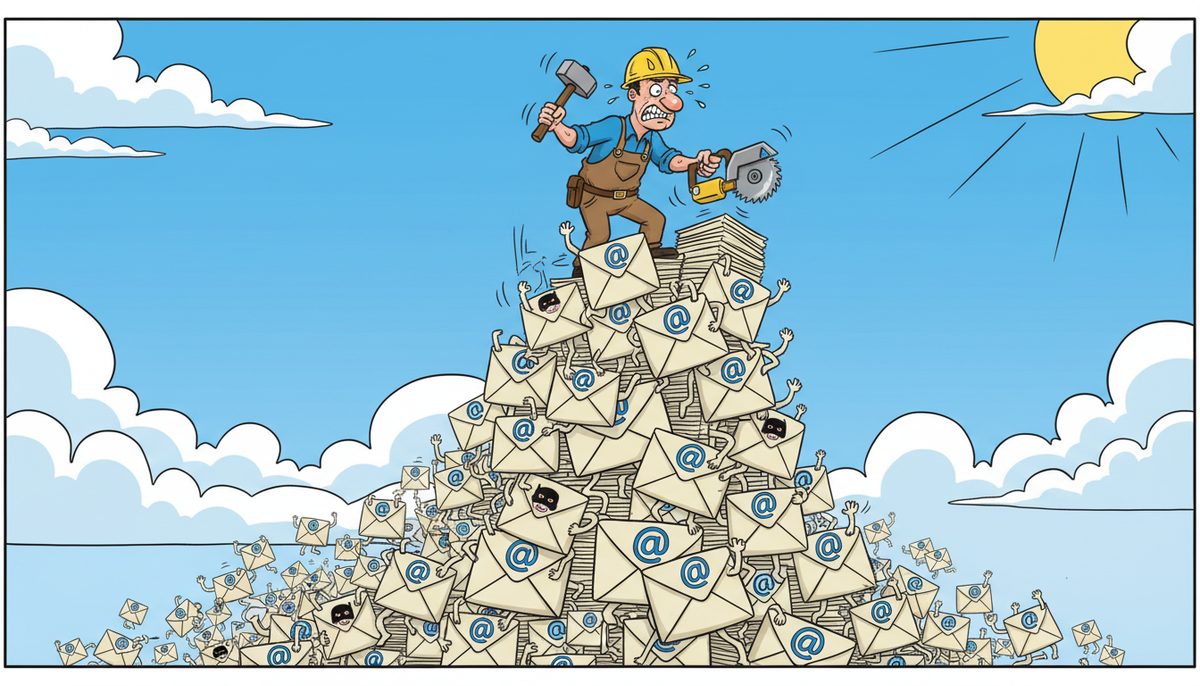
Microsoft Outlook and Office 365 accounts are the most frequently targeted email providers, accounting for approximately 40% of all business email compromises according to FBI Internet Crime Complaint Center data. Gmail follows as the second-most targeted provider, particularly for credential phishing attacks. Your construction company faces elevated risk because project coordination emails contain bid documents, change orders, and financial information that cybercriminals actively seek.
Why Do Hackers Target Outlook and Office 365 Accounts So Aggressively?
Your business email connects to everything: project files, financial systems, client communications, and subcontractor coordination. Hackers know that construction companies use Office 365 for more than just email—it’s the gateway to SharePoint sites with bid documents, OneDrive folders with as-builts, and Teams channels coordinating job sites across Vancouver Island.
Office 365’s market dominance makes it mathematically attractive. When 60% of businesses use the same email platform, cybercriminals develop specialized tools to exploit it. They’ve automated credential harvesting specifically for Microsoft accounts, creating phishing pages that perfectly mimic the Office 365 login screen.
Your company is particularly vulnerable because field staff access email from job sites on personal devices, often over unsecured Wi-Fi. A superintendent checking submittals from a coffee shop in Duncan or a project manager reviewing RFIs from a hotel in Victoria creates opportunities for credential theft that office-bound industries don’t face.
The integration between email and business systems amplifies the damage. When hackers compromise your Office 365 account, they don’t just read messages—they access your entire Microsoft ecosystem, including files stored in OneDrive and SharePoint where shop drawings and change orders live.
Hackers target the accounts most likely to approve wire transfers or change payment instructions: project managers, estimators, and accounting staff who handle progress billing and retention payments.
What Happens When Your Construction Company Email Gets Compromised?
The first thing you’ll notice is subtle. Emails you never sent appear in your sent folder, or clients mention messages you don’t remember writing. By the time you realize something’s wrong, hackers have been monitoring your conversations for days or weeks, learning project timelines and payment schedules.
Business email compromise attacks follow a pattern. Hackers watch email threads about progress billing or change orders, then send payment redirection emails that look identical to your usual communication style. They know your subcontractors’ names, project numbers, and your superintendent’s email signature because they’ve been reading everything.
You’ll lose access to critical project documentation when hackers change your password and lock you out. Submittals due to the architect today, RFIs needed for tomorrow’s concrete pour, or bid documents for a tender closing in hours become inaccessible exactly when you need them most.
The financial damage extends beyond direct theft. You’ll face project delays while you prove to general contractors that fraudulent change orders weren’t legitimate. Your bonding company will scrutinize your cybersecurity practices before renewing surety bonds. Clients will question whether their confidential project information is safe in your systems.
WorkSafeBC incident reporting becomes impossible when you can’t access email to file required documentation within mandated timeframes, potentially triggering compliance issues on top of the breach itself.
Which Email Security Features Actually Stop Construction Industry Attacks?
Multi-factor authentication blocks 99% of automated credential theft attempts, even when hackers have your password. It requires a second verification step—usually a code sent to your phone—before anyone can access email from a new device or location.
For your company, this means a hacker in Eastern Europe can’t log into your project manager’s email even if they phished the password from a fake Office 365 login page. The authentication request goes to your PM’s phone in Nanaimo, alerting them to the attempt.
Advanced email filtering catches phishing attempts before they reach inboxes. Modern systems analyze sender reputation, link destinations, and message content to identify fraudulent payment redirection emails that look identical to legitimate subcontractor communications.
Email encryption protects bid documents and financial information in transit. When you send an estimate to a general contractor or discuss change order pricing with a client, encryption ensures only the intended recipient can read the message—even if it’s intercepted.
Mailbox protection services scan incoming attachments for malware before they reach devices. This matters when subcontractors email shop drawings or suppliers send product specifications that could contain hidden ransomware.
Construction companies using mailbox protection typically pay $5–$20 per user per month, significantly less than the average $50,000 cost of a single business email compromise incident.
Automated backup of email and attachments creates a recovery path when accounts are compromised. If hackers delete critical project correspondence or lock you out entirely, you can restore messages and continue coordinating with subs and clients while security teams clean up the breach.
Security awareness training teaches your team to recognize the specific phishing tactics targeting construction companies: fake submittal requests, fraudulent change order approvals, and payment redirection emails that reference real project details stolen from previous breaches.
How Do Gmail Accounts Compare for Construction Business Security?
Gmail faces fewer successful breaches than Office 365 in absolute numbers, but that’s partly because fewer businesses use it as their primary platform. When you adjust for market share, Gmail accounts still experience significant compromise rates, particularly through credential phishing.
Google’s security infrastructure is robust, with advanced machine learning detecting suspicious login patterns and blocking access from unusual locations. If your estimator normally logs in from Victoria and someone tries to access the account from Romania, Google will require additional verification.
The challenge for your business is integration. Gmail doesn’t connect as seamlessly to the estimating software, project management platforms, and accounting systems that construction businesses rely on. You’ll spend more time managing data transfer between disconnected systems.
Gmail’s spam filtering is aggressive, which sounds positive until it quarantines legitimate bid invitations or submittal requests from new general contractors you haven’t corresponded with before. You’ll need to train your team to check spam folders before tender deadlines.
Google Workspace offers business-grade features similar to Office 365, including shared drives for project files and administrative controls for managing field staff access. However, most construction-specific software is designed around Microsoft’s ecosystem, creating compatibility friction.
The real security difference isn’t the provider—it’s the protection you layer on top. An unprotected Gmail account is just as vulnerable as an unprotected Office 365 account when your superintendent clicks a phishing link from a job site in Cobble Hill.
What Makes Vancouver Island Construction Companies Particularly Vulnerable to Email Attacks?
Geography creates unique exposure. Your teams work across island job sites from Victoria to Nanaimo, often in areas with limited cellular connectivity. When field staff can’t access secure company networks, they use whatever Wi-Fi is available—coffee shops, hotels, or job site trailers with basic consumer routers that don’t encrypt traffic.
Hackers monitor these unsecured networks specifically to intercept construction company credentials. A project manager checking email over public Wi-Fi while waiting for a ferry exposes login information to anyone running packet capture tools on the same network.
The island’s distance from mainland IT providers compounds the problem. When your email system is compromised at 4 PM on a Thursday and you need to submit a tender by noon Friday, you can’t afford to wait for a Vancouver-based security team to catch the morning ferry. Every hour of delay increases the risk of missing the deadline or allowing hackers to send fraudulent communications to clients.
BC’s Builders Lien Act creates additional pressure. The strict documentation timelines mean you need immediate access to email records proving when you sent payment applications or change order requests. If hackers lock you out or delete messages, you risk losing lien rights worth tens of thousands of dollars.
Heritage building renovations and seismic upgrade projects require extensive documentation that flows through email: engineering reports, permit applications, and coordination with heritage consultants. This concentration of valuable information in your inbox makes you a more attractive target than construction companies handling simpler projects.
Public sector projects add another layer of complexity. When you’re working on university, hospital, or government buildings, you’re subject to FIPPA requirements for protecting personal information. An email breach that exposes project details could trigger mandatory disclosure obligations and damage your reputation with institutional clients.
Local construction companies often lack dedicated IT staff to monitor for suspicious email activity or respond to security alerts. You’re focused on coordinating subcontractors and managing job sites, not analyzing login patterns or investigating phishing attempts—exactly the gap that hackers exploit.
How Does Local IT Support Stop Email Breaches Before They Cost You Contracts?
You need someone who understands that when estimating software crashes at 4 PM and the tender closes at noon tomorrow, email access isn’t just convenient—it’s the difference between submitting a bid and losing six months of potential work. That’s the reality of construction deadlines that generic IT providers don’t grasp.
A local guide knows what it feels like when project files are locked up by ransomware and you can’t access submittals, RFIs, or as-builts that the architect needs today. Construction companies have lost bids because their IT provider couldn’t get to the island fast enough to fix a server before the deadline.
Luigi from a Victoria construction company experienced the cascading effects of compromised systems firsthand. “Our systems were running slow in the past,” he recalls. “DataStream installed a new backup system, provided security for our network, and established a roadmap for future projects. DataStream thoroughly cleaned our file sharing, implemented password control, and smoothly transitioned us to take back control of our network.” The result: systems no longer running slow and regained network control—critical when email compromise often starts with broader network vulnerabilities.
Since 2012, DataStream Networks has been serving Vancouver Island businesses with local technicians in Victoria, Nanaimo, Duncan, and Cobble Hill. When you call, live people answer immediately—no voicemail, no phone tree, no long wait times. Most problems are fixed remotely within minutes, and if remote resolution isn’t possible, a technician is automatically dispatched to your location.
This matters for email security because breaches happen on criminal timelines, not business hours. When hackers compromise an account, they move quickly to maximize damage before you notice. You need response times measured in minutes, not hours or days waiting for mainland support to arrive.
Chris from a professional services firm experienced this reliability: “We hired DataStream to manage our small business IT needs and Lucius and his team has been a pleasure to deal with every step of the way. He is professional and very responsive to our needs and would recommend DataStream to any business that wants to ensure their IT systems are up to date and running smoothly.” The result: IT systems up to date and running smoothly—the foundation for preventing email compromises before they start.
Email protection isn’t a standalone service—it’s part of a complete security approach that includes network monitoring, endpoint protection, and backup systems that work together. When email security detects a phishing attempt, network security blocks the malicious link, and backup systems ensure you can recover if something slips through.
For your business, this integrated approach means bid documents in SharePoint, project files in OneDrive, and email communications are all protected by coordinated systems that understand how you actually work—not generic security that treats every business the same.
What Are the Three Steps to Protecting Your Construction Company Email Right Now?
- Call (250) 929-0745 to talk to a real technician immediately about your current email security. You’ll speak with someone who understands construction deadlines and can assess your vulnerability in minutes, not schedule a consultation for next week when it’s convenient for them.
- Get your email security diagnosed and upgraded remotely with multi-factor authentication, advanced filtering, and mailbox protection installed across your team’s accounts. Most implementations are completed within hours, protecting you before the next phishing attempt arrives.
- Establish ongoing monitoring with automatic response so suspicious login attempts, unusual email forwarding rules, or credential theft attempts trigger immediate action from local technicians who can lock down accounts before hackers access project files or send fraudulent payment instructions.
What Does Email Security Success Look Like for Your Construction Business?
You submit every bid on time with confidence, knowing estimating software and project files are accessible even if hackers attempt to compromise accounts. The authentication systems block unauthorized access before it becomes a crisis.
Your project managers coordinate seamlessly with general contractors, subcontractors, and suppliers without worrying that payment redirection emails will divert progress billing to criminal accounts. The filtering systems catch fraudulent messages before they reach inboxes.
You sleep soundly knowing bid documents, submittals, shop drawings, and as-builts are backed up and recoverable if disaster strikes. Even if hackers lock you out or delete critical correspondence, you can restore everything and continue operations.
Your bonding company and insurance providers see a construction business with professional-grade cybersecurity, not a vulnerable target waiting for the next breach. This translates to better terms and fewer questions about risk management practices.
You maintain compliance with WorkSafeBC reporting requirements and FIPPA obligations for public sector projects because email systems remain accessible and secure even during attempted attacks.
Your team focuses on building projects instead of fighting technology problems. Field staff access drawings and daily reports from job sites without security friction, while protection systems work invisibly in the background.
When technology issues do arise, you reach a real local technician immediately who understands that your 4 PM problem needs to be solved before tomorrow’s concrete pour or Friday’s tender deadline. Most fixes happen remotely within minutes, and if on-site help is needed, someone’s already on the way.
Don’t wait for a breach to force your hand. Call (250) 929-0745 now to talk with a technician about protecting your construction company email before the next phishing attempt arrives. You’ll speak with someone local who understands Vancouver Island construction deadlines and can start securing your systems today.
Frequently Asked Questions
Which email gets hacked the least?
No email provider is immune to hacking, but accounts with multi-factor authentication enabled experience 99% fewer successful breaches regardless of provider. ProtonMail and other encrypted email services offer strong privacy features, but construction companies need integration with project management and estimating software that these platforms don’t support well. The security measures you implement matter more than the provider you choose.
Which is safer, Gmail or Outlook?
Both Gmail and Outlook offer robust security features when properly configured, but Outlook accounts face more targeted attacks due to Office 365’s dominance in business environments. Gmail’s machine learning detects suspicious activity effectively, while Outlook integrates better with construction software. Your safety depends on enabling multi-factor authentication, advanced filtering, and mailbox protection regardless of which platform you use for coordinating projects and subcontractors.
Why are people ditching Gmail?
Privacy concerns drive some users away from Gmail as Google scans email content for advertising purposes, though business Gmail accounts have fewer ads. Construction companies sometimes switch from Gmail to Office 365 for better integration with estimating software, project management platforms, and accounting systems. Others leave due to aggressive spam filtering that occasionally quarantines legitimate bid invitations or submittal requests from new contacts.
How quickly can email security be implemented for construction companies?
Multi-factor authentication and advanced email filtering can be deployed across your team within hours when working with local IT support that understands construction deadlines. Full mailbox protection including backup, encryption, and security awareness training typically takes 1-3 days to implement completely. The key is working with technicians who can configure systems remotely and dispatch on-site support anywhere on Vancouver Island when needed.
What does mailbox protection cost for a construction company?
Mailbox protection services typically cost $5–$20 per user per month depending on the level of security features included. For a construction company with 10 employees, this ranges from $50–$200 monthly—significantly less than the average $50,000 cost of a single business email compromise incident. Advanced cybersecurity suites with comprehensive email protection run $40–$100 per device per month for companies needing enhanced security for public sector projects.
Can email security prevent ransomware from reaching construction project files?
Advanced email filtering and mailbox protection scan attachments for malware before they reach your devices, blocking most ransomware delivery attempts. However, email security works best as part of comprehensive protection including endpoint security, network monitoring, and backup systems. Construction companies need layered defenses because ransomware increasingly spreads through multiple vectors beyond email, including compromised remote access tools and infected USB drives from job sites.