
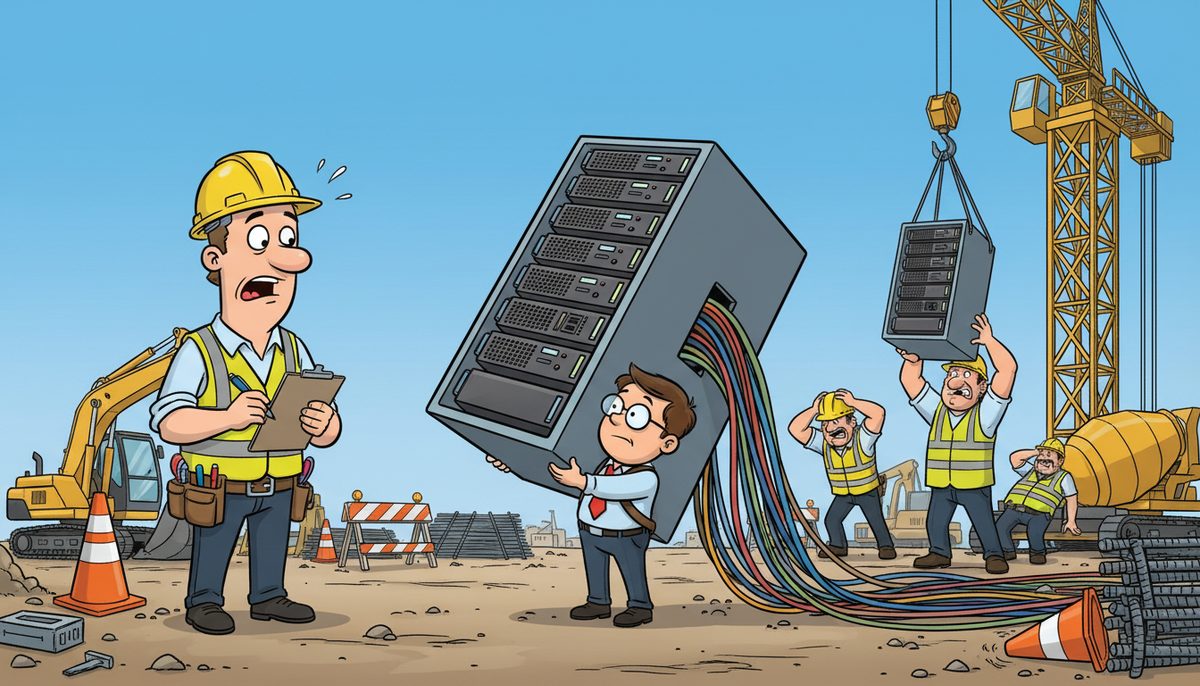
Before hiring an MSP, ask about their average response time, security protocols, industry-specific experience, and pricing structure. Verify their backup systems, disaster recovery plans, and whether they provide a technology roadmap. Managed IT services typically range from $100–$200 per user/month, with clear SLA commitments and 24/7 support availability for critical issues.
What security measures does the MSP have in place?
Security should be your first concern when evaluating any managed service provider. Ask specifically about their approach to network security, password management, and threat monitoring. A competent MSP will explain their layered security strategy in plain terms.
Request details about their backup systems and how frequently they test disaster recovery procedures. The provider should demonstrate they’ve implemented these systems successfully for other clients. As Daryl from a construction firm notes: “Considering all the cyber threats facing businesses today, you have to ask, what happens if your systems go down and you can’t operate for several days?”
Find out whether they conduct regular security audits and vulnerability assessments. The MSP should proactively identify weaknesses before they become problems. They should also explain how they handle security patches and updates across your entire network.
Ask about their incident response plan. If a breach occurs, you need to know exactly who will respond, how quickly, and what steps they’ll take to contain the damage.
Cybersecurity incidents cost construction companies an average of 21 days of downtime per breach.
A strong security partnership means you can focus on running your business while experts handle the technical protection.
How quickly will they respond when problems occur?
Response time directly impacts your productivity. Ask the MSP to specify their guaranteed response times for different priority levels. Critical issues should receive immediate attention, while routine requests might have longer windows.
Determine whether they offer 24/7 support or only business-hours coverage. Construction projects often run outside traditional office hours, so you may need round-the-clock availability. Clarify whether after-hours support costs extra or comes included in the standard agreement.
Request examples of how they’ve handled urgent situations for other clients. Kevin from an accounting firm on Vancouver Island experienced this firsthand: “It is such a good feeling knowing that if we have any issues, they are there to solve them promptly, getting my team back up and running.”
Ask about their ticketing system and how you’ll submit and track requests. A transparent system lets you monitor progress and ensures nothing falls through the cracks. The provider should also explain their escalation process for issues that aren’t resolved within the promised timeframe.
Find out their average resolution time for common problems. This metric reveals how efficiently they actually operate, not just how quickly they answer the phone.
Fast response times minimize downtime and keep your projects moving forward.
Do they understand construction industry requirements?
Industry-specific knowledge makes a significant difference in service quality. Ask whether the MSP has worked with construction companies before and request references from that sector. They should understand the unique challenges you face, from field connectivity to project management software integration.
Construction firms often use specialized applications for estimating, scheduling, and project tracking. Verify that the MSP has experience supporting these tools. They should be able to troubleshoot issues specific to construction software without a learning curve on your time.
Inquire about their experience with mobile workforce support. Your team likely needs access to systems from job sites, not just the office. The MSP should have solutions for secure remote access and mobile device management.
Ask how they’ve helped other construction clients improve their technology infrastructure. Luigi from a Victoria construction company shared this experience: “DataStream installed a new backup system, provided security for our network, and established a roadmap for future projects.”
Find out whether they understand compliance requirements specific to construction. Depending on your contracts, you may need to meet certain data security or privacy standards. The MSP should guide you through these requirements rather than leaving you to figure them out alone.
An MSP with construction experience anticipates your needs and speaks your language.
What does their pricing structure include?
Pricing transparency prevents surprises down the road. Ask the MSP to break down exactly what’s included in their base service fee. Some providers bundle everything together, while others charge separately for different services.
Managed IT services for construction companies typically range from $100–$200 per user/month. This should cover proactive monitoring, regular maintenance, help desk support, and security management. Clarify whether hardware, software licenses, or major projects cost extra.
Request a detailed proposal that lists each service component and its cost. Watch for hidden fees like after-hours support charges, onboarding costs, or minimum user requirements. A reputable MSP will provide clear pricing without burying details in fine print.
Ask about their contract terms and cancellation policy. Some providers lock you into multi-year agreements with steep early termination fees. Others offer more flexible arrangements that let you adjust as your needs change.
Find out how they handle billing for one-time projects versus ongoing services. Wally from a retail business appreciated this approach: “DataStream worked with us to address priority issues as budget would allow and implemented a project plan to update our network.”
Understand whether prices are fixed or subject to annual increases. If increases are built into the contract, they should be reasonable and clearly stated upfront.
When evaluating managed IT services, clear pricing lets you budget accurately and compare providers fairly.
Will they provide a technology roadmap?
A strategic MSP doesn’t just fix problems—they help you plan for the future. Ask whether they conduct an initial assessment of your current technology infrastructure. This evaluation should identify gaps, risks, and opportunities for improvement.
Request a sample technology roadmap from a past client engagement. The document should outline recommended upgrades, timeline priorities, and budget considerations. It demonstrates the provider’s ability to think strategically about your technology needs.
Find out how often they review and update the roadmap. Technology changes rapidly, and your plan should evolve with your business growth. Quarterly or semi-annual reviews keep your strategy aligned with current needs and emerging opportunities.
Ask how they prioritize projects when budget is limited. A good MSP helps you invest in the most critical areas first rather than pushing unnecessary upgrades. They should explain the business impact of each recommendation in terms you can evaluate.
Determine whether they involve you in planning decisions or simply tell you what to do. The best partnerships are collaborative, with the MSP providing expertise while you provide business context.
A clear roadmap turns technology from a cost center into a strategic advantage.
What happens during major upgrades or migrations?
System changes carry inherent risk, so you need to know the MSP’s approach to major projects. Ask about their planning process for upgrades and migrations. They should conduct thorough preparation, including backup verification and rollback plans.
Request their track record for project completion without downtime. This metric reveals their competence better than any marketing claim. Proper planning and execution should minimize or eliminate disruption to your operations.
Find out who will manage the project and what experience they have. You want senior technical staff handling critical migrations, not junior technicians learning on your systems. Ask whether they’ll assign a dedicated project manager to coordinate the work.
Clarify the testing procedures they use before going live with changes. Proper testing catches problems in a controlled environment rather than during production hours. The MSP should also explain their communication plan for keeping you informed throughout the project.
Ask about their contingency plans if something goes wrong. Even with careful planning, unexpected issues can arise. The provider should have clear procedures for quickly addressing problems and minimizing business impact.
Determine whether they schedule major work during off-hours to avoid disrupting your operations. Construction firms can’t afford downtime during peak business hours, so timing matters significantly.
Understanding how an MSP handles cloud migration and other major transitions proves their technical competence and planning skills.
Key evaluation criteria checklist
- Verify documented response times and SLA guarantees for different priority levels
- Confirm 24/7 support availability and after-hours coverage terms
- Review security protocols including backup testing frequency and disaster recovery plans
- Assess industry-specific experience with construction software and mobile workforce support
- Examine detailed pricing breakdown including all fees and contract terms
- Request sample technology roadmap and strategic planning approach
- Evaluate project management methodology for upgrades and migrations
- Check references from construction clients with similar business size and needs
Frequently asked questions
How long should an MSP contract typically last?
Most MSP contracts run one to three years. Shorter terms offer flexibility to change providers if service quality declines, while longer agreements often secure better pricing. Avoid contracts with excessive early termination penalties that trap you with poor service. Look for agreements that balance commitment with reasonable exit options if the partnership doesn’t work out.
Should I expect an onboarding fee when switching MSPs?
Many MSPs charge onboarding fees to cover the initial assessment, documentation, and system integration work. These fees typically range from one to three months of service costs. Ask whether this fee is separate or rolled into the monthly rate. A detailed onboarding plan should justify any upfront costs by explaining exactly what work they’ll perform during the transition period.
What certifications should a construction-focused MSP have?
Look for MSPs with technicians holding Microsoft, Cisco, or CompTIA certifications that demonstrate technical competence. Security certifications like CISSP or CEH indicate expertise in protecting your systems. Industry-specific experience often matters more than certifications alone, so prioritize providers who understand construction software, mobile workforce needs, and project-based operations. Ask about ongoing training programs that keep their team current with emerging technologies.
How do I know if an MSP is proactive versus reactive?
Proactive MSPs monitor systems continuously and fix issues before they cause downtime. Ask about their monitoring tools, alert thresholds, and patch management schedule. Request metrics showing how many problems they’ve prevented versus how many emergency calls they’ve received. Proactive providers also conduct regular system health reviews and recommend improvements before equipment fails. Reactive MSPs only respond when you call with a problem.



