
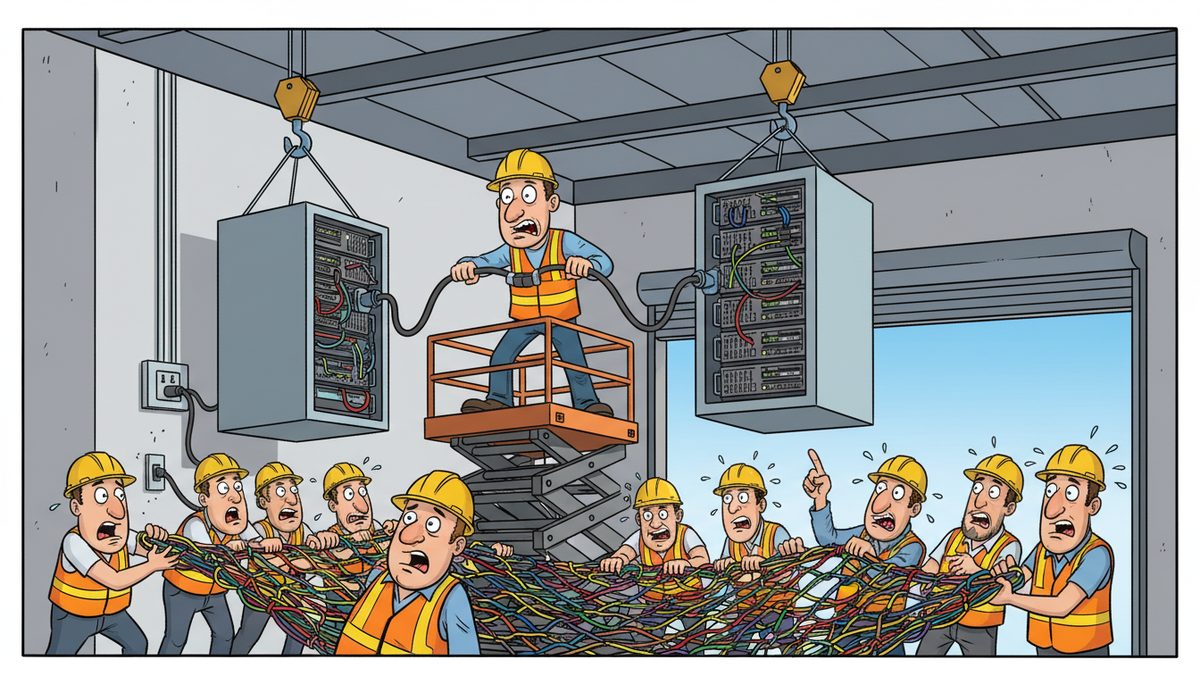
Switching IT providers without disruption requires a structured 7-phase transition plan spanning 4-8 weeks: discovery and documentation (week 1-2), parallel system testing (week 2-3), phased user migration (week 3-5), data validation (week 5-6), cutover execution (week 6-7), and post-transition monitoring (week 7-8). Construction companies should expect 90-95% of services to run in parallel during transition, eliminating the risk of losing access to project management software, estimating tools, or job site connectivity.
Why do construction companies on Vancouver Island face unique IT transition challenges?
Construction firms in Nanaimo operate across dispersed job sites from Victoria to Port Alberni, often in locations with limited connectivity. When you’re managing active projects with field staff relying on daily reports, RFI responses, and submittal management, any IT downtime translates directly into costly delays.
Vancouver Island’s ferry-dependent geography compounds the problem. If your new IT provider needs to dispatch a technician to a remote site and they’re based on the mainland, you’re looking at ferry schedules, travel time, and potentially a full day of downtime. Local response matters when a site supervisor loses access to shop drawings or as-builts during a critical inspection.
WorkSafeBC documentation requirements mean your systems must maintain continuous access to safety records, incident reports, and compliance documentation. The Builders Lien Act demands meticulous tracking of contracts, change orders, and payment records—data you cannot afford to lose or have inaccessible even briefly during a transition.
BC’s Personal Information Protection Act (PIPA) governs how you handle employee and subcontractor data during any system migration. Your transition plan must account for secure data transfer, maintaining privacy controls, and ensuring no gaps in compliance during the handoff between providers.
Local providers understand Island-specific challenges: coordinating around weather delays common to coastal BC, supporting equipment that operates in wet conditions, and maintaining connectivity solutions that work in areas where cellular coverage is spotty at best.
What should happen before you contact a new IT provider?
Document everything your current provider manages. Create a comprehensive inventory: every server, workstation, mobile device, software license, cloud service, backup system, and network component. Include your project management platforms, estimating software, and any industry-specific tools your trades rely on.
Identify your critical systems and their dependencies. Which applications must remain operational during transition? For most construction companies, that includes project management software, accounting systems, email, and remote access for field staff. Map out how these systems connect to each other.
Gather all existing documentation: network diagrams, IP address schemes, software licenses, vendor contracts, and service agreements. If your current provider has been lax with documentation, start creating it yourself. You’ll need this regardless of who you switch to.
Review your current contracts for termination clauses, notice periods, and data retrieval obligations. Some providers require 30-90 days notice. Others may charge fees for extracting your data or providing documentation. Know these terms before you commit to a transition timeline.
Establish baseline performance metrics. Document current response times, recurring issues, system uptime, and user complaints. This gives you objective criteria to measure whether your new provider delivers improvement, not just different problems.
Construction firm owner Luigi Mansueti from Victoria experienced this firsthand: “Our systems were running slow in the past. DataStream installed a new backup system, provided security for our network, and established a roadmap for future projects. DataStream thoroughly cleaned our file sharing, implemented password control, and smoothly transitioned us to take back control of our network.” His experience highlights how proper transition planning addresses both immediate performance issues and long-term infrastructure needs.
How do you execute a phased transition that protects operations?
Phase 1 involves discovery and assessment. Your new provider should conduct a comprehensive network audit, interview key users, and identify risks before touching any production systems. This takes 1-2 weeks for a typical construction company with 15-40 users across office and field locations.
Phase 2 establishes parallel systems. Before disconnecting anything from your old provider, your new provider builds and tests replacement infrastructure. Email systems run in parallel, backup solutions duplicate data to new repositories, and monitoring tools observe both old and new environments simultaneously.
Phase 3 migrates non-critical users first. Start with administrative staff or a single project team—people who can tolerate minor hiccups while you validate the process. Field supervisors and project managers running active jobs should transition later, once you’ve proven the migration process works smoothly.
Phase 4 validates data integrity at every step. After migrating each user or system, verify that files are accessible, permissions are correct, and integrations between systems function properly. For construction companies, this means testing that your estimating software still connects to your accounting system and that field staff can access project documents from job sites.
Phase 5 executes the final cutover during a planned maintenance window. For construction companies, this typically happens over a weekend when job sites are closed and office staff aren’t processing critical transactions. Your new provider should have technicians available throughout the cutover period, not just during business hours.
Phase 6 provides intensive post-transition support. The first week after cutover is critical. Users discover edge cases and workflows that weren’t apparent during testing. Your new provider should offer extended support hours and rapid response during this stabilization period.
Properly executed transitions maintain 95-100% system availability throughout the migration process, with most disruptions limited to planned maintenance windows.
The seven-phase approach breaks down into clear milestones:
- Discovery and documentation (week 1-2): Complete network audit, user interviews, risk assessment
- Parallel system setup (week 2-3): Build new infrastructure without touching production systems
- Non-critical user migration (week 3-4): Test process with administrative staff first
- Critical user migration (week 4-5): Move project managers and field staff after validation
- Data validation (week 5-6): Verify file integrity, permissions, and system integrations
- Final cutover (week 6-7): Execute during planned maintenance window with full technical support
- Post-transition monitoring (week 7-8): Intensive support period to catch edge cases and stabilize operations
A structured approach protects your operations while delivering the improvements you need.
What data and security considerations must you address?
Data extraction from your old provider must happen early in the transition process. Some providers become uncooperative once they know you’re leaving. Request complete backups of all data, configuration files, and system documentation immediately after giving notice.
Verify data completeness before disconnecting old systems. Don’t assume that because files appear in the new environment, everything transferred correctly. Check file counts, folder structures, and random samples of documents. For construction companies, validate that all project folders, submittal histories, and change order documentation transferred intact.
Security credentials require careful management during transition. You’re temporarily granting two providers access to your systems. Change all passwords immediately after the old provider’s access is revoked. This includes admin accounts, service accounts, and any shared credentials.
Email migration deserves special attention. Construction companies rely on email for RFI responses, submittal approvals, and contractor communications that have legal and contractual significance. Your migration should preserve all email history, maintain folder structures, and ensure no messages are lost in transit.
Backup systems must overlap during transition. Continue running your old backup solution until you’ve verified that your new backup system has completed at least two full backup cycles successfully. Test restoration from the new backup system before decommissioning the old one.
Compliance documentation must remain accessible throughout transition. WorkSafeBC may request safety records, CRA may audit financial documentation, and project owners may request contract documents at any time. Your transition plan must ensure continuous access to compliance-critical data.
Construction business owner Daryl Wood emphasizes the security stakes: “Considering all the cyber threats facing businesses today, you have to ask, what happens if your systems go down and you can’t operate for several days? If this would cause you big problems, I’d suggest protecting yourself by selecting DataStream as your security partner and get some peace of mind knowing they have it covered.”
How do you maintain job site connectivity during the switch?
Job site connectivity often depends on cellular hotspots, satellite links, or temporary network equipment. These systems require different transition planning than office-based infrastructure. Your new provider needs to understand what connectivity solutions are deployed at active job sites before making any changes.
Mobile device management becomes critical during transition. Field staff using tablets or smartphones to access project documents, capture photos, or submit daily reports must maintain uninterrupted access. Plan mobile device transitions separately from office systems, and test thoroughly before deploying to field staff.
Remote desktop and VPN access enables field staff to reach office systems from job sites. These connections must remain functional throughout transition. Configure new VPN infrastructure in parallel with old systems, allowing users to switch between them if problems arise.
Project management software often runs as cloud services, but authentication, single sign-on, and integrations with other systems can break during IT transitions. Test every integration point: Does your project management software still sync with accounting? Can field staff still upload photos? Do automated daily report emails still generate?
Communication plans keep field staff informed without overwhelming them. Site supervisors don’t need technical details about server migrations, but they do need to know when to expect brief service interruptions and who to contact if problems occur. Provide simple, clear instructions for accessing systems during the transition period.
What does successful post-transition support look like?
The first 30 days after transition require heightened support availability. Users will discover workflows that weren’t tested, integrations that behave differently under load, and edge cases that only appear in production use. Your new provider should expect this and staff accordingly.
Regular check-ins with key users identify problems before they escalate. Schedule brief meetings with project managers, accounting staff, and field supervisors weekly for the first month. Ask specific questions about system performance, not just “is everything okay?”
Performance monitoring should compare post-transition metrics against your documented baseline. Are systems faster? Are support tickets resolved more quickly? Are users reporting fewer problems? Objective data tells you whether the transition delivered the improvements you expected.
Documentation updates capture institutional knowledge gained during transition. Your new provider should deliver updated network diagrams, system documentation, and user guides that reflect your actual environment, not generic templates.
Training sessions help users adapt to any process changes introduced during transition. Even if systems look similar, authentication methods, support request procedures, or backup restoration processes may differ. Brief, focused training prevents confusion and support tickets.
Proactive monitoring identifies potential issues before they cause downtime. Your new provider should implement monitoring tools that alert them to problems—ideally before users notice. For construction companies, this means catching issues with project management software, backup failures, or connectivity problems at job sites before they disrupt work.
A successful transition ultimately means your team stops thinking about IT problems and returns focus to running construction projects profitably.
Frequently asked questions
How long does it take to switch IT providers for a construction company?
A complete IT provider transition for a construction company with 15-40 users typically requires 4-8 weeks from initial assessment to final cutover. This timeline includes discovery, parallel system setup, phased user migration, data validation, and post-transition stabilization. Rushing the process increases risk of data loss or extended downtime that disrupts active job sites and project schedules.
Will we lose access to project files during the transition?
No, properly executed transitions maintain continuous access to project files through parallel system operation. Your old and new systems run simultaneously during migration, ensuring project managers, field staff, and trades maintain access to drawings, submittals, RFIs, and daily reports. Data validation occurs before disconnecting old systems, and backups from both providers overlap during the transition period.
What happens if our old IT provider won’t cooperate with the transition?
Request complete data backups and system documentation immediately upon giving notice, before relationships deteriorate. Review your contract for data retrieval obligations and termination procedures. Reputable new providers have experience extracting data from uncooperative predecessors and can often reconstruct missing documentation through network discovery tools and user interviews, though this extends transition timelines.
How much does IT provider transition cost for construction companies?
Transition costs vary based on environment complexity, data volume, and how well your current systems are documented. Expect one-time migration fees covering discovery, data transfer, system configuration, and testing. Managed IT Services typically run $150–$225 per user per month, with transition planning included. Poor documentation or uncooperative old providers increase costs by extending discovery and data extraction phases.
Should we transition during a slow season or between projects?
Ideally, schedule major transition activities during periods when you have fewer active job sites and lower transaction volumes. However, waiting months for a perfect window prolongs problems with your current provider. Phased transitions allow you to migrate non-critical systems immediately while scheduling critical system cutovers for planned maintenance windows, regardless of project schedules.
What certifications should we verify before switching IT providers?
Verify that your new provider maintains current security certifications and follows industry best practices for data protection, backup, and disaster recovery. For construction companies handling employee data under BC’s PIPA and WorkSafeBC documentation, confirm your provider understands compliance requirements. Local Vancouver Island providers understand regional regulations and can respond on-site when remote resolution fails at job sites.



