
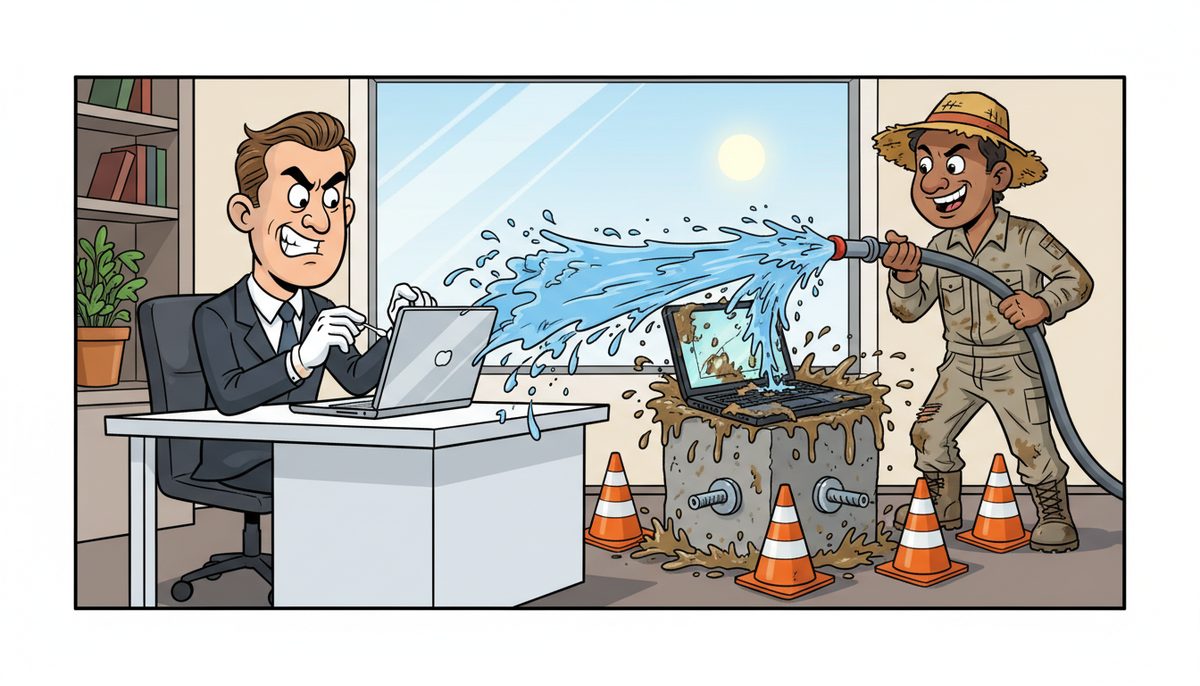
Office staff and field workers require fundamentally different IT support approaches. Office-based employees benefit from remote resolution within minutes for 80-90% of issues, while field workers need mobile device support, offline-capable solutions, and automatic on-site technician dispatch when job site equipment fails. DataStream Networks delivers both through local Vancouver Island technicians who understand construction’s unique demands—from project management software access at remote sites to emergency hardware replacement when estimating systems fail before bid deadlines.
Why Do Office and Field IT Needs Differ So Dramatically in Construction?
Office staff work in controlled environments with reliable power, stable internet connections, and immediate access to network resources. They use desktop workstations, multiple monitors for estimating software, and centralized file servers for contract documents and shop drawings.
Field workers operate in harsh conditions—dusty job sites, temperature extremes, and areas with spotty cellular coverage. Site supervisors need rugged tablets or laptops that survive construction environments while accessing daily reports, RFIs, and change orders. Project managers moving between Victoria and Port Alberni job sites can’t wait hours for remote troubleshooting when they need to submit time-sensitive submittals.
The geographic reality of Vancouver Island construction amplifies these differences. A superintendent at a remote site near Ucluelet can’t drive back to the Nanaimo office when their device fails—they need solutions that work where they are, or a technician who can reach them quickly.
Luigi Mansueti from a Victoria construction company experienced this firsthand: “DataStream installed a new backup system, provided security for our network, and established a roadmap for future projects. DataStream thoroughly cleaned our file sharing, implemented password control, and smoothly transitioned us to take back control of our network.” His team now has reliable access whether they’re in the office reviewing as-builts or at job sites coordinating subcontractor schedules.
Office and field workers also face different security risks. Office networks can be locked down with firewalls and access controls, while field devices connecting through public Wi-Fi or cellular hotspots need endpoint protection and secure VPN access to protect sensitive bid documents and contract data under BC’s Personal Information Protection Act.
Office issues often resolve remotely in minutes, while field problems may require immediate hardware replacement or on-site configuration to keep projects moving.
What Remote Support Capabilities Work Best for Office Staff?
Office-based construction employees benefit most from lightning-fast remote resolution. When an estimator can’t access bidding software or an accountant loses connection to the accounting system, every minute counts. DataStream’s remote help desk support resolves most office issues within minutes through direct system access.
Live phone support eliminates the frustration of voicemail systems and phone trees. When your office manager calls because the file server is down and trades are waiting for shop drawings, they reach a real person immediately—no automated menus, no callbacks, no waiting.
Remote monitoring catches problems before they disrupt work. Proactive alerts identify failing hard drives, backup failures, or security threats before they cause data loss. For construction companies managing Builders Lien Act documentation and WorkSafeBC records, preventing data loss is far better than recovering from it.
Centralized systems in the office enable comprehensive support. Help desk technicians can remotely update software across all workstations, deploy security patches, and troubleshoot network connectivity without visiting each desk. When your team needs access to project management platforms or submittal management systems, remote technicians restore access faster than any on-site visit.
DataStream’s remote-first approach resolves 80-90% of office IT issues without requiring an on-site visit, minimizing downtime for administrative and project coordination staff.
The office environment also supports scheduled maintenance windows. Updates and system improvements can happen during off-hours or planned downtime, unlike field operations where work schedules are less predictable.
Remote support works because office infrastructure is stable—reliable power, consistent connectivity, and equipment that stays in one place.
How Do Field Workers Need Different IT Support Approaches?
Field workers can’t rely on remote-only support. When a site supervisor’s tablet fails at a job site in Duncan and they need to log daily reports or photograph completed work for progress billing, remote troubleshooting over a weak cellular connection isn’t practical.
Mobile device management becomes critical. Field tablets and laptops need rugged cases, extended battery life, and offline capabilities so superintendents can access project schedules and safety documentation even without connectivity. When connection returns, data syncs automatically to office systems.
Automatic on-site dispatch solves the field support challenge. When remote resolution isn’t possible, DataStream automatically sends a local Vancouver Island technician to the job site or arranges equipment replacement. No waiting for approval, no back-and-forth scheduling—the system recognizes when physical intervention is needed and dispatches accordingly.
Field workers need rapid hardware replacement options. A backup tablet pre-configured with project management apps and VPN access can be delivered to a job site, allowing work to continue while the failed device gets repaired. For construction companies where project delays cost thousands daily in idle equipment and labor, this responsiveness prevents costly downtime.
Security for field devices requires different tools than office networks. Mobile device encryption, remote wipe capabilities, and secure authentication protect sensitive contract documents and employee data when devices are lost or stolen. BC’s Personal Information Protection Act applies equally to field devices as office systems.
Daryl Wood from the construction industry emphasizes the stakes: “Considering all the cyber threats facing businesses today, you have to ask, what happens if your systems go down and you can’t operate for several days? If this would cause you big problems, I’d suggest protecting yourself by selecting DataStream as your security partner and get some peace of mind knowing they have it covered.”
Field support also means understanding construction workflows. Technicians who know how estimating software, RFI tracking, and change order systems work can troubleshoot more effectively than generalists unfamiliar with construction operations.
Local technicians matter more for field support because they can reach remote Vancouver Island job sites without ferry delays or long drives from the mainland.
What About Hybrid Workers Who Split Time Between Office and Sites?
Project managers and estimators who work partly in the office and partly at job sites need IT support that follows them. Their laptops must function seamlessly in both environments—connected to office networks and printers when at headquarters, and operating independently with mobile hotspots when visiting sites.
Cloud-based solutions enable this flexibility. When project files, estimates, and contract documents live in secure cloud storage rather than local servers, hybrid workers access the same information whether they’re in the Nanaimo office or at a site in Parksville. Version control ensures everyone works from current drawings and specifications.
VPN access provides secure connections from any location. When a project manager reviews confidential bid documents from a coffee shop or hotel, encrypted VPN tunnels protect data as effectively as the office firewall. This matters for compliance with BC’s privacy requirements and protection of competitive bid information.
Unified communication tools keep hybrid workers connected. Business phone services that work across desk phones, mobile apps, and softphones mean clients and subcontractors reach project managers regardless of location. No more missed calls because someone is at a job site instead of their desk.
Support for hybrid workers requires understanding their context. When a project manager calls from a job site, the help desk needs to know whether the issue is device-specific, network-related, or application-based—and whether remote support will work or if on-site assistance is needed.
Device standardization helps hybrid support. When all project managers use the same laptop model with identical software configurations, troubleshooting becomes faster and spare devices can substitute for any failed unit without extensive reconfiguration.
Hybrid workers get the best of both support models: fast remote resolution when possible, and automatic on-site dispatch when they’re at locations where remote support won’t work.
How Do You Ensure Critical Systems Stay Accessible for Both Groups?
Construction companies depend on several mission-critical systems: estimating and bidding software, project management platforms, accounting systems, and document management for contracts and drawings. Both office staff and field workers need reliable access, but through different mechanisms.
Data backup and recovery protects against catastrophic loss. Automated backups capture all project files, financial records, and contract documents required under the Builders Lien Act and CRA retention rules. When office systems fail, recovery happens quickly. When field devices are damaged or lost, data remains safe in backed-up systems.
Redundant connectivity prevents single points of failure. Office locations benefit from backup internet connections—if the primary fiber link fails, cellular or DSL backup keeps operations running. Field workers use cellular hotspots as their primary connection, with offline modes in project management apps ensuring work continues even without connectivity.
Application architecture matters. Cloud-based project management and estimating platforms work for both office and field because they’re accessible from any device with internet. Legacy systems that require office network access create problems for field workers unless properly configured with secure remote access.
Proactive monitoring catches problems early. When backup jobs fail, hard drives show warning signs, or security threats emerge, alerts trigger immediate investigation. This prevents small issues from becoming project-stopping failures that affect both office operations and field access.
Testing validates that both office and field can access critical systems. Regular verification ensures VPN connections work, mobile apps sync properly, and offline modes function as expected. Discovering access problems during testing is far better than during a critical bid deadline.
Documentation of system configurations and access procedures helps support teams resolve issues faster. When a field worker can’t connect to the document management system, clear documentation of VPN settings, authentication requirements, and troubleshooting steps speeds resolution.
| Support Element | Office Staff Approach | Field Workers Approach |
|---|---|---|
| Primary Resolution Method | Remote support via phone and screen sharing | Mobile device management and on-site dispatch |
| Response Time Priority | Minutes for remote resolution | Rapid hardware replacement or technician dispatch |
| Connectivity Model | Wired and wireless office networks | Cellular hotspots and offline capabilities |
| Security Approach | Network firewalls and access controls | Device encryption and secure VPN |
| Hardware Considerations | Desktop workstations and office peripherals | Rugged mobile devices and extended batteries |
| Backup Strategy | Centralized server and workstation backups | Cloud sync and device replacement protocols |
Critical systems stay accessible because the support model recognizes that office and field workers access them differently and need different support mechanisms when problems occur.
What Role Do Local Technicians Play in Supporting Both Groups?
Local Vancouver Island technicians understand the geography, travel times, and site conditions that affect construction IT support. They know that reaching a job site in Port Alberni from Nanaimo requires planning, and that ferry schedules affect response times to projects in smaller island communities.
For office support, local technicians provide on-site assistance when remote resolution isn’t sufficient. Installing new servers, upgrading network infrastructure, or replacing failed hardware happens faster with technicians based in Nanaimo, Victoria, or Duncan rather than waiting for mainland-based providers.
For field support, local presence is even more critical. When a site supervisor needs immediate hardware replacement or can’t wait for remote troubleshooting, a technician who can reach the job site within an hour prevents costly project delays. Island-based technicians avoid ferry dependencies that affect mainland providers.
Local technicians also provide better service because they understand construction operations. They’ve worked with other Vancouver Island construction companies, know the common project management platforms and estimating tools, and understand the urgency when bid deadlines or inspection schedules are at stake.
The no-outsourcing commitment matters for both office and field support. When you call for help, you reach technicians who know Vancouver Island, understand local business conditions, and can provide on-site assistance when needed—not overseas support centers reading scripts.
Local technicians enable the automatic dispatch model. When remote support determines that physical intervention is needed, the system dispatches a nearby technician without delays for approval or scheduling. This works because technicians are actually local, not just claimed to be.
Effective IT support for construction requires different approaches for office staff and field workers, delivered by technicians who understand both environments and can respond appropriately to each.
Frequently Asked Questions
Can field workers access the same files and systems as office staff?
Yes, through cloud-based platforms and secure VPN connections. Field workers access project files, contract documents, estimating data, and communication systems from mobile devices. Proper configuration ensures they have the same information as office staff, with offline modes for areas with limited connectivity. Security measures protect sensitive data regardless of access location, meeting BC privacy requirements.
What happens if a field worker’s device fails at a remote job site?
DataStream automatically dispatches a local Vancouver Island technician or arranges rapid hardware replacement when remote troubleshooting won’t resolve the issue. Backup devices can be pre-configured with necessary apps and VPN access, allowing work to continue immediately. Cloud-based data storage means no project information is lost when devices fail, and replacement devices access the same files once authenticated.
How quickly can you resolve typical office IT issues remotely?
Most office IT issues resolve within minutes through remote support. Live phone support connects you immediately to technicians who can remotely access systems, troubleshoot problems, and restore functionality without on-site visits. Remote monitoring often catches and resolves issues before staff even notice them. When physical intervention is required, local technicians provide on-site assistance without long wait times.
Do you support construction-specific software like estimating and project management platforms?
Yes, DataStream supports the project management, estimating, and bidding platforms construction companies depend on. Local technicians understand construction workflows, know how these systems integrate with accounting and document management, and can troubleshoot access issues whether users are in the office or at job sites. Support includes ensuring mobile access works properly for field staff.
How do you protect sensitive bid documents and contract data for both office and field access?
Protection includes network firewalls for office systems, device encryption and secure VPN for field workers, and comprehensive backup for all data. Security measures comply with BC’s Personal Information Protection Act and protect competitive bid information from unauthorized access. Mobile device management enables remote wipe if devices are lost or stolen. Regular security updates and monitoring protect against cyber threats affecting both office and field systems.



