
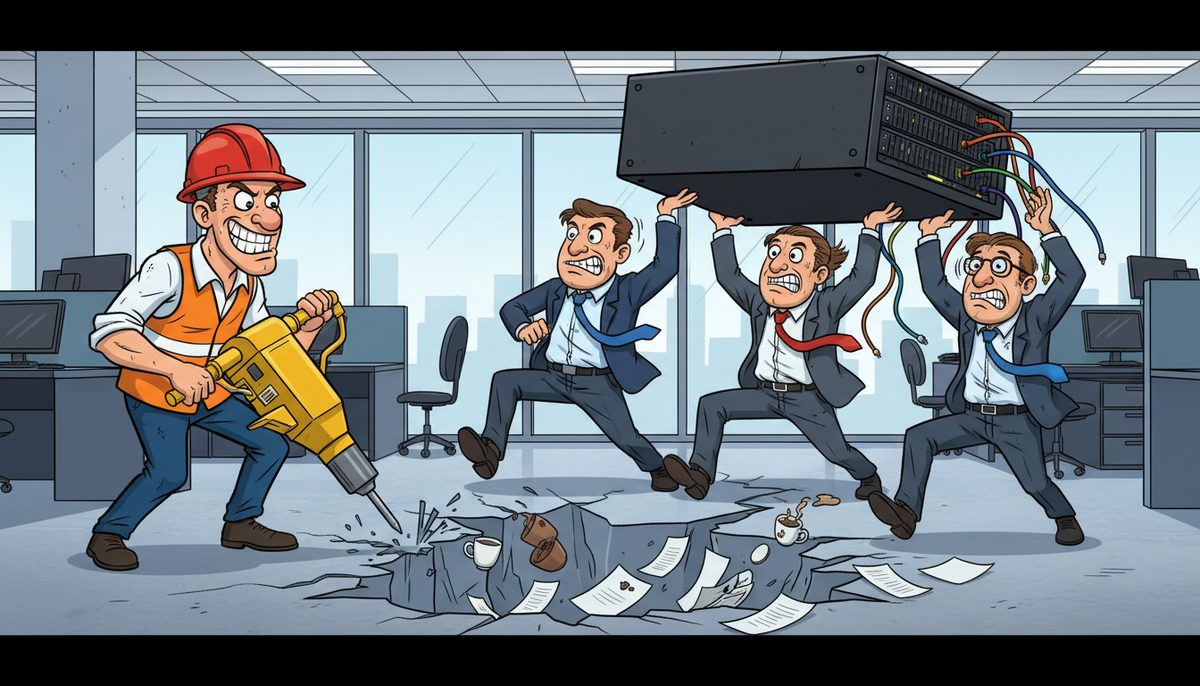
If your server goes down during a critical deadline, you face immediate work stoppage, missed bid submissions, and potential contract losses. With proper IT support, most server issues can be resolved remotely within 15-30 minutes, while automatic failover systems and cloud-based backups ensure your team maintains access to estimating software, project files, and submittal documents even during hardware failures.
Construction firms in Duncan and the Cowichan Valley operate on razor-thin margins where a single missed bid can mean the difference between a profitable quarter and laying off crew. Your estimating team needs uninterrupted access to takeoff software, historical project data, and supplier pricing right up until submission deadlines—often 2:00 PM for municipal projects with the Municipality of North Cowichan or City of Duncan.
Server failures don’t respect deadlines. They happen during the final hours of a bid when your estimator is reconciling subcontractor quotes, or when you’re uploading as-built drawings to meet a project milestone payment trigger.
What immediate problems does a server failure create for construction companies?
The moment your server goes down, your team loses access to every critical business system. Your estimating software stops working, which means no one can finalize bid calculations or access your database of historical unit costs. Project managers can’t retrieve RFIs or change orders that subcontractors are waiting on.
Your accounting department can’t process progress billing or manage lien holdbacks, directly impacting cash flow. Field supervisors lose access to current project drawings and specifications, forcing them to work from outdated paper copies that may not reflect the latest revisions.
For WorkSafeBC compliance, you need continuous access to safety documentation and incident reporting systems. A server outage during an inspection or after a workplace incident creates regulatory exposure. The Builders Lien Act requires meticulous documentation with specific timelines—missing those deadlines because of IT failures can jeopardize your payment rights on a project worth hundreds of thousands of dollars.
Daryl Wood, a construction professional, puts it bluntly: “Considering all the cyber threats facing businesses today, you have to ask, what happens if your systems go down and you can’t operate for several days? If this would cause you big problems, I’d suggest protecting yourself by selecting DataStream as your security partner and get some peace of mind knowing they have it covered.”
Every hour of downtime costs your company money in lost productivity, but deadline-driven downtime costs you opportunities you can never recover.
How quickly can IT support actually respond to a server emergency?
Response time separates competent IT providers from those who leave you stranded. When your server crashes at 1:00 PM and your municipal bid is due at 2:00 PM, you need someone who answers immediately—not a voicemail system or overseas call center that routes your emergency through three levels of escalation.
DataStream Networks answers calls with live people, no phone trees or long wait times. Their Vancouver Island technicians understand the geographic realities of the Cowichan Valley—they know which job sites have reliable cellular connectivity and which require satellite links or mobile hotspots.
Most server problems get fixed remotely within minutes through proactive monitoring and remote access tools. The system often detects issues before you notice them, triggering automatic alerts. For problems that can’t be resolved remotely, local technicians dispatch automatically to your Duncan office or job site without requiring you to make a second call.
Remote resolution typically takes 15-30 minutes for common server issues, while on-site response from Duncan-based technicians reaches most Cowichan Valley locations within 1-2 hours.
This speed matters because construction deadlines are absolute. The Municipality of North Cowichan doesn’t extend bid deadlines because your IT failed. Your general contractor doesn’t postpone the project schedule because you couldn’t submit your change order documentation on time.
Local support means technicians who’ve worked with construction companies before and understand what “we have a bid due in 45 minutes” actually means in terms of business impact.
What backup systems prevent complete work stoppage during server failures?
The best approach to server failures is ensuring they don’t stop your work entirely. Modern IT infrastructure includes multiple layers of redundancy specifically designed to keep construction companies operational during hardware problems.
Cloud-based backup systems maintain real-time copies of your critical data—estimating databases, project files, contract documents, and financial records. When your primary server fails, your team can access these cloud copies immediately from any device with internet connectivity. Your estimator can continue working on that bid from a laptop using cloud-based files while technicians repair the physical server.
Hybrid systems combine local servers for fast day-to-day access with cloud failover for emergencies. This gives you the performance benefits of local storage with the reliability of cloud backup. For construction companies working across Vancouver Island, this architecture ensures field supervisors can access current drawings even when the Duncan office server is down.
Automated backup verification runs continuously, not just at night. The system confirms that your backups are complete and restorable, so you’re never in the position of discovering backup failures during an emergency recovery. For CRA audit requirements and BC’s Personal Information Protection Act (PIPA) compliance, this automated verification provides documentation that your data protection meets regulatory standards.
Virtual server technology allows rapid restoration. Instead of waiting hours or days to rebuild a physical server, virtual systems can be restored in minutes from backup images. One accounting firm working with DataStream experienced zero downtime during an entire server upgrade—the transition happened seamlessly without interrupting daily operations.
Redundancy eliminates single points of failure that can destroy your deadline.
How do you maintain access to estimating software and project files during outages?
Construction-specific software presents unique challenges during server outages. Your estimating platform likely relies on a central database of historical costs, supplier pricing, and project templates. Losing access to this database mid-bid forces your estimator to work from memory or incomplete information, increasing the risk of costly errors that destroy your profit margin.
Modern IT architecture separates your software into critical and non-critical tiers. Estimating systems, project management platforms, and document control systems get priority protection with redundant access paths. If the primary server fails, these critical applications automatically redirect to backup systems or cloud instances.
Mobile access ensures field teams stay connected regardless of office infrastructure status. When configured properly, your project managers and site supervisors can access current drawings, RFIs, and submittal logs from tablets or smartphones, pulling data from cloud repositories that remain available even during office server failures.
For companies managing multiple job sites across the Cowichan Valley—from Lake Cowichan to Cobble Hill—this distributed access model prevents a single server failure in Duncan from shutting down work at six different locations. Each site maintains operational independence while sharing centralized data.
Document version control becomes critical during server transitions. Your team needs confidence that the drawing set they’re viewing during failover is the current approved version, not an outdated copy. Proper backup systems maintain complete version history and metadata, ensuring regulatory compliance with Builders Lien Act documentation requirements.
The right infrastructure keeps your estimators estimating and your project managers managing, regardless of what’s happening in the server room.
What does it cost to implement proper server redundancy and backup systems?
Construction companies often view IT redundancy as an expensive luxury until they experience their first deadline-related server failure. The actual cost of proper protection is far less than the revenue lost from a single missed bid or the penalties from delayed project documentation.
[OWNER: Need official pricing ranges for managed IT services per user per month and cybersecurity protection per device per month]
Cloud-based backup systems scale with your data volume and retention requirements. Construction companies need longer retention periods than many industries because project documentation must be maintained for warranty periods, potential litigation, and CRA audit requirements. The cost difference between 30-day and 7-year retention is minimal compared to the legal and financial risks of inadequate records.
Compare these costs against the actual impact of missing a bid deadline. A single municipal project in Duncan might represent $500,000 to $2 million in revenue. Missing that deadline because of a failed server without backup protection is a business decision that’s hard to justify to your partners or investors.
The investment in redundancy pays for itself the first time it prevents a deadline disaster.
How do local Duncan IT providers compare to mainland or offshore support for emergency response?
Geography matters intensely during IT emergencies. When your server fails at 1:30 PM with a 2:00 PM bid deadline, the difference between a Victoria-based technician and a Vancouver-based provider is the difference between making and missing that deadline.
DataStream Networks operates with local Vancouver Island technicians who can reach Duncan, Nanaimo, Cobble Hill, and surrounding Cowichan Valley locations quickly. They understand the regional connectivity challenges—which areas have reliable high-speed internet, which job sites require mobile hotspot solutions, and which rural properties need satellite backup links.
Offshore IT support cannot dispatch a technician to your office. They can only provide remote assistance, which fails completely when the problem requires physical hardware intervention. A failed hard drive or power supply needs hands-on replacement, not remote troubleshooting.
Mainland providers face BC Ferries schedules and travel time. Even emergency dispatch from Vancouver requires a 2-hour ferry crossing plus drive time, meaning you’re looking at 4-6 hours minimum response for on-site service. That’s useless for deadline emergencies.
Local providers also understand BC-specific regulatory requirements. They know WorkSafeBC documentation standards, BC’s Personal Information Protection Act requirements, and the Builders Lien Act’s documentation timelines. This contextual knowledge prevents compliance gaps that create legal exposure.
Luigi Mansueti, a Victoria construction professional, experienced this local advantage firsthand: “DataStream installed a new backup system, provided security for our network, and established a roadmap for future projects. DataStream thoroughly cleaned our file sharing, implemented password control, and smoothly transitioned us to take back control of our network.”
Local support means someone who can be in your office within an hour, not someone reading troubleshooting scripts from another country.
What protection strategies work best for construction firms?
Construction companies need IT strategies that match their operational reality. Your business runs on deadlines, operates across multiple job sites, and requires continuous access to large document files and specialized software.
A layered protection approach works best:
- Real-time cloud backup that synchronizes your critical data continuously, not just overnight
- Local redundancy with duplicate servers or RAID arrays that maintain operations during single-component failures
- Mobile access architecture that keeps field teams operational regardless of office infrastructure status
- Proactive monitoring that detects and resolves issues before they cause downtime
- Documented disaster recovery procedures with tested restoration timelines
This multi-layer approach ensures that no single failure point can shut down your business during a critical deadline. When one system fails, others automatically take over without requiring manual intervention or emergency calls.
For companies managing construction project management software across multiple sites, this redundancy becomes even more critical. Your project managers in the field need the same reliable access to data as your office staff.
Regular testing validates your protection. Quarterly disaster recovery drills simulate complete failures and measure how quickly your team can resume operations. These tests identify gaps in your procedures before real emergencies expose them.
The best protection strategy is one that works automatically when you’re too busy managing a deadline crisis to troubleshoot IT problems.
How does proper IT infrastructure support business continuity beyond just server failures?
Server redundancy is just one component of comprehensive business continuity planning. Construction companies face multiple threats to operational continuity—cybersecurity attacks, natural disasters, power failures, and human error all create potential work stoppages.
A robust IT infrastructure protects against all these scenarios. Cybersecurity measures prevent ransomware attacks that could lock you out of your systems during critical deadlines. Uninterruptible power supplies (UPS) keep servers running during brief power outages. Geographic redundancy with off-site backups protects against building fires or floods.
For construction companies operating under tight contract terms, business continuity directly impacts your legal obligations. Many contracts include time-is-of-the-essence clauses that make deadline compliance a material term. Your IT infrastructure becomes part of your risk management strategy, protecting you from breach-of-contract claims caused by technical failures.
Insurance companies increasingly consider IT infrastructure when underwriting cyber liability and business interruption policies. Documented backup procedures, disaster recovery testing, and professional IT management can reduce premiums and improve coverage terms.
Business continuity planning also addresses succession and knowledge transfer. When key employees leave or retire, proper documentation and centralized data management ensure their knowledge doesn’t walk out the door. This becomes critical for construction companies with long project lifecycles where warranty claims or litigation may arise years after project completion.
Comprehensive IT infrastructure transforms from a cost center into a business asset that protects revenue, reduces risk, and enables growth.
Frequently asked questions
Can we recover data if our server completely dies during a project deadline?
Yes, if you have proper backup systems in place. Modern backup solutions maintain real-time copies of your data in cloud storage or secondary servers, allowing immediate access even when primary hardware fails completely. Recovery time depends on your backup architecture—cloud-based systems provide access within minutes, while physical backup restoration may take several hours. The key is implementing automated backup verification before the emergency occurs.
What happens to our field crews if the office server goes down?
Field crews can maintain operational independence if your IT infrastructure includes mobile access and cloud-based document management. Project managers and site supervisors access current drawings, specifications, and RFIs from tablets or smartphones connected to cloud repositories. This distributed architecture prevents office server failures from shutting down multiple job sites across the Cowichan Valley. However, this requires advance configuration—it’s not something you can implement during an emergency.
How do we know our backups will actually work when we need them?
Automated backup verification systems test your backups continuously by attempting partial restorations and validating data integrity. Professional IT providers run regular disaster recovery drills that simulate complete server failures and measure restoration time. You should receive monthly reports documenting backup success rates and verification test results. If your current provider doesn’t offer this documentation, you’re operating on faith rather than verified protection.
Will cloud-based systems work at remote Vancouver Island job sites with poor connectivity?
Cloud systems require internet connectivity, which can be challenging at remote Cowichan Valley construction sites. The solution is hybrid architecture that combines local caching with cloud synchronization. Field devices download current project files while connected, then work offline at the job site, syncing changes when connectivity returns. For sites with no cellular coverage, mobile hotspots or satellite links provide backup connectivity. Local IT providers understand these geographic challenges better than offshore support.
What’s the difference between backup and disaster recovery for construction companies?
Backup copies your data for protection, while disaster recovery defines how quickly you can resume operations after a failure. Construction companies need both—backups protect against data loss, but disaster recovery ensures you can access that data immediately during deadline emergencies. A comprehensive disaster recovery plan includes failover procedures, alternative access methods, and documented restoration timelines. For BC regulatory compliance including Builders Lien Act requirements, your disaster recovery plan must ensure continuous access to legal documentation.



