
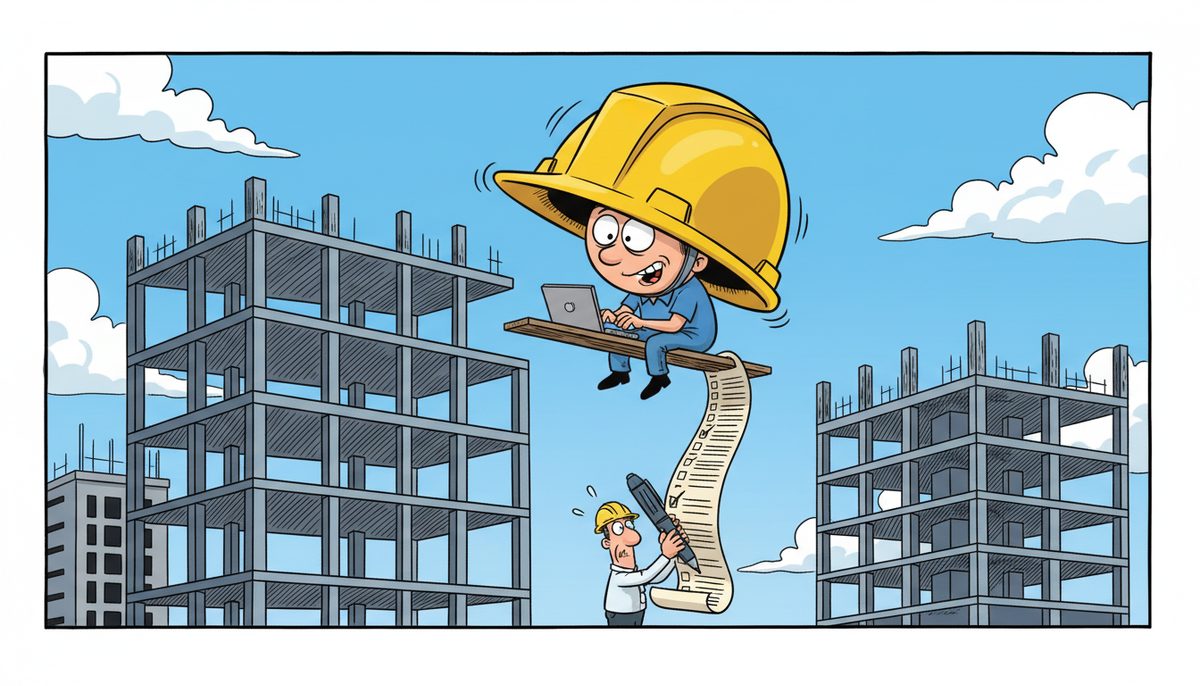
WorkSafeBC mandates that construction companies maintain digital records of workplace incidents, safety programs, and worker training for minimum retention periods of three years for most documentation and up to 40 years for exposure records. Construction businesses need reliable IT infrastructure including secure data backup systems, incident reporting software, and document management platforms to meet these provincial OHS compliance requirements.
What Digital Records Must Construction Companies Maintain Under WorkSafeBC Regulations?
WorkSafeBC’s Occupational Health and Safety Regulation requires construction companies to document and retain multiple categories of safety information digitally. Incident investigation reports must capture details of workplace injuries, near-misses, and equipment failures with photographs, witness statements, and corrective action plans.
Your safety program documentation needs digital storage for written policies, hazard assessments, safe work procedures, and toolbox talk records. Worker training certificates, competency evaluations, and orientation records form another critical category that inspectors frequently request during site visits.
Exposure monitoring data for hazardous substances like silica dust, asbestos, or lead requires retention for 40 years after a worker’s last exposure. Equipment inspection logs for scaffolding, fall protection systems, and mobile equipment must be readily accessible both at site offices and head office locations.
Construction companies face penalties up to $726,888 for serious OHS violations, with inadequate documentation often escalating enforcement actions.
The challenge for Victoria construction firms is maintaining these records across multiple job sites while ensuring superintendents and project managers can access them instantly during WorkSafeBC inspections. Luigi Mansueti, a Victoria construction professional, experienced firsthand how system performance affects operations: “Our systems were running slow in the past. DataStream installed a new backup system, provided security for our network, and established a roadmap for future projects.” His company regained network control and eliminated the performance issues that previously hampered their documentation workflows.
Digital record-keeping is the foundation of demonstrating due diligence if an incident occurs.
How Do IT Systems Support WorkSafeBC Incident Reporting Requirements?
When a workplace injury occurs, construction companies have 72 hours to submit detailed incident reports to WorkSafeBC through their online portal. This tight deadline means your IT infrastructure must be operational when you need it most, with no tolerance for system downtime or data loss.
Incident reporting software needs integration with your project management systems to pull worker assignments, site locations, and supervisor contact information automatically. Many Victoria construction companies use cloud-based safety management platforms that allow field staff to photograph incident scenes, record statements, and initiate investigations from mobile devices.
Your backup systems become critical during incident response. If your server fails the day after an injury, you risk missing reporting deadlines while scrambling to reconstruct information from paper notes and memory. Automatic daily backups with quick recovery capabilities protect you from this scenario.
Email systems must reliably deliver incident notifications to project managers, safety coordinators, and senior management within minutes. When WorkSafeBC officers request documentation during investigations, you need search functionality to locate specific incidents, corrective actions, and follow-up communications instantly across years of records.
The province’s Freedom of Information and Protection of Privacy Act (FIPPA) adds another layer for construction companies working on public sector projects. Your IT security must protect worker personal information in incident reports from unauthorized access while maintaining availability for legitimate regulatory requests.
Reliable IT infrastructure transforms incident reporting from a compliance burden into a risk management tool that protects both workers and your business reputation.
What IT Security Measures Protect Sensitive OHS Documentation?
Construction companies store highly sensitive information in their OHS systems: worker medical information, incident investigations naming individuals, and exposure monitoring data that could affect workers’ future employability. Provincial privacy legislation requires specific safeguards for this personal information.
Access controls must restrict OHS records to authorized personnel only. Your IT systems need role-based permissions so project managers see only their own site incidents while safety coordinators access company-wide data and executives review aggregate statistics without viewing individual worker details.
Encryption protects OHS data both in storage and during transmission. When superintendents email incident photos from job sites or upload reports to cloud platforms, encryption prevents interception. At-rest encryption ensures that if a laptop is stolen from a site office, the safety records remain unreadable.
Daryl Wood, another construction professional, emphasizes the stakes: “Considering all the cyber threats facing businesses today, you have to ask, what happens if your systems go down and you can’t operate for several days? If this would cause you big problems, I’d suggest protecting yourself by selecting DataStream as your security partner and get some peace of mind knowing they have it covered.”
Multi-factor authentication adds a second verification step beyond passwords, critical when workers access OHS systems from personal devices or public Wi-Fi at coffee shops near job sites. Audit logs track who accessed which records when, providing accountability if privacy breaches occur.
Regular security updates patch vulnerabilities in your safety management software, operating systems, and network infrastructure. Construction companies often neglect updates during busy seasons, creating openings for ransomware that could encrypt your entire OHS database days before a WorkSafeBC audit.
For Victoria construction firms working on government projects at Royal Jubilee Hospital, UVic campus expansions, or provincial buildings, FIPPA compliance determines contract eligibility.
How Long Must Construction Companies Retain OHS Digital Records?
WorkSafeBC’s retention requirements vary dramatically by record type, creating complex IT storage planning challenges. Standard incident reports and safety meeting minutes require three-year retention from the date of creation. First aid records must be kept for three years after the treatment date.
Training records follow a different timeline: retain them for three years after the worker leaves your employment. This means your HR and safety systems need integration to flag training records for deletion only after verifying termination dates, not simply three years from the training date.
Exposure monitoring records for designated substances demand 40-year retention after the worker’s last exposure. If a carpenter worked with treated lumber containing arsenic in 2024, you must maintain those exposure records until 2064 even if they left your company in 2025.
Workplace hazardous materials information sheets (WHMIS) and safety data sheets (SDS) must remain accessible as long as the product is in use at any of your job sites, plus an additional 30 years. Your IT systems need version control to track which SDS applied when a worker was exposed to a specific product batch.
Equipment inspection records for cranes, hoists, and scaffolding require retention until the equipment is disposed of, plus three additional years. This creates challenges when equipment moves between projects and ownership transfers occur during company acquisitions.
The practical IT implication is that construction companies need scalable storage that grows affordably over decades, with reliable backup systems ensuring 40-year-old exposure records remain recoverable if a former worker develops an occupational illness and WorkSafeBC opens a historical investigation.
Document management systems with automated retention policies prevent accidental deletion of records still within their required retention period.
What IT Infrastructure Supports Multi-Site OHS Compliance Across Vancouver Island?
Victoria construction companies typically operate job sites from Sooke to Sidney, with some projects extending to Nanaimo, Duncan, and the Cowichan Valley. Your OHS compliance systems must work reliably across this geography despite variable cellular connectivity in rural areas and the logistical challenges of island operations.
Cloud-based safety management platforms allow superintendents to access OHS documentation from any job site with internet connectivity. When a WorkSafeBC officer arrives unannounced at a Langford residential development, your site supervisor needs instant access to the same incident reports, training records, and hazard assessments available at your Victoria head office.
Mobile device management ensures that tablets and smartphones used for safety inspections and incident reporting maintain security standards even when workers take them home. Remote wipe capabilities protect sensitive OHS data if a device is lost at a job site or stolen from a vehicle.
Your network infrastructure needs sufficient bandwidth to synchronize large files like incident scene photos and video training materials between site offices and central servers. Many construction companies underestimate the data volumes generated by modern safety documentation, leading to sync failures and incomplete records.
VPN connections allow field staff to securely access your OHS database from job site trailers without exposing sensitive worker information over public internet connections. This becomes particularly important for projects in remote areas where dedicated business internet isn’t available and teams rely on cellular hotspots.
Local IT support matters when systems fail during critical moments. DataStream’s technicians in Victoria, Nanaimo, Duncan, and Cobble Hill can reach island job sites quickly when remote troubleshooting can’t resolve an issue before a bid deadline or inspection. Their live phone support with no voicemail or phone trees means you reach a real person immediately when your safety management system crashes.
For construction companies coordinating with mainland suppliers and clients, reliable IT enables seamless communication despite the geographic separation that defines Vancouver Island business operations.
How Do Data Backup Systems Protect Against OHS Compliance Failures?
A single server failure could erase years of incident reports, training records, and exposure monitoring data, leaving your construction company unable to demonstrate OHS compliance during WorkSafeBC investigations. Backup systems are your insurance policy against catastrophic documentation loss.
Automated daily backups capture all changes to your OHS database without requiring staff to remember manual procedures. The backup process should run overnight when job site staff aren’t actively updating records, minimizing performance impacts during business hours.
Off-site backup storage protects against localized disasters. If fire destroys your Victoria office, your OHS records remain safe in a geographically separate data center. Cloud backup services provide this geographic redundancy automatically, with copies stored in multiple Canadian data centers to meet provincial data residency requirements.
Regular backup testing verifies that your recovery procedures actually work. Many construction companies discover their backups are corrupted only when attempting recovery during an emergency. Quarterly test restorations confirm you can retrieve specific incident reports or training records within the timeframes WorkSafeBC investigations demand.
Version control in your backup system allows recovery of records as they existed at specific points in time. If an employee accidentally deletes a safety program document or overwrites an incident report with incorrect information, you can restore the previous version without losing other recent updates.
Retention policies in your backup system must align with WorkSafeBC requirements. While you might delete old project files after seven years for general business purposes, your backup system needs separate rules ensuring exposure monitoring records remain recoverable for 40 years.
The recovery time objective defines how quickly you can restore OHS systems after a failure. Construction companies bidding on time-sensitive public sector projects can’t afford multi-day recovery periods that prevent accessing safety documentation required for tender submissions.
DataStream’s data backup and recovery services provide construction companies with automated protection specifically designed for business-critical documentation, with fast recovery capabilities when you need records immediately.
What Role Does Help Desk Support Play in OHS Compliance?
When your safety management software crashes minutes before a WorkSafeBC inspection or your project manager can’t access training records during a pre-bid meeting, you need immediate IT support. Help desk responsiveness directly impacts your ability to meet regulatory deadlines and demonstrate compliance.
Construction companies face unique timing pressures. Bid submissions often have 2 p.m. deadlines with no extensions, and tender packages frequently require proof of safety program compliance. If your IT systems fail the morning of a submission deadline, you need resolution within hours, not days.
Remote support capabilities allow IT technicians to access your systems, diagnose problems, and implement fixes without traveling to job sites. For a superintendent in Duncan experiencing software issues, remote support means resolution in minutes rather than waiting hours for an on-site visit.
When remote support can’t resolve an issue, automatic dispatch of on-site technicians prevents delays. DataStream’s model eliminates the back-and-forth of scheduling service calls—if remote troubleshooting fails, a local technician is automatically dispatched to your location.
Live phone support with real people answering immediately matters during emergencies. Navigating phone trees or waiting for callback from voicemail wastes precious time when you’re racing against a WorkSafeBC reporting deadline or trying to access safety documentation during an active inspection.
Proactive monitoring identifies potential IT problems before they cause compliance failures. If your backup system stops running or your safety management software database approaches capacity limits, proactive alerts allow preventive action rather than emergency response after systems fail.
For construction companies without dedicated IT staff, comprehensive managed IT services provide the ongoing support needed to maintain reliable OHS compliance systems without hiring full-time technicians.
Essential IT Components for WorkSafeBC Compliance
Construction companies need several core IT systems working together to meet provincial OHS requirements effectively:
- Document Management Platform: Centralized storage for safety programs, policies, hazard assessments, and safe work procedures with version control and search capabilities.
- Incident Reporting Software: Digital forms, photo capture, witness statements, and automatic notifications integrated with WorkSafeBC’s online portal for timely submissions.
- Training Records Database: Worker certifications, competency evaluations, orientation records, and toolbox talk attendance with automated expiry alerts.
- Backup and Recovery System: Automated daily backups with off-site storage, tested recovery procedures, and retention policies matching 40-year requirements for exposure records.
- Network Security Infrastructure: Firewalls, encryption, multi-factor authentication, VPN access, and mobile device management protecting sensitive worker information.
- Help Desk Support: Immediate access to IT technicians for troubleshooting, remote support capabilities, and on-site service when systems fail during critical compliance moments.
These components must integrate seamlessly so superintendents can photograph an incident scene on a tablet, upload it to your incident reporting system, and have it automatically backed up off-site within minutes—all while maintaining encryption and access controls required by provincial privacy legislation.
Frequently Asked Questions
What happens if a construction company loses OHS records due to IT system failure?
WorkSafeBC may issue administrative penalties and consider the loss as evidence of inadequate due diligence during incident investigations. You’ll need to reconstruct records from paper backups, witness interviews, and third-party sources, which is time-consuming and often incomplete. Robust backup systems with tested recovery procedures prevent this scenario and demonstrate your commitment to compliance.
Can construction companies use consumer-grade cloud storage for OHS documentation?
Consumer services like personal Dropbox or Google Drive accounts typically lack the security controls, access restrictions, and audit capabilities required for sensitive worker information under BC privacy legislation. Business-grade platforms with encryption, role-based access, and Canadian data residency meet regulatory requirements. Your IT provider should configure these systems specifically for OHS compliance rather than general file sharing.
How quickly must construction companies report serious incidents to WorkSafeBC digitally?
Employers must report serious incidents immediately by telephone, followed by written reports within 48 hours for fatalities and serious injuries requiring medical treatment beyond first aid. Your IT systems must be operational during this critical window to compile incident details, photographs, and preliminary investigation findings. System downtime during incident response creates compliance risks and hampers your ability to demonstrate prompt corrective action.
Do small construction companies have the same IT requirements for OHS compliance as large contractors?
WorkSafeBC regulations apply regardless of company size, though documentation complexity scales with workforce size and project scope. A three-person renovation contractor needs the same incident reporting capabilities and record retention as a 300-employee commercial builder, just with fewer records to manage. Small companies often benefit more from managed IT services since they lack dedicated IT staff to maintain compliance systems.
What IT security measures protect OHS records on job site computers and tablets?
Implement full-disk encryption, automatic screen locks after inactivity, multi-factor authentication for system access, and mobile device management allowing remote wipe if devices are lost or stolen. Regular security updates patch vulnerabilities, and VPN connections protect data transmission over public networks. Role-based access ensures field staff see only records relevant to their projects, limiting exposure if credentials are compromised at job sites.



