
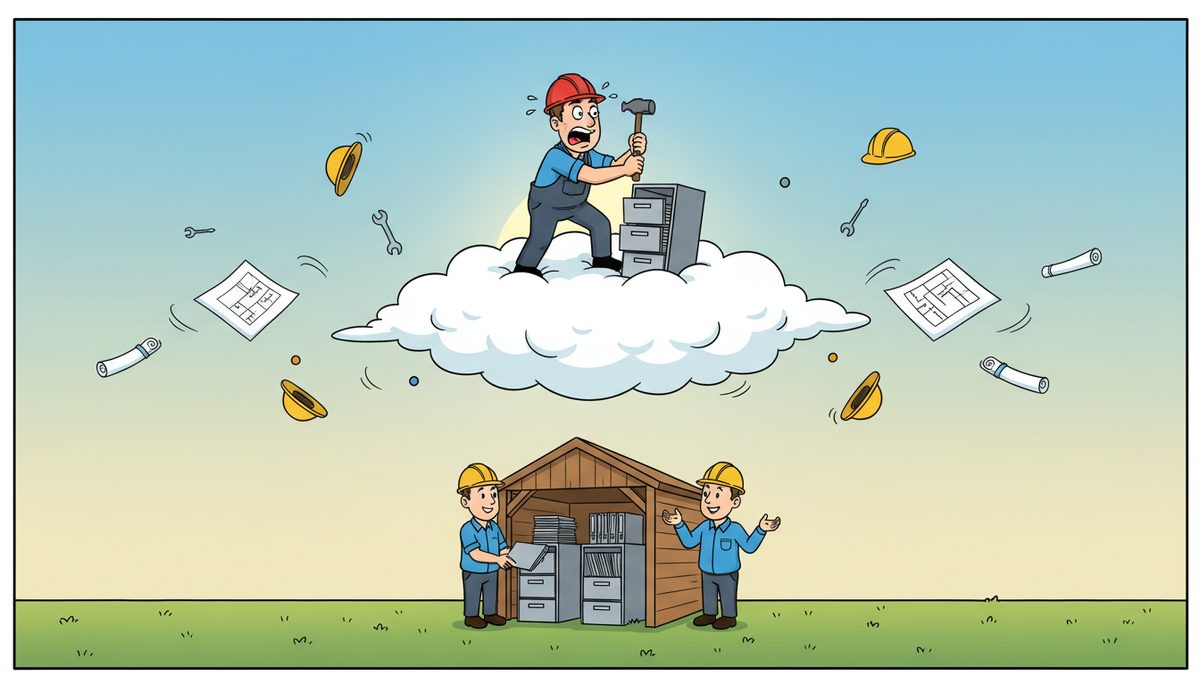
Most construction businesses benefit from a hybrid approach: cloud storage for field access and collaboration (typically $40–$150 per user monthly for managed cloud backup), combined with on-premise storage for large project files and instant local access. Pure cloud solutions work best for firms under 10 users with minimal CAD/BIM files, while companies managing multiple job sites with heavy documentation need both for redundancy and performance.
What are the real costs of cloud versus on-premise storage?
Cloud storage operates on subscription pricing that scales with users and data volume. For construction firms, managed cloud backup typically ranges from $40–$150 per user per month, covering off-site protection, version history, and recovery services. A 15-person construction company might pay $600–$2,250 monthly.
On-premise storage requires upfront capital investment. A server with sufficient capacity for project files, as-builts, and shop drawings costs $5,000–$15,000, plus annual maintenance of roughly 15–20% of hardware cost. Local backup devices add another $1,500–$5,000. The total five-year cost often matches cloud spending, but the cash flow differs significantly.
Hidden costs matter more than headline prices. On-premise systems need someone to manage updates, monitor capacity, and handle failures—either internal staff time or managed IT services at $150–$225 per user monthly. Cloud solutions include management but charge for data retrieval during major restorations, sometimes hundreds of dollars for terabytes of recovery.
Construction firms working on public sector projects subject to FIPPA face additional considerations. Cloud providers must demonstrate Canadian data residency and specific security controls, sometimes requiring premium tiers that cost 30–50% more than standard business plans.
The break-even point typically arrives around year three for companies with stable user counts. Firms experiencing rapid growth favor cloud’s scalability; established contractors with predictable needs often find on-premise more economical long-term.
How does each option handle job site access and field coordination?
Cloud storage excels at field access. Superintendents at remote Vancouver Island job sites can pull up submittal packages, RFIs, and daily reports from tablets or phones with cellular connectivity. Changes sync automatically—when your estimator updates a bid in Victoria, your PM in Nanaimo sees it instantly.
On-premise storage requires VPN connections for remote access, which work well from site offices with dedicated internet but struggle on job sites with spotty cellular service. Large CAD files and BIM models crawl over VPN connections, frustrating field staff who need quick reference to shop drawings during installations.
Luigi Mansueti, a Victoria construction professional, experienced the transition firsthand: “DataStream installed a new backup system, provided security for our network, and established a roadmap for future projects. DataStream thoroughly cleaned our file sharing, implemented password control, and smoothly transitioned us to take back control of our network.” His firm regained network control while improving file sharing across project teams.
Hybrid approaches solve the field access problem. Critical documents sync to cloud folders accessible anywhere, while the full project archive—including years of completed as-builts and historical bids—remains on faster local servers. This keeps monthly cloud costs manageable while providing field teams what they actually need.
Vancouver Island’s geography creates unique challenges. Construction companies coordinating between Duncan job sites and Victoria head offices need reliable access regardless of location. Cloud storage works when connectivity exists; on-premise requires robust remote access infrastructure that local IT providers understand.
Which option better protects against data loss and ransomware?
Both approaches can protect data, but implementation quality matters more than the storage location. Cloud services typically include automatic versioning—if ransomware encrypts your files, you can roll back to yesterday’s clean version. Reputable providers maintain multiple geographically distributed copies, protecting against regional disasters.
On-premise backup requires discipline. You need both local backup for quick recovery and off-site copies for disaster protection. Many construction firms back up to a local device nightly, then replicate to a second office or secure off-site location. This creates the same redundancy as cloud but demands consistent execution.
Ransomware attacks on construction firms increased 180% between 2021 and 2023, with average downtime of 21 days for companies lacking proper backup.
Cloud backup services at $40–$150 per user monthly include ransomware detection that alerts you when file encryption patterns appear. On-premise systems need separate security tools—managed EDR/MDR with 24×7 SOC monitoring costs $15–$35 per user monthly—to catch attacks before they spread through your entire file server.
Recovery speed differs dramatically. Cloud restoration of terabytes can take days over internet connections, potentially missing critical bid deadlines. Local backups restore in hours. Smart firms maintain both: cloud for off-site protection, local for fast recovery of the most recent data.
WorkSafeBC incident documentation and Builders Lien Act timelines don’t pause for IT problems. Your storage strategy must guarantee access to safety records and project documentation within hours, not days.
What compliance and regulatory issues affect construction data storage?
Construction firms working on BC government projects must comply with Freedom of Information and Protection of Privacy Act (FIPPA) requirements. This legislation mandates that personal information remain in Canada and meet specific security standards. Not all cloud providers offer Canadian-only data residency—you must verify and document compliance.
WorkSafeBC requires retention of safety meeting records, incident reports, and training documentation for specific periods. Your storage solution must provide reliable archiving with audit trails showing who accessed safety records and when. Both cloud and on-premise can meet these requirements, but the documentation differs.
The Builders Lien Act creates tight timelines for serving notices and filing claims. Missing a deadline because you couldn’t access contract documents or progress billing records creates legal exposure. Your storage must guarantee availability during these critical windows.
Professional liability insurance increasingly requires specific cybersecurity measures. Insurers ask whether you encrypt data at rest and in transit, maintain off-site backups, and can demonstrate recovery capabilities. Cloud providers typically include these features; on-premise systems need deliberate configuration.
Privacy breaches carry significant penalties under BC’s Personal Information Protection Act. Subcontractor employee records, client contact information, and project financial data all qualify as personal information requiring protection. Cloud providers share liability through their terms of service; on-premise storage places full responsibility on your firm.
Documentation requirements favor solutions with clear audit trails and version history. When disputes arise over change orders or RFIs, being able to prove exactly what document existed on a specific date becomes critical.
How do performance and capacity needs differ between the options?
On-premise storage delivers faster access to large files. Opening a 500MB BIM model from a local server takes seconds; downloading it from cloud storage over a 50Mbps connection takes minutes. For estimators working with multiple large takeoff files simultaneously, local speed matters.
Cloud storage performance depends entirely on internet connectivity. A Victoria office with fiber internet experiences different performance than a Cobble Hill site office on DSL. Upload speeds particularly affect construction workflows—syncing daily site photos, drone footage, and updated drawings can saturate slower connections.
Capacity planning works differently. Cloud storage scales instantly—need another terabyte? It’s available immediately for additional monthly cost. On-premise requires forecasting: when your server fills up, you’re buying new hardware and migrating data, a process taking days or weeks.
Construction projects generate data unpredictably. A single large institutional project might create terabytes of documentation, photos, and as-built drawings. Cloud costs scale proportionally; on-premise capacity sits idle between large projects or runs out unexpectedly during them.
Backup windows affect both options. On-premise backups run overnight when nobody’s working. Cloud backups consume internet bandwidth continuously, potentially slowing daytime operations if not properly managed. Firms with limited bandwidth need careful backup scheduling regardless of storage location.
The performance question ultimately depends on your workflow. If your team primarily works in the office with occasional field access, on-premise storage with cloud backup provides the best balance. If you have multiple job sites with staff constantly moving between locations, cloud-first architecture makes more sense.
What happens when storage systems fail or need maintenance?
On-premise server failures stop work immediately. Your team can’t access project files, estimating software won’t open bids, and field staff can’t pull drawings. If your server fails at 4 PM on Friday before a Monday bid deadline, you need emergency support. Local Vancouver Island technicians who can arrive on-site within hours become critical—outsourced overseas support can’t physically replace failed hardware.
Cloud storage shifts responsibility to the provider. When their systems experience outages, you’re waiting for their restoration with no ability to accelerate it. Major cloud providers maintain 99.9% uptime SLAs, but that still allows 8.76 hours of downtime annually. For construction firms, those hours might coincide with critical deadlines.
Maintenance windows differ significantly. Cloud providers update systems transparently, usually without user impact. On-premise servers need scheduled maintenance—applying security patches, updating firmware, replacing aging components—that requires planned downtime or after-hours work.
Hardware lifecycle creates predictable replacement cycles. Servers typically last 5–7 years before requiring replacement. That $10,000 server investment becomes another $10,000 expense on a regular schedule. Cloud subscriptions spread costs evenly but never end—you’re paying indefinitely.
Disaster recovery capabilities determine how quickly you resume operations after catastrophic failures. Cloud storage provides geographic redundancy automatically. On-premise systems need deliberate off-site backup—ideally to a second Vancouver Island location or cloud repository—to survive office fires, floods, or theft.
The most resilient construction firms use hybrid approaches: local servers for daily performance, cloud backup for disaster recovery, and managed IT services ensuring both systems stay healthy. This costs more but eliminates single points of failure that could shut down operations.
How do I choose the right storage solution for my construction business?
Start by auditing your current data volume and growth rate. Construction firms typically generate 50–200GB per active project, including drawings, photos, RFIs, and correspondence. Multiply by your annual project count to forecast storage needs over three years. This determines whether cloud subscription costs or on-premise capital investment makes financial sense.
Evaluate your team’s work patterns. If most staff work from a central office with occasional field visits, on-premise storage with VPN access suffices. If you have superintendents rotating between multiple active job sites who need constant document access, cloud storage becomes essential infrastructure rather than a convenience.
Consider your technical capabilities honestly. On-premise storage requires someone who can troubleshoot server issues, manage backups, and handle hardware failures. Small firms without dedicated IT staff often underestimate this burden until a critical failure occurs. Cloud solutions shift this responsibility to providers but require trust in their reliability.
Test your internet connectivity at all locations where staff need storage access. A head office with fiber internet and job site trailers with 5Mbps DSL create vastly different user experiences. Cloud storage only works when connectivity supports it—otherwise you’re paying subscription fees for frustratingly slow access.
| Factor | Cloud Storage | On-Premise Storage | Hybrid Approach |
|---|---|---|---|
| Initial Cost | Low (subscription only) | High ($5,000–$15,000) | Medium (smaller server + cloud) |
| Monthly Operating Cost | $40–$150 per user | Maintenance + IT support | Combined costs |
| Field Access | Excellent (internet required) | Limited (VPN needed) | Excellent for synced files |
| Large File Performance | Depends on connection speed | Fast (local network) | Fast locally, slower remotely |
| Disaster Recovery | Automatic geographic redundancy | Requires off-site backup plan | Multiple protection layers |
| Scalability | Instant (pay for more) | Requires hardware purchase | Flexible expansion options |
| FIPPA Compliance | Verify Canadian residency | Full control | Document both components |
Budget for the full solution, not just storage hardware or subscriptions. Include backup systems, security tools, internet bandwidth upgrades, and ongoing management. Many construction firms discover their “cheap” on-premise server costs more than expected once they add proper backup and support.
Plan for growth and change. Your 8-person firm might become 20 people in three years. Cloud solutions scale effortlessly; on-premise requires forecasting and periodic hardware refreshes. Consider where your business is heading, not just where it stands today.
The right choice balances cost, performance, and risk tolerance. Most Vancouver Island construction firms find hybrid approaches provide the best combination: local speed for daily work, cloud access for field coordination, and redundant backup protecting against any single point of failure.
Frequently asked questions
Can I switch from on-premise to cloud storage without losing data?
Yes, migration is straightforward but time-consuming. IT providers copy your existing files to cloud storage, verify integrity, then redirect your team to the new location. For construction firms with terabytes of historical projects, migration can take several weeks. Plan transitions between major projects when possible, and maintain on-premise systems until cloud migration is fully verified and staff are trained on new access methods.
What internet speed do I need for cloud storage to work well?
Construction firms need minimum 50Mbps download and 10Mbps upload for acceptable cloud storage performance with 5–10 users. Larger teams or heavy CAD/BIM usage require 100Mbps+ symmetrical connections. Upload speed matters more than download—syncing site photos, updated drawings, and daily reports depends on upload capacity. Test your actual speeds at job site offices, not just head office, before committing to cloud-only storage.
How long does it take to recover files after ransomware or deletion?
Recovery time depends on data volume and backup location. Local on-premise backups restore gigabytes in minutes to hours. Cloud restoration of the same data takes hours to days over internet connections. Most construction firms need critical files back within 4 hours to avoid missing bid deadlines or delaying project coordination. Hybrid approaches with both local and cloud backup provide fastest recovery plus off-site protection against office disasters.
Do I need different storage for job sites versus the main office?
Job sites need lightweight cloud access to essential documents—current drawings, RFIs, submittals, daily report forms—not your entire project archive. Temporary site office IT setup typically includes tablets or laptops syncing specific project folders, while comprehensive archives remain at head office on faster local servers. This approach minimizes cellular data usage and provides field access without requiring full VPN infrastructure at every site trailer.
What storage approach works best for construction firms under 10 employees?
Smaller construction firms often benefit from cloud-first storage with local caching. Cloud backup services at $40–$150 per user monthly provide off-site protection, version history, and field access without capital investment in servers. Pair this with a high-capacity desktop or NAS device for local file speed, syncing to cloud continuously. This approach costs less than full server infrastructure while providing redundancy and remote access critical for small teams managing multiple job sites across Vancouver Island.



