
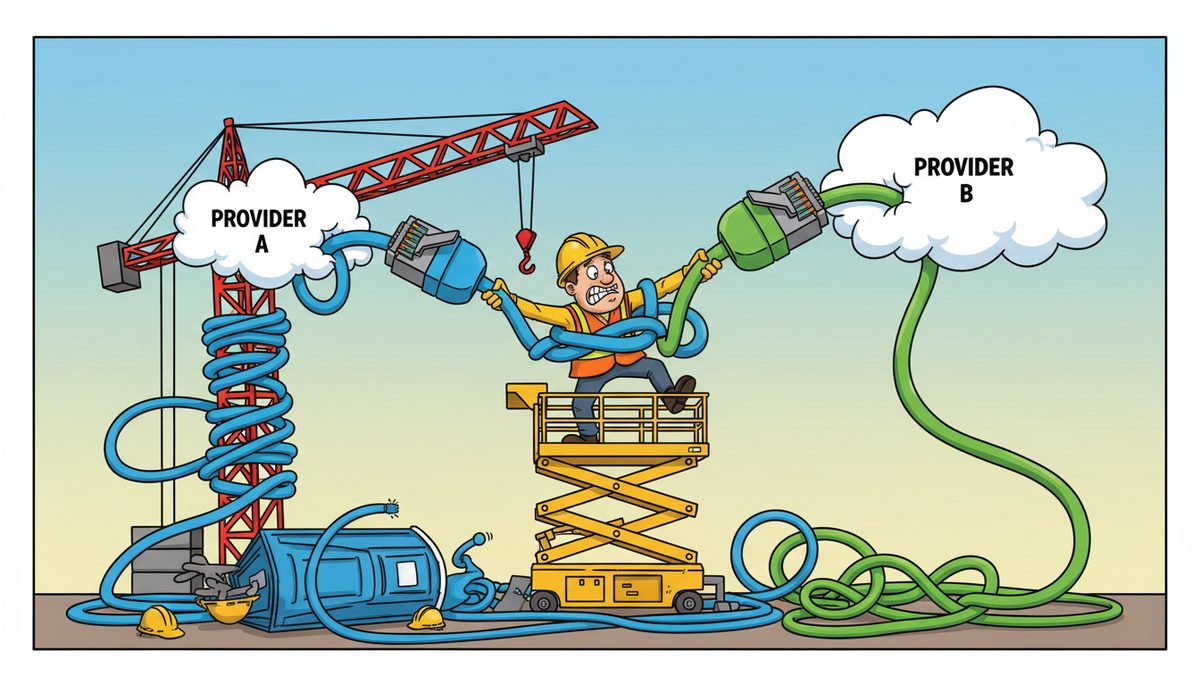
Switching internet providers typically takes 7-14 business days from order to installation. Start by checking your current contract for early termination fees, order service from your new provider at least 2 weeks before you need it active, schedule installation for a day when you can afford brief downtime, and keep your old service active until the new connection is fully tested and operational.
What steps should I take before contacting a new internet provider?
Review your current internet contract thoroughly. Look for the contract end date, early termination fees, and required notice periods. Many business internet contracts in BC require 30-90 days written notice.
Document your current service details: download and upload speeds, monthly cost, static IP addresses if you have them, and any special configurations. Construction businesses in Duncan often need static IPs for remote access to project management software and security camera systems at their office and yard locations.
Identify your actual bandwidth needs. Run speed tests during peak hours when your estimating team is uploading large bid packages, field crews are accessing plans, and office staff are processing progress billing. If you’re consistently using 80% or more of your available bandwidth, you need a faster connection.
Check what providers service your Duncan location. Vancouver Island has different infrastructure than mainland BC, and not all providers offer the same speeds or reliability in the Cowichan Valley. Rural job sites and yard locations may have limited options.
Before you commit, verify the new provider can support your business-critical applications like estimating software, project management platforms, and any cloud-based accounting systems required for CRA documentation.
How do I avoid downtime when switching internet providers?
Schedule your new installation before canceling your old service. Overlap is essential for construction businesses that can’t afford to lose access to bid portals, submittal management systems, or communication with job sites across Vancouver Island.
Plan the switch during your slowest business period if possible. For BC construction companies, this might be during weather-dependent slow periods or between major project phases when bid activity is lower.
Request that your new provider install and test everything while your old connection is still active. This gives you time to reconfigure routers, update firewall rules, test VPN connections to job sites, and ensure field crews can still access as-built drawings and RFIs.
Most construction businesses experience 2-4 hours of reduced connectivity during the actual cutover, even with careful planning.
Have a backup plan. A cellular hotspot can keep critical functions running if something goes wrong. Your project managers can still submit change orders and your office can process time cards even if the primary connection fails during transition.
Test everything before canceling your old service:
- Email flow and cloud backup jobs
- Remote desktop connections
- Security camera feeds
- Access to municipal permit portals for Duncan, North Cowichan, and the Cowichan Valley Regional District
Only cancel your previous provider after you’ve confirmed 48-72 hours of stable operation on the new connection.
What information does my new internet provider need from me?
Your new provider needs your business legal name, service address, and billing contact information. For construction companies, clarify whether you’re setting up service at your Duncan office, a yard location, or a temporary site office.
Provide your desired installation date with at least two weeks lead time. Business internet installations often require coordination with building owners and may need Telus or Shaw technicians to provision lines, which takes longer on Vancouver Island than in major metro areas.
Specify your technical requirements: bandwidth needs, number of static IP addresses, whether you need a business-grade router, and any special configurations for VPN access or site-to-site connections between your office and active job sites.
Share details about your current setup if you’re keeping existing equipment. Many construction businesses have invested in quality routers, switches, and wireless access points that can work with a new internet connection.
Identify who will be the technical contact during installation. This person needs to understand your network setup, know where equipment is located, and have authority to make decisions if the technician encounters unexpected issues.
For businesses handling sensitive data—contracts, employee records, financial information subject to PIPA and CRA requirements—discuss security features like business firewalls and whether the provider offers managed security services.
Should I keep my old internet service active during the transition?
Yes, absolutely. Maintain your old service until your new connection is fully operational and tested. Construction businesses can’t afford gaps in connectivity when you’re managing active job sites, coordinating subcontractors, and meeting permit submission deadlines.
The overlap period typically costs one extra month of service, but it eliminates the risk of being completely offline. For a Duncan construction company managing projects across the Cowichan Valley, that connectivity is worth far more than the temporary double payment.
Marla from a financial services firm experienced this firsthand: “Working with DataStream has been a game changer for our mortgage broker business. Their quick response times and seamless service have truly revolutionized the way we operate. With DataStream, our entire team is now working together more efficiently than ever, all while ensuring our data is protected and secure.” Her team maintained full productivity during the transition with no disruption to client service.
Use the overlap period to run both connections simultaneously if possible. Configure your network so critical systems use the new connection while backup systems stay on the old one. This lets you identify problems before they impact operations.
Test your backup and disaster recovery systems on the new connection. Construction companies must maintain documentation for WorkSafeBC reporting, Builders Lien Act requirements, and CRA audits. Verify that your backup jobs complete successfully and you can restore files if needed.
Once you’ve confirmed everything works reliably for several days, contact your old provider to schedule disconnection. Get confirmation in writing of your final bill and any equipment return requirements.
Keeping both services active briefly protects your business from unexpected technical issues and gives you time to solve problems without pressure.
What happens to my business phone and email during an internet switch?
Your email and phone systems need special attention during a provider switch. If you use VoIP phones or cloud-based phone services, they depend entirely on your internet connection.
For email, most modern businesses use cloud services like Microsoft 365 or Google Workspace that aren’t tied to your internet provider. These continue working through any connection. However, if you have an on-premise email server, you’ll need to update DNS records and possibly reconfigure your mail server for the new connection’s IP address.
VoIP phone systems require quality internet with low latency and minimal packet loss. Test your phones extensively on the new connection before cutting over. Make test calls, check call quality, verify that your auto-attendant works, and confirm that calls route correctly to mobile devices when staff are at job sites.
If your phones are provided by your internet provider as a bundled service, switching is more complex. You may need to port your phone numbers to a new provider, which can take 5-10 business days and requires careful coordination to avoid losing your main business line.
Update your DNS records if you host any services on-premise or have a static IP address that’s changing. This includes remote access systems, security camera feeds accessible from job sites, and any web-based project management tools you host internally.
Consider working with a local IT provider who understands both your internet requirements and your business phone needs. IT support services in Duncan can coordinate the entire transition, ensuring your communication systems stay operational throughout the switch.
How do I handle internet provider switches for construction job sites?
Job site connectivity presents unique challenges for construction companies on Vancouver Island. Temporary site offices need internet for daily operations, but you’re only there for the duration of the project.
For short-term projects (under 6 months), cellular-based solutions often make more sense than traditional internet service. Business cellular hotspots or dedicated wireless internet avoid installation fees and contract commitments for temporary locations.
For longer projects with a site office, order business internet service as soon as you have site access. Installation can take 3-4 weeks in rural areas around Duncan, Lake Cowichan, or remote parts of the Cowichan Valley where infrastructure is limited.
Coordinate with your main office IT setup. Your site office needs to connect securely to your Duncan office network for access to estimating data, project files, and financial systems. This typically requires a business VPN that works reliably over whatever internet connection is available at the job site.
Plan for limited options at remote sites. Not every location has fiber or cable internet access. You may need to work with DSL, fixed wireless, or cellular solutions depending on what’s available. Temporary site office IT setup requires flexibility and backup plans for connectivity challenges.
Document your job site internet needs clearly: how many people will use it, what applications they need to access, whether you’ll have security cameras or other connected equipment, and your budget. This helps providers recommend appropriate solutions for temporary construction site connectivity.
What should I do if my new internet service isn’t working properly?
Contact your new provider immediately if you experience problems. Document specific issues: slow speeds, frequent disconnections, inability to access certain sites or services, or problems with specific applications your construction business depends on.
Run speed tests from multiple devices at different times of day. Compare actual speeds to what you’re paying for. Business internet in BC should deliver close to advertised speeds, especially during business hours when you’re uploading bid documents or accessing cloud-based project management systems.
Check whether the problem is your internet connection or your internal network. Disconnect your router and connect a single computer directly to the provider’s modem. If problems persist, it’s the internet service. If they disappear, your internal network needs attention.
Keep your old internet service active until the new one is proven reliable. If your new provider can’t resolve issues within a reasonable timeframe (typically 5-7 business days for business services), you may need to cancel and either return to your old provider or try a different one.
For construction businesses in Duncan managing multiple job sites and office operations, internet reliability isn’t optional. Your team needs consistent access to submittal management, RFI systems, and communication tools. Don’t accept substandard service.
Consider working with a local IT provider who can troubleshoot whether issues stem from the internet connection, your network configuration, or your equipment. Managed IT services include monitoring your internet connection and coordinating with providers when problems occur.
Local support makes a difference when you’re dealing with connectivity issues that impact your ability to bid on projects or coordinate with subcontractors across Vancouver Island.
Frequently asked questions
How long does it take to switch internet providers?
The complete process typically takes 2-4 weeks from initial order to full operation. This includes ordering service (1-3 days), scheduling installation (1-2 weeks lead time on Vancouver Island), the installation appointment itself (2-4 hours), testing and configuration (1-3 days), and a verification period before canceling your old service (3-7 days). Business internet installations often take longer than residential due to additional requirements.
Will I lose my email address when I switch internet providers?
Only if your email address ends with your internet provider’s domain (like @shaw.ca or @telus.net). Most businesses use their own domain for email (like yourcompany.com) hosted through services like Microsoft 365 or Google Workspace, which are completely independent of your internet provider. These email services continue working regardless of which company provides your internet connection, with no interruption or configuration changes needed.
Can I keep my business phone number when switching providers?
Yes, you can port your business phone number to a new provider. The porting process typically takes 5-10 business days and is regulated by the CRTC to ensure you don’t lose your number. However, timing is critical—don’t cancel your old service before the port completes, or you risk losing the number. Your new provider will handle the porting request and coordinate the cutover date with your old provider.
What happens if I cancel my internet contract early?
Most business internet contracts in BC include early termination fees if you cancel before the contract term ends. These fees typically range from $100-500 or may equal the remaining monthly payments on your contract. Review your contract carefully before switching, calculate the early termination cost, and factor it into your decision. Sometimes a better service justifies the cancellation fee, especially if connectivity problems are costing you business opportunities.
Do I need to return equipment to my old internet provider?
Yes, most providers require you to return their equipment (modem, router, and any other devices they provided) within 30 days of canceling service. Failure to return equipment typically results in charges of $100-300 per device. Schedule the return promptly after your new service is working. Keep the tracking information and return confirmation, as billing disputes over unreturned equipment are common and can be sent to collections if unresolved.
Should I upgrade my router when switching internet providers?
If your router is more than 3-4 years old or you’re significantly increasing your internet speed, upgrading makes sense. Modern routers support faster Wi-Fi standards (Wi-Fi 6), handle more simultaneous devices, and offer better security features. For construction businesses with 10+ employees accessing cloud-based estimating and project management tools, a quality business-grade router improves performance and reliability. Your router is more important than many businesses realize for overall network performance.



