
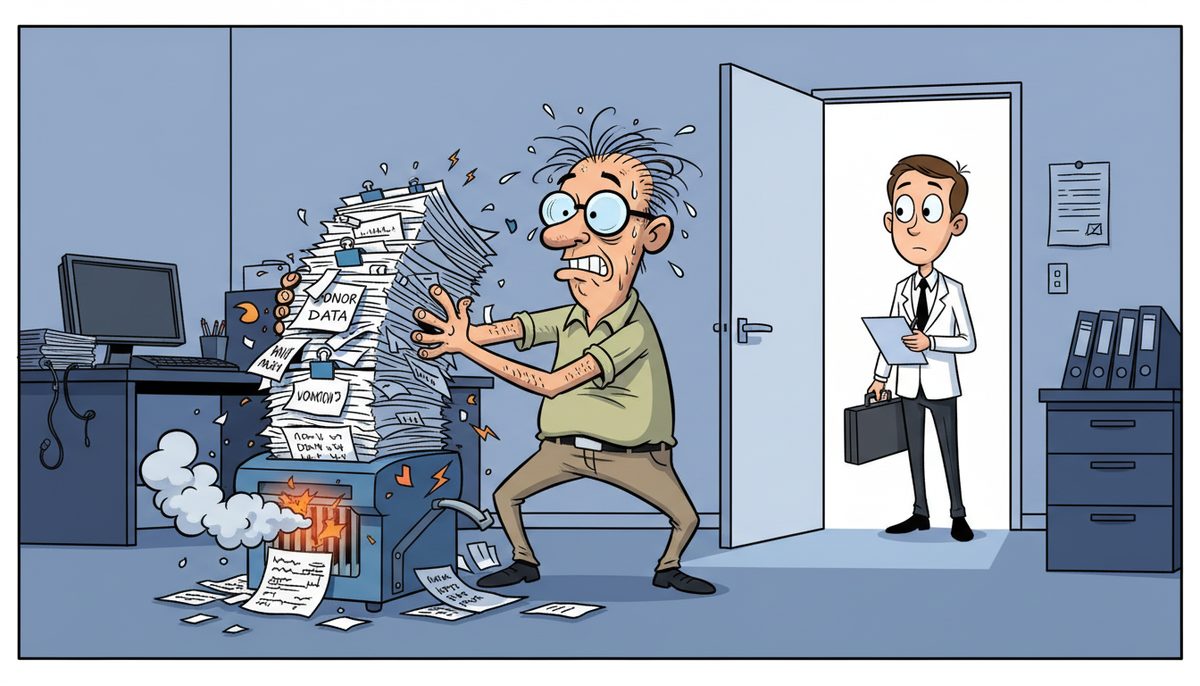
To pass a PIPEDA audit, you need documented policies showing how you collect, store, and protect personal information, technical controls including encryption and access restrictions, regular backup verification proving you can retrieve records on demand, and audit logs demonstrating who accessed donor or beneficiary data. Most nonprofits need 4-8 weeks to prepare if systems are already reasonably secure.
Why do PIPEDA audits catch nonprofits unprepared?
Your donor management system holds thousands of credit card transactions, email addresses, and giving histories. Your beneficiary files contain health information, income details, and family circumstances. You know this data matters, but nobody on your small team has “privacy compliance officer” in their job description.
The villain isn’t PIPEDA itself—it’s the assumption that good intentions equal good data protection. You’ve been so focused on program delivery and fundraising that IT security became something to address “when we have budget” or “after the capital campaign.”
Then the Office of the Privacy Commissioner sends an audit notice, or a donor asks what encryption you use, or a foundation grant application requires a cybersecurity attestation you can’t provide. Suddenly you’re searching through file folders and email threads, trying to prove you’ve been protecting personal information all along.
Victoria nonprofits face an additional layer: BC’s PIPA legislation often applies alongside federal PIPEDA, creating overlapping requirements that confuse even experienced board members. You’re handling BC resident data under stricter provincial rules while also processing donations from across Canada under federal standards.
The technical gaps appear in predictable places. Donor data exports sitting unencrypted on staff laptops. Volunteer coordinators accessing beneficiary files from home networks without multi-factor authentication. Backup systems that haven’t been tested in eighteen months. Former employees whose system access was never revoked.
None of this happened because you don’t care—it happened because you’re running programs with a three-person office and technology decisions get made in the moment, not according to a compliance framework.
What happens if your nonprofit fails a PIPEDA compliance review?
The Privacy Commissioner can order you to change your practices and publish the findings publicly. That public report appears when donors search your organization’s name, right alongside your mission statement and annual report.
Foundation funders and corporate sponsors increasingly require privacy compliance attestations before releasing grants. United Way and community foundation applications now ask specific questions about data encryption, breach response plans, and staff training. You can’t check those boxes if your systems don’t meet the standards.
A documented breach triggers mandatory reporting to affected individuals and the Commissioner. The direct costs—forensic investigation, credit monitoring for donors, legal counsel—easily reach $15,000 to $40,000 for a small nonprofit. Those dollars come straight from operating reserves meant for program delivery.
The indirect costs hurt worse. Donors stop giving when they don’t trust you with their payment information. Beneficiaries stop seeking services when they fear their private struggles will be exposed. Board members resign rather than accept personal liability for privacy failures.
CRA audits become more complicated when you can’t produce required financial records because backup systems failed or data retention policies were never implemented. Your charitable status depends on maintaining proper books and records, which means your technology practices directly affect your legal right to operate.
The Privacy Commissioner receives over 400 complaints annually about organizations that collected personal information without clear consent or failed to protect it adequately.
What technical controls do PIPEDA auditors actually examine?
Auditors start with access controls—who can view donor credit card information, beneficiary case files, or volunteer background checks. You need to demonstrate that only authorized staff access sensitive data, and that access is removed immediately when someone leaves your organization.
Multi-factor authentication matters because password-only protection fails the moment someone writes their login on a sticky note or reuses their personal email password. Auditors expect MFA on any system containing personal information, especially donor management platforms and cloud storage.
Encryption requirements apply to data in two states: at rest and in transit. Donor information sitting on your server needs encryption so a stolen hard drive can’t be read. Data moving between your office and your cloud backup needs encryption so it can’t be intercepted. Unencrypted laptops and USB drives are automatic findings.
Backup and recovery systems prove you can produce records on demand while also protecting them from ransomware. Auditors ask when you last tested a restore, whether backups are stored separately from production systems, and how quickly you could recover from a disaster. “We use cloud storage” isn’t sufficient—you need documented backup schedules and verified restoration procedures.
Audit logs track who accessed what data and when. If a donor calls asking why they received duplicate tax receipts, you should be able to show which staff member processed their information and when. If beneficiary data appears somewhere it shouldn’t, logs help you trace the exposure and limit the damage.
Email security affects PIPEDA compliance because staff routinely send donor lists, campaign reports, and beneficiary updates via email. Unencrypted email is like sending postcards—anyone handling it can read it. Auditors look for email encryption, SPAM filtering that catches phishing attempts, and policies prohibiting sensitive data in unprotected messages.
Melissa, who manages IT for a manufacturing company, found that working with local technicians made a significant difference: “Since switching to DataStream, we’ve experienced a much more professional approach to our IT solutions. The responses are quick, and the technicians are always friendly and helpful. What sets DataStream apart from other IT firms we’ve worked with is their ability to truly understand our needs and priorities.”
The same principle applies to nonprofit compliance—you need people who understand both the technical requirements and the operational reality of running programs on a tight budget.
How do you document consent and data handling for audit purposes?
PIPEDA requires that you obtain meaningful consent before collecting personal information. “Meaningful” means donors and beneficiaries understand what you’re collecting, why you need it, and how you’ll use it. A generic “we respect your privacy” statement fails this test.
Your donation forms need clear language explaining that you’ll store credit card information for tax receipts, share names with volunteer coordinators for thank-you calls, or include donors in your newsletter unless they opt out. The consent must be specific to each use.
Data retention policies answer the question “how long do we keep this?” CRA requires donation records for seven years, but do you need a volunteer’s driver’s license copy for seven years after they stop volunteering? Auditors expect written policies defining retention periods for each data type and evidence that you actually delete information when the period expires.
Your privacy policy needs to be more than a website page nobody reads. It should document what personal information you collect (donor names, payment details, beneficiary health information), why you collect it (tax receipts, program eligibility, volunteer screening), who can access it (development director, program managers, board treasurer), and how you protect it (encryption, access controls, regular backups).
Breach response plans demonstrate you’ve thought through what happens when something goes wrong. The plan should specify who investigates, how you notify affected individuals, when you report to the Privacy Commissioner, and how you prevent recurrence. Auditors don’t expect perfection—they expect preparedness.
Staff training records prove your team understands their privacy obligations. Annual training covering phishing recognition, password security, and proper handling of sensitive information shows you’re taking reasonable steps. Documented training also protects your organization if an employee’s mistake causes a breach.
Third-party agreements matter because your donor management software vendor, cloud backup provider, and email host all handle personal information on your behalf. PIPEDA holds you responsible for their practices, so you need contracts requiring them to protect data according to your standards.
Which IT systems require immediate attention before an audit?
Your donor management system is the highest-risk target because it contains payment information, giving histories, and contact details for your entire supporter base. Verify that it requires strong passwords, supports multi-factor authentication, logs all access, and encrypts data both stored and transmitted.
Email systems need SPAM filtering to block phishing attempts that trick staff into revealing passwords or downloading malware. Mailbox protection typically costs $5–$20 per user monthly and prevents the majority of attacks that lead to data breaches. If your staff can’t identify a phishing email, technical controls need to catch it for them.
Backup systems must be tested, not assumed. Schedule a restore drill where you actually recover donor records from backup and verify they’re complete and accessible. Untested backups fail exactly when you need them most—during an audit, after a ransomware attack, or when the server crashes before a grant deadline. Cloud or offsite server backup typically runs $40–$150 per device monthly depending on data volume and retention requirements.
Endpoint protection on every laptop and desktop prevents malware from encrypting your files or stealing donor data. Basic antivirus costs $5–$12 per device monthly, while managed EDR with 24/7 monitoring runs $15–$35 per device monthly. The difference matters when ransomware hits at 11 PM on a Friday and you need someone responding immediately.
Access control reviews ensure former staff, departed board members, and finished volunteers no longer have system access. Create a checklist tied to your offboarding process: disable email, revoke donor database access, remove from file sharing, cancel VPN credentials. Auditors specifically look for orphaned accounts that represent security gaps.
Mobile devices accessing organizational data need the same protection as office computers. Staff checking donor emails on personal phones or accessing beneficiary files from tablets create exposure points. Mobile device management policies should require passcodes, encryption, and remote wipe capability if a device is lost.
Network security controls who can access your systems remotely. If volunteers or board members connect from home, they should use VPN connections rather than directly accessing your server over the internet. Remote access without proper security is an open door for anyone scanning for vulnerable nonprofits.
How does a local IT partner help you meet compliance requirements?
You know the panic when you receive an audit notice and realize you can’t document your data protection practices. You understand the anxiety of handling donor credit card information without a full-time IT person, wondering if you’re meeting PIPEDA requirements or risking everything your organization has built.
DataStream Networks has served Vancouver Island organizations since 2012, working with local nonprofits who need compliance-ready systems without enterprise budgets. When you call (250) 929-0745, you talk to a real Victoria technician immediately—no voicemail, no phone trees, no waiting while a grant deadline approaches.
Technicians are based in Victoria, Nanaimo, Duncan, and Cobble Hill, which means no ferry delays when you need on-site support during a critical fundraising campaign or audit preparation. Most problems get fixed remotely within minutes, and when on-site service is necessary, a local technician is automatically dispatched to your location.
Gap analysis and readiness assessments ($2,500–$10,000 depending on organizational size and complexity) identify exactly which systems need attention before an audit. You get a prioritized list of technical gaps, recommended solutions, and realistic timelines—not a sales pitch for services you don’t need.
Policy and documentation development ($1,500–$7,500 for most nonprofits) creates the written privacy policies, data retention schedules, and breach response plans auditors expect to see. The documents reflect your actual practices and budget constraints, not generic templates that don’t match your operations.
Ongoing managed IT services ($150–$225 per user monthly) include the backup monitoring, security updates, access control reviews, and audit logging that keep you compliant between audits. Technology management becomes predictable instead of crisis-driven.
What are the three steps to prepare for a PIPEDA audit?
- Call (250) 929-0745 and talk to a Victoria technician who understands nonprofit compliance requirements. Describe your current systems, your timeline, and your concerns. Get a clear assessment of what needs to happen and what it will cost.
- Complete a gap analysis identifying which technical controls are missing and which documentation needs to be created. Prioritize the highest-risk gaps—donor data encryption, backup verification, access controls—and address those first.
- Implement the technical fixes and document your practices in written policies. Test your backups, verify your encryption, review your access lists, and train your staff. Schedule a pre-audit review to confirm everything works before the auditor arrives.
What does PIPEDA compliance look like for your nonprofit?
You process December donations confidently, knowing donor payment information is encrypted and access is restricted to authorized staff only. When a foundation asks about your cybersecurity practices, you send them documented policies and recent penetration test results instead of vague assurances.
Your board sleeps soundly because beneficiary information meets PIPA standards, with technical controls and written policies protecting the vulnerable people your organization serves. Staff access sensitive data through multi-factor authentication, and audit logs track every interaction.
CRA audits become routine because your backup systems automatically preserve the required seven years of financial records, and you can produce any document within minutes. Grant applications no longer stall on cybersecurity questions because you have clear answers supported by real technical controls.
When the Privacy Commissioner’s office does conduct a review, you provide requested documentation promptly, demonstrate your technical safeguards, and show evidence of ongoing staff training. The audit confirms what you already knew—your systems protect personal information appropriately for an organization of your size and resources.
Technology supports your mission instead of threatening it. Donors trust you with their information, beneficiaries feel safe sharing their circumstances, and funders approve grants knowing their requirements are met.
If you’re facing an audit or simply want to stop worrying about compliance, call (250) 929-0745 now to talk to a real Victoria technician. Or visit the IT support Victoria page to learn how local businesses and nonprofits protect sensitive information without enterprise budgets.
Frequently asked questions
What is the difference between PIPEDA and BC’s PIPA for nonprofits?
PIPEDA is federal legislation applying to organizations handling personal information across provincial borders or in federally-regulated sectors. BC’s PIPA applies to BC resident data handled within the province and is often stricter. Victoria nonprofits typically need to comply with both when processing donor information from multiple provinces, requiring documentation and technical controls that meet the higher PIPA standard to satisfy both frameworks simultaneously.
How long does it take to prepare for a PIPEDA audit?
Most nonprofits need 4-8 weeks if existing systems are reasonably secure but lack documentation and formal policies. Organizations with significant technical gaps—missing encryption, untested backups, poor access controls—may need 12-16 weeks to implement necessary safeguards and create required documentation. Starting with a gap analysis provides an accurate timeline based on your specific situation rather than generic estimates that don’t account for organizational complexity.
Do small nonprofits really need to comply with PIPEDA?
Yes. PIPEDA applies to any organization handling personal information in commercial activities, which includes fundraising and donor management. Organization size doesn’t create an exemption—a three-person nonprofit processing credit card donations has the same basic obligations as a large charity. The Privacy Commissioner expects “reasonable” safeguards appropriate to sensitivity and volume, but reasonable still requires encryption, access controls, consent documentation, and breach response plans for any organization handling donor or beneficiary data.
What happens if we discover a data breach during audit preparation?
You must report breaches involving significant harm risk to the Privacy Commissioner and affected individuals, even if discovered during internal preparation. However, voluntary disclosure during proactive compliance work demonstrates good faith and typically results in better outcomes than breaches discovered by auditors or reported by affected individuals. Document what happened, how you discovered it, what data was exposed, steps taken to contain it, and measures implemented to prevent recurrence before reporting.
Can we handle PIPEDA compliance without hiring full-time IT staff?
Absolutely. Most Victoria nonprofits use managed IT services or co-managed arrangements where external technicians implement technical controls, monitor systems, and maintain documentation while internal staff handle day-to-day operations. Managed services typically cost $150–$225 per user monthly, far less than a full-time IT salary, and provide access to compliance expertise most small nonprofits can’t afford to hire internally. The key is finding a partner who understands both nonprofit budgets and regulatory requirements.



