
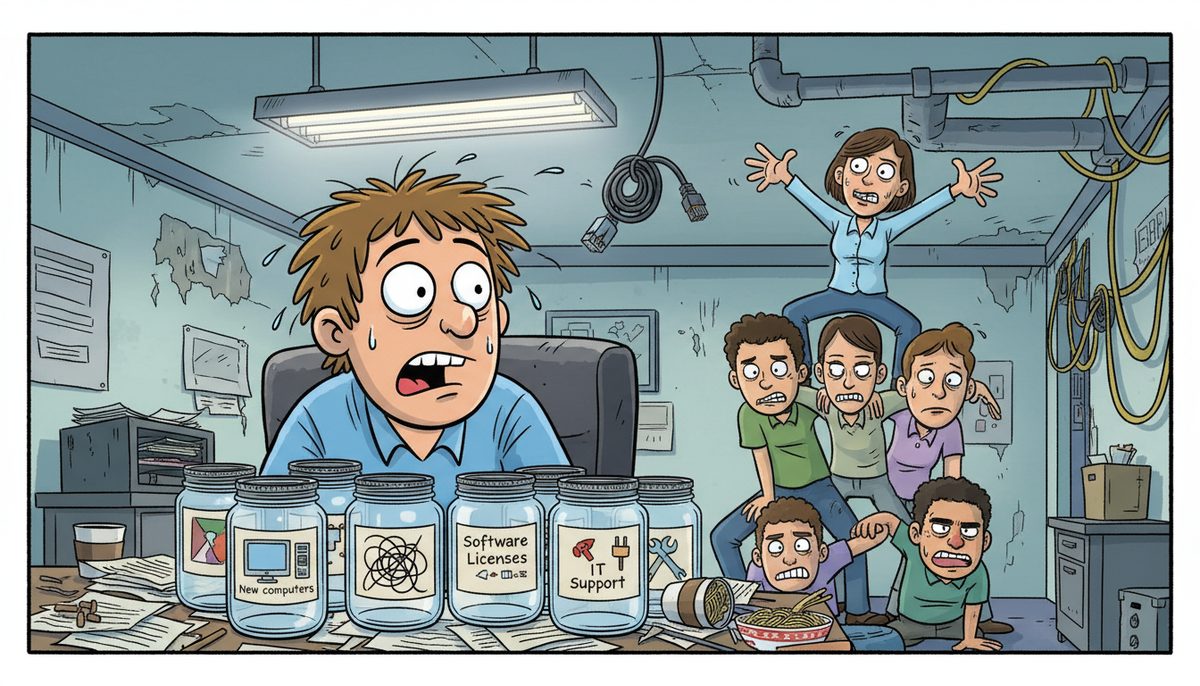
You should budget 3-8% of annual operating expenses for IT support, typically $150-$225 per user monthly for comprehensive managed services, or $1,500-$3,000 monthly for a small nonprofit with 10-15 staff. Your actual costs depend on donor management system complexity, CRA compliance requirements, and whether you handle sensitive beneficiary data under PIPA regulations.
Why do non-profit IT budgets keep getting cut first?
Your board sees technology as overhead, not mission delivery. When grant funding falls short or a major donor reduces their commitment, IT is the line item that looks easiest to defer. The donor database keeps running, email still works, so why spend scarce dollars on something that isn’t broken?
The problem is that technology only stays invisible until it fails. Your systems degrade quietly—backup jobs fail without alerts, security patches get skipped, server capacity fills up—until the day your donor management system crashes three days before your year-end campaign mail drop.
By then, you’re not choosing between IT support and program delivery. You’re choosing between emergency data recovery at triple the cost or explaining to your board why December donation revenue collapsed because you couldn’t process gifts online.
Deferring IT spending doesn’t save money. It just guarantees you’ll spend mission dollars on crisis recovery instead of planned maintenance.
What happens when your donor system goes down during campaign season?
December represents 30-40% of annual donation revenue for most Canadian charities. When your gift processing system fails during that critical window, donors don’t wait—they give to organizations whose systems work.
You lose more than immediate revenue. Donors who can’t complete their transaction often don’t return. They’ve made their mental commitment to give, received the appeal, and decided to act. When your technology blocks that action, they redirect that generosity elsewhere and you’ve lost them from your file.
The internal cost is worse. Your development director is on the phone with IT support while your executive director is explaining to the board chair why online donations are offline. Your program staff are fielding calls from confused donors. Everyone is doing crisis management instead of their actual jobs.
CRA’s digital record-keeping requirements mean you can’t just process gifts manually and enter them later. You need real-time charitable tax receipts, proper gift coding for restricted funds, and audit trails that satisfy regulatory requirements. When systems fail, you’re not just losing donations—you’re risking compliance.
How much should you budget for donor data protection and PIPA compliance?
BC’s Personal Information Protection Act sets higher standards than federal privacy law. When you store donor credit card information, beneficiary case files, or volunteer background checks, you’re handling personal information that PIPA specifically protects.
Budget $40-$100 per device monthly for comprehensive cybersecurity that includes endpoint protection, email security, and managed detection and response. For a typical nonprofit with 12 computers, that’s $480-$1,200 monthly—but it’s the cost of meeting your legal obligation to protect the people who trust you with their information.
Add $5-$20 per user monthly for mailbox protection that stops phishing attacks targeting your staff. Nonprofits are attractive targets because attackers know you handle donation processing and wire transfers to program partners. One successful phishing attack that compromises donor data triggers mandatory breach notification under PIPA, legal costs, and the permanent loss of community trust.
Cyber awareness training costs $3-$15 per user monthly and turns your staff from your biggest vulnerability into your first line of defense. Your development coordinator needs to recognize the fake invoice scam. Your finance director needs to spot the spoofed email from your executive director requesting an urgent wire transfer.
Marjorie from a Vancouver Island nonprofit experienced this firsthand: “Working with DataStream has been a game changer for our non-profit organization. What really set them apart was their transparency and the way they explained everything during our data recovery process. They took the time to walk us through all the available options, including any financial impacts, in a clear and understandable way.”
The real cost of skipping data protection isn’t the monthly fee—it’s explaining to your donors why their credit card information was exposed, to CRA why you can’t produce required records, and to your board why you’re spending restricted grant funds on legal fees and breach response.
What does CRA-compliant backup actually cost?
Canada Revenue Agency requires registered charities to maintain books and records for six years. When you can’t produce donation records, financial statements, or program documentation during an audit, you risk penalties and your charitable status.
Cloud backup for your server costs $40-$150 per device monthly, depending on data volume and retention requirements. Full managed server backups with monitoring and verification run $100-$300 per device monthly. For most small nonprofits with one server, budget $1,200-$3,600 annually for backup that actually works when you need it.
The cheaper option—local backup to an external drive—costs $25-$75 per device monthly but leaves you vulnerable to ransomware that encrypts both your server and the connected backup drive. Offsite backup protects you when hardware fails, the building floods, or ransomware locks your files.
Server recovery testing costs $25-$100 per device monthly and proves your backups actually restore. Most nonprofits discover their backup has been failing only when they try to recover from a crash. Testing finds those failures before they become disasters.
Budget at minimum $2,000-$4,000 annually for backup and recovery that meets CRA requirements and protects six years of charitable records.
Should you budget for full managed IT services or pay-as-you-go support?
Pay-as-you-go IT support feels cheaper because you only pay when you call. At $40-$70 per hour for a local technician, a simple password reset costs $50-$100 by the time someone diagnoses and fixes it. A server problem that takes three hours to resolve costs $120-$210.
The hidden cost is that reactive support only fixes problems after they impact your work. Your donor database slows down for weeks before it finally crashes. Your backup fails silently for months until you need it. Your security patches fall behind until ransomware finds the vulnerability.
Managed IT services at $150-$225 per user monthly include proactive monitoring, security management, backup verification, help desk support, and strategic planning. For a nonprofit with 10 users, that’s $1,500-$2,250 monthly or $18,000-$27,000 annually.
Compare that to reactive support: if you call for help twice monthly at two hours per call, you’re spending $3,200-$5,600 annually just on basic support—with no monitoring, no security management, no backup testing, and no one watching for problems before they become crises.
Co-managed IT at $50-$150 per user monthly works when you have a tech-savvy volunteer or part-time person who handles basic tasks, but you need professional backup for complex problems, security, and compliance. This hybrid approach costs $6,000-$18,000 annually for 10 users and extends your internal capacity without requiring full managed services.
Michelle from a local organization saw the difference: “Quick response to problems and their knowledge of networks systems and computers allow them to fix the problem right the first time. I never have to worry anymore about our network going down and how I am going to get it fixed. Most of the time you know as soon as I do that, we have a problem. That peace of mind is a tremendous benefit for me.”
The right model depends on your risk tolerance and cash flow. If a day of downtime during grant season costs you more than monthly managed services, the choice is clear.
How do you budget for IT when grant funding is unpredictable?
Your technology costs need to be as predictable as your rent, even when grant revenue isn’t. Fixed monthly managed services let you budget accurately and avoid surprise bills when something breaks.
Structure your IT budget in three layers. Core infrastructure—backup, security, and basic support—is non-negotiable and goes in your operating budget funded by unrestricted revenue. This is your $1,500-$3,000 monthly baseline for a small nonprofit.
Program-specific technology—specialized software, additional devices, or expanded capacity for a new initiative—gets funded through the grants that support those programs. When you write grant applications, include realistic technology costs. United Way and community foundation reviewers expect to see cybersecurity and data protection in your budget.
Strategic projects—system upgrades, migrations, or major improvements—get planned for when you have surplus or specifically pursue technology grants. BC Gaming grant recipients can include eligible technology costs in their applications when those systems support program delivery or required record-keeping.
Build a technology reserve fund equal to 3-6 months of IT costs. When your server needs unexpected replacement or you face a data recovery situation, you’re not raiding program funds or deferring payroll to cover the emergency.
Victoria’s concentrated nonprofit sector means you’re competing for the same grant dollars as dozens of other organizations. The ones that build technology costs into their operating model and grant applications are the ones whose systems keep working when it matters.
When does a local Vancouver Island IT provider save you money?
Mainland IT providers look cheaper on paper until you factor in ferry costs and travel time. When your donor system crashes the day before a BC Gaming grant deadline, you can’t wait for a technician to catch the morning ferry from Vancouver.
Local Vancouver Island support means someone answers your call immediately and most problems get fixed remotely within minutes. When remote resolution isn’t possible, a technician is already on the island—in Victoria, Nanaimo, Duncan, or Cobble Hill—and can be at your office within an hour, not after a ferry crossing and two-hour drive.
DataStream Networks has served Vancouver Island organizations since 2012 with live people answering phones—no voicemail, phone tree, or long wait times. When you call, you talk to a real local technician who understands nonprofit technology challenges and PIPA compliance requirements specific to BC organizations.
The value isn’t just speed. Local providers understand Victoria’s nonprofit ecosystem, the grant cycles that drive your work, and the seasonal cash flow challenges that affect your budget. They know that December downtime costs you differently than March downtime, and that BC Gaming deadlines aren’t negotiable.
For time-sensitive situations—year-end campaigns, grant applications, audit preparation, fundraising events—having a provider who can respond immediately without ferry delays is worth the investment. Your mission can’t wait for the next sailing.
What does success look like when your IT budget is right?
You process December donations smoothly, knowing donor data is protected and CRA-compliant records are automatically backed up. Your development team focuses on stewardship, not crisis management.
You submit grant applications confidently with required cybersecurity attestations already in place. United Way and community foundation reviewers see an organization that takes data protection seriously.
You sleep soundly knowing sensitive beneficiary information meets PIPA standards, with monitoring that catches problems before they become breaches. Your board chair isn’t getting emergency calls about technology failures.
Your staff call IT support, talk to a real person immediately, and get problems fixed while they’re still on the phone. Technology becomes invisible again—but this time because it’s working reliably, not because you’re ignoring it until it breaks.
Getting there requires three straightforward steps:
- Call (250) 929-0745 and talk to a real Victoria technician who understands nonprofit technology and compliance needs—no voicemail, no phone trees, just immediate help from someone local.
- Get your current systems assessed honestly: what’s protecting your donor data, whether your backups would survive a CRA audit, and where PIPA compliance gaps put you at risk.
- Build a technology budget that matches your risk and cash flow, whether that’s full managed IT services, co-managed support that extends your internal capacity, or strategic projects that shore up critical vulnerabilities.
Your mission is too important to risk on technology that only gets attention after it fails. The organizations that protect their donor data, meet their compliance obligations, and keep systems running during critical campaigns are the ones that build IT support into their operating budget—not as overhead, but as infrastructure that makes mission delivery possible.
If you’re in Victoria, Nanaimo, Duncan, or anywhere on Vancouver Island, you need IT support that responds immediately without ferry delays when grant deadlines and campaign windows won’t wait.
Frequently asked questions
What percentage of a nonprofit budget should go to IT?
Nonprofits typically allocate 3-8% of annual operating expenses to IT support, depending on technology complexity and compliance requirements. A $500,000 organization should budget $15,000-$40,000 annually for comprehensive IT including security, backup, support, and compliance. Organizations handling sensitive donor or beneficiary data under PIPA need budgets toward the higher end to meet regulatory obligations.
Can nonprofits get discounted IT services?
Some IT providers offer nonprofit pricing, but discounts often come with reduced service levels or longer response times. More valuable than discounts are providers who understand nonprofit cash flow, accept payment structures that match grant cycles, and include compliance requirements like PIPA and CRA record-keeping in base services rather than charging extra for regulatory necessities.
What IT costs can be included in grant applications?
Most BC funders allow technology costs directly supporting program delivery or required record-keeping in grant budgets. Include donor management systems, program tracking software, security protecting beneficiary data, backup meeting CRA requirements, and cybersecurity required by PIPA. United Way and community foundation applications increasingly expect data protection costs in budgets.
Is cloud backup sufficient for CRA compliance?
Cloud backup meets CRA’s six-year record retention requirement if properly configured with adequate retention periods, regular testing, and verification that backups actually restore. Budget $40-$150 monthly per device for cloud backup with monitoring. The critical element isn’t where backups are stored but whether they’re tested regularly and would actually work during an audit or disaster recovery.
Should small nonprofits hire an IT person or use managed services?
A full-time IT person costs $50,000-$70,000 annually plus benefits for small nonprofits, versus $18,000-$27,000 for managed services covering 10 users. Managed services provide broader expertise, 24/7 monitoring, and backup when your IT person is unavailable. Most nonprofits under 25 staff get better value from managed or co-managed services than hiring internally.



