
Law Society Rule 3-98 requires BC lawyers to demonstrate technological competence and protect client confidentiality through reasonable security measures. This means implementing encrypted email for privileged communications, maintaining documented backup systems for client files and trust accounts, controlling access to matter management systems, and ensuring IT support can respond before limitation periods expire—typically requiring multi-factor authentication, endpoint protection, and tested disaster recovery capabilities.
What Does Law Society Rule 3-98 Require for Technology Security?
When you accepted your call to the bar, you agreed to protect solicitor-client privilege. Rule 3-98 makes that obligation extend to your technology choices.
The rule requires you to be “competent” in technology matters affecting client confidentiality. That’s deliberately broad—the Law Society doesn’t prescribe specific software or systems. Instead, you must understand the risks your technology creates and take reasonable steps to protect privileged information.
In practice, this means you need to know what happens to client emails when they leave your server. You need to understand where your practice management data is stored and who can access it. You need a plan for when systems fail before a Supreme Court filing deadline.
The Law Society has investigated lawyers for breaches including unencrypted laptops stolen from vehicles, client files stored on unsecured cloud services, and email accounts compromised because passwords were never changed. Each investigation asked the same question: did you take reasonable steps?
Victoria’s legal community is small enough that technology failures become reputation issues quickly. When your systems go down during a real estate closing or you miss a limitation period because you couldn’t access your docketing system, clients talk.
The rule doesn’t require perfection. It requires you to understand what you’re using, implement appropriate safeguards, and have someone who can help immediately when things break.
Why Do Victoria Law Firms Face Unique IT Security Challenges?
Geography creates professional liability exposure that mainland firms don’t face. When your server crashes two hours before a court filing deadline, you can’t wait for a Vancouver technician to catch the 3 PM ferry.
Vancouver Island’s ferry-dependent connectivity means technology emergencies become professional responsibility crises faster. A problem that would be a two-hour inconvenience in downtown Vancouver becomes a potential limitation period miss in Victoria.
You’re also navigating both PIPA and FIPPA requirements if you handle government-related work. Provincial legal aid files, freedom of information requests, and government retainers all carry additional privacy obligations beyond standard solicitor-client privilege.
The BC Supreme Court registry and Provincial Court require e-filing capabilities. When your systems fail, you’re not just unable to work—you’re unable to meet court-imposed deadlines with professional consequences.
Victoria’s concentration of estate planning work adds another layer. Your clients are often elderly, privacy-sensitive, and dealing with family wealth transfers. A confidentiality breach doesn’t just violate Law Society rules—it destroys the trust relationships your practice depends on.
Local IT support isn’t a convenience preference. It’s a professional responsibility requirement when missing a limitation period could mean a negligence claim.
What Specific Technology Controls Does the Law Society Expect?
The Law Society expects you to implement controls proportionate to the sensitivity of information you handle. For legal practices, that means treating everything as privileged until proven otherwise.
Email encryption is non-negotiable for privileged communications—unencrypted email is equivalent to sending client information on a postcard.
Access controls must prevent articling students from viewing matters they’re not assigned to. Your document management system needs role-based permissions that mirror your conflict check protocols. When someone leaves your firm, their access ends immediately—not at the next billing cycle.
Multi-factor authentication protects against the most common breach vector: compromised passwords. If someone can access your practice management system with just a password, you’re one phishing email away from a Law Society complaint.
Endpoint protection means more than basic antivirus. Your laptops need encryption so a stolen device doesn’t become a confidentiality breach. Your systems need protection that detects ransomware before it encrypts trust account records.
Backup systems must be tested, not just configured. The Law Society asks whether you can actually restore client files, not whether you have a backup service enabled. That means documented recovery testing—ideally quarterly for critical systems like practice management and trust accounting.
Mobile device management becomes critical when you access client files from personal phones. You need the ability to remotely wipe firm data if a device is lost, without touching personal information.
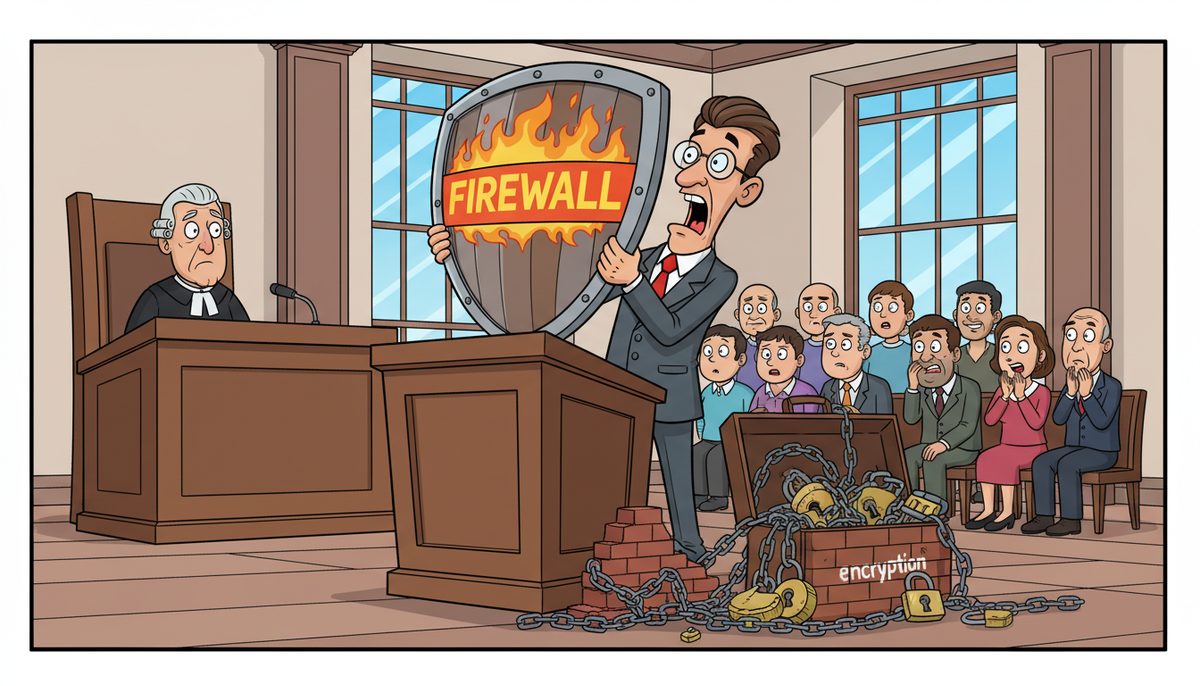
Firewall protection prevents unauthorized access to your internal network. When you’re handling closing documents or litigation holds, external threats can’t reach your file server.
These controls work together. Encryption without access controls still allows internal breaches. Backups without endpoint protection mean you’re backing up infected files.
How Should Your Practice Handle Client Data Backup and Recovery?
Your backup system is your answer to the Law Society’s first question after a data loss incident: “How did you protect client files?”
Local backups provide fast recovery when you need a single file or document version. But they don’t protect against ransomware, fire, or theft. If your server and backup drive are in the same office, you don’t have disaster recovery—you have a single point of failure.
Cloud backups protect against physical disasters but require encryption both in transit and at rest. Client files traveling to an offsite data center must maintain the same privilege protections as files in your office. That means encryption keys under your control, not the backup vendor’s.
The 3-2-1 rule applies to legal practices with extra emphasis: three copies of data, on two different media types, with one copy offsite. For trust account records and active litigation files, that’s not IT best practice—it’s professional responsibility.
Recovery time objectives matter more in legal work than most industries. You can’t tell the Supreme Court registry that you’ll file when your backup finishes restoring. Your systems need to recover before deadlines expire, not eventually.
Testing proves your backups work. Schedule quarterly recovery tests for your practice management system and trust accounting software. Document the results. When the Law Society asks about your backup procedures, “we test quarterly” is a complete answer. “We have backups configured” is not.
Marjorie Reid from a nonprofit organization experienced this firsthand: “Working with DataStream has been transformative for our non-profit organization. What really set them apart was their transparency and the way they explained everything during our data recovery process. They took the time to walk us through all the available options, including any financial impacts, in a clear and understandable way.” That transparent process—understanding your options before disaster strikes—is what separates compliant backup systems from configured ones.
Retention schedules must match Law Society requirements. Client file backups need to persist for the required retention period, even after you’ve deleted working copies. That typically means seven years for closed files, longer for wills and estate documents.
What Happens When Your IT Systems Fail Before Court Deadlines?
The clock doesn’t stop for technology problems. Limitation periods expire, court filing deadlines pass, and undertakings come due regardless of whether your systems work.
When your practice management system crashes the morning of a filing deadline, you have hours—not days—to recover. Voicemail systems and phone trees turn IT emergencies into professional liability exposure.
Mainland IT support means waiting for ferry schedules. The earliest a Vancouver technician can reach Victoria is typically 90 minutes after they board—longer if they’re coming from Tsawwassen rather than Horseshoe Bay. If your system fails at 2 PM and the registry closes at 4:30 PM, ferry schedules determine whether you meet your deadline.
Remote support resolves most problems faster than any on-site visit. When a real technician can access your systems within minutes and fix issues remotely, geography stops mattering. The problems that actually require on-site visits—failed hardware, network infrastructure issues—should trigger automatic dispatch, not a phone call requesting service.
Your IT support in Victoria becomes part of your professional responsibility infrastructure. You can’t meet Law Society obligations for technological competence if you can’t reach competent help when technology fails.
Business continuity planning means having answers before emergencies happen. Where are your backups? Who can restore them? How long does recovery take? Can you access client files if your server is down? Can you file electronically if your network is offline?
The firms that meet deadlines despite technology failures are the ones who’ve answered these questions in advance and have local support that picks up immediately.
How Does a Local IT Partner Help Meet Law Society Requirements?
You became a lawyer to practice law, not to become a cybersecurity expert. The Law Society knows this—Rule 3-98 doesn’t require you to personally implement every technical control. It requires you to work with people who can.
The challenge is finding IT support that understands legal-specific obligations. Generic business IT doesn’t account for solicitor-client privilege, limitation periods, or Law Society reporting requirements.
Since 2012, DataStream Networks has served Vancouver Island businesses with a model built around immediate access. Live people answer phones with no voicemail, no phone trees, no overseas call centers. When your e-filing system fails before a court deadline, you talk to a real Victoria technician immediately.
Most problems get fixed remotely within minutes. That matters when you’re watching the clock tick toward a limitation period. For issues that require hands-on work—failed server hardware, network cabling problems—technicians dispatch automatically from Victoria, Nanaimo, Duncan, or Cobble Hill. No ferry waits.
The right IT partner documents your systems for Law Society inquiries. They maintain records of backup tests, security updates, and access control changes. When you need to demonstrate compliance with Rule 3-98, you have evidence, not explanations.
They also understand the difference between “downtime” for a retail store and downtime for your firm. One is revenue loss. The other is professional liability exposure.
Three Steps to Law Society-Compliant IT Security
- Call (250) 929-0745 to talk with a real Victoria technician about your current systems, Law Society obligations, and gaps between the two—no voicemail or phone trees, just immediate answers about what you need.
- Get your security controls, backup systems, and access management documented and tested so you can demonstrate compliance with Rule 3-98 when needed.
- Keep practicing law with IT support that answers immediately when problems threaten deadlines, with most issues resolved remotely within minutes and automatic on-site dispatch for everything else.
What Does Law Society Compliance Look Like in Your Daily Practice?
Compliant technology doesn’t feel like compliance. It feels like systems that work when you need them.
You walk into Supreme Court confident your e-filing went through overnight. Your trial documents are accessible on your laptop with proper encryption. If something breaks, one phone call reaches someone who can fix it before your appearance.
Your articling students can access their assigned matters but nothing else. When a lawyer leaves your firm, their access ends that day. Your conflict check system integrates with your document management, preventing accidental access to conflicted files.
Client emails travel encrypted. Privileged communications stay privileged in transit and at rest. When clients ask about your security measures, you have specific answers, not vague assurances.
Your backups run automatically and get tested quarterly. You know exactly how long restoration takes because you’ve measured it. Trust account records and client files have multiple copies in multiple locations.
When the Law Society asks about your technological competence—whether in a routine practice review or after an incident—you provide documentation, not explanations. Your IT systems support your professional obligations instead of creating anxiety about them.
You focus on your clients’ matters instead of managing technology crises. Limitation periods don’t create technology anxiety. Court deadlines don’t depend on ferry schedules.
That’s what compliance looks like: technology that supports your practice instead of threatening it.
Call (250) 929-0745 to talk with a Victoria technician about your firm’s Law Society obligations and current IT security. Real person, no voicemail, immediate answers about what your practice needs.
Frequently Asked Questions
What are the minimum cybersecurity requirements for BC law firms?
Law Society Rule 3-98 requires reasonable security measures proportionate to information sensitivity. Minimum controls include encrypted email for privileged communications, multi-factor authentication for practice management systems, role-based access controls, documented and tested backup systems, endpoint protection with encryption for mobile devices, and immediate IT support for deadline-threatening failures. The Law Society evaluates reasonableness based on your practice area and client base.
How much does Law Society-compliant IT security cost for a small law firm?
Comprehensive managed IT services for legal practices typically range from $150–$225 per user per month, including security monitoring, backup systems, and help desk support. Individual components cost less: endpoint protection runs $5–$12 per device monthly, cloud backup costs $40–$150 per device monthly, and managed security with 24/7 monitoring ranges from $15–$35 per device monthly. Most small firms invest $500–$1,500 monthly for complete compliance.
Can I use cloud-based practice management software and stay Law Society compliant?
Yes, if the cloud provider encrypts data in transit and at rest, maintains Canadian data residency, provides role-based access controls, and allows you to retain encryption keys. You remain responsible for access management, user authentication, and vendor due diligence. Review the provider’s security certifications, backup procedures, and breach notification policies. Cloud software doesn’t eliminate your Rule 3-98 obligations—it shifts technical implementation to the vendor while you retain accountability.
What should I do immediately after a potential client data breach?
Disconnect affected systems from your network to prevent spread, document what happened and what data may be exposed, contact your IT support to contain and investigate the breach, notify your professional liability insurer immediately, and report to the Law Society as required by Rule 7.1-3. Preserve evidence for investigation—don’t delete or modify files. If client information was actually accessed or disclosed, notify affected clients promptly. Document every step for Law Society inquiries.
How often should law firms test their backup and disaster recovery systems?
Test critical systems quarterly at minimum—practice management software, trust accounting, and document management systems. Annual testing is insufficient for systems protecting solicitor-client privilege and trust account obligations. Each test should restore actual data to a separate environment, verify file integrity, measure recovery time, and document results. Schedule tests during low-activity periods and treat them as professional responsibility requirements, not optional IT maintenance.



