
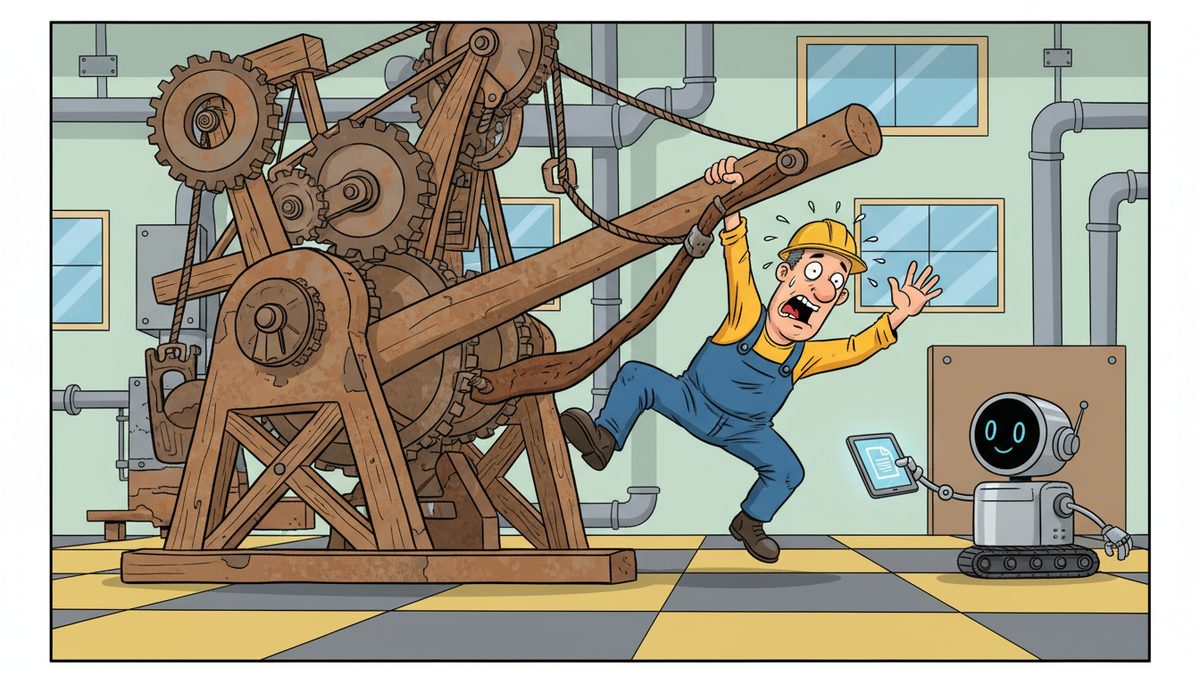
Getting employees to use new manufacturing technology requires hands-on training during actual production shifts, identifying 2-3 early adopters who can demonstrate quick wins, and providing immediate local support when problems arise. Research shows 73% of technology implementation failures trace to poor user adoption rather than technical issues, making employee buy-in the critical success factor.
Why Do Employees Resist New Manufacturing Systems?
Shop floor workers resist new technology because it threatens their established routines and expertise. A machine operator who has run the same CNC equipment for fifteen years sees a new MES system as questioning their competence, not improving their work.
Fear of job loss drives resistance more than any other factor. When you introduce automation or new SCADA systems, employees immediately wonder if the technology will replace them. This fear becomes especially acute in Vancouver Island’s smaller manufacturing facilities where everyone knows layoffs affect their neighbors and friends.
Poor past experiences create lasting skepticism. If your last ERP implementation crashed during production runs or the previous quality control software slowed down work orders, employees remember. They’ve learned that “new and improved” often means weeks of frustration and overtime fixing problems.
Inadequate training sets up failure from day one. Handing someone a manual or showing a single demonstration doesn’t build the muscle memory needed to operate new systems under production pressure. When the line is running and a problem occurs, workers default to what they know works.
Employees resist because they haven’t been shown how the new technology makes their specific job easier.
What Training Approach Actually Works on the Shop Floor?
Hands-on training during actual production shifts beats classroom sessions every time. Schedule training when employees can practice on real work orders with their regular materials and equipment. Simulations and test environments don’t replicate the pressure and variables of actual manufacturing.
Break training into 15-20 minute sessions spread across multiple shifts. Shop floor workers can’t absorb four-hour training blocks while worrying about production quotas. Short, focused sessions on specific tasks—how to enter a work order, how to check inventory levels, how to flag a quality issue—build confidence incrementally.
Pair new users with experienced operators who’ve already mastered the system. Peer training works because employees trust colleagues who understand the actual job challenges. A fellow machinist explaining a new CAD/CAM interface carries more weight than an IT trainer who’s never run a production line.
Create quick-reference cards for common tasks and mount them at workstations. When an employee forgets a step during a busy shift, they need answers in seconds, not a phone call to IT or a search through documentation. Laminated cards with screenshots and simple steps solve immediate problems.
Record short video clips of specific procedures and make them accessible on shop floor tablets. A two-minute video showing exactly how to override a system alert or adjust a production parameter provides just-in-time learning when employees need it most.
Training succeeds when it happens in the real work environment with immediate application to daily tasks.
How Do You Identify and Leverage Early Adopters?
Look for employees who already help coworkers solve problems. These informal leaders have credibility on the shop floor and influence how others perceive new technology. They’re the people others ask for help before calling a supervisor.
Early adopters aren’t necessarily your most senior employees. Often they’re mid-career workers who balance experience with openness to new methods. They understand production realities but haven’t become cynical about change.
Give early adopters advance access to new systems before full rollout. Let them test features, identify problems, and suggest improvements. This involvement creates ownership—they become advocates because they helped shape the implementation.
Gladys Nelson, working with DataStream’s technology implementations, noted that “DataStream provides personalized, reliable services with fast response times. They explain tech stuff in a simple language so that non-technical people can understand.” This approach to making technology accessible mirrors how early adopters function—they translate technical capabilities into practical shop floor benefits.
Publicly recognize early adopters’ contributions during shift meetings. When other employees see peers gaining recognition and making their work easier with new technology, resistance decreases. Success becomes visible and achievable.
Task early adopters with specific mentoring assignments. Assign each one to help 3-4 colleagues master the new system. This structured approach ensures knowledge spreads systematically rather than randomly.
Early adopters create social proof that new technology works in your specific manufacturing environment.
What Quick Wins Demonstrate Immediate Value?
Focus first implementations on eliminating the most frustrating manual tasks. If employees spend thirty minutes each shift hunting for paper work orders, make digital work order access the first feature they learn. Solving daily annoyances builds goodwill.
Target processes where new technology delivers results within the same shift. Real-time inventory visibility that prevents running out of materials mid-production demonstrates value immediately. Employees see the benefit before their shift ends.
Measure and share time savings in concrete terms. “This new system cut work order entry from eight minutes to two minutes” means more than “improved efficiency.” Shop floor workers think in minutes and hours, not percentages.
Manufacturers who identify three quick wins in the first 30 days achieve 4x higher long-term adoption rates than those who focus on complex, long-term benefits.
Choose wins that benefit employees directly, not just management. Faster production reporting helps supervisors, but automated machine setup parameters that reduce adjustment time help operators. Workers adopt technology that makes their jobs easier, not their boss’s job easier.
Document quick wins with before-and-after comparisons. Take photos, record times, and share results during shift changes. Visual evidence of improvement overcomes skepticism better than promises.
Quick wins prove the technology works for your specific operation, not just in theory.
How Does Local Support Affect Technology Adoption?
Immediate problem resolution determines whether employees trust new technology. When a system crashes during production and help arrives within minutes, employees learn the technology won’t leave them stranded. When they wait hours for support, they avoid using the system whenever possible.
Vancouver Island manufacturers face unique support challenges. Mainland IT providers often require ferry travel for on-site visits, adding hours to response times. During a production emergency, those delays cost thousands in downtime and lost orders.
Local technicians who understand manufacturing environments solve problems faster. They recognize that “the system is down” on a shop floor means something different than in an office. They know production can’t wait until tomorrow and that temporary workarounds need to maintain quality control.
DataStream Networks provides IT support in Victoria with technicians who understand island manufacturing realities. Their approach eliminates the ferry delays and offshore support frustrations that plague technology adoption.
Phone support that reaches live people immediately matters during production crises. Automated phone trees and ticket systems don’t work when a line is down and every minute costs money. Employees need to talk to someone who can help right now.
Proactive monitoring catches problems before employees encounter them. When your IT support identifies and fixes issues before they impact production, employees experience the technology as reliable rather than problematic. This background reliability builds confidence in new systems.
For manufacturers across Vancouver Island, IT support in Duncan and IT support in Nanaimo with local response capabilities ensures technology problems don’t halt production while waiting for help.
Reliable, fast local support transforms technology from a risk into a trusted tool.
What Role Does Management Play in Driving Adoption?
Management must use the new technology themselves, visibly and consistently. When supervisors bypass the new MES system and still accept handwritten production reports, employees learn the technology is optional. When managers check work orders only in the new system, adoption becomes mandatory through example.
Protect employees from productivity pressure during the learning period. If you demand the same output rates while people learn new systems, they’ll rush through training and develop bad habits. Build in a two-week adjustment period where learning the system correctly matters more than speed.
Tie performance recognition to proper system use, not just production numbers. Acknowledge employees who help others learn the technology or who identify system improvements. What gets recognized gets repeated.
Address problems immediately when employees report them. Nothing kills adoption faster than ignored feedback. If an employee says the new system adds extra steps to a process, investigate within 24 hours. Either fix the problem or explain why the extra steps matter.
Invest in proper IT infrastructure before rolling out new technology. New manufacturing software running on inadequate networks or outdated computers frustrates everyone. Ensure your managed IT services can support the new systems before implementation.
Stop using the old system completely once the new one is operational. Running parallel systems lets employees avoid learning new technology. Set a firm cutoff date and stick to it.
Management commitment signals whether new technology is a real change or another temporary initiative.
How Do You Maintain Momentum After Initial Implementation?
Schedule monthly feedback sessions where employees can suggest improvements. Technology adoption isn’t a one-time event—systems need ongoing refinement based on actual use. Workers who see their suggestions implemented become ongoing advocates.
Introduce advanced features gradually after basic functions become routine. Overwhelming users with every capability at once guarantees poor adoption. Master core functions first, then add complexity as confidence grows.
Track and share adoption metrics by shift and department. Friendly competition between teams can drive usage, especially when you recognize high-performing groups. Make the data visible and celebrate progress.
Refresh training quarterly for existing users. Skills decay without practice, and employees develop workarounds that bypass system capabilities. Regular refreshers reinforce best practices and introduce new features.
Bring in new hires through structured onboarding that includes technology training from day one. When new employees learn systems as part of standard procedures, the technology becomes “how we do things here” rather than “the new system.”
Plan technology upgrades during scheduled maintenance periods, not during production runs. Unexpected changes during busy periods create stress and resistance. Predictable upgrade schedules let employees prepare mentally and practically.
Sustained adoption requires treating technology as an evolving tool, not a finished project.
What Implementation Steps Drive Successful Adoption?
- Conduct pre-implementation assessment to identify workflow pain points and employee concerns
- Select 2-3 early adopters from each shift who have peer credibility and problem-solving skills
- Provide early adopters with advance system access 2-3 weeks before general rollout
- Develop quick-reference cards and short video tutorials for common tasks
- Schedule hands-on training in 15-20 minute sessions during actual production shifts
- Identify three quick wins that solve immediate frustrations and deliver same-shift results
- Establish local support with response times under 30 minutes for production issues
- Set firm cutoff date for old system discontinuation and communicate timeline clearly
- Conduct weekly feedback sessions during first month to address problems immediately
- Measure and share adoption metrics monthly with recognition for high-performing teams
Following these steps systematically addresses both technical and human factors that determine adoption success.
Frequently Asked Questions
How long does it typically take for employees to fully adopt new manufacturing technology?
Full adoption typically takes 60-90 days for basic proficiency and 4-6 months for advanced features. The timeline depends on system complexity, training quality, and support availability. Manufacturers who provide hands-on training and immediate problem resolution see faster adoption than those relying on self-directed learning or delayed support responses.
What percentage of employees will resist new technology regardless of training?
Approximately 15-20% of employees will initially resist any new technology, but this resistance usually softens within 30-45 days when they see peers succeeding. Persistent resistance beyond 60 days typically indicates inadequate training, poor system design, or legitimate workflow problems that need addressing rather than simple reluctance to change.
Should we implement new technology across all shifts simultaneously or phase it in?
Phased implementation by shift or department works better for most manufacturers. Start with one shift or production line, refine the process based on feedback, then expand. This approach lets you identify and fix problems before they affect entire operations, and successful early groups become mentors for later phases.
How do we handle employees who refuse to use new systems?
Address refusal through progressive steps: one-on-one coaching to identify specific concerns, additional hands-on training, pairing with successful peers, and clear expectations with timelines. Document support provided. If refusal continues after reasonable accommodation, treat it as a performance issue requiring standard HR processes and documentation.
What’s the best way to train employees who aren’t comfortable with computers?
Use hands-on training with immediate application, focusing on one specific task at a time. Avoid technical jargon and relate new systems to familiar processes. Provide laminated quick-reference guides at workstations and assign tech-comfortable peers as mentors. Build confidence through small successes before introducing complex features or multi-step processes.
How much should we budget for training when implementing new manufacturing technology?
Budget 15-25% of total technology costs for training and support during the first year. This includes initial training time, ongoing support, documentation, and productivity losses during the learning period. Manufacturers who underfund training typically face extended adoption timelines and higher long-term support costs that exceed the initial training investment.



