
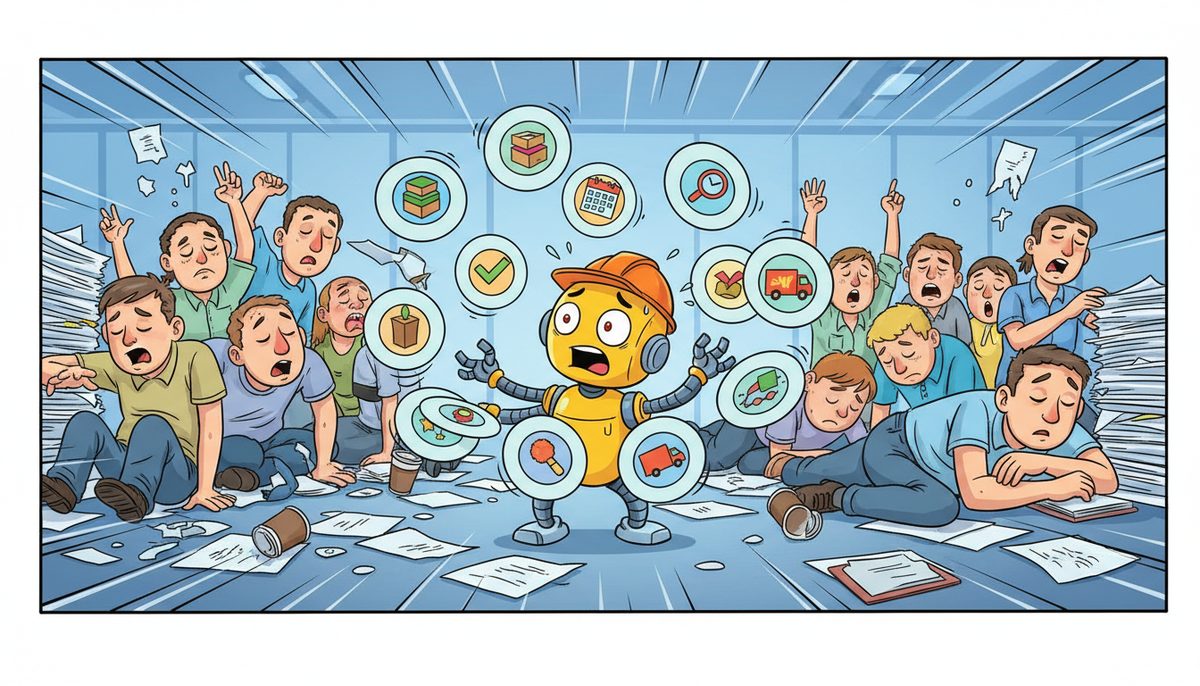
AI and Power Automate streamline your production scheduling, inventory management, quality control documentation, work order routing, supply chain coordination, and compliance reporting. Your manufacturing operation can reduce manual data entry by 40-70% while improving accuracy and response times across shop floor systems, ERP platforms, and customer communications.
Why do your manufacturing processes still rely on manual work?
Your production systems don’t talk to each other. Your ERP tracks inventory, your MES manages the shop floor, your quality control lives in spreadsheets, and your CNC machines operate independently. When a work order moves through your facility, someone manually enters data at every transition point.
The villain here is disconnected systems that were never designed to work together. Your CAD files sit in one location, your bill of materials in another, and your production schedule in a third system. Every handoff requires human intervention.
This creates bottlenecks during high-volume production runs. Your team spends hours copying information between systems instead of solving actual manufacturing problems. On Vancouver Island, where specialized manufacturing requires precision and tight deadlines, this manual overhead directly impacts your ability to compete with mainland operations.
You feel the pressure every time a rush order comes in and your team scrambles to manually update every system. It’s exhausting watching skilled workers do data entry instead of optimizing production.
Your manufacturing expertise shouldn’t be wasted on repetitive computer work that machines could handle automatically.
What happens when manual processes slow your production?
You miss shipment deadlines because your production scheduling system didn’t automatically update when materials arrived late. Your team discovers the problem only when they check manually, and by then your production line is already waiting.
You lose visibility into actual machine uptime and OEE because data collection happens sporadically. You make production decisions based on yesterday’s manually compiled reports instead of real-time information from your shop floor.
You face compliance documentation gaps under WorkSafeBC or PIPEDA requirements because manual record-keeping misses critical timestamps or process steps. During an audit, you scramble to reconstruct what actually happened on the production floor.
Your inventory turns suffer because your purchasing system doesn’t automatically trigger reorders based on actual production consumption. You either overstock and tie up capital or run short and halt production waiting for parts.
Your competitors with automated processes respond faster to customer requests, adjust production schedules dynamically, and operate with leaner teams. Every hour your staff spends on manual data work is an hour they’re not improving your manufacturing efficiency.
Manual process overhead consumes 20-30% of your administrative staff time that could be spent on production optimization.
How does AI automate your production scheduling and work order management?
AI analyzes your historical production data, current machine capacity, and incoming work orders to generate optimized production schedules automatically. Instead of manually juggling spreadsheets, the system calculates the most efficient sequence based on your setup times, material availability, and delivery deadlines.
Power Automate connects your ERP to your MES, automatically routing work orders to the appropriate production stations. When a job completes one stage, the system triggers the next step without manual intervention. Your shop floor receives real-time updates on what to produce next.
The automation monitors machine availability through your SCADA or PLC systems. If a CNC machine goes offline, AI recalculates the schedule and reroutes work orders to available equipment. Your production keeps moving instead of waiting for someone to notice the problem and manually reassign jobs.
Quality control checkpoints integrate directly into your workflow. When a production stage completes, Power Automate automatically generates inspection documentation, assigns it to quality control staff, and holds the next production step until approval. No more work orders advancing before inspection.
For island manufacturers serving export markets, the system automatically flags orders requiring Canadian export control documentation and routes them through the appropriate approval process. You don’t risk shipping delays because someone forgot a compliance step.
Adriene J., who manages IT operations for a manufacturing client, notes: “I work with Data Stream to support IT operations for my employer, and I always feel well-supported whenever any issues arise. They are also extremely knowledgeable when it comes to coming up with solutions for our operations.”
Automated scheduling reduces your production planning time from hours to minutes while improving on-time delivery rates.
How does Power Automate handle your inventory management and supply chain coordination?
Power Automate monitors your inventory levels in real-time by connecting to your ERP system. When materials drop below reorder points based on actual production consumption, the system automatically generates purchase requisitions and routes them for approval. No more manual inventory checks or emergency orders.
The automation tracks bill of materials against current inventory as your work orders progress. If a scheduled production run will exhaust critical components, you receive advance warning with time to expedite delivery. Your production schedule adjusts automatically based on actual material availability.
For Vancouver Island manufacturers, where parts delivery involves ferry schedules and longer lead times, this advance visibility prevents production stoppages. The system accounts for island-specific delivery delays when calculating reorder timing.
AI predicts demand patterns based on your historical production data and seasonal trends. Instead of ordering the same quantities every time, the system recommends optimal order sizes that balance your inventory carrying costs against stockout risks. Your capital isn’t tied up in excess inventory.
Supplier coordination happens automatically through email and system integrations. When you approve a purchase requisition, Power Automate sends the order to your supplier, tracks acknowledgment, monitors expected delivery dates, and alerts you to delays. Your purchasing team focuses on supplier relationships instead of order tracking.
Receiving processes connect directly to your inventory system. When materials arrive, scanning triggers automatic updates to inventory levels, work order availability, and production scheduling. Your shop floor knows immediately when they can start jobs that were waiting for materials.
Automated inventory management typically reduces your stockouts by 60-80% while decreasing inventory carrying costs by 15-25%.
What manufacturing compliance and documentation tasks can AI automate for you?
AI automatically generates compliance documentation required under PIPEDA, BC PIPA, and WorkSafeBC regulations. When your systems collect employee or customer data during production processes, the automation logs what data was accessed, by whom, and for what purpose. Your audit trail builds itself.
Quality control documentation happens in real-time as your production progresses. Power Automate captures inspection results, test measurements, and operator certifications directly from your shop floor systems. The data flows into formatted compliance reports without manual transcription.
For manufacturers serving US markets, export control documentation generates automatically when work orders involve controlled technologies. The system identifies which products require export licenses, compiles the necessary technical specifications, and routes approval requests through the appropriate channels.
Safety incident reporting integrates with your WorkSafeBC obligations. When an incident occurs, Power Automate guides staff through the documentation process, ensures all required information is collected, and submits reports to the appropriate authorities within regulatory timeframes. You don’t miss deadlines because someone forgot to file.
Maintenance records for your production equipment compile automatically from your SCADA or maintenance management systems. The automation tracks service intervals, generates work orders for scheduled maintenance, and documents completion. Your compliance audits have complete equipment history readily available.
Change management documentation captures when your production processes, equipment configurations, or software systems are modified. AI creates audit trails showing what changed, who authorized it, and what testing validated the change. Your ISO or industry-specific certifications maintain their documentation requirements automatically.
Automated compliance documentation reduces your audit preparation time by 70-90% while eliminating gaps that could trigger regulatory findings.
How do you integrate AI and Power Automate with your existing manufacturing systems?
Start by mapping your current process flows and identifying repetitive tasks that move data between systems. Your ERP, MES, CAD/CAM, and quality control systems likely already have API connections or database access that Power Automate can use.
Most modern manufacturing systems include built-in connectors for Power Automate. Your ERP vendor typically provides pre-built integrations that handle authentication and data formatting. You’re connecting existing capabilities rather than replacing entire systems.
For older equipment or proprietary systems common in specialized island manufacturing, custom connectors bridge the gap. These translate data from legacy formats into modern APIs that AI and automation tools can process. Your existing equipment investment remains productive.
Industrial IoT sensors add real-time data collection to equipment that previously required manual logging. These sensors connect to your network and feed data directly into Power Automate workflows. Your machine uptime, production counts, and quality metrics become automatically available.
The integration happens incrementally. Begin with one high-impact process like work order routing or inventory reordering. Prove the value with measurable time savings and error reduction. Then expand to additional processes as your team gains confidence.
On Vancouver Island, local IT support that understands both manufacturing systems and automation tools makes integration faster. When technical issues arise, you need someone who can troubleshoot your SCADA network and your Power Automate workflows without waiting for ferry schedules.
Successful integration typically takes 4-12 weeks for initial processes, with ongoing expansion as you identify additional automation opportunities.
How does a local guide help you implement automation without production risk?
You know the panic when your newly automated production scheduling system stops updating and your shop floor doesn’t know what to run next. You’ve felt the frustration of implementing automation that was supposed to save time but instead creates new technical problems you can’t quickly resolve.
Since 2012, DataStream Networks has supported Vancouver Island businesses with local technicians in Victoria, Nanaimo, Duncan, and Cobble Hill. When your automation workflows break during production runs, you talk to a real person immediately—no voicemail or phone trees—who understands how manufacturing systems actually work.
Most automation problems get diagnosed and fixed remotely within minutes. Your Power Automate workflows resume, your data flows restart, and your production continues. When remote resolution isn’t possible, a technician is automatically dispatched to your facility without ferry delays.
Here’s how automation implementation works with proper support:
- Call and talk to a real local technician who understands your ERP, MES, and shop floor systems—no voicemail or overseas support who doesn’t know manufacturing.
- Get your automation workflows diagnosed and restored remotely within minutes in most cases, keeping your production schedule on track.
- If needed, a technician arrives at your Vancouver Island facility without mainland travel delays to resolve integration issues with your industrial systems.
Your production lines keep running because automation problems get resolved in minutes, not hours. Your shop floor stays productive because technology issues don’t turn into extended downtime waiting for support. You meet delivery deadlines consistently because AI and Power Automate failures don’t halt your operations.
Your manufacturing data, CAD files, and production designs stay protected with backup systems and security that meet PIPEDA and BC PIPA requirements. Your automation workflows include the redundancy and monitoring that prevents single points of failure.
Ready to automate your manufacturing processes without risking production downtime? Call (250) 929-0745 to talk to a real technician now about implementing AI and Power Automate with local support that understands island manufacturing.
Or learn more about comprehensive technology support at our managed IT services page to see how proactive monitoring keeps your automation running reliably.
Frequently asked questions
Can Power Automate connect to older manufacturing equipment?
Yes, through industrial IoT sensors, custom API connectors, or database integrations that translate legacy system data into modern formats. Most older ERP systems and PLCs have data access methods that Power Automate can use, either directly or through middleware. Local IT support familiar with manufacturing systems can assess your specific equipment and design appropriate integration approaches.
How long does it take to automate a manufacturing process?
Initial automation of a single process like work order routing or inventory reordering typically takes 2-6 weeks, including testing and staff training. Complex integrations involving multiple systems or custom workflows may require 8-12 weeks. The implementation happens incrementally so your production continues normally while automation is deployed and validated alongside existing manual processes.
What happens if an automated workflow fails during production?
Well-designed automation includes error handling that alerts your team immediately when workflows fail, allowing manual intervention to continue production. With local Vancouver Island IT support, most workflow problems get diagnosed and fixed remotely within minutes. Critical automations should include fallback procedures so your shop floor can operate manually if needed while technical issues are resolved quickly.
Does AI automation require replacing our current ERP or MES?
No, AI and Power Automate typically connect to your existing systems through APIs or database integrations rather than replacing them. The automation layer sits between your current systems, moving data and triggering actions without requiring new core platforms. This protects your existing software investment while adding intelligence and efficiency to how your systems work together.
How much does manufacturing process automation cost?
Power Automate licensing starts around $15-40 per user monthly depending on features needed. Implementation costs vary based on process complexity and integration requirements. Managed IT services that include automation support typically run $150-$225 per user monthly, covering ongoing monitoring, troubleshooting, and workflow optimization as your manufacturing needs evolve.



