
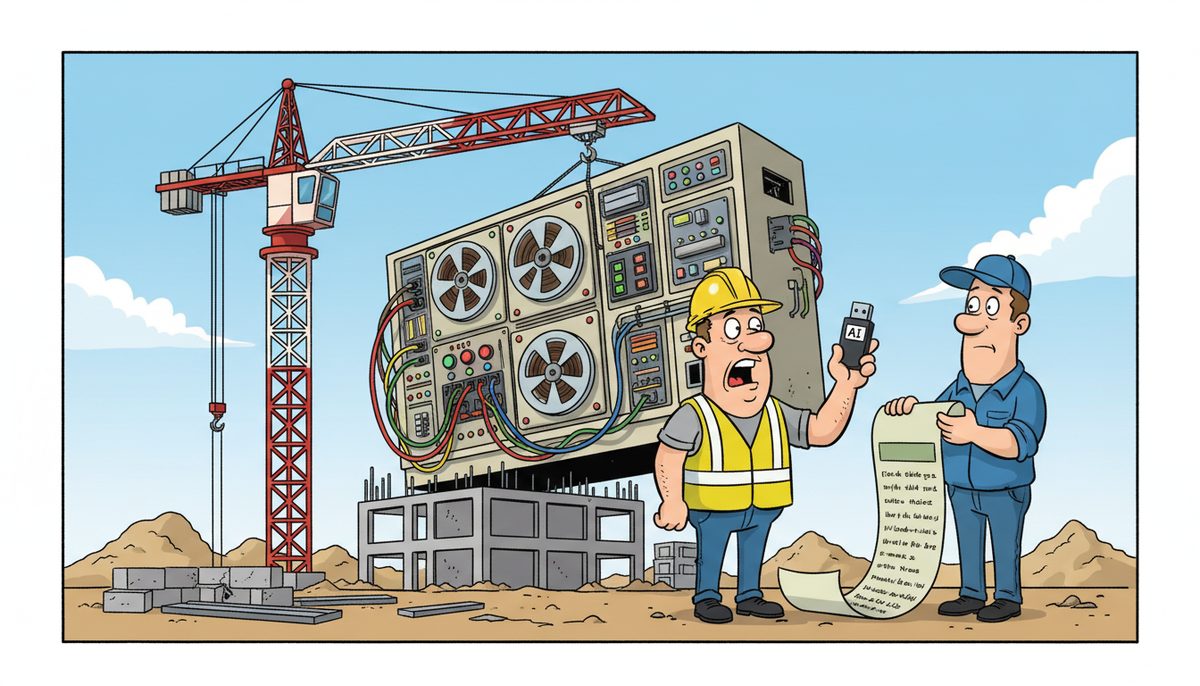
Your construction company can start with basic AI tools for $20–$100 per user per month for software subscriptions, but the real cost includes data preparation, system integration, and training that typically adds $2,500–$15,000 upfront depending on your existing technology infrastructure and how many employees need access to estimating, project management, or document analysis tools.
Why do AI costs catch construction companies off guard?
You see a demo of AI software that promises to analyze blueprints, generate takeoffs, or write RFI responses in seconds. The vendor quotes $50 per user per month. You think you’ve found the budget.
Then reality hits. Your estimating files are scattered across three different systems. Your as-builts are PDFs that need conversion. Your project management software doesn’t talk to the AI tool. Your field staff need tablets that can actually run the software at job sites with spotty connectivity.
The monthly subscription was never the whole story. The villain here is fragmented systems—years of adding software without integration, storing data in formats AI can’t read, and running on infrastructure that wasn’t built for cloud-based tools.
You’re not paying for AI alone. You’re paying to make your existing technology stack compatible with it, and most vendors won’t tell you that until after you’ve signed.
What are the actual components of AI startup costs?
AI costs break into four categories, and your company needs all four to make the technology actually work on job sites and in the office.
Software subscriptions
The monthly or annual fee for the AI tool itself. Estimating AI ranges from $50–$200 per user monthly. Document analysis tools (for submittals, shop drawings, RFIs) run $30–$150 per user monthly. Project scheduling AI costs $40–$120 per user monthly.
These prices assume you’re buying standalone tools. Integrated construction management platforms with AI features can cost $150–$400 per user monthly but replace multiple separate subscriptions.
Data preparation and migration
AI needs clean, structured data to learn from your past projects. If your historical bids are in mixed Excel formats, your drawings are paper or unsearchable PDFs, and your project files use inconsistent naming conventions, someone has to fix that.
Data cleanup typically costs $2,500–$10,000 as a one-time project depending on how many years of files you’re migrating and how messy they are. Some construction companies discover they need to scan and OCR thousands of pages of as-builts before AI can analyze them.
This is where Luigi, a Victoria construction professional, found value in getting systems properly organized first: “DataStream thoroughly cleaned our file sharing, implemented password control, and smoothly transitioned us to take back control of our network.” That foundation made adopting new technology possible.
Integration and infrastructure
Your AI tool needs to connect to your accounting software for progress billing, your project management system for schedules, and your document storage for drawings. Each integration requires configuration, testing, and often custom API work.
Integration projects range from $1,500 for simple connections to $15,000 for complex multi-system setups. If your current server or network can’t handle the data transfer speeds AI requires, you’re looking at infrastructure upgrades too.
Construction companies working across Vancouver Island job sites need reliable remote access. AI tools that depend on cloud connectivity fail when you’re in rural areas with limited cellular coverage unless your IT infrastructure includes offline sync capabilities.
Training and change management
Your estimators, PMs, and superintendents need to learn new workflows. AI doesn’t replace their expertise—it changes how they apply it. Budget 8–20 hours of training per employee who’ll use the tool regularly.
Training costs $1,000–$5,000 depending on whether you use vendor-provided sessions, hire a consultant, or dedicate internal staff time. The bigger cost is the productivity dip during the first 30–60 days as your team adjusts.
A 10-person construction company should budget $8,000–$25,000 in first-year costs beyond the monthly subscription fees.
What happens if you skip the infrastructure work?
You pay for software your team can’t actually use. The AI estimating tool crashes because your server doesn’t have enough memory. The document analysis feature returns garbage results because your PDFs aren’t searchable. Your field staff can’t access the AI scheduling tool at job sites because your VPN is too slow.
You’ve spent money on subscriptions but gained no competitive advantage. Your estimators go back to manual takeoffs. Your PMs ignore the AI-generated schedules and build their own in Excel. The software becomes shelfware.
Worse, you miss tender deadlines because you’re troubleshooting technology instead of finalizing bids. When your estimating AI fails at 4 PM and the tender closes at noon tomorrow, you need IT support that understands construction deadlines—not a help desk that puts you in a phone tree while the clock ticks.
Construction companies on Vancouver Island face a specific risk: mainland IT providers who can’t get to the island fast enough when AI integration problems threaten bid deadlines. A missed tender can cost you six months of work and damage relationships with general contractors and subs.
How do you calculate the right AI budget for your construction company?
Start with your pain points, not the technology. What’s costing you contracts or time right now?
If you’re losing bids because takeoffs take too long, budget for estimating AI. If you’re missing change order revenue because you can’t track field conditions fast enough, budget for project documentation AI. If you’re paying overtime because scheduling conflicts aren’t caught until crews are on site, budget for scheduling AI.
Calculate your current cost of the problem. How many hours per week does your team spend on manual takeoffs? What’s their hourly cost? How many bids do you skip because you don’t have time to estimate them? What’s the average value of those missed opportunities?
Your AI budget should be less than the cost of the problem it solves. If manual estimating costs you $3,000 monthly in labor and missed bids, spending $2,000 monthly on AI estimating (subscription plus amortized setup costs) makes sense. Spending $4,000 doesn’t.
Sample budget for a 10-person construction company
- Estimating AI subscription: $100 per user monthly for 3 estimators = $300/month ($3,600 annually)
- Document analysis AI: $50 per user monthly for 5 PMs and superintendents = $250/month ($3,000 annually)
- Data cleanup and migration: $5,000 one-time
- System integration: $3,500 one-time
- Training: $2,000 one-time
- First-year total: $17,100 ($6,600 subscription + $10,500 setup)
- Ongoing annual cost: $6,600
This assumes your existing network, backup systems, and security are already solid. If they’re not, add infrastructure upgrades before AI makes sense.
How does working with a local IT guide reduce AI startup costs?
You know what it feels like when your estimating software crashes at 4 PM and the tender closes at noon tomorrow—watching the clock tick while wondering if help will arrive in time. You’ve seen construction companies lose bids because their IT provider couldn’t get to the island fast enough to fix a server before the deadline.
A local IT partner who understands construction deadlines can audit your current systems before you buy AI tools, telling you exactly what infrastructure work is required and what you can skip. That prevents expensive mistakes like paying for cloud AI when your internet connection can’t handle it, or buying document analysis software when your scanner produces files the AI can’t read.
DataStream Networks started in 2012 serving Vancouver Island businesses with local technicians in Victoria, Nanaimo, Duncan, and Cobble Hill. When you call, live people answer with no voicemail or phone trees. Most problems get fixed remotely within minutes, and if on-site help is needed, a technician is automatically dispatched to your office or job site anywhere on the island.
Local support can also negotiate with vendors, configure integrations correctly the first time, and train your team on workflows that actually match how construction companies operate—not generic software training that wastes your estimators’ time.
A simple three-step plan to start with AI
- Call (250) 929-0745 to talk to a real technician who’ll assess your current systems, identify what needs upgrading before AI will work, and give you an honest budget that includes all the hidden costs vendors don’t mention.
- Get your data and infrastructure ready—clean up file storage, test network speeds at job sites, verify your backup system can handle larger AI-generated files, and document your current workflows so you know what the AI needs to integrate with.
- Start with one AI tool that solves your biggest pain point, measure the results for 90 days, then expand to other areas only if the ROI is clear and your team is actually using it.
What does success look like when you get AI costs right?
You submit every bid on time with confidence, knowing your estimating AI and project files are protected and accessible even during critical deadlines. Your estimators produce more accurate takeoffs in half the time, letting you bid on projects you previously had to skip.
Your PMs catch scheduling conflicts and change order opportunities in real time because AI analyzes daily reports and flags issues before they cost you money. Field staff access the information they need at job sites without calling the office, keeping projects on schedule.
You sleep soundly knowing your investment in AI is paying for itself through won contracts, reduced rework, and captured change orders—not sitting unused because your infrastructure couldn’t support it.
Your bonding capacity grows as insurance companies see a pattern of on-time project delivery and accurate cost tracking enabled by technology that actually works when you need it.
Ready to get an honest assessment of what AI will really cost for your construction company? Call (250) 929-0745 to talk to a local technician who understands construction deadlines and Vancouver Island job site realities. Or explore how managed IT services create the foundation that makes AI investments successful instead of expensive mistakes.
Frequently asked questions
Can construction companies use free AI tools instead of paid subscriptions?
Free AI tools like ChatGPT can help with basic tasks like writing emails or summarizing documents, but they lack construction-specific training for takeoffs, scheduling, or code compliance. They also don’t integrate with your estimating or project management software, creating manual data entry work that eliminates time savings. Free tools don’t include support when they fail before a bid deadline.
How long does it take to see ROI from AI investments in construction?
Most construction companies see measurable ROI within 6–12 months if they start with tools that address their biggest time drain. Estimating AI typically pays for itself in 3–6 months through faster takeoffs and won bids. Document analysis tools take 9–12 months because the value comes from avoiding disputes and capturing change orders over multiple projects.
Do I need to upgrade my entire IT infrastructure before using AI?
Not necessarily. A proper assessment identifies which infrastructure components actually matter for your chosen AI tools. Cloud-based AI needs reliable internet and secure remote access but may let you skip server upgrades. On-premise AI needs robust servers and backup systems. Many construction companies can start with AI using their current infrastructure if it’s been maintained properly.
What AI tools are most valuable for small construction companies on Vancouver Island?
Estimating and takeoff AI delivers the fastest ROI for small contractors because it directly impacts bid volume and accuracy. Document analysis AI helps with submittal and RFI workflows if you work with architects and engineers who demand fast turnarounds. Scheduling AI matters most if you coordinate multiple subs across job sites. Start with whichever problem costs you the most time or money right now.
How do I avoid paying for AI features my construction team won’t actually use?
Involve your estimators, PMs, and superintendents in the evaluation process before buying. Have them test the software with real project files during trial periods. Ask them to identify which features solve actual problems versus which are impressive demos they’ll never use. Buy only the modules you need rather than comprehensive platforms with features that don’t match your workflows.



