
DataStream Networks Inc., based on Vancouver Island since 2012, serves non-profits throughout British Columbia with managed IT services designed for organizations handling donor data, grant applications, and CRA compliance. Local technicians in Victoria, Nanaimo, Duncan, and Cobble Hill provide live phone support with no voicemail or phone trees, fixing most problems remotely within minutes—critical when your donor management system crashes before a year-end campaign.
Why Does Your Donor System Always Crash at the Worst Possible Time?
Your donor management system goes down three days before your December mail drop. Your board treasurer calls asking about the grant application due Friday, but your financial records are locked on a server nobody can access. A volunteer opens an email attachment and now your entire network crawls to a halt during online giving season.
The villain isn’t bad luck. It’s technology that only gets attention after it breaks—right before a grant deadline or during a fundraising campaign.
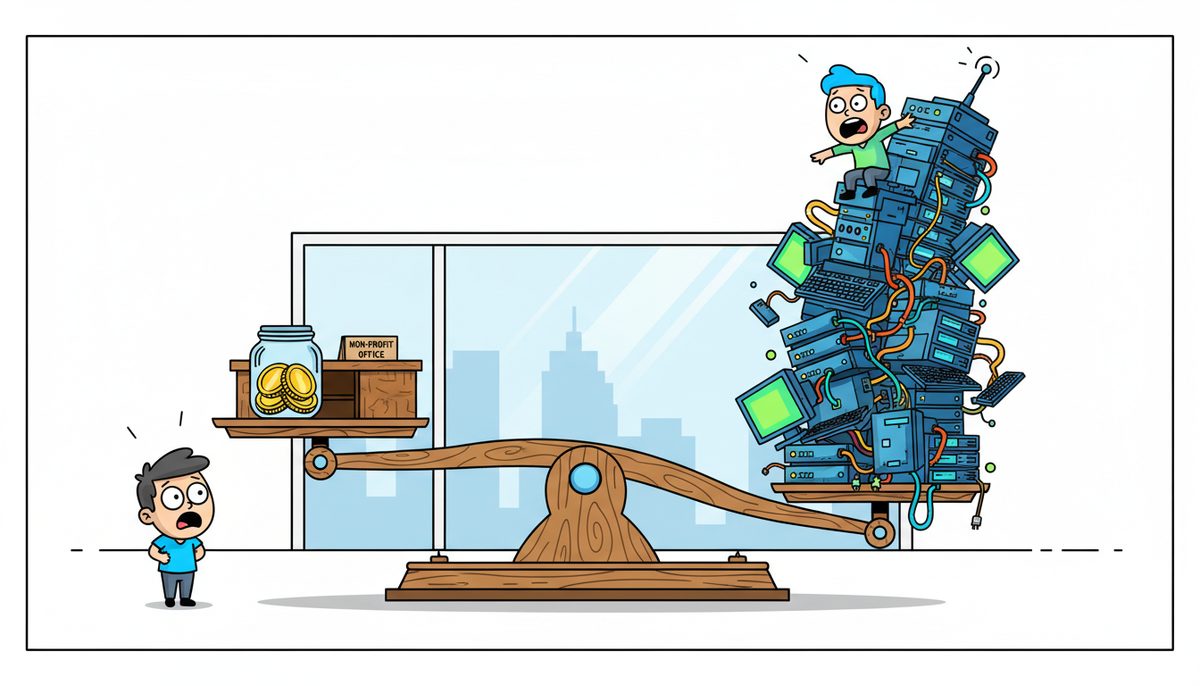
You’re running programs with donated computers, volunteer IT help, and software someone set up years ago. There’s no IT person to call when things go wrong. Mainland support companies quote ferry costs and next-day arrival while your donation processing sits frozen and your grant deadline approaches.
You’re terrified that a data breach will expose donor credit card information or beneficiary records, violating BC’s PIPA requirements and destroying the community trust you’ve spent years building. Every time you process online donations, you wonder if your security measures actually meet the standards United Way and community foundations now require in grant applications.
This isn’t right. Your nonprofit shouldn’t have to choose between serving your mission and protecting the people who make that mission possible.
What Happens If Your Donor Database Disappears During Year-End Giving?
December donations represent 30-40% of annual giving for most Canadian charities. If your gift processing system crashes during those critical weeks, donors don’t wait—they give elsewhere. That revenue doesn’t come back in January.
BC Gaming grant deadlines and United Way application windows don’t extend because your financial records became inaccessible. Miss a deadline, and you’ve lost tens of thousands in restricted funding your programs depend on. Your board will ask why technology problems cost your organization money that should have gone to program delivery.
CRA requires registered charities to maintain digital records for six years. When auditors request documentation and your backup system failed eight months ago without anyone noticing, you’re facing penalties that could threaten your charitable status.
A single data breach exposing donor payment information triggers mandatory PIPA breach reporting, potential legal liability, and permanent damage to donor trust.
The cost isn’t just the emergency IT bills. It’s the grant funding you didn’t receive, the donations that went to other organizations, the operating reserves spent on data recovery instead of programs, and the community relationships that take years to rebuild.
How Do You Meet PIPA Requirements Without a Full-Time IT Department?
BC’s Personal Information Protection Act sets stricter standards than federal legislation. If your nonprofit handles BC resident data—donor information, beneficiary records, volunteer details—you’re required to meet PIPA’s security and privacy requirements regardless of your organization’s size or budget.
Start with data classification. Identify what information you collect: donor names and addresses (lower sensitivity), credit card numbers (high sensitivity), beneficiary health or financial information (highest sensitivity). Each category requires different protection levels.
Encryption protects data both stored and transmitted. Your donor management system should encrypt credit card information at rest. Email containing sensitive beneficiary information must be encrypted in transit. Cloud backup services should encrypt files before they leave your network.
Access controls mean limiting who can view sensitive information. Your volunteer coordinator doesn’t need access to donor financial data. Your fundraising coordinator doesn’t need beneficiary case files. Role-based permissions reduce breach risk.
Document your policies. PIPA requires written privacy policies explaining what information you collect, how you use it, and how you protect it. Grant applications from United Way and community foundations increasingly ask for these documented policies and cybersecurity attestations.
Regular backups with tested recovery procedures ensure you can produce required records during CRA audits. Backups must be automated, encrypted, and stored off-site—not just on a USB drive in the office.
Many Victoria nonprofits meet these requirements through managed IT services that include security monitoring, backup management, and policy documentation as part of monthly support rather than requiring internal IT staff.
What Should Your Donor System Backup Strategy Actually Include?
Your donor management system contains years of relationship history, giving patterns, and contact information that can’t be recreated if lost. CRA-required financial records must be retained and producible. Beneficiary case files contain sensitive information protected under PIPA.
Effective backup strategies follow the 3-2-1 rule: three copies of data, on two different media types, with one copy off-site. For nonprofits, this typically means the live data on your server, a local backup on network-attached storage, and encrypted cloud backup off-site.
Frequency matters. Donor data should back up daily at minimum, with more frequent backups during campaign periods when you’re processing high donation volumes. Losing even one day of December donations creates reconciliation problems and potential tax receipt issues.
Retention periods must meet CRA requirements. Registered charities need six years of financial records. Your backup system should maintain multiple restore points covering this period, not just the most recent backup.
Testing recovery is mandatory, not optional. Schedule quarterly restore tests where you actually recover files from backup to verify the process works. Many nonprofits discover their backups are incomplete or corrupted only when they desperately need them.
Kevin from an accounting firm on Vancouver Island experienced zero downtime during an entire server upgrade because proper backup and migration planning meant his team kept working throughout the transition. That same planning protects your nonprofit during hardware failures or ransomware incidents.
How Do You Get IT Help When You Don’t Have IT Staff?
Your donor system freezes during online donation processing. You need help immediately, not tomorrow after a mainland technician catches the ferry. You need someone who understands nonprofit technology and compliance requirements, not a general help desk reading scripts.
Vancouver Island geography creates unique challenges. Mainland IT providers quote travel time and ferry costs for on-site support. During grant deadlines or fundraising campaigns, waiting hours for help means missing deadlines or losing donations.
Local IT support in Victoria, Nanaimo, and Duncan eliminates ferry delays. When you call and reach a real person immediately—no voicemail, no phone tree—your problem gets diagnosed while you’re still on the phone. Most issues resolve remotely within minutes. When on-site support is needed, local technicians arrive the same day without travel surcharges.
DataStream Networks Inc. has served Vancouver Island organizations since 2012 with live people answering phones, local technicians who understand nonprofit challenges, and remote support that fixes most problems within minutes. When remote resolution isn’t possible, technicians are automatically dispatched to your location.
Marla from a financial services firm noted that quick response times and seamless service revolutionized how her team operates, working more efficiently than ever while knowing data is protected and secure. That same reliability matters even more for your nonprofit where technology failures threaten mission delivery.
What Does Managed IT Support Cost for a Small Nonprofit?
Your nonprofit budget stretches every dollar toward program delivery. Technology costs compete with direct service funding. Understanding IT support pricing helps you budget accurately and compare options.
Managed IT services typically price per user per month. For nonprofits, this ranges from $150–$225 per user monthly for comprehensive support including help desk, security monitoring, backup management, and compliance documentation. Your five-person nonprofit office would budget $750–$1,125 monthly.
Co-managed IT offers a middle option at $50–$150 per user per month. You maintain some internal IT capability (perhaps a tech-savvy volunteer or part-time contractor) while a managed service provider handles specialized tasks like security monitoring, backup management, and compliance requirements.
Component pricing lets you purchase specific services:
- Basic endpoint protection: $5–$12 per device monthly
- Managed security with 24/7 monitoring: $15–$35 per device monthly
- Cloud backup: $40–$150 per device monthly
- Email protection: $5–$20 per user monthly
- Cyber awareness training: $3–$15 per user monthly
One-time projects address specific compliance needs. Gap analysis assessing your current security posture costs $2,500–$10,000. Policy and documentation development runs $1,500–$7,500. Compliance services for specific requirements range from $1,000–$5,000.
Compare these costs against the risk. Missing a $25,000 BC Gaming grant because financial records were inaccessible costs more than years of managed backup. A data breach requiring legal counsel, breach notification, and reputation recovery far exceeds annual security monitoring costs.
Many Island nonprofits find that reliable local support prevents the emergency costs that devastate operating budgets—the after-hours emergency calls, the rush hardware replacements, the data recovery specialists charging thousands to retrieve files from failed drives.
Here’s How to Get Your Nonprofit Technology Under Control
- Call (250) 929-0745 to talk to a real local technician immediately about your specific situation—your donor system, your backup concerns, your compliance questions. No voicemail, no sales pitch, just a conversation about what you actually need.
- Get your current technology assessed: what’s working, what’s vulnerable, what would happen if your server failed tomorrow. Understand your PIPA requirements and CRA record-keeping obligations in plain language.
- Implement the protection your organization needs—whether that’s comprehensive managed services, targeted backup and security, or co-managed support that works with your existing volunteers—so you can focus on your mission instead of technology crises.
What Does Success Look Like for Your Nonprofit?
You process December donations smoothly, knowing donor data is protected and CRA-compliant records are automatically backed up. Year-end tax receipts go out on time because your systems work reliably during your busiest season.
Grant applications include required cybersecurity attestations and data protection policies without scrambling at deadline. United Way and community foundation requirements are already met because your technology documentation stays current.
When technology problems do occur—and they will—you reach a real person immediately who understands nonprofit operations and fixes most issues remotely within minutes. On-site support arrives the same day when needed, without ferry delays or mainland travel costs.
Your board focuses on program strategy and community impact instead of emergency IT spending. Operating reserves fund mission delivery instead of data recovery. Donors trust you with their information because you’ve earned that trust through proper protection.
You sleep soundly knowing sensitive beneficiary information and donor credit card data meet PIPA standards, with documented policies and tested recovery procedures ready for CRA audits.
Call (250) 929-0745 now to talk to a real technician about protecting your donor data, meeting compliance requirements, and keeping your systems running during critical campaign periods. No voicemail. No waiting. Just immediate help from someone local who understands nonprofit technology challenges.
Frequently Asked Questions
Do managed IT providers understand nonprofit compliance requirements like PIPA and CRA record-keeping?
Experienced providers understand BC’s PIPA privacy requirements for donor and beneficiary data, CRA digital record retention rules for registered charities, and grant application requirements from United Way and community foundations. They should provide documented policies, encrypted backup systems meeting retention requirements, and security measures that support compliance attestations rather than requiring you to become a compliance expert yourself.
How quickly can a managed IT provider respond when our donor system crashes during a campaign?
Response time varies significantly by provider. Local Vancouver Island providers with live phone answering can diagnose problems immediately while you’re on the call, with most issues resolved remotely within minutes. Mainland providers typically involve voicemail callbacks, ferry travel for on-site support, and delays measured in hours or days. During critical fundraising periods or grant deadlines, immediate response matters more than slightly lower monthly costs.
What’s the difference between managed IT services and having a volunteer handle our technology?
Volunteers provide valuable help but typically lack enterprise backup systems, 24/7 security monitoring, compliance documentation expertise, and immediate availability during crises. Managed services include automated backup with tested recovery, security monitoring that detects threats before they become breaches, documented policies meeting grant requirements, and guaranteed response when problems occur. Many nonprofits use both: volunteers for daily support, managed services for critical infrastructure and compliance.
Can small nonprofits with tight budgets afford managed IT services?
Managed IT services for small nonprofits range from $150–$225 per user monthly for comprehensive support, or component services like backup ($40–$150 per device monthly) and security monitoring ($15–$35 per device monthly) for targeted protection. Co-managed options at $50–$150 per user monthly provide middle-ground solutions. Compare costs against risks: missing one major grant deadline or experiencing one data breach typically costs more than years of managed services.
What happens to our data if we switch IT providers?
Professional providers ensure smooth transitions with documented systems, clear data ownership, and migration support. Your donor database, financial records, and beneficiary files belong to your organization, not the IT provider. Transitions should include complete documentation of your systems, secure transfer of backup data, and overlap periods ensuring no service gaps during critical campaign or grant periods. Avoid providers who make data portability difficult.



