
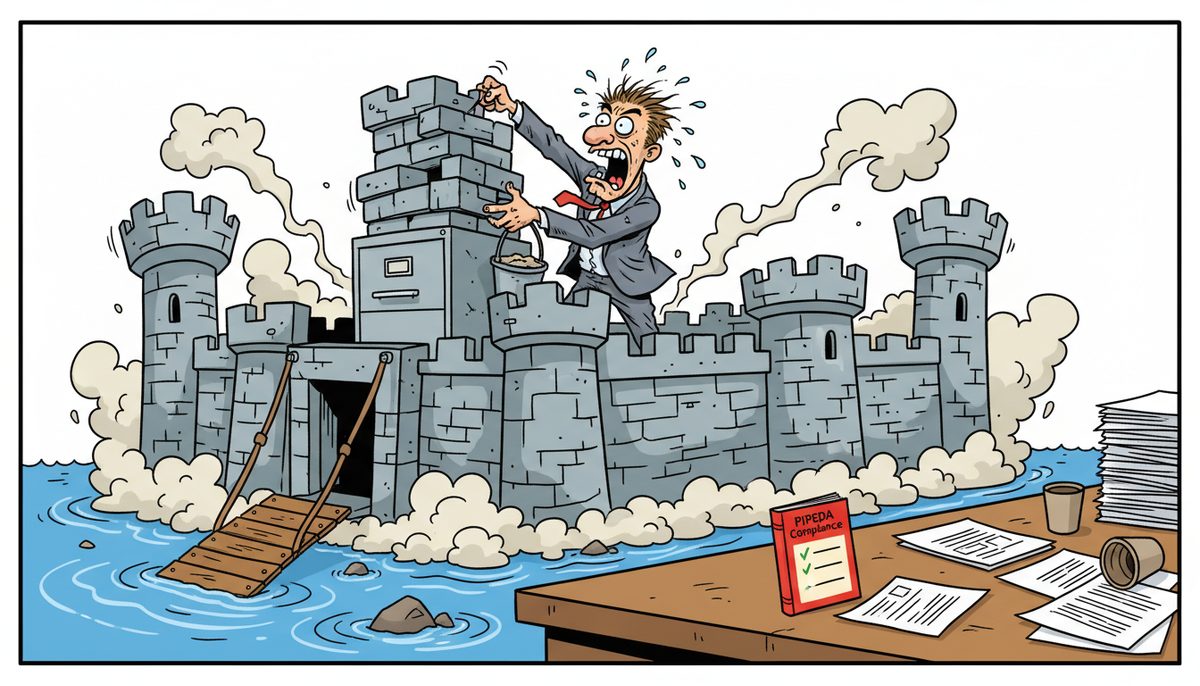
Your CPA firm must implement PIPEDA’s 10 privacy principles and BC’s PIPA requirements: documented client consent, encryption for data in transit and at rest, breach notification within 72 hours to affected individuals and regulators, role-based access controls, tested backup recovery procedures, and IT safeguards that withstand CPA BC practice inspections examining how you protect client financial data.
What privacy laws apply to your CPA practice on Vancouver Island?
Your Victoria practice operates under dual privacy legislation. PIPEDA (Personal Information Protection and Electronic Documents Act) governs how you collect, use, and disclose client financial information during federal tax preparation and cross-border transactions. BC’s PIPA applies to your provincial activities—compilations, reviews, and audits for local businesses.
Both laws require substantially similar safeguards, but PIPA gives BC’s Office of the Information and Privacy Commissioner jurisdiction over complaints from your provincial clients. When you prepare T1 returns or interact with CRA through Represent a Client authorizations, PIPEDA applies. When you handle year-end compilations for a Victoria restaurant or review financial statements for a Nanaimo marine services company, PIPA governs.
CPA British Columbia incorporates these privacy requirements into professional standards. During practice inspections, reviewers examine whether your IT controls protect client confidentiality as required by the CPA Code of Professional Conduct. A finding of inadequate data protection triggers remediation requirements and follow-up inspections.
You need systems that satisfy both laws simultaneously, because your client files contain information covered by each statute.
What are the 10 PIPEDA principles you must implement?
PIPEDA structures compliance around 10 fair information principles that translate into specific IT and operational requirements for your practice.
Accountability: Designate someone responsible for privacy compliance and train staff on handling sensitive financial data. This person ensures working papers, tax returns, and engagement files are protected throughout their lifecycle.
Identifying purposes: Before collecting a client’s SIN, financial statements, or banking information, document why you need it. Your engagement letters should specify that you’re collecting information to prepare T2 corporate returns or conduct audit procedures, not for unrelated marketing.
Consent: Your clients must knowingly agree to your collection and use of their information. Implied consent works for obvious purposes—you need their income information to prepare their T1. Explicit written consent is required when sharing information with third parties like bookkeepers or financial planners.
Limiting collection: Gather only the financial data necessary for the specific engagement. If you’re doing a Notice to Reader compilation, you don’t need the personal banking details required for a full audit.
Limiting use, disclosure, and retention: Client financial data can only be used for the stated purpose. You can’t use tax return information from T1 preparation to solicit clients for estate planning services without separate consent. Retention schedules must balance CPA professional standards (typically six years for working papers) with the privacy principle of destroying information when no longer needed.
Accuracy: Financial information in your systems must be current and correct, particularly for recurring clients where outdated banking information or incorrect contact details could lead to misdirected communications containing sensitive data.
Safeguards: Client files containing T4 information, trial balances, and adjusting journal entries require protection appropriate to their sensitivity. Encryption, access controls, secure backup systems, and network security aren’t optional—they’re legal requirements.
Openness: Make your privacy policies and practices available to clients. A privacy policy on your website or in your engagement letter package explaining how you protect their financial information satisfies this requirement.
Individual access: Your clients have the right to access their personal information in your files and challenge its accuracy. Your systems need to retrieve specific client data when requested, which becomes complicated if backup systems lack granular recovery capabilities.
Challenging compliance: Clients must be able to question your privacy practices and file complaints. Your privacy policy should include contact information for your designated privacy officer and explain the complaint process.
These principles aren’t theoretical. When servers crash during busy season and you’re scrambling to restore client files, your backup and recovery procedures will be evaluated against these standards if a breach occurs.
What IT safeguards does your firm need for PIPEDA compliance?
The safeguards principle translates into concrete technology requirements. Your systems must prevent unauthorized access to client financial data, detect intrusions, and maintain data integrity.
Encryption requirements: Your client files must be encrypted both in transit and at rest. When you email a T1 return to a client, it should travel through encrypted channels. Tax software, working papers, and engagement files stored on your server require full-disk encryption or file-level encryption. Laptops and mobile devices that your accountants use during client visits at Duncan wineries or Cobble Hill farms need encryption enabled—a stolen laptop with unencrypted client data triggers mandatory breach reporting.
Access controls: Not every staff member needs access to every client file. Role-based permissions ensure that your receptionist can access contact information but not detailed financial statements, while senior accountants working on audit engagements see only their assigned client files. Multi-factor authentication should protect access to tax software, client portals, and remote desktop connections.
Network security: Firewalls, intrusion detection systems, and regular security patching protect against external threats. CPA firms are targeted by ransomware specifically during tax season because attackers know you’ll pay to recover client files before April 30th deadlines. Your network needs monitoring that detects unusual activity—like someone attempting to access hundreds of client files at 2 AM.
Backup and recovery systems: PIPEDA doesn’t just require protecting data—you need to ensure its availability. When your server fails on April 28th with dozens of T1s due in 48 hours, your backup system becomes a compliance tool. Backups must be encrypted, stored both locally and off-site, and tested regularly. A backup system that hasn’t been tested is a compliance failure waiting to be discovered during a crisis.
Secure disposal: When you’re done with client files after the required retention period, deletion must be permanent. Simply emptying the recycle bin doesn’t satisfy PIPEDA. Hard drives being retired need secure wiping or physical destruction. Paper files require shredding.
For Victoria CPA firms, geographic isolation creates a specific vulnerability. When IT emergencies happen during tax season and you’re waiting for a Vancouver technician to catch the ferry, every hour of downtime is an hour when you can’t access encrypted client files, can’t verify backup integrity, and can’t confirm that security systems are functioning.
When must you report privacy breaches?
PIPEDA’s mandatory breach reporting requirements create strict timelines that override your instinct to quietly fix problems before clients notice.
72-hour reporting threshold: If a breach creates a “real risk of significant harm” to individuals, you must report to the Privacy Commissioner of Canada as soon as feasible but no later than 72 hours after determining the breach occurred. Significant harm includes identity theft, fraud, damage to reputation, or financial loss—all likely when client SINs, banking information, or detailed financial statements are exposed.
What triggers reporting: A ransomware attack that encrypts client files likely requires reporting, even if you pay the ransom and recover data, because attackers may have exfiltrated information. A stolen laptop containing unencrypted T1 returns definitely requires reporting. An employee accidentally emailing one client’s tax return to another client requires reporting. A misconfigured cloud backup that exposed client files to the internet requires reporting.
Notification to affected individuals: You must also notify affected clients directly when there’s a real risk of significant harm. This is the conversation every CPA dreads: calling clients during busy season to explain that their financial information may have been compromised. The notification must describe the breach, the information involved, steps you’re taking, and what clients should do to protect themselves.
Record keeping: Even breaches that don’t meet the reporting threshold must be documented. You need to maintain a breach register recording all privacy incidents, your risk assessment, and your response. CPA BC practice inspections may review these records.
Real risk assessment: Determining whether a breach creates “real risk of significant harm” requires judgment. The sensitivity of information (SINs and banking details are highly sensitive), the probability of misuse, and whether safeguards like encryption were in place all factor into the assessment. When in doubt during tax season with April 30th approaching, the safe choice is to report.
Under BC PIPA, similar breach notification requirements apply, with reports going to the BC Office of the Information and Privacy Commissioner for provincially-regulated activities.
The timing creates acute pressure. Discovering a breach on April 15th means you’re simultaneously managing breach response, notifying clients, reporting to regulators, and still trying to complete tax returns before deadlines. This is when having systems that prevent breaches in the first place—and local support that responds within minutes when something goes wrong—becomes existentially important.
How do CPA BC practice inspections evaluate your IT controls?
Practice inspections aren’t just about audit working papers and professional standards. Reviewers examine whether your technology systems protect client confidentiality as required by the CPA Code of Professional Conduct.
What inspectors look for: Reviewers assess your data security policies, backup procedures, access controls, and incident response plans. They’ll ask whether client data is encrypted, how you control access to sensitive files, whether you’ve conducted security risk assessments, and how you train staff on privacy obligations.
Documentation requirements: You need written policies covering acceptable use of technology, password requirements, remote access procedures, and data classification. An informal understanding that “everyone knows to lock their computer” doesn’t satisfy inspection standards. Your privacy policy, breach response plan, and technology safeguards should be documented and demonstrably implemented.
Evidence of testing: Inspectors may ask when you last tested your backup recovery process. If you can’t demonstrate that backups actually work—that you can restore client files within acceptable timeframes—you have a deficiency. Regular testing of disaster recovery procedures isn’t paranoia; it’s a practice inspection requirement.
Third-party vendor management: If you use cloud-based tax software, outsourced bookkeeping services, or IT support providers, inspectors examine your due diligence. Do your vendor contracts include confidentiality provisions? Have you verified that vendors have appropriate security controls? For Victoria CPA firms using IT support, this means understanding where your data is stored, who has access, and what security measures protect it.
Findings and remediation: Deficiencies in IT controls can result in requirements to implement specific safeguards, provide staff training, or engage external security assessments. Serious deficiencies may trigger follow-up inspections to verify remediation.
The inspection process reveals a truth many small CPA practices discover too late: enterprise-grade security isn’t optional just because you’re a three-person firm in Duncan. You’re held to the same data protection standards as 50-person firms in Vancouver, but you’re expected to implement them on a small-practice budget.
What does PIPEDA compliance look like in your daily operations?
Compliance isn’t a checklist you complete once. It’s embedded in how you handle client information every day, from initial consultation through final file retention.
Client onboarding: Your engagement letter should include privacy language explaining what information you’ll collect, why you need it, how you’ll protect it, and how long you’ll retain it. When clients provide their SIN, banking information, or financial statements, they should understand the purpose and provide documented consent.
File management during engagements: As you prepare T1 returns or compile financial statements, working papers accumulate. These documents—trial balances, adjusting journal entries, supporting schedules—contain the same sensitive information as final deliverables and require the same protection. Files left open on unattended computers, working papers in unlocked filing cabinets, or backup drives sitting unsecured in the office all create compliance risks.
Communication security: Every email containing client information should be encrypted or sent through a secure client portal. Faxing (yes, some clients still request it) requires verification of recipient numbers. Phone conversations about client financial matters should happen in private spaces, not in your reception area where other clients can overhear.
Remote work considerations: When your accountants work from home during busy season or visit client sites, they’re accessing sensitive data outside your controlled office environment. VPN connections, encrypted laptops, secure Wi-Fi practices, and policies prohibiting work on personal devices all become critical. The coffee shop in downtown Victoria with free Wi-Fi is not an appropriate location to prepare T2 corporate returns.
Busy season pressures: January through April creates compliance risks. Exhausted staff working late nights make mistakes—emailing files to wrong recipients, leaving computers unlocked, choosing weak passwords to save time. The pressure to meet April 30th deadlines can’t override privacy obligations. One misdirected email containing 50 client tax returns triggers mandatory breach reporting and client notifications during your busiest period.
Year-end file closeout: After engagement completion, client files move to archives. Your retention schedule should specify how long you’ll keep tax returns, working papers, and correspondence (typically six years for most documents). When the retention period expires, destruction must be secure and documented.
For small Victoria practices, the challenge is maintaining these disciplines when you’re simultaneously managing client relationships, technical accounting work, practice development, and staff supervision. Privacy compliance becomes another responsibility competing for attention during tax season when you’re already working 60-hour weeks.
How does local IT support help you maintain compliance?
Technology systems don’t maintain themselves, and compliance isn’t self-sustaining. When your server crashes during tax season or ransomware encrypts client files, your IT support becomes the difference between a manageable incident and a practice-threatening crisis.
The panic when systems fail on April 28th with dozens of returns due in 48 hours is real. Every minute you can’t access client files puts you closer to missed deadlines and breach reporting requirements. The anxiety of storing sensitive financial data knowing that inadequate security could trigger CPA BC findings during your next practice inspection keeps you awake.
DataStream Networks has served Vancouver Island businesses since 2012, with local technicians in Victoria, Nanaimo, Duncan, and Cobble Hill. When you call (250) 929-0745, a real person answers immediately—no voicemail, no phone trees, no waiting for callbacks while April 30th approaches. Most problems are diagnosed and fixed remotely within minutes. When on-site support is needed, a Vancouver Island technician is automatically dispatched, not scheduled for the next ferry from Vancouver.
Jon, a business owner evaluating IT needs, recently worked with Miguel, one of the technicians. Even though the situation wasn’t an immediate fit, Miguel took time to provide knowledgeable guidance and refer Jon to a better-suited provider. Jon noted: “Data stream networks and was extremely prompt in answering any questions that I had without the guarantee of my business. They felt like it was best to refer me to another business to better suit my needs, which I can respect greatly. I had the opportunity to deal with Miguel who was very knowledgeable and professional with his communication.”
That same approach—prioritizing what you actually need over what could be sold—applies to CPA firm compliance. Your practice needs backup systems that you can restore under deadline pressure, encryption that protects client data without slowing daily work, and security monitoring that detects threats before they become breaches. You need IT support that understands that “the server is slow” during tax season isn’t an annoyance—it’s a compliance risk if it prevents timely filing or forces staff to use insecure workarounds.
Managed IT services include the specific safeguards CPA firms need: encrypted backup systems with tested recovery procedures, network security monitoring, access controls, and regular security updates. When CPA BC inspectors ask about your IT controls during practice inspections, you can point to documented policies, tested procedures, and professional support—not hopeful assurances that “we think the backups are working.”
Three steps to strengthen your PIPEDA compliance
- Call (250) 929-0745 and talk immediately to a Victoria-based technician who understands CPA firm deadlines and compliance requirements. Describe your current systems, your concerns about client data protection, and what keeps you awake during tax season. Get honest assessment of your risks—not a sales pitch.
- Get your systems evaluated against PIPEDA and CPA BC inspection standards. Gaps in encryption, backup testing, access controls, and security monitoring will be identified. Most issues can be diagnosed and many resolved remotely within minutes. For complex situations requiring on-site assessment, a local Vancouver Island technician comes to your Victoria, Nanaimo, or Duncan office.
- Implement safeguards before your next practice inspection or busy season. Whether that’s encrypted backup systems ($40–$150 per device/month for cloud backup, $100–$300 per device/month for full managed server backups), security monitoring (managed EDR/MDR with 24×7 SOC at $15–$35 per device/month), or comprehensive managed IT services ($150–$225 per user/month), you’ll have systems that protect client data and satisfy regulatory requirements.
What does success look like for your compliant CPA firm?
You complete tax season knowing that if technology problems arise, a Victoria technician answers immediately and resolves issues before deadlines are threatened. Your client files are backed up, encrypted, and recoverable within minutes. Your staff can work efficiently without security measures that obstruct productivity.
When CPA BC conducts your practice inspection, reviewers find documented privacy policies, tested backup procedures, and IT controls that meet professional standards. No deficiency findings related to client data protection. No remediation requirements. No follow-up inspections.
You confidently accept new clients in Victoria’s growing tech sector—startups needing R&D tax credit advice, companies with intellectual property concerns—knowing your systems can securely handle sensitive financial data and satisfy their due diligence questions about your data protection practices.
You sleep soundly during busy season because ransomware protection, intrusion detection, and local IT support mean you’re not gambling your professional reputation on whether systems will survive until May 1st. Your clients trust you with their most sensitive financial information, and your technology systems honor that trust.
If you’re ready to stop worrying about whether your IT systems will survive the next busy season or practice inspection, call (250) 929-0745. Talk to a real Victoria technician now about protecting your clients’ financial data and your professional reputation. Or visit the IT support Victoria page to learn more about local support for Vancouver Island businesses.
Frequently asked questions
Do small CPA firms with fewer than 5 staff need to comply with PIPEDA?
Yes. PIPEDA applies to all commercial activities involving personal information, regardless of firm size. A solo practitioner preparing T1 returns has the same privacy obligations as a 50-person firm. BC’s PIPA similarly applies to all organizations. Firm size may affect the sophistication of your systems, but not your fundamental obligation to protect client financial data with appropriate safeguards including encryption, access controls, and secure backups.
What happens if a CPA firm experiences a ransomware attack during tax season?
You must assess whether the attack creates “real risk of significant harm” to clients—if attackers accessed or exfiltrated client data, you likely must report to the Privacy Commissioner within 72 hours and notify affected clients directly. Simultaneously, you need to recover systems to meet filing deadlines. This is why tested backup systems and immediate local IT support become critical—you’re managing breach response, regulatory reporting, client notifications, and business continuity all while April 30th approaches.
Can CPA firms use cloud-based tax software and still comply with PIPEDA?
Yes, but you remain responsible for client data protection even when using third-party software. Your due diligence should verify that the vendor encrypts data in transit and at rest, maintains appropriate security controls, and has acceptable data residency policies. Your engagement letter should disclose that you use cloud-based systems. For CPA BC practice inspections, you need documentation showing you’ve assessed vendor security practices and confirmed contractual confidentiality obligations.
How long must CPA firms retain client files under PIPEDA?
PIPEDA requires retaining personal information only as long as necessary for identified purposes. However, CPA professional standards typically require retaining working papers for six years. Your retention schedule should balance these requirements: keep files long enough to satisfy professional obligations, but destroy them securely when no longer needed. Indefinite retention of old client data creates unnecessary privacy risk and complicates data breach scenarios.
Do CPA firms need cyber insurance to comply with PIPEDA?
PIPEDA doesn’t explicitly require cyber insurance, but insurance doesn’t substitute for proper safeguards. You must implement appropriate security measures regardless of insurance coverage. That said, cyber insurance can help manage financial consequences of breaches and often includes breach response services, legal support, and client notification assistance. Many insurers now require specific security controls—encrypted backups, multi-factor authentication, security monitoring—as conditions of coverage, effectively raising your baseline security posture.



