
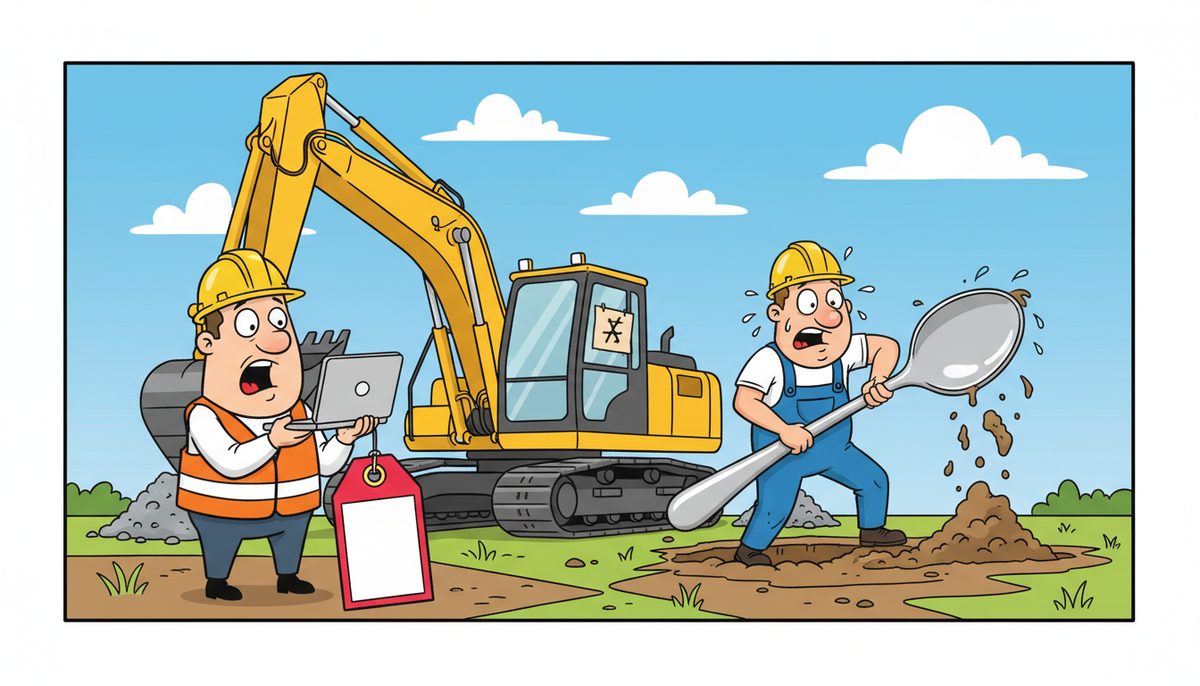
Your IT budget should include hardware replacement (typically 20-30% of total IT spend), software licenses and subscriptions, cybersecurity protection, data backup and disaster recovery, managed IT support or internal staff costs, network infrastructure, phone systems, and compliance documentation. For construction companies on Vancouver Island, plan for field equipment, mobile connectivity, and backup systems that protect bid documents and project files from loss.
Why do construction companies on Vancouver Island struggle with IT budgets?
You’re managing multiple job sites across the island, coordinating with mainland suppliers, and racing against tender deadlines. Technology keeps your estimating software running, your project files accessible, and your field staff connected.
But when your server crashes hours before a bid deadline or ransomware locks your submittals, you realize you never budgeted for the backup system that could have saved you. You assumed your existing setup would just keep working.
The villain isn’t the technology itself—it’s the false assumption that IT costs are one-time purchases rather than ongoing operational expenses. You bought computers and software three years ago, so you think you’re covered. Meanwhile, your hardware ages past reliability, your software falls out of support, and your security becomes Swiss cheese.
This happens because construction companies budget for tangible assets—trucks, tools, materials—but treat technology as an afterthought. You know exactly what a new excavator costs and how to depreciate it. But IT spending feels unpredictable, technical, and easy to defer until something breaks.
You feel anxious every time you submit a bid electronically, wondering if your system will hold together. You’re frustrated that you can’t give field staff reliable access to drawings and daily reports. And it feels wrong that you could lose a contract because you didn’t budget for the technology that every other contractor takes for granted.
What happens when construction companies don’t budget properly for IT?
Without a proper IT budget, you’re making crisis decisions with your credit card. Your estimating software crashes the day before a tender deadline, and you’re suddenly paying emergency rates to get it fixed—if help can even reach the island in time.
You miss the deadline. The contract goes to a competitor. Six months of potential work vanishes because you didn’t budget $100 per month for proper server backup and monitoring.
Your project manager can’t access RFIs from the job site because your remote access system failed and you never budgeted for redundancy. The architect is waiting. The general contractor is frustrated. Your reputation takes a hit that costs you the next invitation to bid.
WorkSafeBC requires incident reports within specific timeframes. Your system crashes during an incident, and you can’t file the required documentation. You face penalties not because of the incident itself, but because you couldn’t meet digital reporting requirements.
Ransomware locks your bid documents, change orders, and as-builts. Without proper backup—which you never budgeted for—you’re exposed to Builders Lien Act disputes because you can’t produce the documentation that proves your position.
The BC Building Code requires extensive documentation for seismic upgrades and heritage renovations. When your storage fails, you lose months of inspection photos, engineering correspondence, and compliance records. Reconstructing that documentation costs ten times what proper backup would have cost.
What are the essential categories in a construction IT budget?
Start with hardware replacement. Computers, servers, and networking equipment have finite lifespans. Budget for replacing one-third of your devices every three years, or plan for a four-year replacement cycle with annual reserves.
For a construction company with ten office staff and five field workers, expect to replace 3-5 devices annually at $1,200-$2,500 per workstation or $800-$1,500 per rugged field tablet.
Software and licensing costs come next. Your estimating software, project management tools, accounting system, and Microsoft 365 or similar productivity suite all require annual subscriptions or maintenance agreements.
Don’t forget CAD software for shop drawings, PDF tools for submittals, and specialized construction management platforms. These typically run $200-$800 per user annually depending on functionality.
Security protection is non-negotiable. Ransomware targeting construction companies has exploded because you hold valuable bid data and client information. Cybersecurity protection typically costs $40-$100 per device monthly for comprehensive coverage including endpoint detection, email filtering, and security monitoring.
Data backup and disaster recovery protect your bid documents, project files, and financial records. For construction companies, this means both local backup for fast recovery and cloud backup for disaster scenarios. Full managed server backups run $100-$300 per device monthly, while cloud backup for workstations costs $40-$150 per device monthly.
IT support keeps everything running. You can hire an in-house technician at $40-$70 per hour (plus benefits and overhead), or use managed IT services at $150-$225 per user monthly. For island-based construction companies, local support matters—waiting for mainland help to catch the ferry can mean missing deadlines.
Network and connectivity infrastructure includes your office internet, job site connectivity solutions, VPN for secure remote access, and phone systems. Budget $150-$500 monthly for business-grade internet, plus mobile hotspots or satellite solutions for remote job sites.
Compliance and documentation costs appear when you bid on public sector projects. FIPPA requirements, privacy policies, and security documentation may require one-time projects costing $1,000-$5,000 for compliance services or $1,500-$7,500 for policy development.
Training ensures your team actually uses the systems you’re paying for. Cyber awareness training runs $3-$15 per user monthly and reduces the risk that someone clicks a phishing email that locks your entire system.
How should construction companies structure their IT budget?
Separate capital expenses from operational expenses. Capital expenses include new servers, major network upgrades, or switching to a new estimating platform—large one-time costs you can depreciate.
Operational expenses are your monthly recurring costs: software subscriptions, managed services, backup, security, and support. These appear in your profit and loss statement as ongoing business costs.
For most construction companies, operational IT expenses should run 3-7% of revenue. A company with $3 million in annual revenue should budget $90,000-$210,000 annually for IT, or roughly $7,500-$17,500 monthly.
That feels high until you calculate what a single missed tender costs. If proper IT systems and support help you submit just one additional successful bid annually, the technology has paid for itself several times over.
Break your budget into predictable monthly costs and reserve funds for unexpected needs. If your total IT operational budget is $10,000 monthly, allocate $8,500 to known recurring costs and reserve $1,500 for emergency repairs, unexpected software needs, or temporary capacity increases during busy bidding periods.
Review your budget quarterly, not annually. Construction technology changes fast, and your needs shift as you win new projects or expand to new job sites. A quarterly review lets you adjust before small problems become expensive emergencies.
Track IT spending against business outcomes. Are you submitting more bids because your estimating software is reliable? Are project managers more productive because they can access files from any job site? Can you bid on public sector projects because your security documentation is current?
If you can’t connect IT spending to business results, you’re either spending on the wrong things or not using what you’re paying for.
Construction companies that budget 3-7% of revenue for IT typically experience 40-60% fewer deadline-threatening technology failures than those who treat IT as an afterthought.
What specific IT costs do Vancouver Island construction companies face?
Geography creates unique costs. Your job sites span from Victoria to Nanaimo to Port Alberni, often in areas with limited cellular connectivity. You need redundant connectivity solutions—not just one internet connection, but backup options when the primary fails.
Budget for mobile hotspots, satellite connectivity backup, or cellular boosters for rural job sites. These run $50-$200 monthly per site but prevent the scenario where your superintendent can’t access the day’s drawings because there’s no signal.
Local support carries a premium but delivers value. Mainland IT providers charge travel time and ferry costs for on-site visits, turning a two-hour fix into a full-day billable event. Local Vancouver Island technicians in Victoria, Duncan, Nanaimo, and Cobble Hill can reach your office or job site without ferry delays.
Heritage building renovations and seismic upgrades require extensive photo documentation, engineering correspondence, and inspection records. Budget for additional cloud storage beyond basic backup—typically $20-$100 monthly depending on volume—because losing this documentation can halt a project or expose you to liability.
Public sector projects in Victoria often require enhanced security and privacy controls under FIPPA. Budget for gap analysis ($2,500-$10,000 one-time) to identify what you need, then ongoing compliance costs for enhanced security monitoring and documentation.
WorkSafeBC digital reporting requirements mean your systems must be available when you need to file incident reports or safety program updates. Downtime isn’t just inconvenient—it creates compliance risk. Budget for redundancy and rapid support response.
How does a local IT partner help construction companies budget effectively?
You know construction costs cold—you can estimate a project down to the last sheet of drywall. But IT costs feel unpredictable and technical. You’re not sure what you actually need versus what someone is trying to sell you.
That uncertainty makes you either overspend on things that don’t matter or underspend on things that do. Both cost you money and create risk.
Kalvin, who relies on technical support for his business, noted: “Great knowledgeable technicians. Always available to help & get me out of a pinch.” That availability—knowing help is immediately accessible when technology threatens a deadline—is exactly what your IT budget should deliver.
Koren Palmer experienced this approach firsthand when facing email deliverability issues. Despite suspecting her business might be too small for typical service, she reached out for advice. The response went beyond expectations: “Luke went above and beyond. Not only did he take the time to research my issue, but he also had his team investigate further. To my surprise and delight, Luke offered me a complimentary 2-hour ‘Get Out of IT H[ell]’ session.” The email spam issues were resolved, and she gained confidence in her tech setup.
That’s the difference between a vendor and a guide. A vendor sells you a package. A guide understands your deadline pressures, your documentation requirements, and what happens to your bonding capacity when you miss a project milestone because of technology failure.
A local IT partner helps you budget based on your actual risk and operational needs, not a generic template. Look at your tender calendar, your job site locations, your software dependencies, and your backup requirements. Then build a budget that protects what matters most to your business.
What does a practical IT budget plan look like?
- Call and talk to a real local technician immediately who understands construction deadlines—no voicemail or phone trees. Discuss your current technology, your tender calendar, your job site locations, and where you’ve experienced problems or close calls. Get a realistic assessment of what you need versus what you’re currently spending.
- Get a detailed budget breakdown that separates must-have protection (backup, security, support) from nice-to-have improvements (new estimating software, upgraded job site connectivity). Understand exactly what each line item protects and what happens if you defer it. Make informed decisions based on your risk tolerance and cash flow.
- Implement the budget in phases if needed, starting with the highest-risk gaps. If you can’t afford everything immediately, protect your bid documents and project files first, then add layers of security and redundancy over the next two quarters. A phased approach beats doing nothing while you wait for the perfect budget.
What does success look like when your IT budget is right?
You submit every bid on time with confidence, knowing your estimating software and project files are protected and accessible even during critical deadlines. No more panic at 4 PM wondering if the system will hold together until noon tomorrow.
Your project managers and field staff access drawings, RFIs, and daily reports from any job site without calling you to troubleshoot connectivity problems. They’re productive instead of frustrated.
You sleep soundly knowing your bid documents, submittals, shop drawings, and as-builts are backed up and recoverable if disaster strikes. You’re protected against ransomware, hardware failure, and human error.
You meet WorkSafeBC reporting deadlines and FIPPA requirements without scrambling. Your systems are available when you need them, and your documentation is current and accessible.
You qualify for public sector projects because your security and privacy controls meet government standards. You’re not leaving money on the table because your IT isn’t up to spec.
Most importantly, technology becomes an operational given rather than a source of anxiety. You focus on estimating, project management, and client relationships—not wondering when your server will crash.
When you’re ready to build an IT budget that protects your bids and keeps your projects on schedule, call DataStream Networks at (250) 929-0745 to talk to a real technician now. No voicemail, no phone trees—just straight answers about what you need and what it costs.
If you’re exploring managed IT services as an alternative to hiring internal staff, you can see exactly how the costs compare and what you get for your investment. For construction companies specifically, construction IT solutions address the unique challenges of job site connectivity, bid deadline pressure, and documentation requirements that generic IT providers miss.
Frequently asked questions
How do I prepare an IT budget?
Start by inventorying your current technology: computers, servers, software licenses, and support costs. Identify what needs replacement in the next 12-36 months based on age and reliability. Add recurring costs for security, backup, and support. Include reserves for unexpected repairs. For construction companies, factor in job site connectivity, field equipment, and backup systems that protect bid documents and project files.
What are the key components of an IT budget?
Essential components include hardware replacement reserves, software licenses and subscriptions, cybersecurity protection, data backup and disaster recovery, IT support (internal staff or managed services), network and connectivity infrastructure, phone systems, compliance documentation, and user training. Construction companies should add field equipment, mobile connectivity solutions, and enhanced backup for bid documents and project files required under BC’s Builders Lien Act.
What is the budget for an IT department?
IT operational budgets typically run 3-7% of annual revenue for small to mid-sized businesses. A construction company with $3 million in revenue should budget $90,000-$210,000 annually, or $7,500-$17,500 monthly. This covers hardware replacement, software, security, backup, support, connectivity, and compliance. Companies with complex needs, multiple job sites, or public sector projects may need budgets toward the higher end of this range.
How much should I budget for IT support?
IT support costs depend on whether you hire internal staff or use managed services. In-house technicians cost $40-$70 per hour plus benefits and overhead, typically $60,000-$90,000 annually for a full-time employee. Managed IT services run $150-$225 per user monthly. For a 15-person construction company, that’s $2,250-$3,375 monthly or $27,000-$40,500 annually, often less than internal staff while providing broader expertise and coverage.
What IT costs are unique to construction companies on Vancouver Island?
Island construction companies face costs for redundant connectivity at remote job sites ($50-$200 monthly per site), enhanced backup for extensive documentation required by heritage renovations and seismic upgrades ($20-$100 monthly for additional cloud storage), compliance services for FIPPA requirements on public sector projects ($1,000-$5,000 one-time), and local support that can reach job sites without ferry delays. These costs prevent missed deadlines and compliance failures.
How often should I review my IT budget?
Review your IT budget quarterly rather than annually. Construction technology changes rapidly, and your needs shift as you win new projects, expand to new job sites, or bid on different types of work. Quarterly reviews let you adjust spending before small problems become expensive emergencies. Track IT costs against business outcomes: bid success rates, project manager productivity, and deadline compliance. If you can’t connect spending to results, you’re budgeting wrong.



