
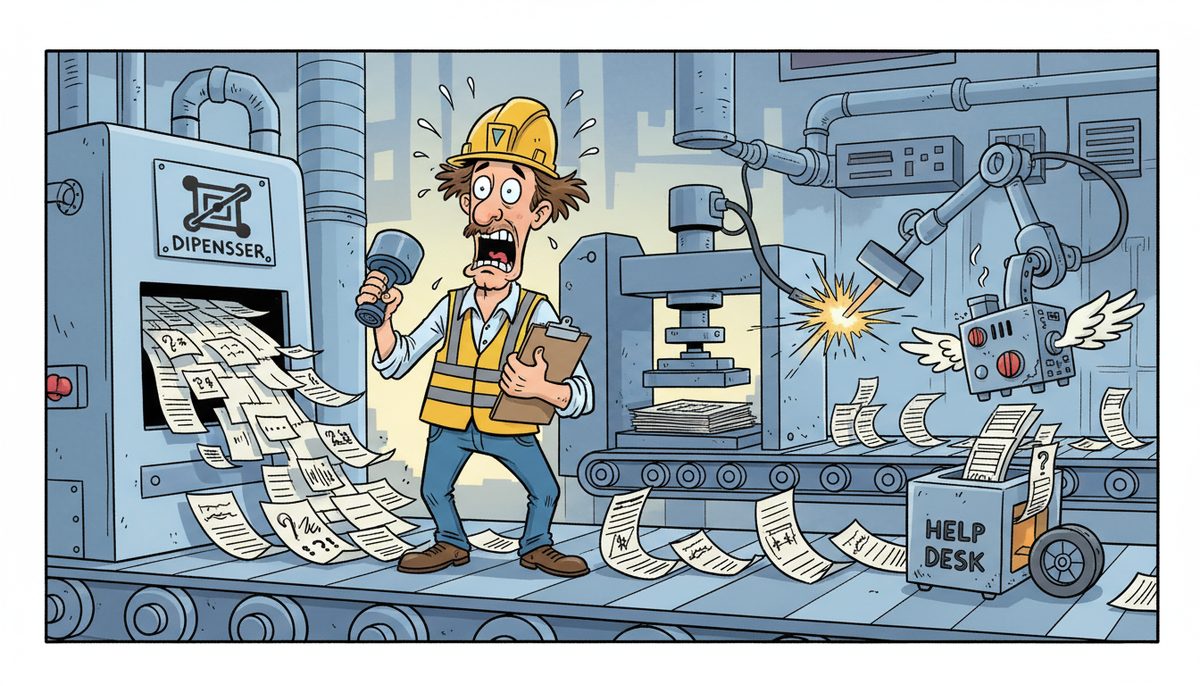
Monitor help desk tickets through real-time tracking systems that measure response time, resolution speed, and escalation patterns, with manufacturing environments requiring response within 15 minutes for production-critical issues. Effective management includes automatic ticket prioritization based on business impact, clear escalation protocols when remote resolution fails, and regular analysis of ticket patterns to prevent recurring problems that cause production downtime.
Why Do Your Help Desk Tickets Become Production Emergencies?
When your ERP system crashes mid-shift or your CNC machines lose network connectivity during a production run, the help desk ticket you create isn’t just a request—it’s a timer counting down lost machine time and missed shipments. The problem isn’t the ticket itself. It’s that most IT providers treat every ticket the same way, regardless of whether it’s a printer jam or a SCADA system failure stopping your entire production line.
Your shop floor operates on tight schedules. Work orders flow through your MES, materials move according to your bill of materials, and production scheduling depends on every system talking to each other. When one piece fails, the whole operation stalls. You’re not just losing time—you’re burning money on idle machines, scrambling to manually track work orders, and watching your OEE numbers tank.
The villain here is the mismatch between how IT support systems categorize problems and how manufacturing actually works. A “network connectivity issue” ticket might sit in a queue for hours while a technician finishes lower-priority work, but that same ticket represents your CNC machines sitting idle and a shipment deadline you’re about to miss.
Island manufacturers face an additional challenge: geography. When your IT provider is based on the mainland, even an “urgent” ticket means waiting for someone to catch the ferry. That’s not a response time measured in minutes—it’s measured in ferry schedules.
What Happens When Your Tickets Aren’t Monitored Properly?
Without proper ticket monitoring, production-critical issues get lost in the queue. You create a ticket when your production scheduling system goes down, then wait. And wait. Meanwhile, your shop floor supervisors are trying to track work orders on paper, your machine operators don’t know what to run next, and your production manager is calling customers to explain delays.
The financial impact compounds quickly. Every hour of production downtime doesn’t just cost you that hour—it cascades into overtime to catch up, expedited shipping to meet deadlines, and damaged relationships with customers who expected on-time delivery. Your just-in-time inventory model breaks down when you can’t predict production flow.
Poor ticket management also means recurring problems never get addressed. If your SCADA network drops connectivity every few weeks but each incident is treated as an isolated ticket, no one connects the pattern. You keep losing production time to the same underlying issue because the ticket system tracks incidents, not root causes.
For Vancouver Island manufacturers, inadequate monitoring creates another risk: compliance gaps. WorkSafeBC requires certain technology safeguards in industrial environments. PIPEDA and BC PIPA govern how you handle production data and employee information. When tickets related to security updates or backup failures aren’t properly tracked and resolved, you’re not just risking downtime—you’re risking regulatory violations.
A single unmonitored production system failure can cost your operation $5,000 to $15,000 in lost production time, rush charges, and customer penalties.
How Should You Track and Prioritize Your Help Desk Tickets?
Effective ticket tracking starts with understanding business impact, not just technical severity. Your help desk system needs to differentiate between a problem that stops production and one that’s merely inconvenient. This requires clear priority definitions that your entire team understands.
Critical priority tickets—those affecting production lines, ERP systems, SCADA networks, or CNC machine connectivity—should trigger immediate response. Not “within four hours” or “by end of business day.” Immediate means a real technician is diagnosing the problem within minutes of ticket creation.
High priority tickets affect productivity but don’t stop production entirely. Maybe your CAD workstation is down, delaying design work, or your inventory system is slow, making order processing frustrating. These need same-day resolution but don’t require dropping everything.
Medium and low priority tickets—software updates, new user setups, minor performance issues—can be scheduled around production needs. These are important for long-term efficiency but don’t justify pulling a technician away from a production emergency.
Your tracking system should automatically flag tickets that exceed expected resolution times. If a critical ticket isn’t resolved remotely within 15-30 minutes, escalation should be automatic, not something you have to request. For island-based operations, this means dispatching an on-site technician immediately rather than waiting to see if remote troubleshooting eventually works.
Real-time dashboards help you see what’s happening with your tickets without making follow-up calls. You should be able to check ticket status, see who’s working on your problem, and understand the expected resolution timeline. Transparency reduces the anxiety of waiting while production sits idle.
What Metrics Actually Matter for Your Help Desk Management?
Response time is your first critical metric. This measures how quickly a technician acknowledges your ticket and begins diagnosis. For production-critical issues, response time should be measured in minutes, not hours. Ernie, who works in manufacturing on Vancouver Island, experienced this difference firsthand: “I can’t speak highly enough about the support we’ve received from DataStream. As someone who’s not very tech-savvy, dealing with IT issues used to feel like a huge challenge. But with DataStream, it’s a completely different experience. They’re incredibly quick to respond, and whenever something goes wrong, they step in and resolve the issue right away. I’ve had experiences with other IT services in the past, where we sometimes didn’t even get a call back the same day, which was frustrating.”
Resolution time tracks how long it takes to actually fix the problem. This is more important than response time because your production line doesn’t start moving again until the issue is resolved. Track this separately for remote fixes versus on-site visits, because the difference reveals whether your provider can handle most problems without travel delays.
First-contact resolution rate shows what percentage of tickets get fixed on the first interaction without escalation or callbacks. High first-contact resolution means your technicians understand your systems and can diagnose problems accurately. Low rates suggest knowledge gaps or inadequate tools.
Escalation frequency reveals how often tickets need to be bumped to higher-level support. Frequent escalations indicate your front-line support doesn’t have the expertise to handle manufacturing-specific technology. For island manufacturers, every escalation adds delay.
Recurring ticket patterns are often invisible in traditional metrics but critically important. If you’re creating tickets for the same type of problem repeatedly—network drops, backup failures, software crashes—your IT provider isn’t addressing root causes. Track tickets by problem category over time to identify these patterns.
Downtime cost per ticket translates IT metrics into business language. Calculate the production value lost during each ticket’s resolution time. This helps you evaluate whether your current help desk approach is actually protecting your bottom line or just documenting problems as they drain money.
How Do You Build Effective Escalation and Resolution Protocols?
Escalation protocols should be automatic, not dependent on you knowing when to ask for more help. When a critical ticket isn’t resolved remotely within a defined timeframe—typically 15-30 minutes for production systems—the next level of response should trigger without requiring your intervention.
For Vancouver Island manufacturers, effective escalation means automatic on-site dispatch. If your SCADA system can’t be fixed remotely, a technician should already be heading to your facility in Victoria, Duncan, or Nanaimo, not waiting for you to call back and request an on-site visit. This eliminates the delay of deciding whether remote troubleshooting might eventually work while your production line sits idle.
Clear communication protocols prevent the frustration of wondering what’s happening. You should receive updates at defined intervals—every 15 minutes for critical tickets, for example—even if the update is “still diagnosing, here’s what we’ve ruled out.” Silence creates anxiety and forces you to make follow-up calls instead of focusing on managing your production floor.
Resolution protocols should include verification steps. When a technician reports a problem fixed, they should confirm that your production systems are actually functioning correctly, not just that the technical error cleared. For ERP or MES issues, this means verifying that work orders are flowing, not just that the server is responding to pings.
Documentation of each ticket’s resolution creates institutional knowledge. When the same problem occurs again—and in manufacturing environments, equipment-related issues often recur—your technician should be able to reference how it was fixed previously rather than starting diagnosis from scratch. This dramatically reduces resolution time for repeat issues.
Post-resolution analysis for major incidents helps prevent recurrence. When a critical system failure causes significant downtime, a brief review of what failed, why, and what can prevent it should be standard. This transforms reactive ticket management into proactive system improvement.
How Does Local Support Change Help Desk Management for Island Manufacturers?
Geography fundamentally changes help desk effectiveness for Vancouver Island manufacturers. When your IT provider is local—with technicians already on the island in Victoria, Nanaimo, or Duncan—response doesn’t depend on ferry schedules. This isn’t a minor convenience. It’s the difference between 30-minute on-site response and 3-hour response waiting for the next sailing.
Local support also means your help desk technicians understand island-specific challenges. They know that parts and equipment take longer to arrive here. They understand that your production schedules can’t absorb mainland-style response times. They’ve worked with other island manufacturers facing the same constraints you do.
When you call for help, reaching a real person immediately—no voicemail, no phone tree, no overseas call center—changes the entire experience. You’re talking to someone who can start diagnosing your problem right away, not leaving a message and wondering when you’ll hear back. For production emergencies, this immediate human contact reduces the panic of watching your shop floor sit idle with no idea when help is coming.
Local technicians can also provide on-site support for industrial environments that remote-only providers struggle with. SCADA systems, PLC programming, and HMI interfaces often require physical access to diagnose properly. Having technicians who can be on your shop floor quickly—and who understand manufacturing equipment—means faster resolution for the problems that can’t be fixed remotely.
DataStream Networks has served Vancouver Island manufacturers since 2012 with technicians based locally in Victoria, Nanaimo, Duncan, and Cobble Hill. When production systems fail, you reach a real person immediately who can start remote diagnosis right away, with automatic on-site dispatch if remote resolution isn’t possible—no ferry delays, no waiting to see if the problem might fix itself.
What Does Effective Help Desk Management Look Like in Your Operation?
When help desk tickets are monitored and managed properly, you experience a fundamentally different relationship with IT support. Problems still occur—technology fails, networks have issues, systems crash—but the experience of dealing with those problems changes completely.
You call and immediately talk to a technician who understands manufacturing systems. No voicemail. No phone tree asking you to describe your problem to an automated system. A real person who can start diagnosing your ERP issue or SCADA network problem right away.
Most problems get fixed remotely within minutes. Your technician connects to your systems, identifies the issue, and resolves it while you’re still on the phone. Your production line restarts, work orders start flowing again, and your machine uptime numbers don’t take a major hit.
When remote resolution isn’t possible, you don’t have to ask for an on-site visit or wonder whether you should wait longer. A technician is automatically dispatched to your facility. For island manufacturers, this means someone who’s already on Vancouver Island, not waiting for ferry schedules.
Your production schedules stay intact because IT problems get resolved in the timeframes manufacturing actually requires. You meet shipment deadlines consistently. Your customers receive their orders on time. Your OEE numbers reflect actual production efficiency, not IT-induced downtime.
You also gain peace of mind knowing your production data, CAD files, and manufacturing designs are protected. Backup systems work reliably, meeting PIPEDA and BC PIPA requirements. Security updates happen without disrupting production. Compliance isn’t something you worry about because it’s built into how your systems are managed.
Ready to stop losing production time to IT problems that take hours to resolve? Call (250) 929-0745 to talk to a real local technician who understands manufacturing systems—no voicemail, no phone trees, just immediate help when your production line needs it.
Here’s How It Works
- Call and talk to a real local technician immediately who understands manufacturing systems—no voicemail or phone trees delaying diagnosis of your production emergency.
- Get your production system diagnosed and fixed remotely within minutes in most cases, with real-time updates so you know exactly what’s happening and when your shop floor will be running again.
- If needed, a technician is automatically dispatched to your facility on Vancouver Island without ferry delays, arriving quickly to resolve problems that can’t be fixed remotely.
Your manufacturing operation depends on technology that works when you need it. Managed IT services designed for island manufacturers ensure help desk tickets get the response and resolution speed your production schedules actually require. Whether you’re in Victoria, Duncan, or Nanaimo, local support means faster response when production systems fail.
Frequently Asked Questions
What’s a reasonable response time for critical manufacturing help desk tickets?
Critical tickets affecting production lines, ERP systems, or SCADA networks should receive response within 15 minutes, with active diagnosis beginning immediately. Resolution timeframes vary by issue complexity, but most problems should be fixed remotely within 30 minutes or trigger automatic on-site dispatch. Response times measured in hours are inadequate for manufacturing environments where downtime directly impacts revenue and shipment deadlines.
How do you prevent help desk tickets from getting lost in the queue?
Automatic prioritization based on business impact ensures production-critical tickets receive immediate attention regardless of queue position. Real-time monitoring flags tickets exceeding expected resolution times, triggering escalation protocols. Dedicated manufacturing support with technicians who understand industrial systems prevents misclassification of critical issues. Transparency through status dashboards eliminates the need for follow-up calls to check on ticket progress during production emergencies.
Should manufacturing companies use ticketing systems or direct phone support?
Manufacturing environments need both: immediate phone access to real technicians for production emergencies, with automatic ticket creation in the background for tracking and documentation. Phone trees and voicemail systems are inappropriate for critical production issues. The best approach combines instant human contact for diagnosis with systematic ticket tracking for resolution verification, pattern analysis, and compliance documentation under WorkSafeBC, PIPEDA, and BC PIPA requirements.
How often should help desk ticket metrics be reviewed for manufacturing operations?
Review ticket metrics weekly to identify patterns in recurring issues, response times, and resolution effectiveness. Monthly analysis should examine downtime costs per ticket, first-contact resolution rates, and escalation frequency. Quarterly reviews should assess whether your help desk approach is preventing production losses or merely documenting them. Immediate review is warranted after any ticket causing significant production downtime to prevent recurrence of expensive failures.
What information should be included when creating a help desk ticket for production systems?
Describe the business impact first—which production line is down, what shipment deadline is at risk—then technical symptoms. Include what changed recently, error messages displayed, and which systems are affected. For ERP, MES, or SCADA issues, note whether the problem affects one workstation or multiple systems. Specify your production schedule constraints so technicians understand urgency. Clear initial information accelerates diagnosis and appropriate resource allocation for faster resolution.



