
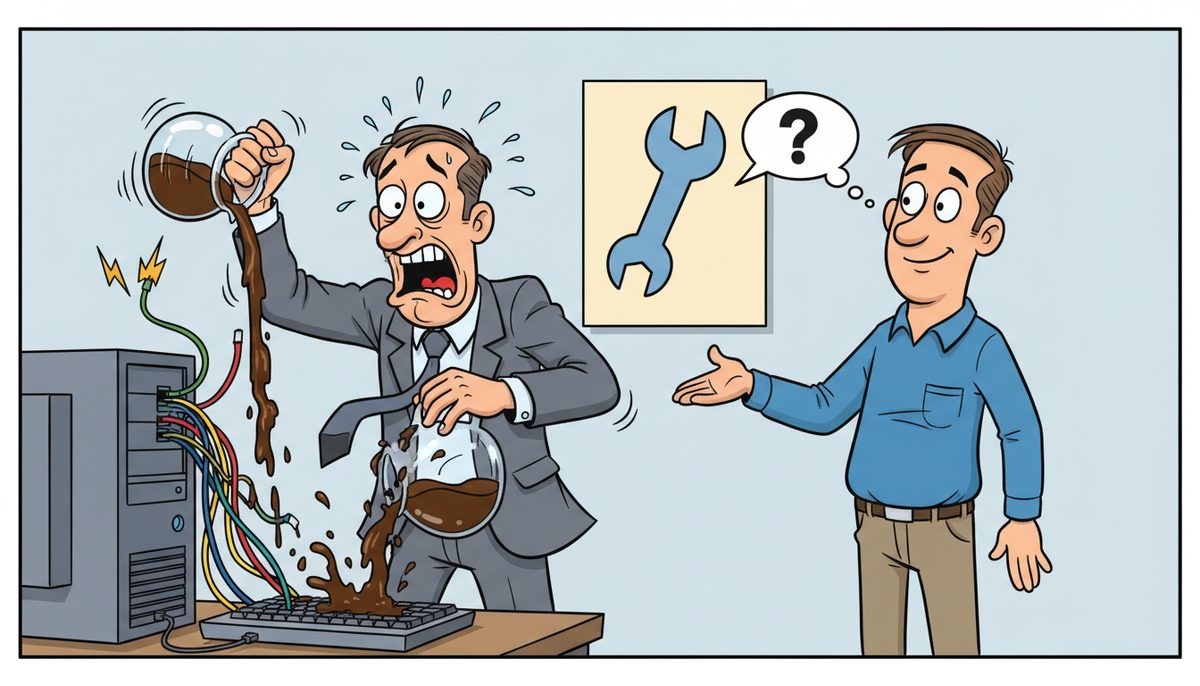
If you suspect a cybersecurity incident, immediately disconnect affected devices from your network without shutting them down, document what you observed and when, and contact your IT support provider within 15 minutes. Preserve evidence by avoiding further system use, notify your managing partner, and prepare to assess whether client data was accessed—which triggers CPA BC and PIPA reporting obligations within 72 hours.
Why do cybersecurity incidents feel impossible to detect until it’s too late?
You’re in the middle of busy season, racing through T1 returns with April 30th looming. Someone clicks what looks like a CRA notice. An hour later, files start disappearing or encrypting.
The villain isn’t just the ransomware or the phishing email. It’s the invisibility of modern attacks combined with the breakneck pace of tax season work. Your staff process hundreds of emails daily during year-end—client documents, CRA correspondence, bank statements. Distinguishing a sophisticated phishing attempt from legitimate communication takes time you don’t have when you’re juggling 47 T2 deadlines.
Cybercriminals specifically target CPA firms between January and April because they know you’re overwhelmed, distracted, and handling the most sensitive client data of the year. They craft emails that reference real CRA forms, mimic client communication styles, and exploit the urgency that defines your busy season.
Most incidents don’t announce themselves with flashing warnings. Files encrypt gradually in the background. Credential theft happens silently. Email compromises forward copies of client communications without your knowledge. By the time you notice something wrong, attackers have often been inside your systems for days or weeks.
That delay transforms a containable security event into a practice-threatening crisis that requires CPA BC breach reporting and client notifications under PIPA.
What actually happens if you don’t respond correctly in the first hour?
The first 60 minutes after you suspect an incident determine whether you contain the problem or watch it spread across your entire practice.
If you keep working on infected systems, ransomware encrypts more files—including your backups if they’re network-connected. If you shut down devices improperly, you destroy forensic evidence that investigators need to determine what data was accessed, which directly affects your PIPA breach notification obligations.
If you don’t isolate affected devices from your network immediately, malware spreads to other workstations and your server. That T1 return you’re frantically trying to save before shutdown? You’ve just given the attack vector access to your entire client file directory.
Waiting to call for help because you’re “not sure” if it’s really an incident costs you the window where remote technicians can isolate systems before encryption completes. During tax season on Vancouver Island, if you’re dependent on mainland IT support, you’re adding ferry transit time to an already critical timeline.
Miss the containment window and you’re facing: corrupted client files days before filing deadlines, mandatory breach reporting to CPA BC within 72 hours, potential notification to every affected client under PIPA, and practice inspection findings related to inadequate incident response procedures.
83% of ransomware attacks on professional services firms occur during peak business periods when staff are most distracted and least likely to scrutinize suspicious communications.
How do you know if what you’re seeing is actually an incident?
You don’t need certainty to act. You need a threshold for suspicion that triggers your response protocol.
Treat these as immediate red flags: files you can’t open suddenly or files with changed extensions (.encrypted, .locked, or random characters), ransom notes appearing on screens or in folders, programs running slowly or crashing repeatedly without explanation, or unexpected password reset emails you didn’t request.
Also suspicious: emails sent from your account that you didn’t write, clients calling about emails “from you” you never sent, unexpected multi-factor authentication prompts when you’re not logging in, or pop-ups demanding payment to “unlock” your system.
Financial red flags include: unauthorized changes to client direct deposit information in your accounting software, unexpected wire transfer requests that “look” like they’re from clients or partners, or login attempts from unfamiliar locations showing in your email security logs.
For CPA firms specifically, watch for: working papers disappearing from engagement files, tax software behaving erratically during EFILE submissions, client portal access issues affecting multiple users simultaneously, or backup jobs failing repeatedly without clear cause.
The mistake most practices make is investigating before isolating. Your instinct is to click around, check other files, see how bad it is. That instinct spreads the infection and destroys evidence.
If you see any combination of these signs during tax season, you’re facing a potential incident that requires immediate containment.
What are the exact steps to take in the first 15 minutes?
Your response in the first quarter-hour determines everything that follows. Speed matters more than perfect information.
Minute 1-3: Isolate without destroying evidence. Disconnect the affected device from your network by unplugging the ethernet cable or disabling WiFi. Do not shut down the computer—running systems preserve memory evidence that investigators need. If you’re seeing active encryption happening on screen, then power off immediately to stop the spread, but this is the only exception.
Minute 4-6: Document what you observed. Write down exactly what you saw, when you first noticed it, what you were doing immediately before, and what actions you’ve taken. Screenshot any ransom notes or error messages with your phone—don’t save screenshots to the potentially infected device. Note the current time and date.
Minute 7-10: Notify your IT support immediately. Call your IT provider and describe what you observed. If you reach a real person immediately—no voicemail or phone trees—you’re getting guidance while the situation is still containable. For Victoria CPA firms, this is where local Vancouver Island technicians make the critical difference: no waiting for ferry-dependent mainland support while client files encrypt.
Minute 11-15: Alert your managing partner and stop using connected systems. Inform practice leadership so they can assess client impact and prepare for potential breach reporting obligations. Tell staff to stop working on network-connected devices until IT support provides clearance. Do not attempt to access backed-up files yet—if backups are network-connected, they may also be compromised.
What you do not do: don’t pay any ransom demand before consulting IT and legal counsel, don’t delete anything (including suspicious emails), don’t attempt to “clean” the infection yourself with antivirus scans, and don’t post about the incident on social media or discuss it with clients until you understand the scope.
These 15 minutes are your containment window. Use them to stop the spread, preserve evidence, and get expert help before the incident escalates.
What information do you need to gather for investigators and regulators?
CPA BC practice inspections examine your incident response procedures. PIPA breach reporting requires specific details about what data was potentially accessed. You need documentation that satisfies both.
Start with a timeline: when you first noticed something wrong, what specific symptoms you observed, what actions you took and when, who you notified and at what times, and when systems were isolated from the network. Precise timestamps matter for regulatory reporting.
Document the scope: which devices were affected, what client files or engagement files were stored on those devices, whether your server or cloud storage showed signs of compromise, and which staff members had access to affected systems. For CPA firms, this means identifying which client files were potentially exposed—T1s, T2s, financial statements, working papers, or personal information like SINs and banking details.
Preserve evidence: don’t delete suspicious emails (forward them to IT support instead), save copies of any ransom notes or threatening messages, photograph any on-screen warnings or error messages, and keep logs of any unusual login attempts or system access. Your IT provider needs this information to determine attack vectors and assess whether backups are clean.
Identify potential data exposure: list which clients’ information was stored on affected systems, what types of personal or financial information those files contained, whether any client data was encrypted or exfiltrated, and whether any client portal credentials may have been compromised. This assessment determines your PIPA notification obligations.
For regulatory purposes, document your response actions: when you contacted IT support, what containment measures you implemented, when you notified practice leadership, and when you began assessing client data impact. CPA BC expects documented incident response procedures and evidence that you followed them.
The more thoroughly you document in real-time, the more confidently you can answer the question that determines everything: was client data accessed or exfiltrated?
When do you have to report to CPA BC and notify clients?
British Columbia’s Personal Information Protection Act creates mandatory breach notification requirements that override your instinct to “wait and see” how bad it is.
You must report to CPA BC if the incident involves client personal information and poses a “real risk of significant harm” to affected individuals. Significant harm includes identity theft, fraud, damage to reputation, or financial loss. For CPA firms, client files containing SINs, banking information, tax returns, or financial statements clearly meet this threshold.
PIPA requires notification “as soon as feasible” after determining a reportable breach occurred—regulators interpret this as within 72 hours of confirmation. The clock starts when you confirm that personal information was accessed, not when you first suspected an incident.
You report to the Office of the Information and Privacy Commissioner for BC, providing: a description of the circumstances, the date or time period of the breach, the personal information involved, an assessment of risk of harm, the steps you’ve taken to reduce risk, and the steps you’ve taken to notify affected individuals.
You must also notify affected clients directly if there’s a real risk of significant harm. This notification includes: a description of the incident, the personal information involved, what you’re doing to mitigate harm, what they can do to protect themselves, and your contact information for questions. For CPA firms, this often means individual calls to clients whose tax returns or financial data were exposed.
CPA BC practice inspection standards require documented incident response procedures and evidence of appropriate action when breaches occur. Failing to report when required, or delaying notification, becomes a practice inspection finding that affects your professional standing.
The reporting decision requires legal judgment about “real risk of significant harm.” This is where having IT support who can definitively answer “was data accessed or just encrypted?” becomes critical. If ransomware encrypted files but forensic analysis shows no data exfiltration, your reporting obligations differ from incidents where attackers accessed and copied client information.
Don’t make the reporting determination alone. Consult with legal counsel who understands PIPA requirements and with IT forensic experts who can assess what actually happened to your data.
How does a guide help you contain incidents before they destroy your practice?
When your server crashes on April 28th with dozens of T1s due in 48 hours, every minute without access to client files threatens your professional reputation. When you call for help and reach voicemail or an overseas support center that doesn’t understand CRA deadlines, that panic intensifies.
The difference between containable incidents and practice-threatening disasters often comes down to response time measured in minutes, not hours. Local Vancouver Island technicians who answer immediately—no voicemail, no phone trees, no ferry delays—can remotely isolate affected systems, assess backup integrity, and begin recovery while mainland-dependent competitors are still waiting for the next sailing from Tsawwassen.
Wally, who runs a retail business on Vancouver Island, experienced what happens when IT infrastructure lacks focused attention: “DataStream smoothly transitioned us to take back control of our network! Over the course of several years we had used support staff that was not focused on the IT infrastructure and used outside contract IT providers as needed to maintain our systems.” For CPA firms, that lack of focused infrastructure attention during an active incident means the difference between recovering client files and explaining to CPA BC why you’ve lost working papers.
Marjorie, who works with a nonprofit organization, experienced transparency during a data recovery crisis: “Working with DataStream has been transformative for our non-profit organization. What really set them apart was their transparency and the way they explained everything during our data recovery process. They took the time to walk us through all the available options, including any financial impacts, in a clear and understandable way.” For CPA firms, that same transparency during incident response means understanding exactly what data was affected and whether you’re facing PIPA reporting obligations—not technical jargon that leaves you guessing.
DataStream Networks has served Vancouver Island businesses since 2012. Live people answer phones with no voicemail, phone tree, or long wait times. For Victoria CPA firms facing cybersecurity incidents during tax season, that means talking to a real technician in Victoria, Nanaimo, Duncan, or Cobble Hill who understands both the technical response and the professional obligations you’re facing.
Most problems get fixed remotely within minutes—malware isolation, backup verification, system restoration from clean snapshots. When remote resolution isn’t possible, a local technician is automatically dispatched to your office without you having to make a second call or wait for approval. No ferry schedules, no mainland traffic delays, no wondering when help will arrive while April 30th approaches.
Response includes: immediate system isolation to prevent spread, forensic analysis to determine what data was accessed, clean backup verification and restoration, malware removal and system hardening, documentation for regulatory reporting, and guidance on CPA BC and PIPA notification requirements. Response time measured in minutes versus hours determines whether you meet filing deadlines or explain to clients why their returns are late.
What does effective incident response look like for your practice?
Picture completing tax season knowing that if technology problems arise—suspicious emails, system slowdowns, file access issues—you can reach a real Victoria technician immediately who resolves the situation before it threatens client deadlines or triggers breach reporting requirements.
Imagine sleeping soundly during busy season because your client files are backed up with verified recovery processes, protected by security systems that meet CPA BC practice inspection standards, and supported by technicians who understand both IT security and professional regulatory obligations.
Effective incident response means: documented procedures that staff can follow the moment they suspect something wrong, IT support that answers immediately when you call during a crisis, local technicians who arrive without ferry delays when on-site response is needed, and transparent guidance on regulatory reporting obligations so you’re never guessing about CPA BC or PIPA requirements.
Here’s how to build that capability into your practice:
- Call (250) 929-0745 and talk immediately to a real Victoria-based technician who understands CPA firm deadlines and can assess your current incident response readiness—no voicemail, no phone trees, no waiting.
- Get your incident response procedures documented and tested so your staff know exactly what to do the moment they suspect a cybersecurity incident, with most issues diagnosed and contained remotely within minutes.
- Implement monitored backup and security systems that meet CPA BC practice inspection standards, with automatic local technician dispatch when on-site support is needed—no ferry-dependent mainland support during tax season crises.
Managed IT services typically run $150–$225 per user per month, which includes help desk support, security monitoring, backup management, and incident response. Compare that to the cost of missing CRA filing deadlines, losing clients after a security breach exposes their financial data, or facing CPA BC practice inspection findings for inadequate incident response procedures.
Your clients trust you with their most sensitive financial information—SINs, banking details, business financial statements, personal tax returns. That trust assumes you can protect their data and respond effectively when security incidents occur. The question isn’t whether you’ll face a cybersecurity incident, but whether you’ll contain it in minutes or watch it escalate into a practice-threatening crisis during your busiest season.
You don’t need to become a cybersecurity expert. You need a guide who answers immediately when incidents occur, understands CPA firm regulatory obligations, and operates on Vancouver Island timelines—not ferry schedules. IT support in Victoria means local technicians who can be at your office during tax season crises, not mainland providers promising next-day service after the ferry arrives.
Call (250) 929-0745 now to talk to a real technician about your incident response readiness. Or continue managing cybersecurity on your own and hope the next suspicious email doesn’t arrive on April 28th.
Frequently asked questions
Should I shut down my computer if I suspect ransomware?
Only shut down if you’re actively watching files encrypt on screen. Otherwise, disconnect from the network by unplugging ethernet or disabling WiFi, but leave the device running. Running systems preserve memory evidence that forensic investigators need to determine what data was accessed, which directly affects your PIPA breach reporting obligations. Call your IT support immediately after disconnecting.
How long do I have to report a data breach to CPA BC?
PIPA requires notification “as soon as feasible” after confirming a reportable breach—regulators interpret this as within 72 hours. The clock starts when you confirm personal information was accessed, not when you first suspected an incident. You must report to the BC Privacy Commissioner and notify affected clients if there’s real risk of significant harm, which includes most incidents involving client tax returns or financial data.
Can I recover files if ransomware encrypted them?
Recovery depends on whether you have clean, verified backups that weren’t connected to your network during the attack. Professional IT support can assess backup integrity and restore from snapshots taken before the infection. Never pay ransom before consulting IT and legal counsel—payment doesn’t guarantee file recovery and may fund additional attacks. Most CPA firm data can be recovered if proper backup procedures were in place.
What if I’m not sure whether it’s really a cybersecurity incident?
Act on suspicion rather than waiting for certainty. If you see files you can’t open, unexpected password resets, programs crashing repeatedly, or emails sent from your account you didn’t write, disconnect the affected device and call IT support immediately. False alarms are better than delayed response that allows incidents to spread. Victoria-based technicians can diagnose remotely within minutes and tell you whether you’re facing a real incident.
Do I need to tell clients about every security incident?
PIPA requires client notification only when a breach involves their personal information and poses “real risk of significant harm”—identity theft, fraud, financial loss, or reputation damage. Incidents where ransomware encrypted files but forensic analysis shows no data access or exfiltration may not require individual client notifications. Consult legal counsel and IT forensic experts to assess notification obligations based on what actually happened to client data in your specific incident.