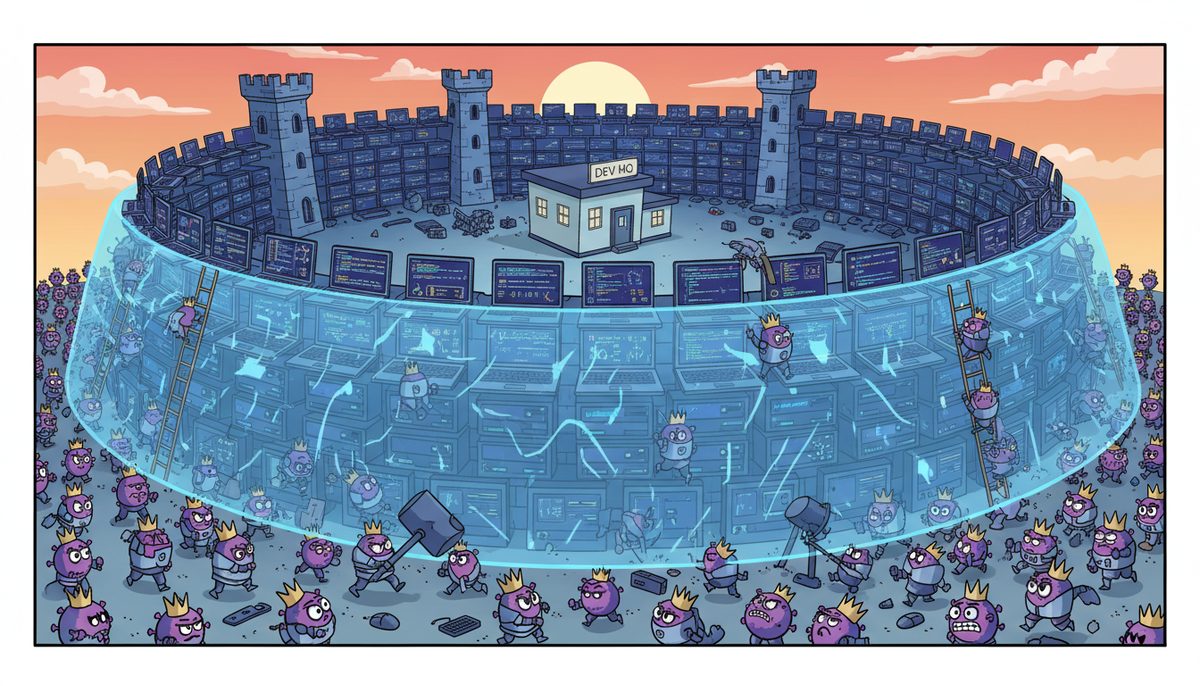
Microsoft Defender for Endpoint monitors every CAD workstation, laptop, and server in your engineering firm for ransomware, malware, and unauthorized access attempts in real-time. It automatically isolates infected devices within seconds to prevent threats from spreading to project files, BIM models, or client data. The platform blocks over 99% of known threats before they execute and provides detailed forensic data when EGBC compliance or professional liability investigations require documentation of security incidents.
Why do engineering firms become targets for cyberattacks?
Your firm holds exactly what cybercriminals value most: proprietary designs worth millions in intellectual property, client data protected by PIPEDA, and project timelines that make you vulnerable to extortion. A single ransomware infection can encrypt every drawing set, specification, and as-built document your firm has produced.
You collaborate constantly—sharing files with subconsultants on the mainland, receiving submissions from contractors, and accessing project data from remote sites across the island. Every file transfer, every email attachment from a new vendor, and every login from a site inspection creates an entry point.
The villain isn’t just the ransomware itself. It’s the geographic isolation that turns a security incident into a business-ending crisis. When a mainland firm gets hit, they can have forensic specialists on-site within an hour. When your Victoria office discovers encrypted CAD files at 4 p.m., you’re watching the clock knowing that every minute of delay means another missed deadline, another client questioning your reliability.
Traditional antivirus software checks files against a database of known threats. But ransomware variants evolve daily, and by the time signature databases update, your project files are already encrypted. You need protection that understands behavior, not just signatures—something that recognizes when a process starts encrypting hundreds of files per second and stops it immediately.
What happens if ransomware encrypts your project files the week before a tender deadline?
You lose the ability to submit stamped drawings on time. Municipal tender deadlines don’t extend because your technology failed. Your client doesn’t care that ransomware encrypted your Revit models—they care that the construction schedule just slipped three months and the contractor is threatening to walk.
The financial damage extends beyond the ransom demand. Every engineer on your team sits idle, unable to access project files, while you’re still paying salaries. Your subconsultants can’t proceed with their portions of the work. The prime consultant starts looking for a replacement firm that can actually deliver.
Professional liability becomes a real concern. EGBC requires you to maintain proper records and deliver competent service. When you can’t produce project documentation because it’s been encrypted, you’re explaining to your professional liability insurer why you didn’t have adequate security controls in place. That conversation affects your premiums for years.
Reputation damage in Victoria’s tight-knit engineering community spreads quickly. Public sector clients—BC Ferries, municipalities, BC Hydro—share information about consultant performance. One missed deadline due to a preventable security failure becomes the story that follows your firm through every future proposal evaluation.
The average cost of a ransomware attack on a small professional services firm exceeds $200,000 when you account for ransom payments, recovery costs, lost billable hours, and client attrition.
How does Defender for Endpoint detect threats before they encrypt your files?
Defender for Endpoint uses behavioral analysis to identify ransomware activity the moment it starts. When a process begins encrypting files at an abnormal rate—the signature behavior of ransomware—the system terminates that process within seconds and isolates the affected workstation from your network.
The platform monitors every executable file, script, and macro that attempts to run on your CAD workstations and file servers. It checks each against Microsoft’s threat intelligence database, which aggregates attack data from billions of devices worldwide. If a file matches a known threat signature or exhibits suspicious behavior patterns, it’s blocked before execution.
This matters most during the activities that create vulnerability. When an engineer opens a ZIP file attached to an RFI response from an unfamiliar contractor, Defender scans every file inside before extraction. When someone clicks a link in an email claiming to be a submittal notification, the system checks the destination URL against databases of known phishing sites and blocks access if it’s malicious.
The endpoint detection and response (EDR) component provides forensic visibility into every security event. If an attack does penetrate your defenses, you can trace exactly how it entered, which devices it touched, and what data it accessed. This documentation becomes critical when you need to notify clients under PIPEDA breach notification requirements or demonstrate due diligence to EGBC.
Automatic remediation handles most threats without human intervention. When Defender identifies a malicious process, it doesn’t just alert you and wait for someone to respond—it quarantines the threat, rolls back malicious changes to system files, and restores affected files from shadow copies when possible. Your engineers keep working while the threat is neutralized in the background.
What specific protections does Defender provide for CAD workstations and project files?
Defender’s controlled folder access feature specifically protects your most valuable data from ransomware. You designate folders containing project files, drawing sets, and BIM models as protected. Only approved applications—AutoCAD, Revit, Civil 3D, your PDF generator—can modify files in those folders. Any unauthorized process attempting to encrypt or alter those files is immediately blocked.
This protection extends to network file shares where you store active projects. When an engineer’s laptop gets infected during a site visit to a remote forestry road project, the ransomware can’t spread to your file server and encrypt the entire project archive. The infected device is isolated, but your project continuity remains intact.
Application control prevents unauthorized software from running on engineering workstations. Your team can run the CAD applications, rendering software, and collaboration tools they need for work. But when someone accidentally downloads a fake “AutoCAD plugin” that’s actually malware, Defender blocks execution because it’s not on your approved application list.
Web protection filters malicious websites and prevents engineers from accidentally downloading threats. When someone searches for a CAD block library and clicks a result that leads to a compromised site hosting drive-by downloads, Defender blocks the connection before any malicious code reaches the workstation.
Device control manages USB drives and external storage. You frequently receive project data on USB drives from clients, contractors, and subconsultants. Defender can scan these devices automatically when connected, blocking any that contain malware before files are copied to your network. You can also restrict which devices are allowed to connect, preventing data exfiltration through unauthorized USB drives.
How does a local IT partner make Defender actually work for your engineering workflow?
Defender for Endpoint is powerful, but it requires configuration specific to engineering workflows. Out of the box, it doesn’t know which applications your firm uses, which folders contain project files, or how your team collaborates with external partners. That’s where implementation expertise matters.
You need someone who understands that blocking all macros breaks your specification templates, but allowing all macros creates vulnerability. You need controlled folder access configured to protect project files without preventing legitimate saves from Revit or Civil 3D. You need application control that allows your rendering software to function while blocking everything else.
When your CAD workstation crashes two hours before a tender submission deadline and you’re watching the clock, wondering if you’ll get your stamped drawings to the client on time—that’s the moment you need help immediately. When Revit files won’t sync between your Victoria office and subconsultants on the mainland, and your project coordination grinds to a halt, you can’t wait three days for a callback.
Since 2012, local technicians in Victoria, Nanaimo, Duncan, and Cobble Hill have been helping Vancouver Island businesses implement security that protects without disrupting workflows. When Defender flags a false positive that blocks a legitimate CAD plugin, you reach a real person immediately—no voicemail, no phone trees, no waiting for mainland support to catch the ferry.
Daryl, who works in construction, put it this way: “Considering all the cyber threats facing businesses today, you have to ask, what happens if your systems go down and you can’t operate for several days? If this would cause you big problems, I’d suggest protecting yourself by selecting DataStream as your security partner and get some peace of mind knowing they have it covered. If not, roll the dice. Problems will find you eventually.”
Most problems are fixed remotely within minutes. When Defender blocks a legitimate application and your engineer can’t complete a drawing revision, policies are adjusted immediately while you’re still on the phone. If a workstation needs hands-on attention, a technician is automatically dispatched to your Victoria office the same day—no scheduling delays, no waiting until next week.
Ongoing management keeps protection current as threats evolve. Microsoft releases Defender updates constantly, adding detection for new ransomware variants and attack techniques. Someone needs to monitor those updates, test them against your engineering applications, and deploy them without breaking your workflow. That monitoring happens proactively, not after an attack succeeds.
What does implementation look like for a Victoria engineering firm?
- Call (250) 929-0745 to talk to a real technician who understands engineering software and security requirements. Your current environment will be assessed—how many workstations, which CAD applications you use, how you share files with subconsultants, and where your project data lives.
- Defender for Endpoint is deployed to your devices and protection policies are configured specific to your workflow. Controlled folder access protects your project file locations. Application control allows your engineering software while blocking everything else. Device control manages USB drives from external partners. Everything is tested against your actual daily work to ensure protection doesn’t disrupt productivity.
- Your team continues working while security events are monitored and threats are responded to in real-time. When Defender blocks an attack, immediate investigation confirms it’s genuine and documents the incident for your records. When it flags a false positive, policies are adjusted within minutes so your engineers aren’t blocked from legitimate work.
What does success look like when your engineering firm is properly protected?
You submit tender packages and stamped drawings on time, every time, because ransomware can’t encrypt your project files. When a phishing email makes it through to an engineer’s inbox and they click the link, Defender blocks the malicious payload before it executes. Your firm’s reputation for reliability remains intact.
Engineers focus on billable design work instead of recovering from security incidents. Nobody spends three days rebuilding a corrupted Revit model from backup because the original was encrypted. Your project schedules stay on track because technology problems don’t create delays.
You win more public sector contracts because your firm demonstrates the security controls that government clients increasingly require. When RFPs ask about endpoint protection, data security, and incident response capabilities, you have documented answers that differentiate your firm from competitors still relying on basic antivirus.
Professional liability risk decreases because you can demonstrate due diligence in protecting client data and project documentation. If EGBC ever questions your record-keeping or a client claims data was compromised, you have forensic logs showing exactly what security controls were in place and how threats were handled.
You sleep soundly knowing your project files, environmental assessment data, and client information are protected by the same enterprise-grade security that Fortune 500 companies use, but implemented by people who understand Vancouver Island engineering firms and answer their phones immediately when you call.
Ready to protect your firm’s project files and reputation from ransomware? Call (250) 929-0745 to talk to a real local technician now, or visit the contact page to schedule a security assessment. You’ll see exactly how Defender for Endpoint protects engineering workflows without disrupting your ability to meet deadlines.
Learn more about comprehensive protection for your firm through managed IT services designed for Vancouver Island businesses.
Frequently asked questions
Does Microsoft Defender for Endpoint work with AutoCAD and Revit?
Yes, Defender for Endpoint is fully compatible with AutoCAD, Revit, Civil 3D, and other engineering applications. The platform is configured to allow your CAD software to function normally while blocking unauthorized processes from accessing or encrypting project files. Controlled folder access protects drawing sets and BIM models while permitting legitimate saves and modifications from approved engineering applications.
Can Defender protect project files stored on network drives and file servers?
Defender for Endpoint protects both individual workstations and the file servers where you store project data. When an infected laptop attempts to encrypt files on a network share, Defender isolates that device immediately before ransomware can spread to your project archive. This prevents a single compromised workstation from destroying your entire collection of drawing sets, specifications, and as-builts.
What happens if Defender blocks a legitimate engineering application or plugin?
False positives are rare but can occur with new or custom engineering plugins. When Defender blocks legitimate software, you call a real local technician immediately—no voicemail or phone trees. Most issues are resolved remotely within minutes by adjusting application control policies to whitelist the blocked software. Your engineer continues working while the policy update deploys in the background.
How much does Defender for Endpoint cost for a small engineering firm?
Microsoft Defender for Endpoint is typically included in Microsoft 365 Business Premium or deployed as part of a comprehensive security package. For Vancouver Island engineering firms, managed EDR/MDR with 24×7 security operations center monitoring ranges from $15–$35 per device per month, depending on the number of workstations and level of management required. This includes deployment, configuration, ongoing monitoring, and incident response.
Does Defender meet EGBC and PIPEDA compliance requirements for data protection?
Defender for Endpoint provides the technical security controls required under PIPEDA for protecting client data and supports EGBC record-keeping requirements by preventing unauthorized access to project documentation. The platform generates detailed audit logs documenting security events, threat responses, and access attempts—evidence you need to demonstrate due diligence if a breach occurs or regulatory investigation arises.
Can remote engineers working from site inspections be protected by Defender?
Yes, Defender for Endpoint protects laptops and mobile devices regardless of location. Engineers working from remote Vancouver Island infrastructure sites, ferry terminals, or client offices receive the same real-time threat protection as devices in your Victoria office. The platform monitors and responds to threats even when devices aren’t connected to your office network, preventing infections acquired during site visits from spreading when engineers return.