
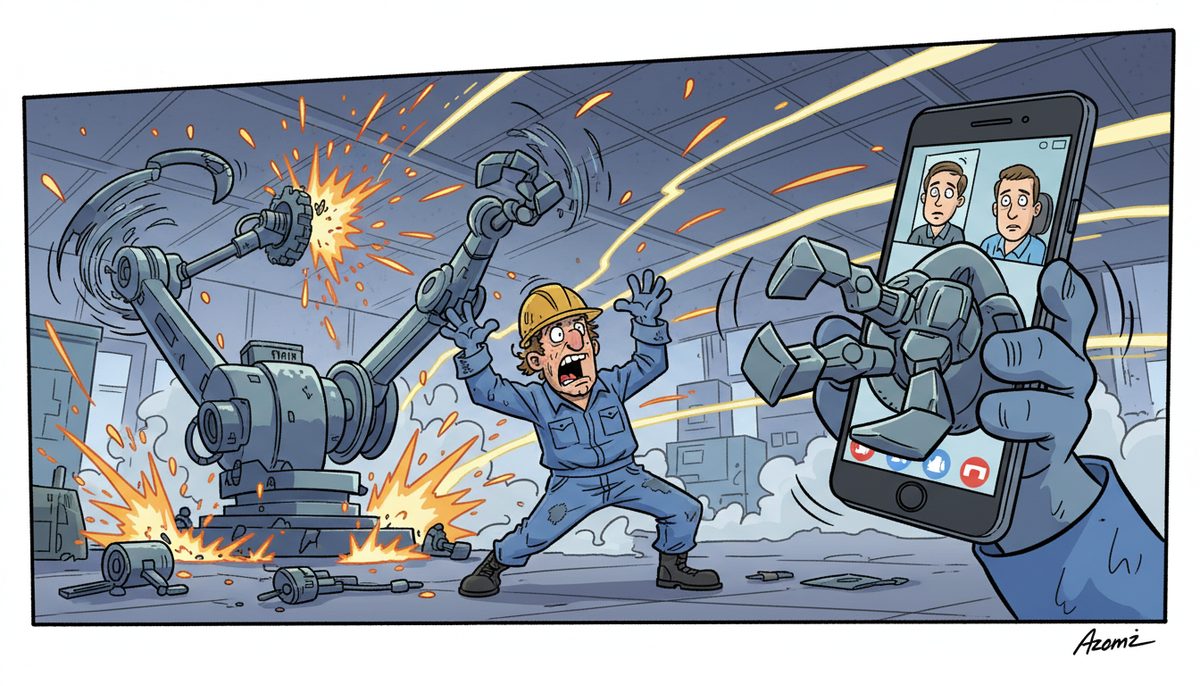
Yes, you can use Microsoft Teams to reach your IT provider for manufacturing support, and many Vancouver Island manufacturers do. DataStream Networks answers through Teams, phone, and email with live people responding immediately. Most problems are fixed remotely within minutes, and when production line issues require hands-on work, on-site technicians dispatch automatically within 1-2 hours without you needing to escalate through multiple channels.
How does Microsoft Teams work for manufacturing IT support requests?
Microsoft Teams functions as a direct channel to your IT provider’s help desk. You send a message describing the issue—whether it’s a CNC machine losing network connectivity, ERP system slowdown, or CAD workstation crash—and technicians receive it instantly.
The platform supports text messages, screenshots, and even quick video clips showing what’s happening on the shop floor. This visual context helps technicians diagnose problems faster than phone descriptions alone, especially for HMI interface errors or SCADA display issues.
Teams integrates with ticketing systems, so every request gets tracked automatically. You can see the status of open issues, review past resolutions, and reference previous fixes without digging through email threads.
For urgent production emergencies, Teams notifications alert technicians immediately. But most Vancouver Island manufacturers still prefer calling during true downtime events—when every minute of production delay costs money, hearing a live voice provides reassurance that help is actively working on the problem.
Teams works best for routine requests, scheduled maintenance coordination, and follow-up questions after a fix.
What are the advantages of Teams for manufacturing IT support?
Teams creates a permanent record of every IT interaction. When a production scheduling issue recurs six months later, you can search the conversation history and find exactly what fixed it last time, including configuration settings and workaround steps.
Multiple team members can participate in the same support thread. Your production manager in Victoria, quality control supervisor in Duncan, and plant manager in Nanaimo can all see the same conversation with your IT provider, eliminating the telephone-game problem where critical details get lost in handoffs.
Screenshots and screen recordings upload directly in the chat. When a machine operator sees an error code on a CNC controller, they can snap a photo and send it immediately. Technicians can often identify the problem and provide a fix before the operator finishes typing a description.
Teams supports file sharing for technical documentation. Your IT provider can send updated network diagrams, equipment configuration guides, or security policy documents directly in the conversation where you’re discussing the issue.
The platform works on desktop computers, tablets, and phones. Shop floor supervisors can report problems from mobile devices without returning to an office computer, reducing the time between problem detection and IT notification.
Teams provides better context than email for complex issues requiring back-and-forth troubleshooting.
What are the limitations of Teams for production emergencies?
Teams depends on internet connectivity. If your network goes down—the exact scenario when you need IT support most urgently—Teams becomes unavailable. Phone lines remain the essential backup channel for network outages and internet circuit failures.
Text communication lacks the urgency signal of a phone call. When a production line stops and you’re losing thousands of dollars per hour, typing a Teams message doesn’t convey the same immediate crisis as calling and speaking to a live technician.
Michelle, a manufacturing client, described the value of direct response: “Quick response to problems and their knowledge of networks systems and computers allow them to fix the problem right the first time. I never have to worry anymore about our network going down and how I am going to get it fixed. Most of the time you know as soon as I do that, we have a problem.” That proactive awareness comes from relationship-building that happens through multiple communication channels, not Teams alone.
Teams messages can get buried in busy channels. If your IT provider uses a single shared channel for all clients, your urgent request might scroll past unnoticed during high-volume periods. Dedicated channels or proper notification systems solve this, but not all providers configure them correctly.
Some manufacturing environments have BYOD policies or security restrictions that prevent Teams installation on shop floor devices. Industrial tablets running specialized software may not support the full Teams application.
For true production emergencies on Vancouver Island, phone support with live answer remains the gold standard.
How should manufacturers configure Teams with their IT provider?
Create a dedicated channel specifically for IT support requests. Don’t mix support tickets with general company announcements or project discussions. The dedicated channel ensures technicians can monitor one location for all incoming requests.
Establish clear escalation protocols within Teams. Define which types of issues warrant a Teams message (printer configuration, software updates, password resets) versus immediate phone calls (production line down, ERP system offline, security incidents).
Add key personnel from both sides to the channel. Your production manager, plant supervisor, and office manager should all have access. Your IT provider should include help desk technicians, account managers, and senior engineers who can jump in for complex problems.
Set up mobile notifications correctly. Ensure the Teams app on your phone alerts you to responses from your IT provider, so you don’t miss updates while walking the shop floor or attending meetings.
Document standard request formats in the channel description. For example: “Include device name, location, error message, and whether production is affected.” Consistent information helps technicians respond faster without requesting clarification.
Use Teams for knowledge sharing beyond support tickets. Your IT provider can post security alerts, maintenance schedules, and best-practice reminders in the channel, creating a central information hub for technology issues.
Test the channel with non-urgent requests first to ensure notifications, response times, and workflows function as expected before relying on it for critical issues.
What response times can manufacturers expect through Teams?
Response times through Teams should match or closely follow phone support standards. DataStream Networks fixes most problems remotely within minutes, regardless of whether the initial contact comes through Teams, phone, or email.
For non-urgent requests sent through Teams during business hours, expect acknowledgment within 15-30 minutes. Simple issues like password resets or printer reconnections often resolve in that first response.
Complex problems requiring investigation take longer, but Teams provides visibility into progress. Technicians can send status updates (“reviewing your server logs now”) that reassure you work is happening, even when the fix takes an hour.
After-hours response depends on your service agreement. Managed IT services typically include 24/7 monitoring with emergency support available by phone. Teams messages sent at 2 AM might not receive immediate response unless your contract specifically covers round-the-clock Teams monitoring.
Vancouver Island manufacturers benefit from local technicians who can dispatch to Victoria, Duncan, or Nanaimo facilities without ferry delays—typically arriving on-site within 1-2 hours when remote resolution isn’t possible.
Teams works best when your IT provider commits to specific response standards and actually monitors the channel actively.
How does Teams fit into a complete manufacturing IT support strategy?
Teams should be one channel in a multi-channel support approach, not the only option. Manufacturing businesses need phone support for emergencies, email for detailed documentation, and Teams for convenient day-to-day requests.
The best IT providers on Vancouver Island answer phones with live people—no voicemail, phone trees, or long hold times. That immediate human contact matters during production crises when every minute counts.
Teams complements proactive monitoring systems. Your IT provider should detect many problems before you notice them—server performance degradation, backup failures, security threats—and contact you through Teams or phone to resolve issues before they impact production.
For manufacturers with multiple facilities across Vancouver Island, Teams creates consistency. The same channel reaches your IT provider whether you’re in Victoria, Nanaimo, or Duncan, eliminating confusion about which phone number to call from which location.
Teams supports co-managed IT arrangements where you have internal IT staff working alongside an external provider. Both teams can collaborate in the same channel, sharing information and coordinating responses without duplicating effort.
Consider managed IT services for manufacturing that include Teams integration as part of comprehensive support covering help desk, security, backup, and proactive maintenance.
The communication channel matters less than the quality of support behind it—fast response, technical expertise, and understanding of manufacturing environments.
What security considerations apply to Teams for manufacturing IT support?
Teams conversations with your IT provider may contain sensitive information: network diagrams, server credentials, security vulnerability details, and production data. Ensure your Teams environment uses appropriate security controls.
Enable multi-factor authentication for all Teams accounts. Manufacturing employees accessing the IT support channel should require both password and phone verification, preventing unauthorized access if credentials are compromised.
Review data residency settings if you handle export-controlled technical data or serve US markets with cross-border data requirements. Microsoft Teams stores data in regional datacenters, and you can configure where conversations and files reside.
Avoid sharing highly sensitive credentials directly in Teams messages. Use password management tools or secure portals for transmitting administrative passwords, encryption keys, or security certificates.
PIPEDA and BC PIPA govern how you handle customer and employee data. If Teams conversations include personal information, ensure your IT provider understands their obligations as a data processor under these regulations.
WorkSafeBC regulations for technology in industrial environments don’t directly govern Teams usage, but proper IT support helps maintain safety-critical systems that do fall under WorkSafeBC oversight.
Configure retention policies for the IT support channel. Keeping conversation history helps with troubleshooting recurring issues, but indefinite retention increases exposure if the account is breached.
Your IT provider should have their own security practices for monitoring the Teams channel—dedicated workstations, secure authentication, and trained staff who understand confidentiality requirements.
For manufacturers handling sensitive production data or proprietary processes, discuss security expectations with your IT provider before implementing Teams support.
What are the key differences between Teams and traditional support channels?
- Visual documentation: Teams allows instant sharing of screenshots, photos, and videos that show exactly what’s happening, while phone calls require verbal descriptions that may miss critical details.
- Conversation history: Teams maintains searchable records of every interaction, making it easy to reference past solutions, whereas phone calls require manual note-taking and email threads scatter across inboxes.
- Multi-party collaboration: Teams enables your entire team to see the same conversation with your IT provider, eliminating information silos that occur with individual phone calls or emails.
- Asynchronous communication: Teams lets you send requests without interrupting your workflow to make a phone call, and technicians can respond when they have information without playing phone tag.
- Network dependency: Teams requires internet connectivity, making it unavailable during network outages when phone lines remain operational as a critical backup channel.
The most effective manufacturing IT support strategies combine Teams for routine requests with phone support for emergencies.
Frequently asked questions
Will my IT provider see my Teams messages immediately?
Response speed depends on how your IT provider monitors Teams. Quality providers configure desktop and mobile notifications to alert technicians immediately when messages arrive in support channels. DataStream Networks answers through multiple channels with live people, ensuring fast response regardless of how you reach out. Confirm monitoring practices and expected response times before relying on Teams for urgent issues.
Can I use Teams for after-hours manufacturing IT emergencies?
Teams works for after-hours requests if your service agreement includes 24/7 support and your provider actively monitors the channel outside business hours. However, phone support remains more reliable for true emergencies—network outages may prevent Teams access, and calling ensures immediate human contact. Discuss after-hours protocols with your provider and keep emergency phone numbers readily available on the shop floor.
What information should I include in a Teams IT support request?
Effective Teams requests include device name or location, description of the problem, any error messages or codes, when the issue started, and whether production is affected. Screenshots or photos of error screens help tremendously. Specify urgency level—routine request versus production-stopping emergency. The more context you provide upfront, the faster technicians can diagnose and resolve the issue without requesting clarification.
How do Teams and phone support compare for manufacturing IT issues?
Phone support works best for production emergencies requiring immediate response, complex troubleshooting needing real-time conversation, and situations where network connectivity is affected. Teams excels for routine requests, sharing visual information like screenshots, maintaining searchable history of past issues, and coordinating with multiple team members. Most manufacturers use both channels strategically based on issue urgency and type.
Does using Teams cost extra for IT support services?
Most IT providers include Teams support as part of standard managed IT services, which typically range from $150–$225 per user per month depending on service level and complexity. Teams itself requires Microsoft 365 licenses your business likely already has. The communication channel doesn’t usually add cost—you’re paying for the quality and speed of support, not the method of contact. Confirm channel options when reviewing service agreements.



