
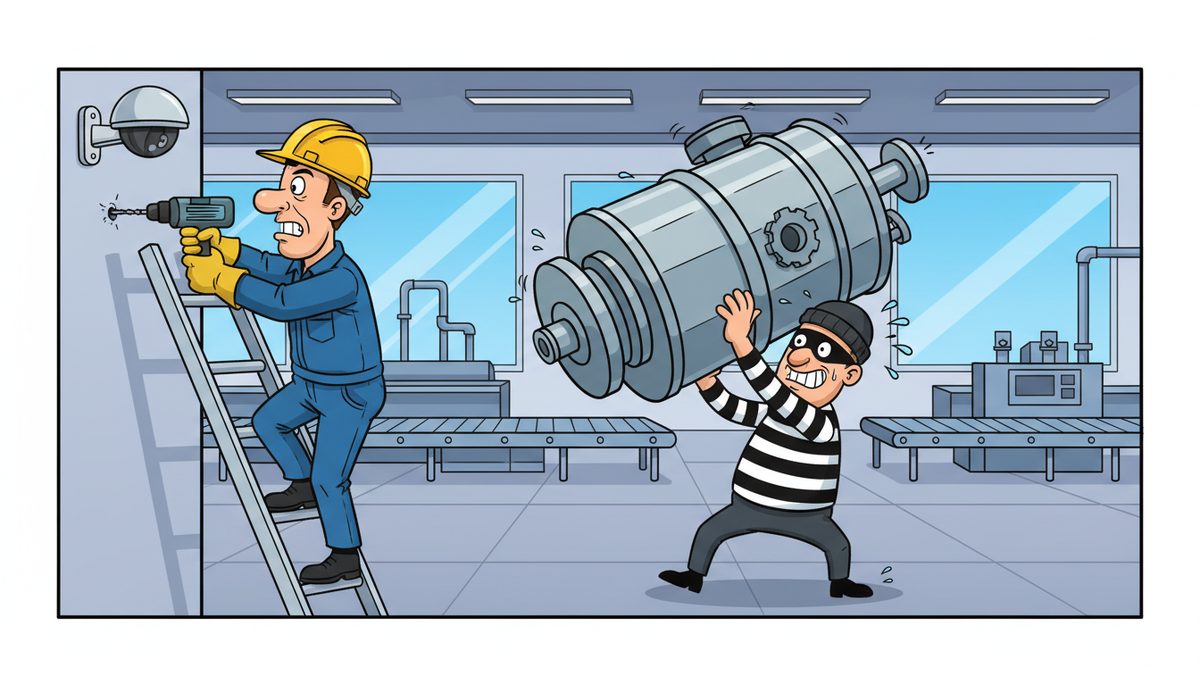
Surveillance camera installation and maintenance is handled by specialized security integrators who focus exclusively on physical security systems, IT managed service providers who integrate cameras with network infrastructure, and in-house maintenance teams for facilities with 50+ cameras. On Vancouver Island, manufacturers often choose IT providers like DataStream Networks who understand both the camera systems and the network requirements, eliminating coordination headaches between separate vendors. Most camera system problems are resolved remotely within 15 minutes when your provider has proper network access and monitoring tools.
What Types of Professionals Install Surveillance Cameras?
Security system integrators specialize in physical security installations. They design camera layouts, run cabling, mount equipment, and configure recording systems. These companies typically come from an alarm or access control background.
IT managed service providers handle installations where cameras integrate with existing network infrastructure. They configure IP cameras, set up network video recorders (NVRs), manage bandwidth allocation, and ensure cameras don’t disrupt production systems. This approach works well for manufacturing facilities where cameras monitor production lines, inventory areas, and loading docks.
Electrical contractors sometimes install camera systems as part of broader facility work. They’re strong on physical installation but may lack expertise in network configuration or ongoing digital maintenance.
In-house IT teams at larger manufacturers handle installations internally, especially when expanding existing systems. However, most Vancouver Island manufacturers lack dedicated security system expertise on staff.
The best choice depends on your facility’s complexity and how cameras integrate with other systems.
How Do Manufacturing Facilities Choose Between IT Providers and Security Specialists?
Manufacturing facilities face a unique decision: cameras aren’t just security devices anymore. Modern IP cameras connect to your network, stream data to cloud storage, integrate with access control systems, and sometimes even tie into production monitoring.
If your cameras need to integrate with ERP systems, monitor production line activity, or connect to existing network infrastructure, an IT provider makes sense. They understand bandwidth requirements, network segmentation, and how to prevent camera traffic from affecting SCADA or MES systems.
Traditional security integrators excel at physical security design—camera placement for coverage, lighting considerations, and tamper-resistant mounting. They’re the right choice if you need standalone systems with dedicated cabling and recording equipment that doesn’t touch your production network.
Many Vancouver Island manufacturers choose IT providers who can handle both aspects. DataStream Networks manages camera systems as part of comprehensive managed IT services for manufacturing, eliminating the finger-pointing that happens when security and IT vendors blame each other for problems.
Chris Wilkinson noted: “Luke and his team at DataStream Networks are honestly amazing! The speed of the leader, the speed of the pack ‘they say’…and Luke sets the tone for how great his team is. The DataStream team understands what it takes to provide authentic & wonderful customer service. Third, the whole team is deeply committed to world-class service delivery and quality, including the latest greatest tech.”
Island geography matters here. A Victoria-based provider can dispatch technicians to your Duncan or Nanaimo facility without ferry delays, critical when a camera failure affects security or production monitoring.
Choose based on integration complexity and response time requirements.
What Does Ongoing Surveillance Camera Maintenance Actually Include?
Maintenance isn’t just cleaning lenses. Professional camera maintenance includes firmware updates, which patch security vulnerabilities and add features. Manufacturers release updates quarterly, and unpatched cameras become entry points for network intrusions.
Network configuration adjustments keep cameras functioning as your facility changes. Adding production equipment, reconfiguring Wi-Fi, or upgrading switches can disrupt camera connectivity. IT providers monitor network performance and adjust camera settings proactively.
Storage management prevents recording gaps. NVRs and cloud storage fill up, especially with high-resolution cameras running 24/7. Maintenance includes monitoring storage capacity, adjusting retention policies, and verifying backup systems work.
Physical inspection catches problems before they cause failures. Technicians check mounting hardware, clean protective housings, verify night vision functionality, and test motion detection zones. In manufacturing environments, dust, vibration, and temperature extremes accelerate wear.
Recording verification ensures footage is actually being captured. A camera might appear functional but fail to record due to network issues, storage problems, or configuration errors. Regular testing catches these silent failures.
Access control integration requires ongoing attention. When employees leave or roles change, camera access permissions need updates. Maintenance includes user management and access audits.
Vancouver Island’s marine climate creates additional maintenance needs—salt air accelerates corrosion on outdoor cameras, and moisture infiltration damages electronics.
Comprehensive maintenance prevents the “camera worked yesterday” emergencies that disrupt operations.
How Quickly Can Technicians Respond When Cameras Fail?
Response time depends entirely on provider location and support model. Mainland providers serving Vancouver Island face ferry schedules—a “same-day” promise might mean 6-8 hours after the ferry crossing.
Local Vancouver Island providers offer faster response. DataStream Networks dispatches technicians from Victoria, Nanaimo, or Duncan depending on your facility location, with most problems resolved remotely within minutes. When on-site visits are necessary, technicians arrive without ferry delays.
The support model matters as much as location. Providers using phone trees and ticket systems add delay. DataStream’s live-answer approach means you reach a technician immediately, not a voicemail system.
Remote troubleshooting resolves most camera issues without site visits. Network connectivity problems, configuration errors, and software glitches can be fixed remotely if your provider has proper access and monitoring tools.
For manufacturing facilities, camera downtime affects security and sometimes production monitoring. A camera watching a loading dock might seem non-critical until a shipment discrepancy occurs and you need footage.
Production line cameras that monitor quality control or process compliance create immediate urgency. These installations need providers with industrial systems understanding, not just general IT knowledge.
WorkSafeBC regulations require functioning safety monitoring in some manufacturing environments. Camera failures in these areas create compliance risks, not just security gaps.
Ask potential providers for specific response time commitments and verify they have local technicians.
Most camera system problems are resolved remotely within 15 minutes when your provider has proper network access and monitoring tools.
What Does Surveillance Camera Installation and Maintenance Cost?
Installation costs vary widely based on camera count, facility layout, and integration complexity. Basic installations with 4-8 cameras and a standalone NVR typically run [OWNER: typical installation cost range for small manufacturing facility]. Larger facilities with 20+ cameras, network integration, and cloud storage cost significantly more.
Camera hardware ranges from $150 for basic indoor units to $800+ for outdoor, weatherproof cameras with night vision and high resolution. Manufacturing environments often need ruggedized cameras that withstand dust, vibration, and temperature extremes.
Cabling adds substantial cost. Ethernet cabling for IP cameras runs $50-150 per drop depending on distance and difficulty. Facilities with existing network infrastructure can sometimes use existing cabling, reducing installation costs.
Recording and storage equipment includes NVRs ($500-3,000) or cloud storage subscriptions ($10-50 per camera monthly). Cloud storage eliminates on-site equipment but creates ongoing costs and requires reliable internet connectivity.
Ongoing maintenance through managed IT services typically costs $150–$225 per user/month, which includes camera system monitoring, firmware updates, and support alongside comprehensive IT management. This bundled approach costs less than separate security and IT contracts.
Standalone camera maintenance contracts from security integrators typically charge $50-150 per camera annually, plus service call fees. This model works for simple systems but becomes expensive for integrated installations.
Hidden costs include network upgrades to handle camera bandwidth, additional storage for long retention periods, and replacement parts for failed components. Manufacturing facilities should budget 10-15% of installation cost annually for maintenance and upgrades.
Vancouver Island’s geography affects costs—mainland providers add travel time and ferry costs to service calls, increasing total ownership cost over time.
- Basic camera hardware: $150-$800+ per unit depending on features and environment
- Network cabling installation: $50-$150 per camera drop
- NVR recording systems: $500-$3,000 for on-site storage
- Cloud storage subscriptions: $10-$50 per camera monthly
- Managed IT services with camera support: $150-$225 per user/month
- Standalone maintenance contracts: $50-$150 per camera annually
Total cost of ownership over five years often favors integrated IT management over separate security contracts.
Should Manufacturing Facilities Handle Camera Maintenance In-House?
In-house maintenance makes sense only for facilities with dedicated IT staff and substantial camera deployments. A facility with 50+ cameras and full-time IT personnel can justify the training and tools needed for camera system management.
Most Vancouver Island manufacturers lack this scale. Your IT person already handles production systems, ERP support, and daily user issues. Adding camera system expertise stretches resources thin and creates single points of failure when that person is unavailable.
Camera systems require specialized knowledge—network video protocols, storage optimization, firmware management, and physical security best practices. This expertise takes time to develop and maintain as technology evolves.
Vendor relationships matter for warranty support, firmware access, and technical assistance. Managed service providers maintain these relationships across multiple manufacturers, giving you better support than individual facilities can negotiate.
Security vulnerabilities in camera systems create serious risks. Unpatched cameras become network entry points for ransomware and data theft. Professional management ensures timely patching and security monitoring.
The co-managed approach works well—your IT staff handles day-to-day monitoring while an external provider like DataStream Networks handles maintenance, updates, and complex troubleshooting. This model costs $50–$150 per user/month and provides professional backup without surrendering control.
Production downtime from camera issues affects security and compliance. Professional management reduces this risk through proactive monitoring and faster problem resolution.
Carrie Wong from the utilities sector noted: “All of DataStream’s team is highly personable. Not only do they provide timely service but they are able to interpret my request and ensure all the related requirements are met as well. They are great at follow-up too!”
For most manufacturers, external management delivers better results at lower total cost than in-house approaches.
How Do Camera Systems Integrate With Other Manufacturing Technology?
Modern surveillance cameras aren’t isolated security devices. They integrate with access control systems, triggering recordings when doors open or restricted areas are accessed. This integration requires coordination between camera software, access control platforms, and network infrastructure.
Production monitoring uses cameras to verify process compliance, monitor quality control points, and document production runs. These installations tie camera feeds to MES systems, creating visual records linked to work orders and production data.
Inventory management systems use cameras to monitor receiving areas, track material movement, and verify shipments. Time-stamped footage provides documentation for discrepancy resolution and theft investigation.
Safety monitoring integrates cameras with alarm systems, triggering alerts when motion is detected in restricted areas or when safety equipment isn’t being used. WorkSafeBC compliance sometimes requires documented monitoring of specific work areas.
Network segmentation keeps camera traffic from affecting production systems. Cameras generate substantial bandwidth, especially high-resolution units recording continuously. Proper network design prevents camera data from disrupting SCADA, PLC communications, or ERP systems.
Cloud integration enables remote monitoring from multiple locations. Managers can view live feeds or review footage from off-site offices, useful for multi-facility operations or remote oversight.
These integrations require providers who understand both security systems and manufacturing technology. A security integrator might install cameras perfectly but lack the network expertise to integrate them properly. An IT provider without security experience might miss coverage gaps or compliance requirements.
DataStream Networks’ experience with IT support in Victoria manufacturing facilities means they understand both sides—proper camera placement and network integration that doesn’t disrupt production.
Integration complexity determines whether you need specialized expertise or can use standard installation.
Frequently Asked Questions
Can the same company that manages our IT also handle surveillance cameras?
Yes, and this approach often works better than separate vendors. IT providers who manage camera systems eliminate coordination problems between security and network teams. They understand bandwidth requirements, network segmentation, and how to integrate cameras with existing infrastructure. DataStream Networks includes camera system management as part of comprehensive IT support, providing single-point accountability for both security and network performance across Victoria, Duncan, and Nanaimo facilities.
How often do surveillance cameras need maintenance?
Professional maintenance should occur quarterly for firmware updates, storage verification, and physical inspection. However, continuous remote monitoring catches problems between scheduled visits. Network-connected cameras need monthly checks of connectivity, recording functionality, and storage capacity. Manufacturing environments with dust, vibration, or temperature extremes may need more frequent physical inspection. Proactive monitoring prevents the “camera stopped working weeks ago” discoveries that eliminate security coverage when you need it most.
What happens when a camera fails during production hours?
Response depends on your provider’s support model and location. Local providers with live-answer support can troubleshoot immediately, often resolving issues remotely within minutes. DataStream Networks’ Vancouver Island technicians can reach Victoria, Duncan, or Nanaimo facilities quickly when on-site service is needed, without ferry delays. Most camera failures result from network issues, power problems, or configuration errors—all fixable remotely with proper access. Physical failures require parts replacement and on-site service.
Do we need special cameras for manufacturing environments?
Manufacturing facilities typically need ruggedized cameras rated for industrial environments. Look for IP66 or IP67 weatherproof ratings for outdoor or wash-down areas, wide temperature ranges for facilities without climate control, and vandal-resistant housings for accessible locations. Cameras near production equipment need vibration resistance. High-dust environments benefit from sealed housings and easily cleanable lenses. Standard office cameras fail quickly in manufacturing conditions, creating recurring replacement costs and coverage gaps that compromise security.
Can surveillance cameras affect our production network performance?
Yes, if not configured properly. High-resolution cameras recording continuously generate substantial network traffic. A single 4K camera can use 20-25 Mbps of bandwidth. Multiply that by 20+ cameras and you’re consuming significant network capacity. Proper installation includes network segmentation, quality of service (QoS) configuration, and bandwidth allocation that prevents camera traffic from disrupting SCADA, MES, or ERP systems. IT providers experienced with manufacturing understand these requirements better than security-only integrators.
Should we use cloud storage or local recording for our cameras?
The choice depends on retention requirements, internet reliability, and budget. Cloud storage provides off-site backup and remote access but requires reliable internet and creates ongoing monthly costs. Local NVRs offer faster access, no bandwidth consumption, and one-time costs but risk data loss if equipment is damaged or stolen. Many manufacturers use hybrid approaches—local recording for immediate access and cloud backup for critical cameras. Vancouver Island facilities should consider internet reliability, especially in areas with limited connectivity options.



