
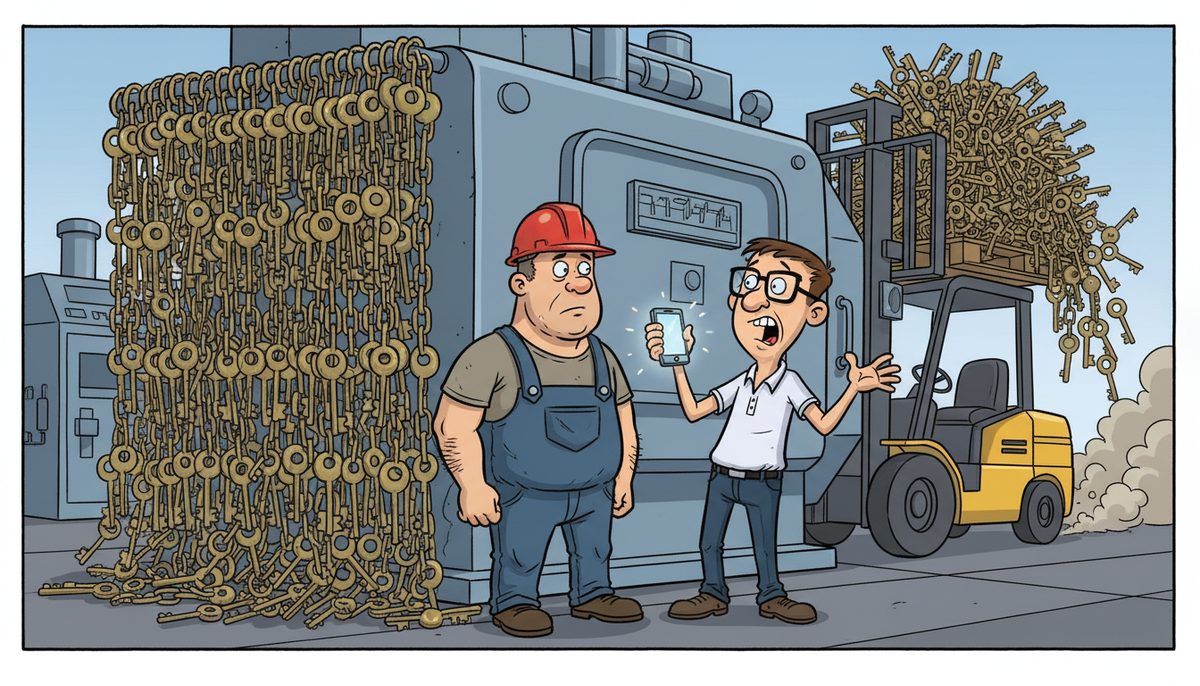
Implementing passkeys for your manufacturing business requires a phased approach: audit your existing authentication systems and devices (1-2 weeks), select a passkey provider compatible with your ERP and MES platforms, deploy to administrative users first (2-3 weeks), then roll out to shop floor devices with biometric hardware (4-6 weeks). Most manufacturing operations complete full deployment in 8-12 weeks with minimal production disruption when properly planned.
What are passkeys and why do manufacturing operations need them?
Passkeys are a passwordless authentication method using cryptographic key pairs stored on your devices. Instead of typing passwords, workers authenticate using biometrics (fingerprint, face recognition) or device PINs. The private key never leaves the device, making phishing attacks virtually impossible.
Manufacturing environments face unique authentication challenges. Shop floor workers wear gloves, work in dusty or wet conditions, and need fast access to HMI terminals and production systems. Password sharing becomes common when production pressure mounts, creating security gaps and compliance issues under PIPEDA and BC PIPA regulations.
Passkeys eliminate these friction points. A machine operator can authenticate to a CNC control terminal with a fingerprint scan in under two seconds, compared to 15-30 seconds for password entry with gloves removed. This speed matters when production line stoppages cost hundreds of dollars per minute.
The technology also addresses WorkSafeBC considerations for industrial environments. Biometric readers can be sealed against dust and moisture ingress (IP65 or higher ratings), and workers don’t need to remove protective equipment to access systems.
For Vancouver Island manufacturers serving US markets, passkeys provide stronger authentication controls for cross-border data handling compliance, particularly when accessing customer specifications or export documentation systems.
Which systems in my manufacturing operation can use passkeys?
Start with your administrative and office systems. Microsoft 365 accounts, Google Workspace, and most cloud-based ERP platforms now support passkey authentication. These deployments are straightforward because office computers typically have built-in biometric readers or can use smartphones as authenticators.
Modern ERP systems including SAP, Oracle NetSuite, and Microsoft Dynamics 365 support WebAuthn standards that enable passkey login. Your purchasing, inventory management, and production scheduling modules can all leverage passkeys once your ERP vendor enables the feature.
Shop floor integration requires more planning. Industrial PCs and HMI terminals need compatible hardware—either built-in fingerprint readers or USB biometric devices rated for industrial environments. Many manufacturers run older Windows-based systems that require updates to Windows 10 (version 1903 or later) or Windows 11 to support passkeys natively.
SCADA systems present mixed compatibility. Newer web-based SCADA platforms can integrate passkeys through their authentication layers, but legacy systems with proprietary login mechanisms may require middleware solutions or phased replacement planning.
CAD/CAM workstations are excellent passkey candidates. Engineers and designers benefit from fast, secure access to design files and intellectual property without password fatigue. Autodesk, SolidWorks, and similar platforms support modern authentication standards.
Mobile devices used for work orders, quality inspections, and inventory scanning should be prioritized. Smartphones and tablets have built-in biometric capabilities, making passkey deployment simple and immediately improving security for workers moving between production areas.
What’s the step-by-step implementation process?
Begin with a comprehensive authentication audit. Document every system requiring user login: ERP modules, MES platforms, email, file servers, CAD workstations, HMI terminals, and mobile apps. Note the authentication method each currently uses and whether it supports WebAuthn or FIDO2 standards.
Identify your user groups and their access patterns. Administrative staff, engineers, production supervisors, machine operators, and quality inspectors have different needs. Operators sharing equipment need fast role-based access, while engineers require persistent authentication on dedicated workstations.
Select your passkey provider and architecture. You can use platform-native options (Windows Hello for Business, Apple Passkeys, Google Password Manager) or third-party identity providers like Okta, Microsoft Entra ID, or Auth0 that centralize passkey management across multiple systems.
Follow this deployment sequence:
- Pilot with 5-10 administrative users who can provide feedback without impacting production (1-2 weeks)
- Deploy to administrative systems: email, document management, ERP back-office functions (2-3 weeks)
- Upgrade shop floor hardware where necessary—audit HMI terminals and industrial PCs for biometric capability
- Roll out to production areas in stages—one line or cell at a time (4-6 weeks)
- Train operators during shift changes to minimize disruption
- Maintain password fallback options for at least 30 days while users adapt
Configure account recovery procedures before disabling passwords entirely. Manufacturing can’t afford authentication lockouts during production runs. Establish clear protocols for supervisor override, temporary access codes, and emergency authentication when biometric readers fail.
Most manufacturing facilities complete passkey implementation across all systems in 8-12 weeks with proper planning and staged deployment.
How do I handle shop floor devices and shared terminals?
Shared terminals require role-based passkey deployment rather than individual user accounts. Configure your MES or HMI system to recognize operator roles (machine operator, quality inspector, line supervisor) and associate passkeys with those roles rather than specific individuals.
Use proximity-based authentication where appropriate. FIDO2 security keys on employee badges allow workers to authenticate by tapping their badge to a reader, then confirming with a PIN or biometric. This approach works well in clean rooms or areas where gloves must remain on.
For high-turnover positions or temporary workers, implement tiered authentication. Temporary staff use PIN-based passkeys on their smartphones, while permanent employees use biometric authentication. This maintains security while accommodating workforce flexibility.
Industrial-grade biometric readers matter in manufacturing environments. Specify devices with IP65 or higher ratings for dust and water resistance. Capacitive fingerprint sensors work better than optical sensors when workers have oil or residue on their hands.
Plan for equipment failure. Keep backup USB biometric readers in your maintenance inventory. When a reader fails on a critical HMI terminal, technicians need to swap hardware quickly without waiting for parts shipment—particularly important on Vancouver Island where ferry delays can extend delivery times.
Consider environmental factors at each authentication point. Terminals near grinding or cutting operations accumulate metal dust that can interfere with fingerprint readers. Face recognition or badge-tap authentication may be more reliable in these locations.
What are the costs and how long does deployment take?
Hardware costs vary by deployment scale. Industrial-grade USB fingerprint readers run $50-150 per device. A 50-person manufacturing operation with 20 shared terminals might invest $2,000-3,000 in biometric hardware. Larger facilities with 100+ terminals should budget $5,000-10,000 for readers and related equipment.
Software and service costs depend on your identity management approach. If you use Microsoft Entra ID (formerly Azure AD) with your existing Microsoft 365 licenses, passkey functionality is included. Third-party identity providers charge $3-8 per user per month for authentication services.
For comprehensive implementation support, managed IT services typically charge project rates. Initial assessment and planning might cost $2,500-10,000 depending on system complexity. Implementation and training for a mid-sized manufacturer often falls in the $5,000-15,000 range for full deployment.
Timeline expectations should be realistic. Discovery and planning take 1-2 weeks. Pilot deployment with administrative users runs 2-3 weeks. Shop floor hardware upgrades and staged production deployment require 4-8 weeks depending on facility size and shift schedules. Post-deployment monitoring and optimization add another 2-4 weeks.
The total timeline from decision to full deployment typically spans 10-16 weeks for most manufacturing operations. Rushing this process increases the risk of production disruptions or authentication failures during critical runs.
Mike Carmel, who runs a technology services business, emphasizes the importance of partnering with experienced providers: “When it comes to enterprise-level IT needs, DataStream Networks is my trusted referral partner… I confidently refer larger clients to DataStream when I’m busy or when projects are larger and require more resources. Their professionalism, reliability…” This approach ensures manufacturing deployments get the specialized attention they require.
How do I maintain security and handle compliance requirements?
Passkeys strengthen your PIPEDA and BC PIPA compliance posture by eliminating password-related data breaches. The Office of the Privacy Commissioner of Canada recognizes strong authentication as a reasonable security safeguard for personal information. Document your passkey implementation in your privacy management program.
Maintain audit trails for all authentication events. Your ERP and MES systems should log when users authenticate, which passkey was used, and what actions they performed. These logs support both security monitoring and compliance audits, particularly for manufacturers handling customer data or export-controlled technical specifications.
Implement session timeout policies appropriate to your production environment. Administrative workstations might timeout after 15 minutes of inactivity, while shop floor terminals with continuous operator presence might extend to 30-60 minutes. Balance security with the practical reality that operators can’t re-authenticate every few minutes during production runs.
Plan for passkey lifecycle management. When employees leave, revoke their passkeys immediately across all systems. For shared role-based passkeys, rotate them quarterly or when team membership changes significantly. Your identity provider should offer centralized revocation that propagates to all connected systems.
Test your disaster recovery procedures with passkeys in place. If you need to restore systems from backup or fail over to redundant equipment, verify that passkey authentication still functions. Include passkey provider credentials and configuration in your backup and recovery procedures.
For manufacturers with facilities in multiple Vancouver Island locations—Victoria, Nanaimo, Duncan—ensure your passkey architecture works across sites. Centralized identity management prevents authentication issues when supervisors or engineers move between facilities.
WorkSafeBC requires employers to protect worker privacy, including biometric data. Ensure your passkey implementation stores biometric templates locally on devices rather than in centralized databases. This “device-bound” approach is standard for FIDO2 passkeys and addresses privacy concerns.
Regular security assessments should include passkey systems. Quarterly reviews of authentication logs, annual penetration testing, and continuous monitoring for unusual authentication patterns help maintain security posture as your manufacturing operation evolves.
Frequently asked questions
Can passkeys work if our internet connection goes down?
Yes, passkeys function during internet outages for local authentication. The cryptographic verification happens between your device and the local system (HMI terminal, industrial PC, or local server). You only need internet connectivity for cloud-based systems like web ERP platforms. Local MES, SCADA, and shop floor systems authenticate offline, making passkeys reliable even during network disruptions common to island-based manufacturing operations.
What happens if a worker’s fingerprint is damaged or changes?
Enroll multiple biometric factors during setup—typically two fingerprints plus a backup authentication method like a PIN or security key. If an operator injures a finger or develops calluses that prevent recognition, they use their alternate finger or backup method. Supervisors can also temporarily assign a backup passkey or PIN-based access while the worker re-enrolls their biometric data after healing or adaptation.
Do passkeys work with our legacy Windows-based HMI systems?
Passkeys require Windows 10 version 1903 or later, or Windows 11. Many legacy HMI systems run older Windows versions that need updates. If your industrial PCs can’t be updated due to software compatibility issues, you have three options: implement a middleware authentication layer, upgrade to modern HMI hardware, or maintain password authentication for legacy systems while deploying passkeys elsewhere. Local IT support providers can assess your specific equipment compatibility.
How do temporary workers or contractors access systems with passkeys?
Create temporary passkey accounts with expiration dates matching contract periods. Contractors can enroll passkeys on their personal smartphones or use company-provided security keys that you reclaim when they leave. Configure these accounts with restricted permissions appropriate to their role. For very short-term access (under one week), PIN-based temporary credentials may be more practical than full passkey enrollment and training.
Can we implement passkeys without disrupting production schedules?
Yes, through staged deployment during planned maintenance windows and shift changes. Deploy to one production line or cell at a time, maintaining password fallback for 30 days. Train operators during shift overlap periods when both crews are present. Most disruptions occur during initial setup; once configured, passkey authentication is faster than passwords. Experienced manufacturing IT providers schedule implementations around your production calendar to minimize downtime impact.



