
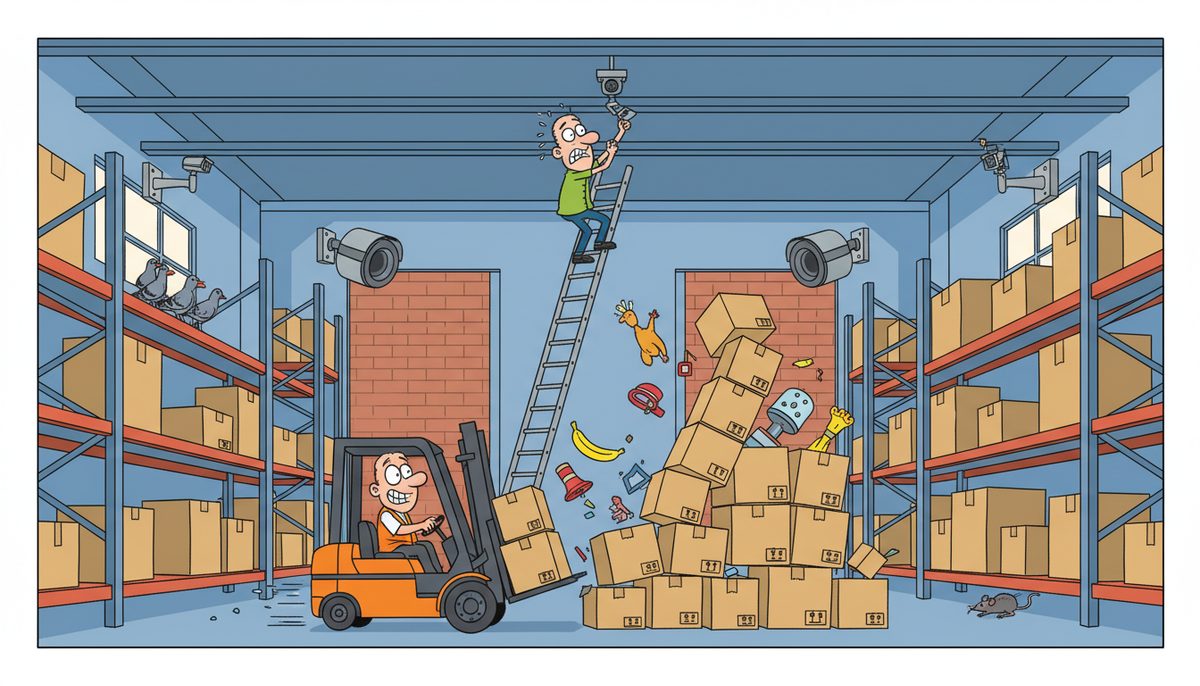
Professional surveillance system installation for manufacturing businesses includes 8-32 IP cameras strategically positioned across production floors and perimeters, network infrastructure upgrades to handle video bandwidth, integration with existing SCADA and access control systems, secure remote viewing capabilities, and redundant storage with 30-90 day retention. Installation also covers WorkSafeBC compliance documentation and ongoing monitoring system maintenance.
What camera types and placement strategies work best for manufacturing facilities?
Manufacturing environments demand industrial-grade IP cameras with specific capabilities. High-resolution cameras (4MP to 8MP) capture production line details, while wide-angle models cover warehouse zones and loading docks. Pan-tilt-zoom (PTZ) cameras monitor large shop floor areas where equipment layout changes frequently.
Camera placement focuses on production bottlenecks, quality control stations, raw material storage, and finished goods areas. Perimeter cameras secure loading bays and exterior access points. Cameras positioned near CNC machines and robotic cells capture operational data that helps resolve production disputes and process improvement analysis.
Explosion-proof and weatherproof housings protect cameras in harsh manufacturing environments. Food processing facilities require stainless steel enclosures that withstand washdown procedures. Facilities with welding operations need cameras with strong IR filters to prevent sensor damage from arc flash.
Strategic placement reduces blind spots while respecting employee privacy in break rooms and washrooms, maintaining WorkSafeBC compliance. Camera coverage documents work order completion, material handling, and shipping verification without creating an oppressive surveillance atmosphere.
Common camera placement zones in manufacturing facilities
- Production floor: Quality control stations, assembly lines, CNC machines, robotic cells
- Material handling: Raw material storage, finished goods areas, inventory zones
- Perimeter security: Loading docks, shipping bays, exterior access points, parking areas
- High-value areas: Tool cribs, equipment storage, hazardous material zones
- Safety monitoring: Emergency exits, forklift traffic zones, confined spaces
How does surveillance infrastructure integrate with existing manufacturing systems?
Modern surveillance systems connect to your existing network infrastructure, but manufacturing facilities often need network upgrades to handle video bandwidth. A 32-camera system streaming at 4MP resolution requires approximately 160-320 Mbps of sustained bandwidth, which can overwhelm older network switches designed only for ERP and MES traffic.
Professional installation includes network segmentation using VLANs to separate surveillance traffic from production systems. This prevents video streams from interfering with time-sensitive SCADA communications or PLC programming updates. Managed switches with Quality of Service (QoS) prioritize production control traffic over surveillance data.
Integration with access control systems creates a complete security picture. When an employee badges into a restricted area, the surveillance system automatically tags that footage for easy retrieval. This correlation proves invaluable during safety investigations or quality control audits.
Some manufacturers integrate surveillance with their MES to create visual work instructions. Cameras capture successful assembly procedures, and the footage becomes training material for new employees. This integration requires careful planning to ensure camera angles capture the specific hand movements and tool positions needed for training purposes.
Luigi from a Victoria construction company experienced similar network challenges: “Our systems were running slow in the past. DataStream installed a new backup system, provided security for our network, and established a roadmap for future projects.” The same systematic approach applies to manufacturing surveillance—addressing underlying infrastructure before layering on bandwidth-intensive camera systems.
Proper integration ensures surveillance enhances rather than disrupts production operations.
What storage and retention capabilities should manufacturers expect?
Storage requirements scale dramatically with camera count and resolution. A 16-camera system recording at 4MP resolution with H.265 compression requires approximately 8-12 TB for 30-day retention. Manufacturers often need 60-90 day retention for incident investigation, quality disputes, and WorkSafeBC compliance documentation.
Professional installations include redundant storage architecture. On-site Network Video Recorders (NVRs) provide immediate access to recent footage, while cloud backup or secondary NVRs protect against hardware failure or physical damage. RAID configurations ensure a single drive failure doesn’t erase critical footage.
Storage systems need sufficient write speed to handle simultaneous recording from all cameras during peak activity. Budget NVRs often drop frames when all cameras detect motion simultaneously—exactly when you need complete footage during a production incident or security event.
Retention policies balance storage costs against regulatory requirements. BC’s Personal Information Protection Act (PIPA) requires manufacturers to retain only necessary footage and delete recordings according to documented schedules. Professional installation includes automated deletion policies that maintain compliance without manual intervention.
Expect 30-90 day retention requiring 8-24 TB of redundant storage for typical 16-32 camera manufacturing installations.
What remote viewing and monitoring capabilities come with professional installation?
Remote viewing lets plant managers and owners monitor production from anywhere with internet access. Professional installations configure secure VPN access or cloud-based viewing platforms that don’t expose your manufacturing network to internet threats. Multi-factor authentication prevents unauthorized access to live camera feeds.
Mobile apps provide real-time alerts when cameras detect motion in restricted areas during off-hours. Managers receive notifications when loading bay doors open outside scheduled shipping times or when someone enters the tool crib after hours. These alerts prevent theft and unauthorized facility access.
Bandwidth management ensures remote viewing doesn’t consume your entire internet connection. Adaptive streaming adjusts video quality based on available bandwidth—full resolution when viewing from the office network, reduced quality when accessing from a mobile device. This prevents surveillance from interfering with cloud-based ERP access or customer portal performance.
Multi-site manufacturers benefit from centralized monitoring. Victoria headquarters can view production floors in Duncan and Nanaimo facilities without traveling between locations. This visibility helps coordinate production scheduling and verify shipment preparation across multiple plants.
Professional installation includes user permission management. Production supervisors see shop floor cameras but not office areas. Shipping managers access loading dock cameras but not executive areas. This granular control maintains appropriate privacy boundaries while providing necessary operational visibility.
How does installation address Vancouver Island manufacturing challenges?
Island geography creates unique challenges for surveillance system installation. Equipment delays due to ferry schedules mean manufacturers can’t afford extended installation downtime. Professional installers pre-configure systems off-site and complete on-site installation during planned maintenance windows or weekend shifts to minimize production disruption.
Local installation teams understand Vancouver Island manufacturing environments. They’ve worked in boat building facilities in Sidney, food processing plants in Duncan, and aerospace component manufacturers in Victoria. This experience means faster, more accurate installations without the learning curve mainland providers face when encountering specialized island manufacturing operations.
The island’s smaller IT support ecosystem means fewer providers understand both surveillance technology and manufacturing operations. Managed IT services for manufacturing that include surveillance support eliminate the finger-pointing between separate camera vendors and network providers when problems arise.
Weather considerations matter for exterior cameras. Vancouver Island’s wet climate requires careful attention to cable entry points and junction box sealing. Salt air in coastal facilities accelerates corrosion on improperly installed camera housings. Local installers specify appropriate materials and installation techniques for island conditions.
Fast response when surveillance systems fail prevents security gaps and lost footage. Miguel responded to a server crash on New Year’s Eve and “was here before noon. Not only did he fix our problem but our system ended up smoother and more streamlined with an enhanced backup system.” That same rapid response applies to surveillance system emergencies—local technicians reach Victoria, Duncan, and Nanaimo facilities without ferry delays.
What ongoing maintenance and support keeps surveillance systems reliable?
Professional installation includes a maintenance plan that prevents system degradation. Quarterly camera cleaning removes dust and debris that accumulates in manufacturing environments. Dirty lenses create unusable footage exactly when you need clear evidence during an incident investigation.
Firmware updates address security vulnerabilities and add new features. Manufacturers discovered in 2024 that outdated camera firmware created entry points for ransomware attacks. Regular updates close these vulnerabilities before attackers exploit them. Professional support includes testing updates in non-production environments before deploying to your surveillance system.
Storage system health monitoring prevents unexpected failures. Hard drives in NVRs have finite lifespans, typically 3-5 years under continuous recording loads. Proactive monitoring identifies failing drives before complete failure erases weeks of footage. Replacement during planned maintenance prevents emergency situations.
Network performance monitoring ensures surveillance traffic doesn’t overwhelm your infrastructure as you add cameras or increase resolution. Bandwidth utilization reports identify when network upgrades become necessary before video quality degrades or production systems experience latency.
User access reviews maintain security compliance. Quarterly audits verify that only current employees retain surveillance system access and that permission levels match current job responsibilities. This prevents former employees or transferred workers from accessing camera feeds they shouldn’t see.
Support agreements specify response times for system failures. Managed IT services that include surveillance support provide faster resolution than separate camera vendor contracts, especially when problems involve network infrastructure rather than camera hardware.
Regular maintenance transforms surveillance from a point-in-time installation into a reliable long-term security asset.
Frequently asked questions
How long does professional surveillance installation take for a manufacturing facility?
Installation timelines range from 3-5 days for small facilities with 8-16 cameras to 2-3 weeks for large manufacturing plants with 32+ cameras and complex integration requirements. Pre-installation planning, cable runs through industrial spaces, network infrastructure upgrades, and system testing determine actual duration. Most installers schedule work during off-shifts to avoid production disruption.
Can surveillance cameras operate in dusty or high-temperature manufacturing environments?
Industrial-grade cameras withstand harsh manufacturing conditions including temperatures from -40°C to 60°C, high humidity, dust, and vibration. Specialized enclosures protect cameras in extreme environments like foundries, powder coating operations, and outdoor lumber yards. Professional installers specify appropriate camera ratings (IP66, IP67) based on your specific manufacturing processes and environmental conditions.
Do surveillance systems require dedicated internet connections separate from production systems?
Surveillance systems can share existing internet connections but require proper network segmentation using VLANs and managed switches. Dedicated bandwidth allocation prevents video traffic from interfering with ERP, MES, or SCADA systems. Facilities with limited internet bandwidth may need connection upgrades, typically from 100 Mbps to 250+ Mbps, to support both surveillance and cloud-based production systems.
What happens to surveillance footage if the network or power fails?
Professional installations include uninterruptible power supplies (UPS) that keep cameras and NVRs recording during brief power outages, typically 2-4 hours. Cameras with edge recording store footage locally on SD cards when network connectivity fails, then upload to the NVR when connection restores. Redundant storage and backup power prevent footage loss during infrastructure failures.
How do manufacturers balance employee privacy with comprehensive surveillance coverage?
BC’s Personal Information Protection Act (PIPA) requires manufacturers to notify employees about surveillance, limit recording to legitimate business purposes, and avoid monitoring private areas like washrooms and break rooms. Professional installation includes privacy masking features that black out sensitive areas within camera views. Clear signage, documented policies, and appropriate camera placement maintain compliance while protecting facility security.



