
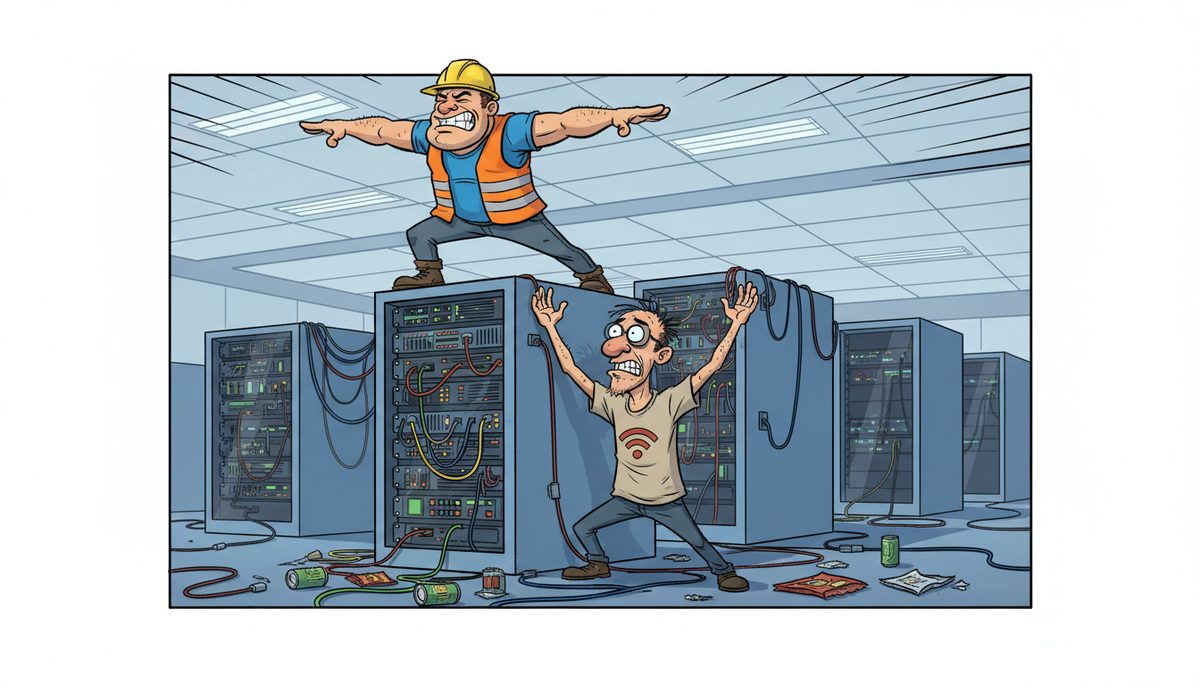
Yes, you can improve your IT security posture by conducting a gap analysis to identify vulnerabilities, implementing layered defenses including endpoint protection ($8–$20 per device/month), email filtering ($5–$20 per user/month), and offsite backup ($40–$150 per device/month), plus training your team to recognize phishing attempts that target construction bid documents and project files.
Why Do Construction Companies on Vancouver Island Keep Getting Hit by Ransomware?
Your estimating software holds hundreds of hours of takeoff work. Your project files contain submittals, shop drawings, and as-builts worth months of coordination. Attackers know construction firms work under tight tender deadlines and will pay to recover locked files rather than miss a bid closing at noon tomorrow.
The villain isn’t sophisticated hackers—it’s the combination of valuable data, time pressure, and security gaps. Most ransomware enters through a single phishing email that looks like it’s from a subcontractor sending an updated quote or a supplier confirming a material delivery. Your project manager clicks the attachment, and within hours your network is encrypted.
Island construction companies face an additional risk: when your server goes down and bid documents are locked, you’re waiting for help to arrive from the mainland or hoping a remote fix works before the tender deadline passes. That urgency makes you vulnerable to paying ransoms you shouldn’t have to pay.
Geography shouldn’t determine whether you can protect your business from preventable security breaches.
What Happens If You Don’t Strengthen Your Security Before the Next Attack?
You’ll miss tender deadlines when ransomware locks your estimating software and you can’t submit bids. Competitors who can still access their files will win contracts you spent weeks preparing for.
You’ll face Builders Lien Act complications when encrypted project files mean you can’t produce documentation proving work completion, change order approvals, or payment timelines. Legal disputes become harder to defend without as-builts and daily reports.
You’ll breach WorkSafeBC reporting requirements if a security incident prevents you from filing incident reports within mandated timeframes. Penalties and increased scrutiny follow missed safety documentation deadlines.
Your bonding capacity shrinks when insurance companies see a pattern of project delays and coordination failures tied to security incidents. Surety providers view poor IT security as a business risk that affects your ability to complete projects on schedule.
You’ll lose client trust when you can’t access RFIs, submittals, or progress billing documents on their timeline. General contractors and architects remember which subs cause delays, even when the cause is a technology failure.
A single ransomware attack can cost a construction company $50,000–$200,000 in ransom payments, recovery costs, and lost bid opportunities.
How Do You Actually Assess Your Current Security Vulnerabilities?
Start with a gap analysis that examines where your bid documents, project files, and financial records actually live and who can access them. A proper assessment costs $2,500–$10,000 and identifies specific weaknesses in your current setup.
Look at your backup system first. Can you recover your estimating software and project files if ransomware encrypts everything tonight? Test whether your backups actually work by attempting a file restoration. Many construction companies discover their backup hasn’t run successfully in months only after an attack.
Examine email security next. Phishing emails disguised as subcontractor quotes or material delivery confirmations are the most common entry point. Do you have filtering in place that catches spoofed sender addresses and malicious attachments before they reach your project managers?
Check endpoint protection on every laptop and desktop. Basic antivirus ($5–$12 per device/month) catches known threats, but construction companies handling large contracts need endpoint detection and response (EDR) that identifies suspicious behavior patterns, not just known malware signatures.
Review access controls for field staff. Can former employees or subcontractors who worked on past projects still access your network? Do superintendent laptops used at job sites have the same security as office computers?
Assess your password practices honestly. If multiple people share the same login for estimating software or project management platforms, you can’t track who accessed sensitive bid documents or limit damage when credentials are compromised.
Luigi, a Victoria construction company owner, described the situation before improving security: “Our systems were running slow in the past.” After a local guide installed a new backup system and provided network security, they “thoroughly cleaned our file sharing, implemented password control, and smoothly transitioned us to take back control of our network.” The result was systems no longer running slow and regained network control over construction project data.
A thorough assessment gives you a prioritized list of vulnerabilities ranked by risk and cost to fix, not a generic checklist that treats every business the same.
What Layered Defenses Actually Stop Construction-Targeted Attacks?
Email filtering blocks phishing attempts before they reach your team. Mailbox protection ($5–$20 per user/month) catches spoofed emails that appear to come from known subcontractors or suppliers, the most common social engineering tactic targeting construction firms.
Endpoint detection and response (EDR) monitors behavior on every device. Self-managed EDR costs $8–$20 per device/month and alerts you to suspicious activity like a laptop suddenly encrypting thousands of files. Managed EDR with 24/7 security operations center (SOC) monitoring runs $15–$35 per device/month and responds to threats even when your team is off-site.
Offsite backup ensures you can recover without paying ransom. Cloud backup ($40–$150 per device/month) stores copies of your estimating software, project files, and financial records in a separate location that ransomware can’t reach. Full managed server backups cost $100–$300 per device/month and include regular recovery testing.
Multi-factor authentication (MFA) prevents stolen passwords from granting network access. Even if a phishing email captures your project manager’s credentials, attackers can’t log in without the second authentication factor from their phone.
Network segmentation limits damage when a breach occurs. Separating your estimating systems from general office computers means ransomware on one machine can’t spread to your entire bid library.
Patch management closes security holes in software. Construction companies often run outdated versions of estimating or project management software because “it still works,” but unpatched vulnerabilities are easy entry points for attackers.
A comprehensive cybersecurity suite bundling multiple defenses costs $40–$100 per device/month, less than the hourly rate you charge clients but enough to prevent a six-figure ransomware incident.
No single defense stops every attack. Layered security means attackers must bypass multiple barriers, making your construction company a harder target than competitors with weaker protection.
How Do You Train Your Team to Recognize Attacks Targeting Construction Firms?
Your field staff and project managers need to spot phishing emails disguised as construction-specific communications. Cyber awareness training ($3–$15 per user/month) teaches them to verify unexpected emails before clicking attachments or links.
Train your team to recognize red flags in emails claiming to be from subcontractors: slight misspellings in sender addresses, urgent requests to update payment information, or attachments with names like “Revised_Quote_Final.pdf.exe” that aren’t actually PDFs.
Teach superintendents and estimators to verify requests through a second channel. If an email appears to be from a supplier asking you to wire payment to a new account, call the number you have on file—not the number in the email—to confirm the request is legitimate.
Run simulated phishing tests quarterly. Send fake phishing emails to your team and track who clicks. The goal isn’t to punish people but to identify who needs additional training before a real attack exploits the same vulnerability.
Create clear procedures for reporting suspicious emails. Your project managers should know exactly who to contact if they receive a questionable message, and they shouldn’t feel embarrassed about asking whether something is legitimate.
Address the specific scenarios construction companies face: emails claiming to be from WorkSafeBC with “urgent compliance documents,” fake bid invitations from general contractors you’ve worked with before, or material suppliers sending “updated safety data sheets” that are actually malware.
Training works because most construction-targeted attacks rely on human error, not sophisticated technical exploits. An estimator who knows to verify before clicking is more valuable than expensive security software alone.
When Does It Make Sense to Bring in Local IT Security Expertise?
You need expert help when you’re not sure whether your current security is adequate or you’re trying to meet specific compliance requirements for public sector construction projects subject to FIPPA privacy regulations.
You need support when you lack the time or technical knowledge to implement layered defenses yourself. Construction company owners shouldn’t be configuring firewalls or managing backup systems when they should be estimating jobs and coordinating projects.
You need local technicians who understand island construction deadlines when security incidents happen. A ransomware attack at 4 PM that locks your estimating software before a noon tender deadline tomorrow requires immediate response, not waiting for mainland help to catch the ferry.
A guide who has served Vancouver Island businesses since 2012 with local technicians in Victoria, Nanaimo, Duncan, and Cobble Hill can answer your call immediately—no voicemail, no phone tree—and fix most problems remotely within minutes.
If remote resolution isn’t possible, a technician is automatically dispatched to your office or job site anywhere on the island. That matters when you need security systems restored before a bid deadline or when you’re coordinating incident response across multiple locations.
Bahig, an engineering firm owner, switched providers after experiencing “issues with unclear billing, changing staff on our account, and felt we weren’t receiving good service.” A local guide “did a full network assessment, network repair, and vastly simplified and streamlined our computer systems.” The result: dedicated IT support that responds when security and system issues arise.
The right guide understands that construction security isn’t about technology for its own sake—it’s about protecting the bid documents, project files, and client relationships that keep your business running.
Here’s How to Improve Your Security Posture in Three Steps
- Call (250) 929-0745 to talk to a real local technician immediately about your current security setup and specific vulnerabilities in your construction IT environment.
- Get a gap analysis that identifies your highest-risk weaknesses and provides a prioritized roadmap for implementing layered defenses, from backup and email filtering to endpoint protection and access controls.
- Implement the recommended security layers with ongoing monitoring and team training through managed IT services, knowing that if an incident occurs, local technicians can respond immediately without ferry delays or phone tree runarounds.
What Does Better Security Actually Look Like for Your Construction Business?
You submit every tender on time with confidence, knowing ransomware can’t lock your estimating software hours before a deadline because your backups are tested and recoverable within minutes.
You coordinate seamlessly with general contractors, architects, and subcontractors because your project files, submittals, and RFIs are protected and accessible even when phishing attempts target your team.
You meet WorkSafeBC reporting deadlines and Builders Lien Act documentation requirements because security incidents can’t prevent you from accessing the daily reports, incident records, and as-builts you need to stay compliant.
You sleep soundly knowing your bid documents representing hundreds of hours of estimating work are backed up offsite and protected by multiple layers of defense that make your company a harder target than competitors.
You maintain your reputation with clients and bonding companies because technology failures and security breaches don’t cause the project delays and coordination problems that damage relationships and limit growth.
Better security means you control your construction data instead of hoping attackers don’t target you next. It means local help arrives immediately when incidents occur, not after the tender deadline has passed.
Call (250) 929-0745 to talk to a real technician now about assessing your current security posture and implementing the specific defenses your construction company needs. Victoria and Nanaimo construction firms already rely on local expertise to protect their bid documents and project files.
Frequently Asked Questions
How much does it cost to improve IT security for a construction company?
A gap analysis costs $2,500–$10,000 to identify vulnerabilities. Basic layered defenses including endpoint protection ($8–$20 per device/month), email filtering ($5–$20 per user/month), and offsite backup ($40–$150 per device/month) provide essential protection. Comprehensive managed security with 24/7 monitoring runs $40–$100 per device/month, far less than recovering from a ransomware attack.
What’s the biggest security risk for construction companies on Vancouver Island?
Phishing emails disguised as subcontractor quotes, supplier confirmations, or WorkSafeBC documents that trick your team into clicking malicious attachments. These attacks target construction-specific communications and exploit tight tender deadlines when you’re rushing to finalize bids. Email filtering and team training are your first line of defense against this common threat.
Can you recover from ransomware without paying the ransom?
Yes, if you have tested offsite backups that store copies of your estimating software, project files, and financial records in a location ransomware can’t reach. Cloud backup ($40–$150 per device/month) with regular recovery testing means you can restore systems within hours instead of paying ransoms and hoping attackers actually provide decryption keys.
Do construction companies need the same security as banks or hospitals?
You need security appropriate to your specific risks: protecting bid documents worth months of work, meeting Builders Lien Act documentation requirements, and maintaining access to project files during tight deadlines. Public sector construction projects subject to FIPPA require enhanced privacy controls. Your security should match the value of your data and consequences of losing access.
How quickly can local technicians respond to a security incident before a tender deadline?
When you call (250) 929-0745, a real person answers immediately and most problems are fixed remotely within minutes. If on-site support is needed, local Vancouver Island technicians in Victoria, Nanaimo, Duncan, and Cobble Hill are automatically dispatched to your location—no waiting for mainland help to catch the ferry when bid deadlines are approaching.



