
Choose an IT provider who understands manufacturing systems like ERP, SCADA, and CNC networks, offers response times under 15 minutes for production emergencies, and provides local technicians who can reach your facility without ferry delays. Verify they support industrial networks, comply with PIPEDA and BC PIPA for manufacturing data, and fix most problems remotely to minimize production downtime.
Why do most IT providers fail manufacturing businesses during production emergencies?
Your ERP system crashes mid-shift. Work orders disappear from screens across the shop floor. Your production scheduler scrambles with paper and clipboards while machines sit idle. You call IT support and get voicemail.
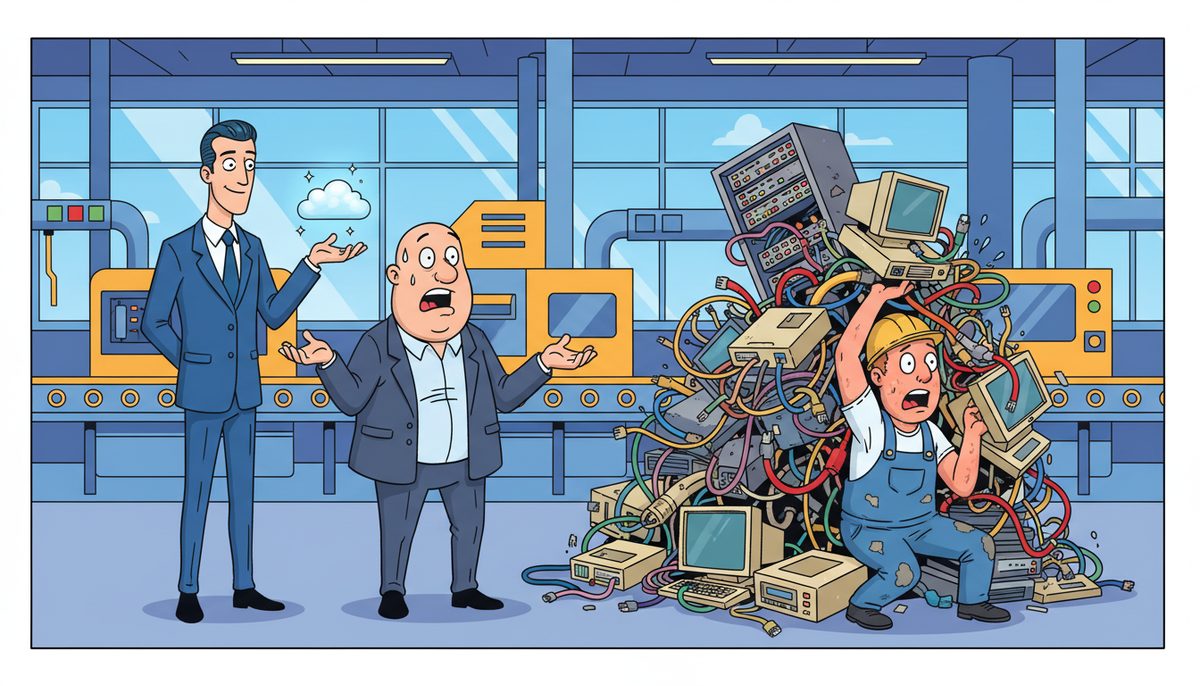
The villain isn’t the technology failure itself—it’s island geography combined with IT providers who don’t understand manufacturing urgency. When your SCADA network loses connectivity or your CNC machines go offline, you’re not dealing with an email problem that can wait until tomorrow. You’re burning machine time, missing shipment deadlines, and watching OEE numbers tank while mainland technicians check ferry schedules.
Most IT providers treat your manufacturing operation like an office environment. They don’t understand that production downtime costs you thousands per hour, not hundreds. They’ve never worked with bill of materials systems, production scheduling software, or industrial IoT devices on your shop floor.
You feel helpless watching your production line sit idle, knowing every hour means explaining to customers why their order is late and to ownership why expensive equipment is sitting dark. It’s worse on Vancouver Island—you’re calling for help and hearing “our technician can catch the 2 PM ferry.”
Your manufacturing business shouldn’t lose entire shifts waiting for IT help to arrive when a server fails or your MES system crashes. Your competitors on the mainland get same-hour response. You deserve the same.
What happens if you choose the wrong IT provider for your manufacturing operation?
You miss critical shipment deadlines while your production line sits idle for four hours waiting for someone to arrive and diagnose why your ERP system won’t connect to the database. Your customer calls asking where their order is. You have no answer except “IT problems.”
You lose entire production shifts because your SCADA system goes down Friday afternoon and your IT provider’s “24/7 support” means leaving a voicemail that gets returned Monday morning. Your weekend production run doesn’t happen. Your just-in-time delivery promise becomes a just-in-time failure.
Your machine uptime metrics collapse because technology problems that should take minutes to fix remotely instead require waiting for a technician who doesn’t understand industrial networks, can’t distinguish between your HMI and your production database, and needs to “escalate to someone who knows manufacturing systems.”
You risk compliance violations under PIPEDA and BC PIPA because your IT provider doesn’t understand that your CAD files, production data, and customer manufacturing specifications require specific data protection measures. WorkSafeBC audits your facility and finds technology in industrial environments that doesn’t meet regulations.
You damage customer relationships you spent years building because you can’t explain why island geography makes your IT response slower than mainland competitors. Your client doesn’t care about ferry schedules—they care that their order is late and you’re not reliable anymore.
The average manufacturer loses $22,000 per hour of unplanned downtime, but island manufacturers often wait 3-6 hours for mainland IT support to arrive.
How do you evaluate an IT provider’s understanding of manufacturing systems?
Ask them to explain the difference between your ERP system and your MES system. If they can’t, they don’t understand manufacturing. Your ERP manages business processes—orders, inventory, financials. Your MES manages what’s happening on the shop floor right now—work orders, machine status, production tracking.
Request examples of how they’ve supported SCADA networks or PLC systems. Manufacturing IT isn’t just computers and servers—it’s industrial control systems, CNC machine networks, and production line connectivity. A provider who’s only worked with office environments will treat your shop floor like a conference room.
Verify they understand industrial IoT and machine-to-machine communication. Your production equipment talks to your systems constantly. When that communication breaks, production stops. Ask how they monitor and troubleshoot industrial network traffic differently from office network traffic.
Test their knowledge of manufacturing compliance requirements. PIPEDA and BC PIPA govern how you protect customer data, production designs, and manufacturing specifications. WorkSafeBC regulates technology in industrial environments. Your IT provider should know these regulations without you having to explain them.
Ask about their experience with CAD/CAM systems and production scheduling software. These aren’t generic business applications—they require specific technical knowledge and often integration with shop floor equipment. A provider who’s never supported them will learn on your dime during production emergencies.
The right provider speaks your language—production downtime, machine uptime, work orders, bill of materials—without you translating IT concepts into manufacturing reality.
What response time do you actually need when production systems fail?
Calculate what one hour of production downtime costs your operation. Include machine time, labor sitting idle, missed shipment penalties, and expedited shipping to recover. For most manufacturers, it’s $5,000 to $50,000 per hour.
Now ask potential IT providers for their actual response time—not “we respond quickly” but the specific number of minutes from your call to a technician actively diagnosing your problem. If they quote hours, not minutes, you’re looking at five-figure losses every time something breaks.
Verify how they handle calls during production emergencies. Do you reach a real person immediately who can start troubleshooting, or do you navigate phone trees and voicemail? When your SCADA system is down and your shop floor is stopped, every minute on hold is money burning.
Ask about their remote resolution capability. Most manufacturing IT problems—network connectivity, software crashes, database errors—can be fixed remotely in minutes if the technician knows what they’re doing. Providers who default to on-site visits for everything waste your production time.
For Vancouver Island manufacturers, geography matters. Confirm the provider has local technicians in Victoria, Nanaimo, or Duncan who can reach your facility without ferry delays. A mainland provider promising “fast response” means fast after the ferry crossing—which could be three hours.
Question their escalation process for problems that can’t be fixed remotely. Do they automatically dispatch someone to your facility, or do you have to call back and request it? Automatic dispatch means your technician is already driving while remote troubleshooting continues.
Response time under 15 minutes protects your production schedule; response time over an hour guarantees missed deadlines.
How should an IT provider support your manufacturing data and security needs?
Your manufacturing data isn’t just business records—it’s production designs, CAD files, customer specifications, and proprietary manufacturing processes. Ask potential providers how they protect intellectual property specific to manufacturing.
Verify their backup systems can handle large CAD/CAM files and production databases. These aren’t small email attachments—they’re gigabyte-scale files that need rapid recovery when systems fail. Standard office backup solutions often choke on manufacturing data volumes.
Confirm they understand production data retention requirements. Customer contracts, export documentation for port shipments, and quality control records often require specific retention periods. Your backup and recovery systems need to support compliance, not just disaster recovery.
Ask how they secure industrial networks separately from office networks. Your shop floor systems often can’t run modern security software without interfering with production equipment. The right provider knows how to protect SCADA and PLC networks without breaking manufacturing operations.
Request their approach to cross-border data handling if you serve US markets. Canadian export controls and data sovereignty rules affect how you store and transmit production data. Your IT provider should understand these requirements without you explaining international manufacturing compliance.
Marjorie Reid, working with a nonprofit, experienced this transparency firsthand: “Working with DataStream has been transformative for our non-profit organization. What really set them apart was their transparency and the way they explained everything during our data recovery process. They took the time to walk us through all the available options, including any financial impacts, in a clear and understandable way.” Your manufacturing data recovery requires the same clear communication—you need to understand your options when production data is at risk.
Test their recovery time objectives. When your ERP system fails, how long until your production data is restored and work orders are back on shop floor screens? Hours mean lost shifts; minutes mean resumed production.
How a guide helps you keep production running when technology fails
You know what it feels like when your ERP system goes down mid-shift and you’re scrambling to track work orders manually while your production schedule falls apart. You understand the panic when your CNC machines lose network connectivity and you’re facing a missed shipment deadline with no idea when IT support will actually arrive.
You’ve experienced how island manufacturers get stuck waiting for mainland technicians to catch the ferry while the shop floor sits idle and machine uptime numbers tank. You know the frustration of calling IT support during a production emergency and getting voicemail or someone who doesn’t understand how SCADA systems or industrial networks actually work.
DataStream Networks has served Vancouver Island businesses since 2012, with local technicians in Victoria, Nanaimo, Duncan, and Cobble Hill. Live people answer phones with no voicemail, phone tree, or long wait times. Most problems get fixed remotely within minutes. When remote resolution isn’t possible, a technician is automatically dispatched to your facility without ferry delays.
John Walker experienced this responsiveness when upgrading security: “DataStream helped us upgrade our network security by installing a proper firewall and guiding us through the process. They worked around our schedule to minimize disruption and clearly explained what to expect.” Your manufacturing operation requires the same schedule flexibility and clear communication—especially when production can’t stop.
Three steps to protect your production schedule from IT downtime
- Call (250) 929-0745 and talk to a real local technician immediately who understands manufacturing systems—no voicemail or phone trees.
- Get your production system diagnosed and fixed remotely within minutes in most cases, keeping your shop floor running and protecting shipment deadlines.
- If needed, a technician is automatically dispatched to your facility on Vancouver Island without ferry delays or waiting for mainland support.
What does success look like for your manufacturing operation?
Your production lines keep running because technology problems get fixed in minutes, not hours, protecting your shipment schedules and machine uptime. Your shop floor stays productive because you reach a real technician immediately who understands how your ERP, SCADA, and CNC systems actually work.
You meet delivery deadlines consistently because IT emergencies don’t turn into extended downtime waiting for ferry schedules. Your production data, CAD files, and manufacturing designs stay protected with backup systems and security that meet PIPEDA and BC PIPA requirements.
Your customers trust your reliability because island geography no longer means slower IT response than mainland competitors. You explain technology investments to ownership with confidence because your IT provider speaks manufacturing language—OEE, machine uptime, production scheduling—not just generic IT terms.
Your team focuses on manufacturing excellence instead of worrying whether IT support will answer when production systems fail. You sleep better knowing that 2 AM production emergencies get the same immediate response as daytime calls.
Call (250) 929-0745 to talk to a real technician now about protecting your production schedule from IT downtime. Local Vancouver Island support means no voicemail, no ferry waits, and most problems fixed remotely within minutes so your manufacturing operation keeps running.
Frequently asked questions
Can you respond fast enough when our production line goes down?
Live people answer phones immediately with no voicemail or phone trees, and most manufacturing IT problems are diagnosed and fixed remotely within minutes. When remote resolution isn’t possible, a local Vancouver Island technician is automatically dispatched to your facility in Victoria, Duncan, or Nanaimo without ferry delays, protecting your production schedule and machine uptime.
Do you understand how manufacturing equipment connects to our network?
Yes—supporting manufacturing requires understanding ERP systems, MES software, SCADA networks, PLC connectivity, CNC machine communication, and industrial IoT devices. Manufacturing IT isn’t just office computers; it’s production systems where downtime costs thousands per hour. Local technicians understand how shop floor equipment integrates with your business systems and production scheduling software.
What does managed IT support cost for a manufacturing business?
Managed IT services typically range from $150–$225 per user per month, covering help desk support, proactive monitoring, and technology management. Manufacturing operations often need additional services like cybersecurity suites ($40–$100 per device monthly) and managed server backups ($100–$300 per device monthly) to protect production data, CAD files, and manufacturing systems from downtime and data loss.
How do you protect our manufacturing data and CAD files?
Manufacturing data protection includes cloud and local backup systems that handle large CAD/CAM files and production databases, with recovery time objectives measured in minutes to resume production quickly. Security solutions protect intellectual property, customer specifications, and proprietary manufacturing processes while meeting PIPEDA and BC PIPA compliance requirements for Vancouver Island manufacturers serving Canadian and US markets.
What happens if you can’t fix our problem remotely?
A local Vancouver Island technician is automatically dispatched to your manufacturing facility without requiring a second call or approval process. Technicians are based in Victoria, Nanaimo, Duncan, and Cobble Hill—not mainland locations requiring ferry crossings—so they reach your shop floor in minutes, not hours, minimizing production downtime and protecting your shipment deadlines and machine uptime metrics.



