
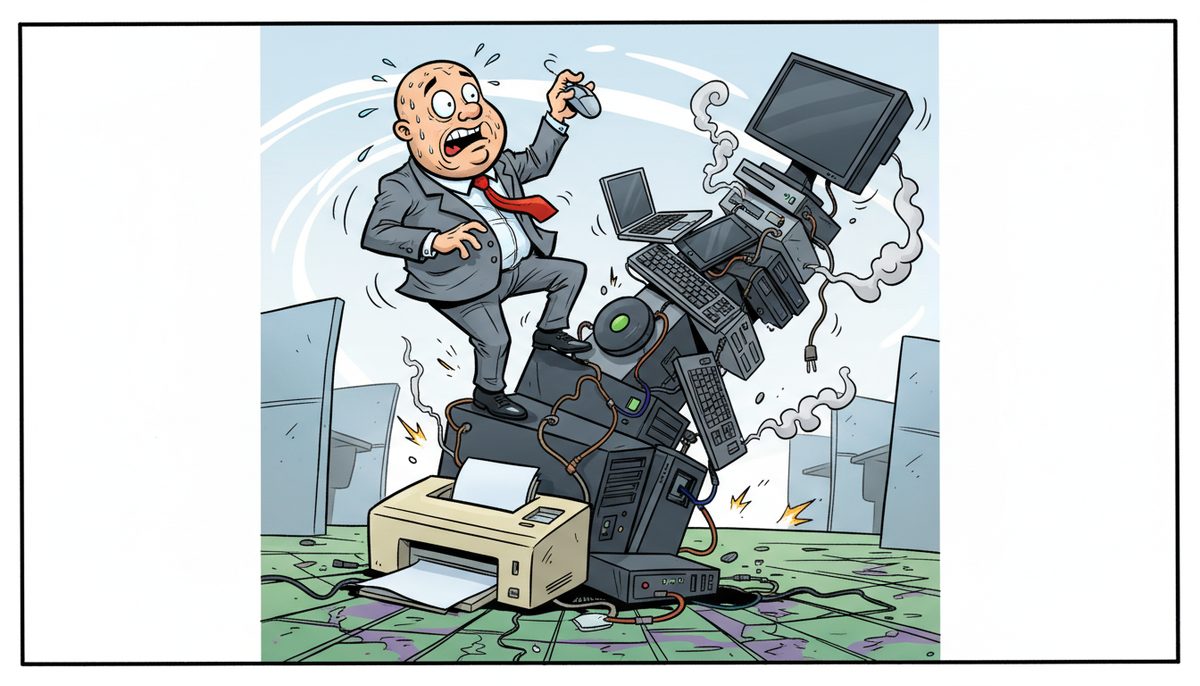
You need 6 core technology layers: encrypted local and cloud backup systems meeting CPA BC practice inspection standards, endpoint detection and response security on every device, secure email with mailbox protection, reliable server infrastructure with redundancy, secure remote access for working papers, and a local IT support partner who answers immediately during tax season. Budget $200–$300 per user monthly for comprehensive managed services plus $100–$300 per server monthly for full backup protection.
Why do CPA firm tech stacks fail during busy season?
Most Victoria CPA firms build their technology stack backwards. You buy accounting software first—Caseware, TaxCycle, Profile, QuickBooks—then add a server, then worry about backups only after the first scare. Security becomes an afterthought until CPA BC raises it during a practice inspection.
The real villain is treating technology as a collection of products instead of a system that must function flawlessly when you’re processing 200 T1s in the final week of April. When one piece fails—your backup system didn’t actually capture yesterday’s working papers, or ransomware locks your client files on April 28th—the entire stack collapses at the worst possible moment.
You feel that knot in your stomach every time you hear an unfamiliar error message during year-end. You’re terrified of calling clients to explain why their corporate T2 will miss the filing deadline because your server crashed. That anxiety isn’t about technology—it’s about your professional reputation and your duty to protect client confidentiality under PIPA.
This happens because most IT vendors sell you pieces without understanding how CPA firms actually work. They don’t know what “busy season” means or why April 30th is different from any other deadline. They’ve never seen a CRA Represent a Client authorization or understood why losing access to engagement files for even two hours can cascade into missed deadlines and client complaints.
Your tech stack should protect your ability to meet professional obligations, not create new vulnerabilities that threaten them.
What happens if your tech stack fails during tax season?
The immediate damage is obvious: you can’t access client files, you can’t EFILE returns, and you’re manually tracking which T1s were completed before the system went down. Every hour of downtime during the last week of April represents dozens of returns that won’t meet the deadline.
You’ll spend evenings and weekends recreating work from memory or paper notes. Your staff will burn out. Some will quit after tax season, taking their client relationships and institutional knowledge with them. Replacing an experienced tax preparer in Victoria’s tight labor market takes months.
Clients who miss deadlines because of your technology failures will leave. They’ll tell other business owners. In Victoria’s close-knit business community, where referrals drive growth, that reputation damage spreads quickly. The tech sector clients you wanted to attract—the startups with SR&ED credits and complex cap tables—will choose larger firms with visibly robust systems.
If a ransomware attack exposes client financial data, you face mandatory breach reporting to CPA BC under professional standards and potentially to affected clients under BC’s PIPA. The practice inspection findings, the conversations with your professional liability insurer, the client notification letters—these consume months of attention that should go to serving clients and growing your practice.
The cost isn’t just the ransom payment or the recovery expenses. It’s the three clients who don’t return next year, the associate who joins a competitor, and the nagging doubt that undermines your confidence every time you save a file.
What are the six essential layers every CPA firm tech stack needs?
Start with backup and recovery as your foundation, not an add-on. You need three backup layers: local backup for instant file recovery when someone accidentally deletes a working paper, cloud backup for disaster recovery if your office floods or burns, and server recovery testing to verify your backups actually work. Many Victoria firms discover during a crisis that their backup system has been failing silently for months.
Budget $25–$75 per device monthly for local server backup, $40–$150 per device monthly for cloud/offsite backup, and $25–$100 per device monthly for server recovery testing. Full managed server backups run $100–$300 per device monthly but include monitoring, testing, and guaranteed recovery.
The second layer is endpoint security on every computer and device that touches client data. Basic antivirus ($5–$12 per device monthly) isn’t sufficient when you’re storing tax returns and financial statements. You need endpoint detection and response (EDR) that identifies ransomware behavior patterns, not just known virus signatures. Managed EDR/MDR with 24×7 security operations center monitoring costs $15–$35 per device monthly.
Email protection is your third layer because phishing attacks targeting CPA firms have become sophisticated. Attackers impersonate CRA, clients, or even your own partners. Mailbox protection ($5–$20 per user monthly) scans attachments, blocks spoofed sender addresses, and quarantines suspicious messages before they reach your inbox. During busy season when you’re rushing through hundreds of emails daily, this automated screening prevents the click that installs ransomware.
Your fourth layer is server infrastructure with redundancy. A single server creates a single point of failure. You need either redundant servers, cloud-hosted infrastructure, or hybrid systems where critical applications fail over automatically. The goal is that when hardware fails—and it will—your team keeps working while repairs happen in the background.
Secure remote access is the fifth layer. Your staff needs to access client files from home during evening work sessions or when they’re meeting clients at their businesses. But opening remote access without proper security creates a highway for attackers. You need VPN or secure remote desktop with multi-factor authentication, session logging, and automatic lockout after inactivity.
The sixth layer is local IT support that understands CPA firm deadlines. Technology from the best vendors still breaks. The question is whether you wait hours for help or get a real technician on the phone immediately who can resolve most problems remotely within minutes. During tax season, the difference between a 10-minute fix and a 4-hour wait is the difference between meeting deadlines and missing them.
Richard, a Victoria business owner, experienced this during a New Year’s Eve server crash—a critical time when year-end work was due. Miguel arrived before noon, fixed the problem, and left the system “smoother and more streamlined with an enhanced backup system,” followed by a detailed written report the same day. When Richard had a follow-up question, Miguel “listened carefully and answered me in the language of a ‘non-computer expert.'” The entire office agreed they’d call first for future issues.
These six layers work together as a system, not as independent products.
How do I choose technology that meets CPA BC practice inspection standards?
CPA BC practice inspections examine your IT controls as part of evaluating whether you’re protecting client information appropriately. Inspectors look for documented policies, evidence of regular backups, security measures on devices and networks, and procedures for handling confidential information.
Your tech stack needs to produce evidence, not just provide protection. Backup logs showing successful daily backups. Security reports listing which devices have current endpoint protection. Access logs showing who opened which client files and when. Email retention policies that preserve communications for the required period. These aren’t bureaucratic paperwork—they’re proof you’re meeting your professional obligations.
Start with a gap analysis or readiness assessment ($2,500–$10,000 one-time project) that compares your current systems against CPA BC expectations and PIPA requirements. This identifies specific vulnerabilities before an inspector does. You’ll get a prioritized list: critical gaps that create immediate compliance risk, important improvements that strengthen your security posture, and nice-to-have enhancements you can defer.
Policy and documentation development ($1,500–$7,500 one-time project) creates the written procedures inspectors expect to see. Who has access to client files? How are backups verified? What happens when an employee leaves? How do you respond to a suspected data breach? These policies also protect you by ensuring staff follow consistent procedures rather than improvising during crises.
Compliance services ($1,000–$5,000 one-time project) help you implement specific requirements like PIPA privacy impact assessments or CPA Canada’s privacy toolkit recommendations. This is particularly valuable for smaller Victoria practices that don’t have internal IT expertise and need guidance translating regulatory language into actual technology decisions.
Cyber awareness training ($3–$15 per user monthly) addresses the human element that no technology can fully solve. Your staff needs to recognize phishing emails, understand why they shouldn’t use personal USB drives for client files, and know what to do if they suspect a security incident. Training creates a culture where security is everyone’s responsibility, not just the managing partner’s worry.
Technology that meets inspection standards isn’t more expensive—it’s better documented and properly configured from the start.
Should I build my tech stack with co-managed IT or full managed services?
This decision depends on whether you have internal IT capability and how much technology risk you want to own personally. Co-managed IT ($50–$150 per user monthly) means you have someone internal—perhaps a bookkeeper who’s “good with computers” or a part-time IT person—and you bring in external expertise for projects, security, and backup management. You’re still making the technology decisions and monitoring whether systems are working.
Full managed services ($150–$225 per user monthly) transfers technology responsibility to a partner who monitors your systems continuously, manages updates and patches, handles security, maintains backups, and provides the help desk when staff have problems. You’re buying outcomes—systems that work during tax season—not buying time from technicians you then have to direct.
For most Victoria CPA firms under 10 staff, full managed services makes more sense. You don’t have the volume to justify a full-time IT person, and the managing partner doesn’t want to spend evenings troubleshooting printer problems or worrying whether last night’s backup succeeded. Your time is worth more preparing tax returns and advising clients than it is managing technology.
Co-managed IT works when you have genuine internal IT expertise—perhaps you merged with another firm and inherited their IT person, or you’re large enough (15+ staff) that technology management is someone’s full job. The external partner fills gaps in specialized knowledge: cybersecurity, compliance, backup architecture, vendor management. You’re collaborating, not delegating.
The wrong choice is trying to manage everything yourself with no IT expertise because you’re reluctant to spend the money. That approach works fine until it catastrophically doesn’t, usually during busy season when you can least afford the disruption. The managing partner of a 5-person Victoria CPA firm shouldn’t be the person responsible for cybersecurity and backup verification—that’s not a good use of their CPA expertise or their time.
Ask yourself honestly: if your server crashed right now, do you know exactly what to do, who to call, and how to verify your backup will restore successfully? If the answer is no, you need managed services, not co-managed support.
How does local Vancouver Island IT support change the equation for Victoria CPA firms?
Geography matters more than most technology vendors admit. When you’re working with mainland IT providers, every on-site visit requires ferry scheduling. A problem that emerges at 2 PM might not get on-site attention until the next morning because the technician missed the 4:30 sailing. During tax season, that delay is unacceptable.
Local Vancouver Island technicians in Victoria, Nanaimo, Duncan, and Cobble Hill mean when you call (250) 929-0745, you talk immediately to a real person—no voicemail, no phone tree, no overseas call center. Most problems get diagnosed and fixed remotely within minutes because the technician understands your urgency and has the authority to act immediately.
When remote resolution isn’t possible, a technician is automatically dispatched to your Victoria office. No ferry waits. No scheduling delays. No explaining to a dispatcher why April 28th is different from April 15th. The technician arrives understanding that you have T1s due in 48 hours and every minute matters.
This local presence also means your IT support partner understands the Victoria business context. They know your clients are often in tourism, real estate, marine industries, and the growing tech sector. They understand seasonal fluctuations and why busy season for Victoria CPAs runs January through April with a second spike in summer when tourist businesses close their fiscal years. They’ve worked with other professional services firms facing CPA BC and Law Society practice inspections.
During tax season, the difference between immediate local support and ferry-dependent mainland support is the difference between meeting deadlines and missing them.
What does the right tech stack let you do that you can’t do now?
You’ll complete tax season without the constant background anxiety about whether your systems will hold up. When you save a file, you’ll know it’s backed up locally and to the cloud within minutes. When a staff member clicks a suspicious email, your EDR will quarantine the threat before it spreads. When a client calls at 4 PM with an urgent question about their T2, you’ll access their file instantly whether you’re at the office or working from home.
You’ll confidently accept clients in Victoria’s growing tech sector—the startups with complex cap tables, R&D tax credits, and intellectual property that requires careful handling. These clients expect their CPA to have robust technology, and your systems will demonstrate that competence before you say a word about your technical expertise.
Your staff will stop working evenings to compensate for technology inefficiencies. Files will open quickly. Backups won’t interrupt their work. Remote access will be seamless. They’ll spend their time on accounting work that uses their training, not on fighting with temperamental systems or recreating work lost to crashes.
When CPA BC conducts a practice inspection, you’ll produce backup logs, security reports, and policy documentation without scrambling. The inspector will note your IT controls as a strength, not a deficiency requiring follow-up. You’ll sleep better knowing you’ve met your professional obligations to protect client information.
You’ll grow your practice because technology enables growth rather than constraining it. Adding a new client doesn’t mean worrying whether your server has capacity. Hiring a new associate doesn’t mean spending a day setting up their computer and access. Opening a satellite office or allowing permanent remote work becomes feasible because your systems are designed for secure distributed access.
Most importantly, you’ll reclaim the mental space currently occupied by technology worry. That background stress about whether your backup worked last night, whether your security is adequate, whether you’ll get help quickly if something breaks—that disappears. You’ll focus on what you became a CPA to do: help clients navigate complex financial decisions and meet their obligations.
Here’s how to get your tech stack right
- Call (250) 929-0745 and talk immediately to a real Victoria-based technician who understands CPA firm deadlines and can assess your current systems against what you actually need during tax season.
- Get your technology problems diagnosed and most issues resolved remotely within minutes—no ferry delays, no waiting for callback, no explaining your urgency to someone who doesn’t understand why April 30th matters.
- If on-site support is needed, a local Vancouver Island technician is automatically dispatched to your Victoria office with the parts and expertise to resolve the problem before it threatens your deadlines.
Call (250) 929-0745 to talk to a real technician now about building a tech stack that protects your client data, meets CPA BC standards, and keeps your systems running when deadlines approach.
Frequently asked questions
What’s the minimum viable tech stack for a solo CPA practitioner in Victoria?
At minimum you need encrypted cloud backup ($40–$150 monthly per device), endpoint security with EDR ($15–$35 monthly per device), email protection ($5–$20 monthly per user), and a local IT support relationship for emergencies. Budget roughly $100–$200 monthly plus a local technician’s hourly rate ($40–$70) for occasional support. This protects client data and meets basic CPA BC practice inspection expectations without overbuilding for a small practice.
How do I budget for IT when my CPA firm revenue fluctuates seasonally?
Most managed services providers bill monthly at consistent rates, which smooths your cash flow compared to paying large bills after emergencies. Budget $200–$300 per user monthly for comprehensive managed services, treating it as fixed overhead like rent or insurance. The predictable cost prevents surprise expenses during slow summer months and ensures systems are robust before busy season when you can’t afford downtime or the time to deal with technology problems.
Can I use consumer-grade technology like Dropbox and save money?
Consumer tools lack the security controls, audit logging, and recovery guarantees CPA firms need for client data. Dropbox doesn’t meet PIPA encryption requirements, doesn’t provide the access logs CPA BC inspectors expect, and doesn’t guarantee recovery timeframes when you need a file immediately. Business-grade backup and security costs more but provides the documentation and reliability your professional obligations require. The cost difference is modest compared to the risk of a data breach or failed recovery.
What happens to my tech stack if I merge with another Victoria CPA firm?
Mergers require integrating two technology environments, migrating client files, standardizing security policies, and training staff on unified systems. A co-managed or managed IT partner handles the technical integration while you focus on client transition and staff integration. Budget for a one-time integration project (similar to gap analysis costs of $2,500–$10,000) plus potentially higher ongoing managed services costs as your combined user count increases. Local support becomes even more valuable during the transition period when problems need immediate resolution.
How quickly can I implement a complete tech stack before next tax season?
Basic security and backup can deploy within days—endpoint protection installs remotely, cloud backup configures quickly, email protection activates at the mail server level. Complete infrastructure upgrades (new servers, network redesign, policy documentation) take 4–8 weeks depending on complexity. Start in May or June after tax season ends so systems are tested and stable before year-end work begins in November. Rushing implementation during busy season creates more risk than it solves.
Do I need different technology for working papers versus tax returns?
Both require the same security and backup protection since both contain confidential client information under PIPA and CPA professional standards. Your tech stack should treat all client data equally: encrypted at rest and in transit, backed up redundantly, protected by endpoint security, and accessible only to authorized staff. The application software differs (Caseware for working papers, TaxCycle for returns) but the underlying infrastructure—servers, backup, security, remote access—protects everything uniformly without distinguishing document types.



