
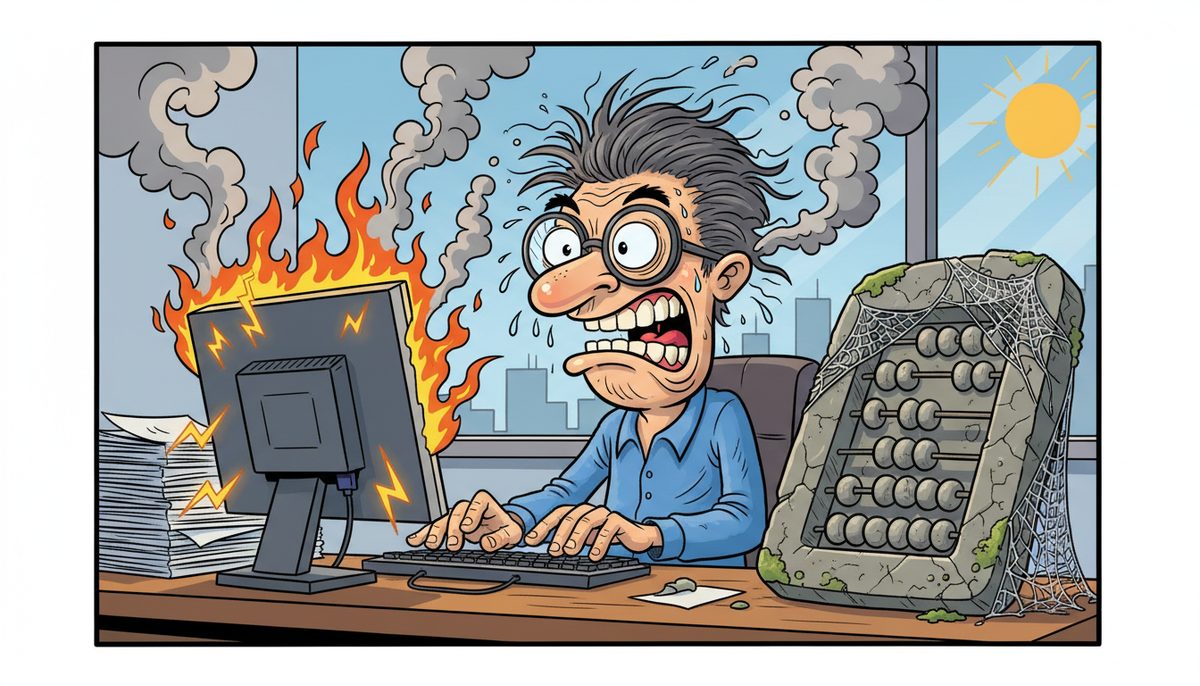
Replace business hardware every 3-5 years for workstations and 5-7 years for servers, but accelerate replacement immediately if you experience frequent crashes during busy season, compatibility issues with tax software updates, or performance degradation that slows client file access. For your CPA firm, hardware age matters less than reliability during January-April tax season when system failures directly threaten your filing deadlines.
Why does hardware fail when you need it most?
Your server doesn’t care that April 30th is two days away. Hard drives fail, power supplies burn out, and motherboards die on their own schedule—which always seems to align with your busiest client deadlines.
The real villain isn’t the hardware itself. It’s the accumulation of heat cycles, dust, electrical stress, and component wear that turns a reliable machine into a ticking time bomb. Every startup, every shutdown, every summer heat wave in your Victoria office degrades capacitors and solder joints imperceptibly until one morning in late April, your server won’t boot.
Your firm faces a unique problem: your technology usage isn’t evenly distributed across the year. From January through April, your servers, workstations, and backup systems run at maximum capacity—long hours, heavy file access, constant EFILE submissions to CRA. Then usage drops dramatically from May through December.
This seasonal pattern means your hardware experiences concentrated stress during the exact period when you have zero tolerance for failure. A server that limps along fine in July becomes a practice-threatening liability in March when you’re processing hundreds of T1s and T2s with hard deadlines.
Hardware failures during tax season cost CPA firms an average of 4-8 billable hours per incident in lost productivity, not counting the client relationship damage.
The philosophical wrong here is clear: your professional reputation shouldn’t depend on whether a five-year-old server can survive one more busy season.
What happens if you wait too long to replace aging equipment?
The immediate risk is obvious: system failure during busy season. Your server crashes on April 15th. Client files are inaccessible. T1 deadlines loom. You’re calling for emergency support while clients email asking about their returns.
But the consequences extend beyond a single crisis. Aging hardware runs slower, which means your staff spend extra seconds waiting for files to open, for tax software to calculate, for reports to generate. Multiply those seconds by hundreds of daily operations across multiple staff members over four months of busy season, and you’ve lost dozens of billable hours to hardware that should have been replaced last year.
Older equipment also creates security vulnerabilities. Hardware manufactured before 2018 often lacks firmware-level security features needed to protect against modern ransomware. When you’re storing sensitive client financial data and working papers that must meet CPA BC practice inspection standards, running outdated hardware isn’t just slow—it’s a professional liability.
Compatibility issues emerge as tax software vendors release updates. CRA’s EFILE system requirements change. Your accounting software adds features that demand more processing power and RAM. That workstation from 2016 might boot up fine, but it can’t run the current version of your tax preparation software efficiently.
Then there’s the CPA BC practice inspection angle. Inspectors examine your IT controls and client data protection measures. Outdated hardware with known security vulnerabilities or inadequate backup capabilities can result in negative findings that damage your practice reputation.
Peter, who runs a real estate business on Vancouver Island, describes the value of staying ahead of hardware problems: “DataStream is always quick to respond and I know our best interests are being looked after as they ensure we have the best solutions for our needs. Their proactive approach to technology means problems seldom crop up.”
Miss a filing deadline because of hardware failure, and you’re explaining late-filing penalties to angry clients who expected professional reliability.
How do you know when specific hardware needs replacement?
Age is a starting guideline, not an absolute rule. A well-maintained three-year-old workstation in a cool, clean office might outperform a two-year-old machine that’s been running in a dusty, overheated space.
Watch for these concrete warning signs that replacement is urgent, regardless of age:
- Frequent unexpected shutdowns or blue screens, especially under load during busy season operations
- Boot times exceeding 3-5 minutes, indicating hard drive degradation or insufficient RAM for current software
- Fan noise that’s noticeably louder than when the equipment was new, suggesting cooling system strain or dust accumulation
- Compatibility warnings when installing tax software updates or CRA EFILE components
- Physical signs like bulging capacitors, burning smells, or excessive heat from the case
- Backup operations that fail repeatedly or take progressively longer to complete
- Error messages related to hard drive health, memory failures, or system component issues
For servers specifically, monitor performance metrics during your busiest periods. If your server’s CPU consistently runs above 80% utilization during tax season, or if RAM usage regularly maxes out, you’re already past the point where replacement would have been wise.
Hard drives have a measurable lifespan. Traditional spinning hard drives typically last 3-5 years under normal business use. If your server or backup system still uses mechanical drives older than four years, you’re running on borrowed time. Solid-state drives (SSDs) last longer but aren’t immortal—most are rated for 5-7 years of business use.
Check your warranty status. When manufacturer warranties expire, the manufacturer is signaling their confidence in the hardware has limits. A server that’s out of warranty and showing any performance degradation should be on your replacement schedule within 6-12 months.
Consider your software environment. If you’re planning to upgrade your tax preparation software, accounting system, or operating system in the next year, verify that your current hardware meets not just minimum requirements but recommended specifications. Minimum requirements mean “it will technically run”—not “it will run well during busy season with 15 client files open.”
What’s the right replacement schedule for different equipment types?
Workstations used by your accountants and administrative staff should be replaced every 3-5 years. The wide range reflects usage intensity. A workstation used by a senior accountant running complex tax software and handling multiple client files simultaneously needs replacement closer to three years. An administrative workstation used primarily for email and document management can stretch to five years.
Servers require a 5-7 year replacement cycle, but with an important caveat: plan replacement at 5 years and extend to 7 only if performance monitoring shows your server is handling peak busy season loads without stress. A server struggling in year 5 won’t magically improve in years 6 and 7.
Laptops used by partners for client meetings or remote work have shorter lifespans than desktop workstations—typically 3-4 years. The portable nature means more physical stress, more temperature variations, and more exposure to dust and debris. Battery degradation alone often makes a four-year-old laptop impractical for off-site client meetings.
Network equipment (routers, switches, firewalls) should be evaluated every 5-7 years, but replacement timing depends more on security updates and feature requirements than physical wear. A router that no longer receives security firmware updates from the manufacturer should be replaced immediately, regardless of age. When you’re handling sensitive client data under PIPA requirements, running network equipment without current security patches is unacceptable.
Backup devices and external storage need replacement every 4-6 years. These devices experience constant write cycles that degrade storage media. If your backup strategy relies on a NAS device or external hard drives older than five years, you’re trusting your client file recovery to equipment past its reliable lifespan.
Monitors are the exception—they can often last 7-10 years if they still meet your staff’s needs. However, upgrading to larger or higher-resolution monitors can significantly improve productivity during busy season when your accountants are working with multiple windows and complex spreadsheets.
Plan replacements during your slow season (May through December). Replacing hardware in November gives you time to migrate data, configure systems, and resolve any issues before busy season begins. Never attempt major hardware replacements between January and April unless you’re responding to an emergency failure.
Should you replace everything at once or stagger replacements?
Staggered replacement is almost always the better strategy for your firm. Replacing all workstations simultaneously creates multiple risks: staff training on new equipment happens all at once, any configuration issues affect everyone, and you’ve invested a large capital amount without knowing if the chosen hardware performs well in your specific environment.
A rolling replacement schedule spreads costs across multiple years and reduces risk. Replace 2-3 workstations per year based on age and performance. This approach means you’re always running a mix of equipment ages, so you’re never facing a scenario where everything becomes obsolete simultaneously.
Start with the most critical equipment. Your server and backup systems are the foundation—prioritize these for replacement when they approach 5 years old or show performance degradation. A server failure affects everyone; a single workstation failure affects one person.
Next, replace workstations used by your most productive staff or those handling the most complex work. Your senior accountants processing the most client files need the most reliable, fastest equipment. Administrative workstations can be replaced later in the cycle.
Create a hardware inventory with purchase dates, warranty expiration dates, and replacement priority rankings. Review this inventory every year during your slow season and budget for the next year’s planned replacements.
There’s one exception to the staggered approach: if you’re running equipment so old that it’s creating security vulnerabilities or compatibility issues across your entire practice, an accelerated replacement of multiple systems might be necessary. This is a recovery situation, not a planned strategy.
Consider leasing or financing options that build replacement into your regular operational costs. Many businesses find it easier to budget $500/month for ongoing equipment replacement than to find $15,000 every few years for bulk purchases. Leasing also forces a replacement discipline—when the lease term ends, you return the old equipment and receive new hardware automatically.
How does a local IT partner help you avoid hardware crises?
You already know the panic of hardware failure during tax season. What you need is someone who prevents that panic from happening in the first place.
You know what it feels like when your server crashes during a critical deadline and you’re watching the clock, wondering how long until help arrives. You understand the frustration of calling IT support and getting voicemail, phone trees, or someone overseas who doesn’t understand your business or your urgency. You’ve seen how Vancouver Island businesses get stuck waiting for mainland technicians to catch the ferry while production stops and clients wait.
DataStream Networks has served Vancouver Island businesses since 2012, with local technicians in Victoria, Nanaimo, Duncan, and Cobble Hill. When you call (250) 929-0745, a real person answers immediately—no voicemail, no phone tree, no long wait times. Most problems are fixed remotely within minutes, and if on-site support is needed, a local technician is automatically dispatched without waiting for ferry schedules.
A local IT partner monitors your hardware health continuously, identifying degradation before it becomes failure. They track your equipment age, warranty status, and performance metrics, then recommend replacements during your slow season—before you’re facing an emergency in March.
They also understand CPA-specific requirements. Your IT support should know what CPA BC practice inspections examine, what PIPA compliance requires for client data protection, and why April 30th isn’t just another deadline. That context shapes hardware recommendations: not just “this server is old” but “this server won’t reliably handle your February-March workload based on current performance trends.”
Mike, who runs a technology services business, explains why he refers enterprise-level projects to DataStream: “When it comes to enterprise-level IT needs, DataStream Networks is my trusted referral partner. Their professionalism, reliability…” He trusts them with larger, more complex projects that require serious resources and expertise.
Here’s how it works:
- Call (250) 929-0745 and talk immediately to a real Victoria-based technician who understands CPA firm deadlines and can assess your current hardware status
- Get your hardware evaluated with specific recommendations for replacement timing based on your busy season schedule, not generic age guidelines
- Receive proactive monitoring and alerts about hardware health issues before they become failures, with local on-site support when needed—no ferry delays during tax season crises
The result: you complete tax season knowing that if technology problems arise, a Victoria technician answers immediately and resolves issues before deadlines are threatened. Your staff work on reliable equipment that doesn’t slow them down during peak periods. Client files remain accessible throughout busy season because servers and backup systems were replaced before they failed, not after.
You sleep soundly in March knowing your hardware won’t be the reason you miss a filing deadline or lose client data. Your professional reputation rests on reliability—your technology should support that reputation, not threaten it.
Call (250) 929-0745 to talk to a real technician now about evaluating your current hardware and creating a replacement schedule that protects your practice during busy season.
Frequently asked questions
How much does it cost to replace business hardware for a small CPA firm?
A quality business workstation costs $1,200-$2,000, while servers range from $3,000-$8,000 depending on capacity and redundancy requirements. For a five-person CPA firm, budget approximately $8,000-$15,000 every 3-4 years for workstation replacements and $5,000-$10,000 every 5-6 years for server replacement. Spreading these costs through leasing or managed IT services makes budgeting more predictable.
Can I just upgrade RAM or hard drives instead of replacing the whole computer?
Upgrades extend lifespan by 1-2 years but don’t address other aging components like motherboards, power supplies, and cooling systems that fail with age. For equipment under 4 years old showing performance issues, upgrades make sense. Beyond 4-5 years, you’re investing in a platform that will soon need replacement anyway. Upgrades work best as a temporary bridge while you budget for full replacement during your slow season.
What should I do with old hardware after replacement?
Client data security requires proper disposal. Simply deleting files isn’t sufficient—data can be recovered from old hard drives. Professional data destruction services physically destroy drives or use military-grade wiping software to ensure client financial information cannot be recovered. Many IT support providers in Victoria offer secure disposal services that meet CPA BC practice inspection standards for client data protection.
Is it better to buy high-end hardware that lasts longer or budget hardware replaced more frequently?
For CPA firms, mid-to-high-end business-grade hardware offers the best value. Consumer-grade budget equipment lacks the reliability needed during tax season and often fails before reaching the 3-year mark. Business-grade equipment from Dell, HP, or Lenovo includes better warranties, more reliable components, and longer manufacturer support. The cost difference is typically 20-30% but the reliability difference during busy season is substantial.
How do I know if my server can handle one more busy season?
Monitor CPU and RAM utilization during your busiest week in March. If CPU consistently exceeds 80% or RAM usage maxes out, your server is already undersized for current demands. Check hard drive health using SMART monitoring tools—any warnings indicate imminent failure risk. Review backup completion times; if backups increasingly fail or take progressively longer, your server is struggling. If your server is over 5 years old and showing any of these signs, replace it before next January.



