
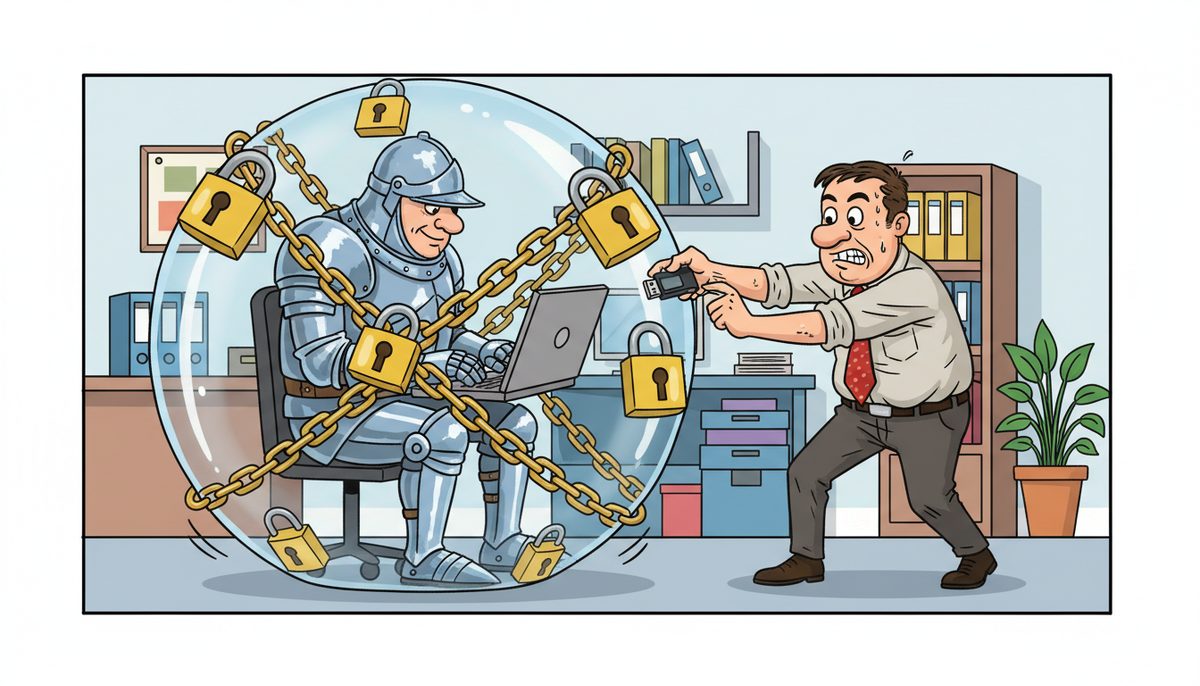
DataStream Networks uses AES-256 bit encryption for all backup data at rest and TLS 1.2 or higher for data in transit. This military-grade encryption standard protects CPA firm client files, working papers, and financial data both during transmission and while stored in backup repositories, meeting CPA British Columbia practice inspection requirements and BC’s Personal Information Protection Act compliance standards.
AES-256 encryption has never been cracked and would take billions of years to break using current computing technology.
Why Does Encryption Matter for CPA Firm Backups?
Your firm holds some of the most sensitive information clients share with anyone. T1 personal returns contain SINs, dates of birth, and complete financial histories. Corporate T2 files include proprietary financial data, shareholder agreements, and business strategies. A single unencrypted backup containing this data represents catastrophic liability exposure.
CPA British Columbia practice inspections specifically examine how firms protect client information in backup systems. Inspectors look for documented encryption protocols, secure transmission methods, and access controls. Firms without proper encryption face practice review findings that can escalate to remediation requirements or, in severe cases, regulatory action.
BC’s PIPA legislation requires “reasonable security arrangements” for personal information. Courts and the Office of the Information and Privacy Commissioner have consistently ruled that encryption is the baseline standard for data containing personal information. An unencrypted backup isn’t just a technical gap—it’s a compliance failure with legal consequences.
During busy season when your team is processing hundreds of returns, encrypted backups run automatically in the background without slowing down your practice management software or tax preparation systems.
What Encryption Standard Protects Backup Data at Rest?
AES-256 (Advanced Encryption Standard with 256-bit keys) encrypts all backup data before it leaves your office and remains encrypted throughout storage. This is the same encryption standard the U.S. government requires for classified information and that financial institutions use for transaction data.
The “256-bit” designation means there are 2^256 possible key combinations—a number so astronomically large that brute-force attacks are mathematically infeasible with current or foreseeable computing power. Even quantum computing advances projected for the next decade won’t threaten properly implemented AES-256.
Your backup data gets encrypted at the file level before transmission begins. If you’re backing up a client engagement file containing compiled financial statements, adjusting journal entries, and supporting documentation, each file is individually encrypted with your unique encryption key. Even if someone intercepted the backup stream or accessed the storage repository, they’d see only encrypted gibberish without the decryption key.
The encryption keys themselves are managed separately from the backup data through secure key management systems. Your firm maintains control over decryption keys—DataStream technicians cannot access your backup data without your explicit authorization and key provision. This separation ensures that even in the unlikely event of a breach at the storage facility, your client data remains protected.
Encryption happens transparently without requiring staff training or manual steps. When your bookkeeper saves a client QuickBooks file or your senior accountant updates working papers, the backup system encrypts these files automatically during the next backup cycle.
How Is Data Protected During Transmission?
TLS 1.2 or higher (Transport Layer Security) creates an encrypted tunnel for all data moving between your office and backup repositories. Think of it as a secure pipe that wraps every piece of data in multiple layers of encryption as it travels across the internet.
TLS establishes this secure connection through a handshake process that verifies both endpoints before any data moves. Your backup system authenticates with the storage server, confirms encryption capabilities, and negotiates the strongest available encryption protocol. Only after this secure channel is established does any client data begin transmission.
This protection extends to all remote access scenarios. When a DataStream technician connects to resolve an issue during tax season, that connection uses the same TLS encryption. When your staff access cloud-based backup management consoles to verify backup completion or initiate a restore, those sessions are encrypted end-to-end.
The protocol also provides integrity verification—mathematical signatures that confirm data hasn’t been altered during transmission. If even a single bit changes during transfer (whether from transmission error or malicious tampering), the receiving system detects and rejects the corrupted data.
Victoria CPA firms benefit from DataStream’s local Vancouver Island infrastructure, which means backup data often travels shorter network paths with fewer potential interception points compared to providers routing through Vancouver or offshore data centers.
What Happens to Encryption Keys?
Encryption is only as strong as key management. Your firm’s encryption keys are generated using cryptographically secure random number generators and stored separately from backup data in hardened key management systems with their own access controls and audit logging.
Key rotation policies automatically generate new encryption keys on scheduled intervals—typically quarterly or annually depending on your firm’s security requirements. When a new key is generated, existing backups can be re-encrypted with the new key during maintenance windows, or new backups use the new key while old backups remain accessible with archived keys.
If an employee with backup access leaves your firm, key rotation ensures their departure doesn’t create a lingering security gap. New keys are generated, access credentials are revoked, and the encryption protecting your ongoing backups is completely refreshed. Former employees cannot decrypt backups created after their departure even if they somehow retained old credentials.
Key escrow arrangements ensure you never lose access to your own data. If your primary key custodian is unavailable during an emergency restore situation, documented recovery procedures allow authorized firm principals to access escrowed keys through multi-factor authentication and verification processes.
Adriene J., who works with DataStream to support IT operations, notes: “I always feel well-supported whenever any issues arise. They are also extremely knowledgeable when it comes to coming up with solutions for our operations.” This support extends to encryption key management, where DataStream’s team helps firms implement appropriate key policies without creating operational complexity.
Does Encryption Slow Down Backups or Restores?
Modern encryption happens at hardware speeds that don’t meaningfully impact backup windows or restore times for typical CPA firm data volumes. The encryption process adds seconds, not hours, to backup operations.
Backup systems use dedicated encryption processors or CPU instruction sets optimized for AES operations. When backing up a 50 GB engagement file server—a typical size for a small to mid-size Victoria CPA firm—the encryption overhead might add 2-3 minutes to a backup that would otherwise take 30-40 minutes. The transmission time over your internet connection is the limiting factor, not encryption processing.
Incremental backups, which only copy files changed since the last backup, minimize the data volume requiring encryption. After your initial full backup, daily incrementals during tax season might only encrypt a few gigabytes of updated client files, working papers, and email. These run quickly in the background without impacting your team’s ability to work in practice management software or tax preparation applications.
Restore operations work the same way. When you need to recover a client file accidentally deleted or corrupted, the system retrieves the encrypted backup, decrypts it using your key, and delivers the original file. For individual file restores, this happens in seconds. Full server restores take longer due to data volume, but encryption adds minimal overhead compared to the network transfer time.
DataStream’s local Vancouver Island presence means restore operations often pull from geographically closer backup repositories, reducing network latency. Gayla Andrews shares her experience: “Luke with DataStream Networks Inc. is always so knowledgeable and helpful. Luke and his team are always happy to help with your IT needs.” This accessibility matters when you need to restore encrypted backups quickly or adjust backup schedules around year-end processing.
How Does This Meet CPA Practice Inspection Requirements?
CPA British Columbia practice inspections evaluate whether firms have “appropriate measures” to protect client confidentiality. The inspection checklist specifically asks about data security, backup procedures, and safeguards for electronic client information. Documented encryption protocols directly address these inspection criteria.
Inspectors want to see that your firm has considered and mitigated risks to client data. When you can demonstrate AES-256 encryption for backups, TLS for transmission, and documented key management procedures, you’re showing a systematic approach to data protection that goes beyond hoping nothing bad happens.
The inspection report template includes sections on IT controls and data security. Firms with proper encryption receive favorable findings in these areas, while firms with unencrypted backups or weak transmission security receive recommendations for improvement. Repeat findings in subsequent inspections can trigger enhanced monitoring or practice restrictions.
Beyond regulatory compliance, encryption protects your firm from liability if a backup device is lost or stolen. If a backup drive containing thousands of client files goes missing but everything is encrypted with AES-256, your breach notification obligations under PIPA are dramatically different than if that data was unencrypted.
Victoria firms working with DataStream can document their encryption standards in their firm’s quality control manual and IT security policies. This documentation, combined with DataStream’s technical specifications, provides the evidence inspectors need to verify compliance. Managed IT services for Victoria CPA firms include assistance with this documentation as part of comprehensive support.
What Encryption Options Exist for Different Backup Types?
Different backup scenarios require tailored encryption approaches. Local backups to network-attached storage devices use full-disk encryption combined with file-level AES-256 encryption, creating multiple protection layers. If someone physically steals your backup NAS device, they encounter encrypted drives that are useless without decryption credentials.
Cloud backups encrypt data before it leaves your premises, transmit through TLS-encrypted connections, and remain encrypted in cloud storage repositories. The encryption happens client-side, meaning your data is already encrypted before it touches the internet. Cloud providers never see your unencrypted data or hold your decryption keys.
Hybrid backup strategies combining local and cloud repositories apply consistent encryption across both destinations. Your most recent backups might live on local encrypted storage for fast restores, while older backups replicate to encrypted cloud storage for long-term retention and disaster recovery.
Mobile device backups for staff laptops and tablets use the same encryption standards as server backups. When your tax manager’s laptop backs up client engagement files, those files receive AES-256 encryption whether backing up to local office storage or directly to cloud repositories.
- Local NAS backups: Full-disk encryption plus file-level AES-256
- Cloud backups: Client-side encryption before transmission, encrypted storage
- Hybrid systems: Consistent encryption across local and cloud tiers
- Mobile backups: Same AES-256 standard as server backups
- Archive storage: Long-term encrypted retention for compliance requirements
Nanaimo CPA firms can access the same encrypted backup services through DataStream’s Nanaimo IT support, with local technicians available for on-site verification if needed.
Frequently Asked Questions
What is AES-256 encryption and why is it recommended for CPA firms?
AES-256 is military-grade encryption using 256-bit keys, creating 2^256 possible combinations that are mathematically infeasible to crack. CPA British Columbia practice inspections recognize it as best practice for protecting client financial data, and it meets BC PIPA requirements for “reasonable security arrangements” when handling personal information in backup systems.
Does encryption protect backups if someone steals the backup device?
Yes, properly encrypted backups are useless to thieves without the decryption key. If someone steals a backup drive encrypted with AES-256, they cannot access the data without your encryption key, which is stored separately in secure key management systems. This dramatically reduces breach notification obligations and liability exposure under BC privacy laws.
How long does it take to restore encrypted backups during an emergency?
Individual file restores from encrypted backups typically complete in seconds to minutes. Full server restores depend on data volume and network speed but encryption adds minimal overhead—usually less than 5% of total restore time. DataStream’s local Vancouver Island infrastructure reduces network latency, speeding restores for Victoria and Nanaimo CPA firms during critical tax season deadlines.
Can DataStream technicians access my encrypted backup data?
No, DataStream cannot decrypt your backup data without your explicit authorization and encryption keys. Keys are managed separately from backup data with your firm maintaining control. Technicians can manage backup infrastructure, monitor backup completion, and assist with restores, but cannot view the actual encrypted data contents without your firm providing decryption credentials.
What happens to encryption if I switch backup providers?
Your encryption keys and decryption capabilities remain with your firm when changing providers. DataStream can provide encrypted backup data in portable formats along with the necessary keys, allowing migration to another provider while maintaining access to historical backups. Proper key management ensures you never lose access to your own data regardless of provider changes.



