
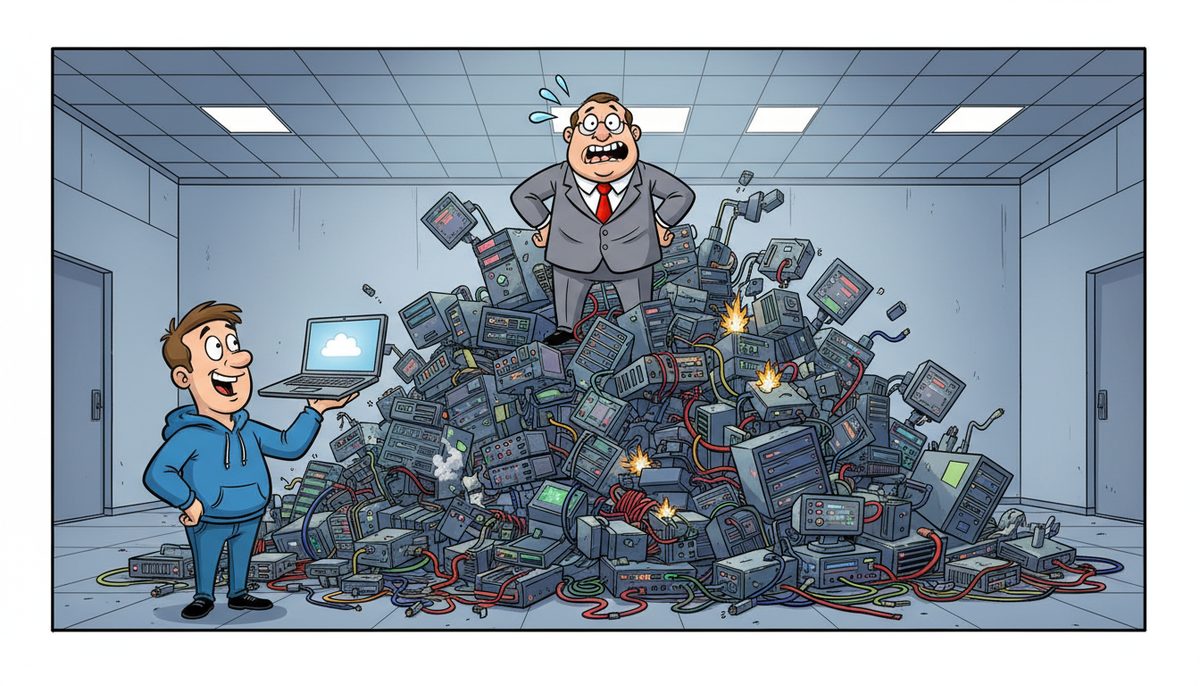
IT consulting helps you budget by identifying technology costs before they become emergencies, typically reducing surprise expenses by 40-60% through planned replacements, accurate forecasting of licensing and backup needs, and aligning infrastructure investments with busy season demands and CPA BC practice inspection requirements. Consultants translate technical requirements into financial projections your partners can approve.
Why Do CPA Firms Struggle to Budget for Technology Costs?
You plan meticulously for every client engagement, but technology spending catches you off guard year after year. A server fails in March, ransomware protection suddenly needs upgrading to meet insurance requirements, or CPA BC practice inspectors flag inadequate backup systems—and suddenly you’re approving five-figure emergency expenditures during your busiest weeks.
The villain isn’t the technology itself. It’s the invisibility of IT infrastructure until something breaks. Unlike rent or salaries, technology costs hide in complexity: per-user licensing that changes with headcount, backup systems priced per device, security tools that need annual renewals, and hardware with unpredictable lifespans.
You feel blindsided when these costs appear, especially during tax season when every dollar and every hour matters. Your staff needs systems that work flawlessly from January through April, but you’re making technology decisions in reactive panic mode rather than strategic planning mode.
This creates a philosophical problem: Victoria CPA firms shouldn’t have to choose between protecting client data to professional standards and managing a predictable budget. Your fiduciary duty to clients demands robust IT systems, but surprise costs during busy season threaten the profitability that keeps your practice viable.
What Happens When CPA Firms Budget for IT Without Expert Guidance?
Without consulting expertise, you underestimate costs by 30-50%. You budget for a new server but forget Windows Server licensing, backup software, and the security tools CPA BC inspectors expect to see. The “$8,000 server project” becomes $14,000 once reality hits.
You miss the timing. Hardware ordered in February arrives in April when you’re drowning in T1s and T2s. Installation disrupts operations during your most critical revenue period because nobody mapped the project to your fiscal calendar.
You overspend in the wrong areas. Seduced by sales pitches, you invest in collaboration tools your team doesn’t need while running outdated backup systems that would fail a CPA BC practice inspection. Your technology spending becomes a collection of vendor-driven purchases rather than a strategic plan aligned with professional standards.
Staff turnover compounds the problem. The office manager who understood your systems leaves, taking all institutional knowledge about what you’re paying for and why. You’re stuck with subscriptions nobody remembers authorizing and support contracts that may or may not still be relevant.
The consequence isn’t just wasted money. It’s the erosion of your ability to accept new clients confidently. When you don’t know if your systems can handle growth or meet security standards, you hesitate to expand—even when Victoria’s tech sector creates demand for CPAs who understand startup taxation and SR&ED credits.
How Does IT Consulting Create Accurate Technology Budgets?
Consulting starts with inventory. A consultant documents every device, every software license, every service contract you’re currently paying for. This audit typically reveals 15-25% of spending on redundant services or unused licenses—immediate savings that fund other priorities.
Next comes lifecycle planning. Consultants assess the age and condition of servers, workstations, network equipment, and backup systems. They create a replacement schedule that spreads capital expenses across multiple years instead of hitting you with everything at once.
For a typical Victoria CPA firm with 8-10 staff, this might look like: replace the server in Year 1 ($12,000-$18,000 including licensing and setup), upgrade four workstations in Year 2 ($6,000-$8,000), refresh network equipment in Year 3 ($3,000-$5,000), and replace remaining workstations in Year 4. Suddenly you’re planning $15,000 annually instead of facing a $35,000 crisis when everything fails simultaneously.
Consultants translate technical requirements into line items your partners understand. Instead of “managed EDR/MDR with 24×7 SOC,” your budget shows “ransomware protection meeting CPA BC inspection standards: $15–$35 per device monthly.” Instead of vague “cloud services,” you see “client file backup with daily testing: $40–$150 per device monthly.”
They map technology spending to your busy season rhythm. Major projects happen in May through December when you have bandwidth to manage change. Emergency support capacity increases from January through April when you can’t afford downtime. Your budget reflects the seasonal reality of CPA practice rather than treating every month identically.
Consultants also forecast the hidden costs. When you add a new staff member, they calculate the full technology cost: workstation ($1,500-$2,000), software licenses ($800-$1,200 annually for tax software, Office 365, practice management), backup and security ($60-$80 monthly), and managed IT services ($150-$225 monthly per user). You know the true cost of growth before you hire.
What Should a CPA Firm Technology Budget Include?
Your budget needs six categories to be complete. First, infrastructure: servers, workstations, network equipment, and their replacement cycles. A server typically lasts 5-7 years; workstations 4-5 years; network equipment 5-8 years. Knowing these timelines prevents surprise capital expenses.
Second, software licensing: tax preparation software, practice management systems, Office 365 or similar productivity tools, PDF editors, and specialized applications for compilation or audit work. These costs scale with user count and often increase 3-8% annually. Budget for the increases, not just current pricing.
Third, security and compliance: endpoint protection, email security, backup systems, and monitoring tools that meet CPA BC practice inspection standards. For a 10-person firm, expect $500-$1,200 monthly depending on the sophistication required. This isn’t optional—it’s professional liability protection.
Fourth, support and maintenance: whether you’re paying for managed IT services at $150-$225 per user monthly or budgeting hourly support at $40-$70 per hour, you need a line item for keeping systems running. Calculate based on your risk tolerance and internal technical capability.
Fifth, internet and communications: business-grade internet service, business phone systems, and mobile devices for staff who work with clients off-site. These recurring costs are predictable but often scattered across multiple vendors and credit cards.
Sixth, project and improvement funds: a reserve for opportunities and problems you can’t predict. Budget 10-15% of your total IT spending as a contingency. This covers the surprise CRA requirement for new authentication, the unexpected need to support remote work, or the security upgrade your insurance carrier suddenly mandates.
A 10-person Victoria CPA firm typically budgets $60,000-$90,000 annually for complete IT infrastructure, security, and support—roughly $500-$750 per staff member monthly when capital expenses are amortized.
How Does Consulting Prevent Budget Overruns During Busy Season?
Consultants create pre-approved emergency protocols. Before January arrives, you’ve already decided: if the server fails during tax season, here’s the replacement plan and the pre-negotiated cost. If ransomware hits, here’s the recovery process and the budget already allocated. No scrambling for partner approval while clients wait for their T1s.
They identify risks in advance. A consultant reviewing your systems in November might notice your server is six years old with early warning signs of disk failure. You replace it in December for $15,000 on your timeline. Without that consultation, it fails on April 15th, forcing a $22,000 emergency replacement with rush shipping and after-hours installation.
Marjorie Reid, who works with a nonprofit, experienced this transparency firsthand: “Working with DataStream has been transformative for our non-profit organization. What really set them apart was their transparency and the way they explained everything during our data recovery process. They took the time to walk us through all the available options, including any financial impacts, in a clear and understandable way, making sure we felt comfortable with the decisions we were making.” That same transparent approach helps you understand costs before crises force hasty decisions.
Consultants also negotiate better pricing. They know market rates for every service and can tell you when a vendor quote is reasonable or inflated. They bundle services to qualify for volume discounts. They identify when you’re paying for enterprise features your 8-person firm doesn’t need.
They prevent scope creep on projects. When you’re upgrading systems, vendors often suggest additions that sound reasonable in the moment. A consultant keeps projects focused on requirements and budget, saving those nice-to-have features for a future fiscal year when you’ve planned for them.
How Does Local IT Consulting Address Vancouver Island Geography?
Geography creates unique budgeting challenges for Victoria CPA firms. Mainland-based vendors often quote pricing that doesn’t include ferry costs, travel time, or the premium for emergency on-site service. You think you’re budgeting $140/hour for support, then discover travel adds $300-$500 to every on-site visit.
Local consultants understand this reality. When you work with IT support in Victoria, there’s no ferry dependency inflating emergency costs. The budget you approve in July is the budget you’ll actually spend in March when something breaks.
Local consultants also understand BC’s regulatory environment. They factor PIPA compliance requirements into security budgets. They know what CPA BC practice inspectors look for in IT controls. They understand that Victoria’s growing tech sector means you need systems capable of handling startup clients with complex R&D tax credit documentation.
They account for seasonal connectivity challenges. When weather disrupts ferry service or internet connectivity, local technicians can reach your office. Your budget includes redundancy and local support capacity that mainland-dependent plans miss.
For firms in Nanaimo or Duncan, this geographic consideration is even more critical. IT support in Nanaimo or IT support in Duncan means consultants who understand the technology ecosystem outside Victoria’s downtown core and can budget accordingly.
How Does a Guide Help CPA Firms Budget Technology Effectively?
You shouldn’t have to become an IT expert to budget technology accurately. You’re already managing client relationships, staying current on tax law changes, and ensuring your team meets professional standards. Adding technology forecasting to that load creates stress during the months you can least afford it.
A guide who understands both technology and CPA firm operations can translate complex infrastructure decisions into financial planning you can trust. Since 2012, DataStream Networks has worked with Vancouver Island businesses to create technology budgets that prevent surprises and align spending with business priorities.
When you work with local Vancouver Island technicians who answer immediately—no voicemail, no phone trees, no waiting for mainland support—you’re working with people who understand the urgency of your deadlines and the professional standards you must meet. Most problems get fixed remotely within minutes, and when on-site support is needed, technicians are automatically dispatched from Victoria, Nanaimo, Duncan, or Cobble Hill.
That responsiveness matters for budgeting because it prevents the cost escalation that happens when small problems become emergencies. A consultant who catches issues early keeps your spending predictable.
What Does Success Look Like for CPA Firms with Proper IT Budgets?
Success means entering tax season confident that your technology budget has already accounted for the support capacity you’ll need. No surprise costs when you’re focused on client deadlines. No emergency partner meetings to approve unplanned spending while T2s wait for filing.
You present technology spending to partners with the same confidence you present client engagement budgets. Every line item has a clear business justification tied to professional standards, client service, or risk mitigation. Partners approve budgets quickly because they understand what they’re funding and why it matters.
You accept new clients in Victoria’s tech sector knowing your systems can handle their complexity and your budget has room for the additional licensing and storage their files require. Growth doesn’t create technology panic—it’s already planned for.
Your staff works efficiently because systems are refreshed before they become frustratingly slow. You’re not asking people to prepare complex tax returns on four-year-old computers that freeze during busy season. The technology supports productivity rather than hindering it.
CPA BC practice inspections become routine rather than stressful. When inspectors review your IT controls and client data protection, they find systems that meet professional standards—because your budget included the security and backup tools required, not just the minimum to get by.
Most importantly, you sleep soundly knowing that if technology problems arise, they won’t derail your budget or your deadlines. You’ve planned for contingencies, you have local support that responds immediately, and you’ve eliminated the financial surprises that used to make technology spending feel like gambling.
Call (250) 929-0745 to talk to a real technician now about creating a technology budget that protects your practice and your profitability.
Frequently Asked Questions
How much should a small CPA firm budget for IT annually?
A CPA firm with 5-10 staff should budget $60,000-$90,000 annually for complete IT infrastructure, security, backup, and support—approximately $500-$750 per staff member monthly when capital expenses are amortized. This includes hardware replacement cycles, software licensing, security meeting CPA BC standards, and responsive support during tax season when downtime threatens client deadlines.
What IT costs do CPA firms most often underestimate?
CPA firms typically underestimate security and backup costs required for CPA BC practice inspections, often budgeting only $20-30 per user monthly when comprehensive protection costs $60-80 monthly. They also underestimate the full cost of adding staff (workstation, licensing, backup, security totaling $3,000-4,000 initially plus $200-300 monthly ongoing) and emergency support during busy season.
Should CPA firms budget IT as capital expenses or operating expenses?
Most CPA firms benefit from a hybrid approach: servers and major infrastructure as capital expenses amortized over their useful life (5-7 years), while software licensing, security subscriptions, backup services, and managed support are operating expenses. This matches the accounting treatment to actual replacement cycles and provides predictable monthly costs for services while planning multi-year capital refreshes.
How often should CPA firms review and update technology budgets?
Review technology budgets quarterly to adjust for changing staff counts, new regulatory requirements, or security threats, with a comprehensive annual review during slower months (May-December). This prevents surprise costs during tax season and ensures budgets reflect current licensing, support needs, and upcoming hardware replacements. Quarterly reviews catch small changes before they become budget problems.
What’s the ROI of IT consulting for CPA firm budgeting?
IT consulting typically reduces surprise technology costs by 40-60% and identifies 15-25% savings in redundant services or unused licenses within the first assessment. For a firm spending $75,000 annually on technology, consulting might cost $2,500-5,000 but prevent $15,000-20,000 in emergency expenses and wasted spending, delivering 3-5x return while improving system reliability during critical busy season periods.



