
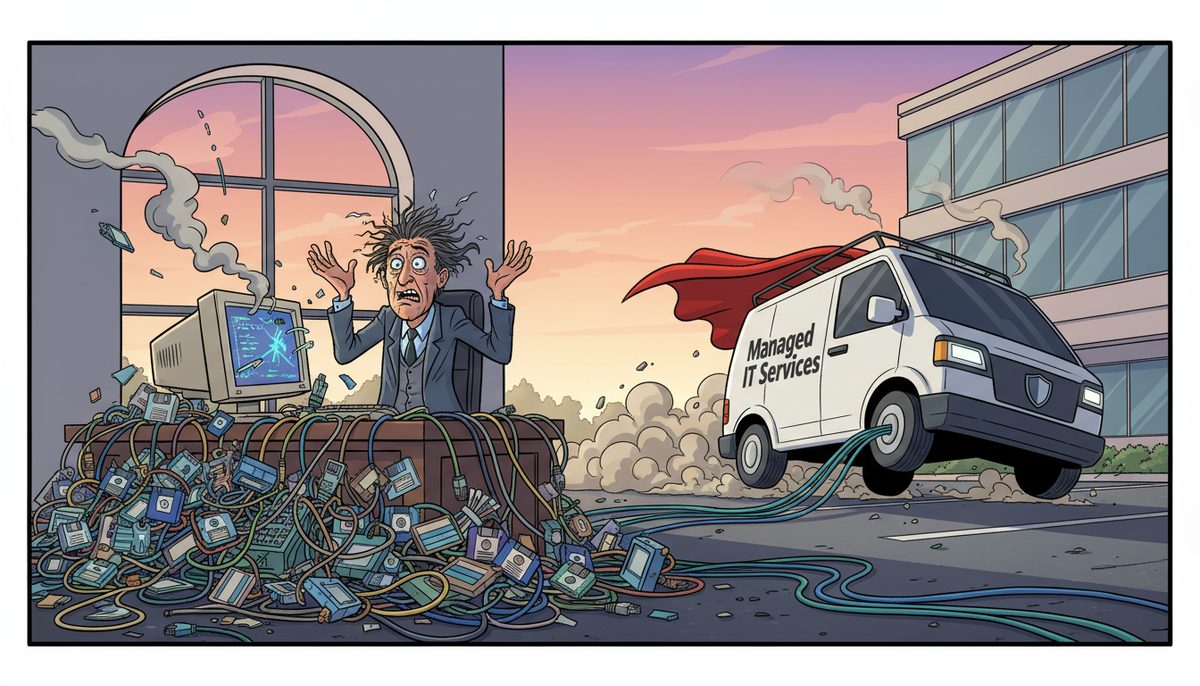
The best managed IT services for Duncan non-profits combine immediate local support with donor data protection and compliance expertise. You get live-answered phone support from Duncan-area technicians who understand PIPA requirements, CRA reporting needs, and the critical nature of year-end giving campaigns—with most issues resolved remotely within minutes and comprehensive managed services at $150–$225 per user/month.
Why Does Your Donor System Always Crash at the Worst Possible Moment?
Your donor management system doesn’t choose December to fail—it fails because technology under stress reveals weaknesses that have been building for months. When year-end giving campaigns triple your transaction volume, outdated servers, unpatched software, and reactive-only IT support all converge into a crisis.
The villain isn’t the technology itself. It’s the assumption that non-profit IT can survive on donated equipment, volunteer fixes, and hoping nothing breaks during grant deadlines or fundraising campaigns.
You’re processing online donations on a Thursday evening when your CRM freezes. Donors are trying to give before December 31st for their tax receipts, but your system won’t load. You call your volunteer IT person—voicemail. You try the mainland IT company someone recommended—they’ll send someone tomorrow if the ferry schedule works. Meanwhile, donation confirmation emails aren’t sending, and your executive director is asking if you’ve been hacked.
This feels terrifying because donor trust is fragile. One data breach, one lost donation, one missed tax receipt, and years of relationship-building evaporate. You’re also anxious about compliance—PIPA violations carry real penalties, and CRA audits require you to produce financial records you’re not certain are backed up properly.
Here’s what’s philosophically wrong: Organizations working to serve Cowichan Valley communities—supporting Indigenous programs, protecting Vancouver Island’s environment, delivering arts education, providing social services—shouldn’t have to gamble their mission on whether technology will cooperate during critical moments.
What Happens If Your Donor Database Disappears Tomorrow?
Ransomware doesn’t negotiate based on your charitable status. When it locks your files, you face an immediate choice: pay criminals or lose your data. Without proper backups, you’re choosing between funding your mission and recovering years of donor relationships, program records, and financial history.
A data breach exposing donor information triggers mandatory PIPA breach notification requirements. You must notify affected individuals and the BC Privacy Commissioner. The reputational damage in a small community like Duncan can be permanent—donors who trusted you with their credit card information and personal details will remember that your organization couldn’t protect their data.
Grant reporting deadlines don’t extend because your server crashed. When you can’t produce the financial reports and program outcome data a funder requires, you risk losing not just that grant but future funding relationships. Restricted fund accounting requires meticulous record-keeping; without access to your financial system, you can’t prove you spent grant money according to the terms.
Missing a CRA charitable return filing deadline can result in revocation of your charitable registration—ending your ability to issue tax receipts and effectively ending most fundraising.
The December giving season represents 30-40% of annual revenue for many Canadian non-profits. If your donation processing goes down for even two days during late December, you’re not just losing those 48 hours—you’re losing donors who give elsewhere and never come back.
Emergency IT fixes drain program budgets. When you’re spending $3,000 to recover from a preventable ransomware attack or $1,500 to rebuild a crashed server, that’s money that should be funding your actual mission in the Cowichan Valley.
How Do You Protect Donor Data and Stay Compliant With Canadian Privacy Laws?
PIPEDA and BC’s PIPA require you to protect personal information with security appropriate to its sensitivity. For your organization, this means donor names, addresses, donation amounts, credit card information, and any program participant data must be encrypted, access-controlled, and backed up securely.
Start with encryption at rest and in transit. Your donor database should be encrypted on your server or in the cloud, and any data moving between systems—donation forms to CRM, email communications, file transfers—must use encrypted connections. This isn’t optional; it’s a legal requirement under Canadian privacy law.
Access controls mean not every volunteer and staff member can see all donor data. Your volunteer coordinator doesn’t need access to donation amounts. Your program staff don’t need credit card information. Role-based permissions in your donor management system limit exposure if an account is compromised.
Multi-factor authentication (MFA) protects against password theft. When someone tries to log into your donor database, they need both a password and a second factor—usually a code from their phone. This stops most credential-based attacks cold.
Email security matters because phishing attacks target non-profits specifically. Cybercriminals know you have donor credit card information and often operate with limited security. SPAM filtering and mailbox protection ($5–$20 per user/month) catch phishing attempts before they reach your team.
Cyber awareness training ($3–$15 per user/month) teaches your staff and volunteers to recognize threats. Your bookkeeper needs to know that an email appearing to come from your executive director asking for an urgent wire transfer is probably a scam. Your fundraising coordinator needs to spot fake donation notifications designed to steal login credentials.
Regular security updates and patch management keep your systems defended against known vulnerabilities. Many ransomware attacks exploit security holes that have patches available—but only if someone is actively managing your updates.
A cybersecurity suite ($40–$100 per device/month) combines endpoint protection, threat detection, and response capabilities. For organizations with limited IT budgets, this provides enterprise-grade security without requiring in-house expertise.
What Backup Strategy Protects Your Organization From Data Loss?
The 3-2-1 backup rule applies to your organization just as strictly as to corporations: three copies of your data, on two different types of media, with one copy off-site. This protects against hardware failure, ransomware, fire, theft, and human error.
Local backups provide fast recovery. A local server backup ($25–$75 per device/month) means you can restore a deleted file or recover from a failed hard drive within hours, not days. This matters when your grant writer accidentally deletes a proposal due tomorrow.
Cloud backups protect against site-wide disasters. If your Duncan office floods or burns, your local backup is gone too. Cloud or offsite server backup ($40–$150 per device/month) means your donor database, financial records, and program data survive even if your building doesn’t.
Backup frequency must match your tolerance for data loss. If you can afford to lose a week of donation data, weekly backups suffice. But during December giving season or when processing a major fundraising campaign, you need daily or even hourly backups of your donor system.
Testing backup recovery is non-negotiable. Many organizations discover their backups don’t work only when they desperately need them. Server recovery testing ($25–$100 per device/month) verifies that your backups actually restore and your organization can be operational again.
Retention policies must align with CRA requirements. Canadian charities must retain official donation receipts and supporting records for six years. Your backup system needs to preserve financial and donor records for the full retention period, not just recent data.
Full managed server backups ($100–$300 per device/month) include monitoring, testing, and guaranteed recovery. For organizations without IT staff, this removes the risk that backups fail silently and you only discover the problem during a crisis.
How Does Local Duncan IT Support Differ From Mainland or Remote-Only Services?
Geography matters on Vancouver Island. When your server fails and requires hands-on repair, a mainland IT company must schedule a technician, catch the ferry (weather permitting), and drive to Duncan—adding hours or days to your downtime. During year-end giving season, those hours cost you thousands in lost donations.
Local technicians understand Cowichan Valley context. They know that many organizations serve rural and Indigenous communities with limited connectivity. They understand that your organization might be coordinating with partners in Nanaimo and Victoria, requiring reliable remote collaboration tools. They’re familiar with BC Societies Act requirements and CRA charitable registration compliance because they serve other Duncan-area organizations.
Live-answered phones eliminate the panic of voicemail during a crisis. When your donation processing goes down on December 30th, you need to talk to a real technician immediately—not leave a message and hope for a callback. You reach actual local people, no phone trees or overseas call centers.
Remote resolution fixes most problems within minutes. A local IT provider with remote monitoring tools can often diagnose and resolve issues before you even notice them—or fix problems remotely while you stay on the phone. This matters when you’re processing donations or preparing a grant report on deadline.
Automatic on-site dispatch happens when remote resolution isn’t possible. You don’t negotiate or schedule—if the problem requires hands-on work, a Duncan-area technician is dispatched automatically. No ferry schedules, no waiting until next Tuesday.
Peter, who works in real estate, describes the experience: “DataStream is always quick to respond and I know our best interests are being looked after as they ensure we have the best solutions for our needs. Their proactive approach to technology means problems seldom crop up. However, they get things sorted out quickly and efficiently when they do.”
Proactive monitoring catches problems before they become crises. When your server’s hard drive starts showing early failure signs, local IT support can replace it during your slow season—not during December giving when failure would be catastrophic.
How Can a Managed IT Provider Help Your Organization?
You know the panic when your donation receipting system goes down in late December and donors are calling for their tax receipts while CRA deadlines approach. You understand the fear of a data breach exposing donor information and violating PIPA requirements—knowing it could destroy the community trust your organization depends on.
You’ve struggled to get IT help during fundraising campaigns, watching online donations fail while your small team scrambles with no technical support. You know the frustration of technology eating into program budgets that should be serving your community, not fixing preventable IT emergencies.
DataStream Networks started in 2012 serving Vancouver Island organizations. The company is 100% committed to providing the most reliable and professional IT service on Vancouver Island, with local technicians in Duncan who understand operations and compliance requirements.
The team answers phones with live people—no voicemail or phone trees when your donation system crashes. Most problems are fixed remotely within minutes, protecting your fundraising campaigns and grant deadlines. When on-site work is needed, technicians are already on the Island—no ferry waits.
Managed IT services ($150–$225 per user/month) provide comprehensive support including help desk access, proactive monitoring, security management, backup oversight, and technology planning. For a small organization with five staff members, this typically costs less than one emergency server replacement—and prevents most emergencies from happening.
Co-managed IT ($50–$150 per user/month) works alongside your existing volunteer or part-time IT person, providing professional backup and specialized expertise they may lack. This hybrid approach stretches your budget while ensuring critical systems like donor databases and financial records receive proper protection.
Getting started is straightforward:
- Call (250) 929-0745 to talk to a real Duncan-area technician about your current technology situation, donor data protection needs, and compliance requirements—no sales pitch, just an honest conversation about what your organization actually needs.
- Your systems will be assessed, vulnerabilities in your donor data protection and backup strategy identified, and you’ll receive a clear plan with transparent pricing that respects your program budget constraints.
- Your technology starts working reliably—donor systems stay up during giving campaigns, backups protect your CRA records, and you reach a real person immediately when you need help, so you can focus on your mission instead of IT emergencies.
What Does Success Look Like for Your Organization?
You process year-end donations smoothly through December with systems that stay running during your most critical fundraising period. Online donation forms work, confirmation emails send, and tax receipts generate without crisis calls to IT support.
You sleep soundly knowing donor data is backed up, encrypted, and compliant with Canadian privacy laws. When the BC Privacy Commissioner or CRA asks about your data protection practices, you have documented answers—not panicked improvisation.
Grant reports and CRA filings submit on time with confidence that your financial records and program data are always accessible. You’re not scrambling to recreate reports from paper files because your server crashed.
Your small team and volunteers stay connected and productive across the Cowichan Valley without technology frustrations. Email works, files share securely, and remote board members can access what they need for governance.
You invest program budget in your mission, not in fixing preventable IT emergencies. The money donors entrusted to you serves the community, not emergency data recovery or ransomware response.
Call (250) 929-0745 to talk to a real technician now about protecting your donor data and keeping your systems running during critical fundraising and compliance deadlines. Or explore Duncan IT support services to see how local Vancouver Island support eliminates ferry delays and voicemail frustration, or learn more about managed IT services that keep your mission-critical systems running.
Frequently Asked Questions
What managed IT services do Duncan non-profits need most urgently?
Duncan non-profits most urgently need secure donor database backup, PIPA-compliant data protection, and immediate help desk access during fundraising campaigns and grant deadlines. Cloud backup ($40–$150 per device/month) protects CRA records, while managed IT services ($150–$225 per user/month) provide comprehensive support including security, monitoring, and live-answered emergency assistance when donation systems fail.
How much does managed IT cost for a small non-profit in Duncan?
Managed IT services typically cost $150–$225 per user/month for comprehensive support including help desk, security, backup, and proactive monitoring. A five-person organization would invest $750–$1,125 monthly. Co-managed IT ($50–$150 per user/month) provides a budget-friendly option that works alongside volunteer IT help, while specific services like cloud backup ($40–$150 per device/month) can be added individually.
Can managed IT help us comply with PIPEDA and PIPA for donor data?
Yes, managed IT providers implement the technical safeguards PIPEDA and PIPA require: encryption of donor data at rest and in transit, access controls limiting who sees personal information, multi-factor authentication preventing unauthorized access, secure backups for breach recovery, and documented security policies. Compliance services ($1,000–$5,000 one-time) can assess your current practices and create required documentation for privacy compliance.
What happens if our donor system crashes during December giving season?
With local managed IT support, you call and reach a real Duncan-area technician immediately who diagnoses and often fixes the problem remotely within minutes, keeping donations processing. Without managed support, you’re leaving voicemails, waiting for mainland technicians to catch ferries, and watching December donations—often 30-40% of annual revenue—go unprocessed while donors give to other organizations instead.
Do we need separate backup for our donor database and financial records?
Your donor database and financial records require both local backup for fast recovery and cloud backup for disaster protection. Full managed server backups ($100–$300 per device/month) include both, plus testing to verify recovery actually works. CRA requires six-year retention of donation receipts and financial records, so your backup system must preserve data for the full compliance period, not just recent files.
How quickly can a Duncan IT provider respond to our emergency?
Local providers answer calls with live people immediately—no voicemail or phone trees. Most problems are diagnosed and fixed remotely within minutes while you’re still on the phone. When on-site work is required, Duncan-area technicians are dispatched automatically without ferry delays. This matters critically during year-end giving campaigns, grant deadlines, and CRA reporting periods when every hour of downtime costs your mission.



