
Yes, your Victoria CPA firm can get technology guidance that protects client financial data, meets CPA BC practice inspection standards, and stays operational during tax season. Local Vancouver Island technicians available immediately at (250) 929-0745 understand April 30th deadlines, PIPA requirements, and the ferry-dependent geography that makes your technology decisions different here than on the mainland.
Why Do CPA Firms on Vancouver Island Struggle With Technology Decisions?
You’re making technology choices that could determine whether you meet filing deadlines or face CPA BC findings during your next practice inspection. The stakes are high, but the options are confusing. Every vendor promises security, reliability, and support—yet most don’t understand what happens when your server crashes on April 28th with dozens of T1s due in 48 hours.
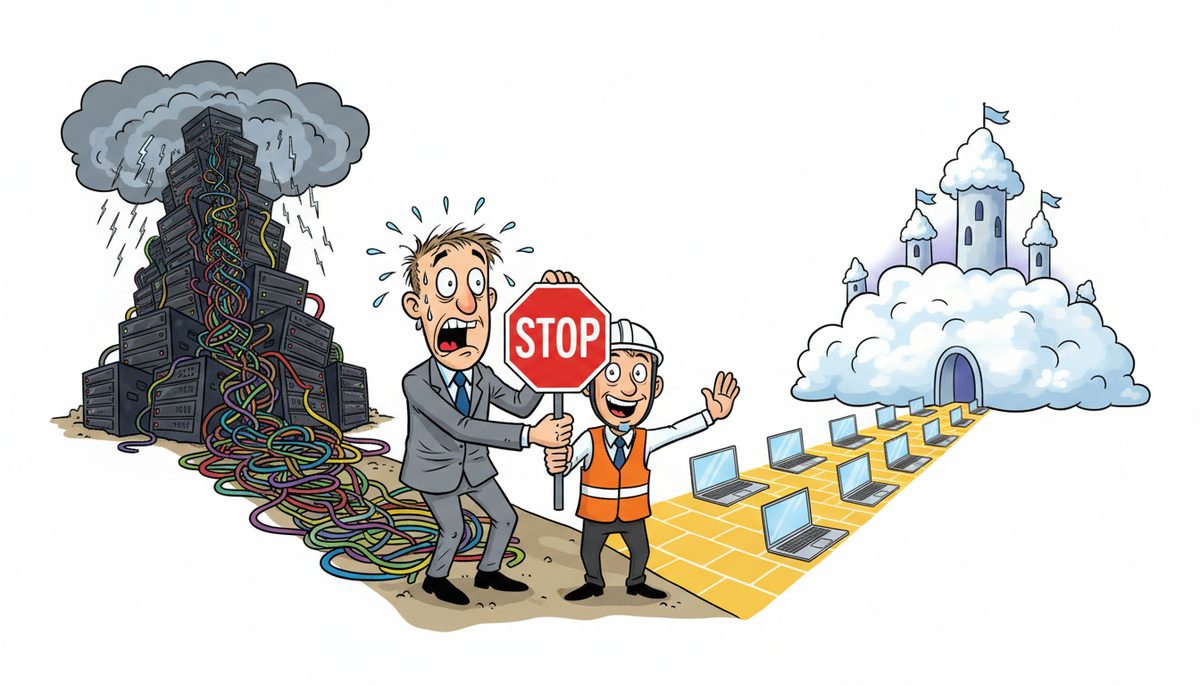
The real villain isn’t the complexity of technology itself. It’s the distance and isolation that turns every decision into a gamble. Choose the wrong backup system, and you’re recreating working papers manually when ransomware hits during year-end. Select a support provider based in Vancouver, and you’re waiting for ferry schedules while client files remain inaccessible and deadlines approach.
You need technology that handles sensitive T1, T2, and T5 data securely enough to satisfy practice inspections. You need systems that stay operational during busy season when your entire year’s revenue concentrates into four months. And you need support that arrives before deadlines pass—not after the damage is done.
Most IT providers sell you what they have, not what your practice actually needs. They don’t ask about your busiest filing periods, your CRA EFILE requirements, or how many client files you’re juggling simultaneously in March. They certainly don’t understand that Victoria’s growing tech sector means you’re increasingly handling startup financial data and SR&ED documentation that requires enterprise-grade security.
What Happens When You Choose Technology Without Understanding Your Practice’s Real Requirements?
You discover the gaps at the worst possible moment. Your backup system that seemed adequate in July fails to restore a corrupted QuickBooks file on April 15th. The “cloud solution” you purchased doesn’t meet the data residency expectations of clients in regulated industries. Your security setup that passed last year’s practice inspection now falls short of updated CPA BC standards.
Miss CRA filing deadlines because your server went down, and you’re explaining late-filing penalties to angry clients who trusted you with their tax obligations. Suffer a ransomware attack that exposes client financial data, and you’re facing mandatory breach reporting to CPA BC and potentially to clients under PIPA. These aren’t hypothetical scenarios—they’re the predictable outcomes of technology decisions made without understanding accounting practice workflows.
Larger firms in Vancouver can absorb these failures. They have redundant systems and in-house IT staff. But Victoria practices with five to ten people don’t have that cushion. One major technology failure during busy season can cost you clients you’ve served for years, damage your professional reputation in a small market, and create findings during practice inspections that question your competence.
Staff burn out working evenings and weekends to compensate for inadequate systems. You lose sleep during tax season wondering if your backups will actually work when you need them. And you watch newer firms with better technology win clients in Victoria’s growing tech sector because they can confidently handle complex engagements while you’re still worried about basic system reliability.
How Do You Identify What Technology Your CPA Practice Actually Needs?
Start with your deadlines, not with vendor catalogs. Map out your practice’s critical periods: personal tax season (January through April 30th), corporate year-ends, Notice to Reader engagements, and any industry-specific concentrations. Identify when you absolutely cannot afford downtime—those are the periods your technology must be engineered to survive.
Examine your data protection obligations. You’re holding client financial statements, tax returns with social insurance numbers, business banking information, and working papers that document your professional judgment. CPA BC practice inspections specifically review your IT controls and client data protection measures. Your technology needs to meet those standards, not just function adequately.
Consider your recovery requirements. If ransomware encrypts your files on March 15th, how quickly must you restore access? If your server fails during a year-end engagement, how much work can you afford to lose? These answers determine whether you need local backups, cloud backups, or both—and how frequently those backups must run.
Evaluate your support requirements honestly. When technology fails during busy season, can you wait four hours for a Vancouver technician to catch the ferry? Can you troubleshoot complex problems with overseas support who don’t understand Canadian tax forms or CRA systems? Or do you need someone local who answers immediately and understands the urgency of your deadlines?
Your practice’s size, client mix, and seasonal patterns determine your technology requirements more accurately than any generic IT assessment. A solo practitioner doing basic T1 returns needs different systems than a ten-person firm handling audit engagements and SR&ED claims for tech startups.
What Questions Should You Ask Before Selecting Any Technology Solution?
Ask about data location and residency. Where will your client files actually be stored? If you’re using cloud services, are the servers in Canada? Some clients in regulated industries or government contracts have specific requirements about where their financial data can reside. You need clear answers before you migrate.
Ask about recovery time and recovery point objectives. In plain terms: if something breaks, how long until you’re working again, and how much recent work might you lose? A backup system that takes 48 hours to restore files is useless when you have 24 hours until a filing deadline.
Ask about support availability during your critical periods. Who answers the phone at 7 PM on April 29th when you’re working late and encounter a problem? If you need on-site support during tax season, how quickly can a technician actually reach your Victoria office? Ferry schedules matter when deadlines don’t wait.
Ask about security layers and compliance alignment. Does the solution include protection against ransomware, phishing emails targeting tax season, and unauthorized access attempts? Can the provider document security measures in terms that satisfy CPA BC practice inspection requirements?
Ask about scalability and seasonal flexibility. Your technology load in February looks nothing like your load in July. Can your systems handle the concentrated demand of busy season without performance degradation? Can you add temporary capacity for seasonal staff without long-term commitments?
Ask about the provider’s understanding of your industry. Do they know what EFILE means? Have they worked with other CPA firms through tax season? Can they explain how their solution protects the specific types of data you handle—T1s, T2s, financial statements, working papers?
Victoria CPA firms handling 200+ client files during tax season need technology decisions guided by people who understand both accounting workflows and Vancouver Island geography.
How Does Working With a Local Guide Change Your Technology Decisions?
You know the panic when your server goes down on April 28th and you have dozens of T1s due in 48 hours—every minute you can’t access client files puts your professional reputation at risk. You understand the anxiety of storing sensitive financial data knowing that a ransomware attack during year-end could expose client information and trigger CPA BC reporting requirements.
Victoria CPA firms have been stuck waiting for Vancouver technicians to catch the ferry during tax season while clients call asking about their returns. You’ve experienced the frustration of calling IT support during a crisis and getting voicemail or overseas support who don’t understand the urgency of CRA deadlines or PIPA compliance requirements.
Since 2012, a local team has worked with Vancouver Island businesses through their critical deadlines. Technicians in Victoria, Nanaimo, Duncan, and Cobble Hill eliminate ferry waits when you need on-site support. When you call (250) 929-0745, a real person answers immediately with no voicemail, phone tree, or long wait times. Most problems get fixed remotely within minutes, and if on-site support is needed, a technician is automatically dispatched to your location.
Chris Wilkinson notes: “Luke and his team at DataStream Networks are honestly amazing! The speed of the leader, the speed of the pack ‘they say’…and Luke sets the tone for how great his team is. First off, he cares so much about his team. Second, the DataStream team understands what it takes to provide authentic & wonderful customer service. Third, the whole team is deeply committed to service delivery and quality, including the latest greatest tech.”
That commitment means technology decisions get guided by your practice’s actual requirements, not by what happens to be in stock. Questions about your busy season patterns, your client mix, your compliance obligations, and your deadline pressures lead to systems engineered to survive those specific challenges.
What Does the Process Look Like When You Get Help Choosing Technology?
- Call (250) 929-0745 and talk immediately to a real Victoria-based technician who understands CPA firm deadlines and can assess your current technology gaps in the context of your practice’s workflow and risk exposure.
- Get your specific requirements documented—busy season capacity needs, data protection obligations for CPA BC inspections, recovery time requirements for client files, and support availability during critical filing periods—with recommendations tailored to Victoria practices, not generic IT assessments.
- Implement solutions with local support throughout, knowing that if problems arise during tax season or year-end engagements, the same team that helped you choose the technology will answer your call immediately and resolve issues before deadlines are threatened.
This process works because it starts with your practice’s reality, not with a vendor’s product catalog. You’re not buying technology—you’re solving specific problems that threaten your ability to meet professional obligations and serve clients during concentrated deadline periods.
What Does Success Look Like After You’ve Chosen the Right Technology?
You complete tax season knowing that if technology problems arise, a Victoria technician answers immediately and resolves issues before deadlines are threatened. Your client files are backed up with systems that meet CPA BC practice inspection standards, and you can demonstrate data protection measures that satisfy professional requirements.
You confidently accept new clients in Victoria’s growing tech sector knowing your systems can securely handle sensitive startup financial data and SR&ED documentation. Staff work normal hours during busy season because reliable technology eliminates the evening and weekend sessions spent compensating for system failures or recreating lost work.
You sleep soundly in March knowing your backups actually work, your security protects against ransomware, and your support team understands the urgency of April 30th deadlines. When CPA BC conducts practice inspections, your IT controls and client data protection measures demonstrate competence, not gaps.
Your professional reputation grows as clients notice your reliability during the periods when it matters most. You’re known as the Victoria CPA who delivers on time, protects client information, and runs a practice with systems that work when they’re needed—not just when they’re convenient to test.
Ready to stop gambling with technology decisions that could threaten your filing deadlines and professional reputation? Call (250) 929-0745 to talk to a real technician now about managed IT services designed for CPA practices on Vancouver Island. Or explore Victoria IT support options that understand your deadlines.
Frequently Asked Questions
How much does managed IT support cost for a small CPA firm in Victoria?
Managed IT services typically range from $150–$225 per user per month, covering help desk support, security, backups, and system monitoring. For a five-person CPA practice, expect $750–$1,125 monthly. This includes protection for client data, support during tax season emergencies, and systems that meet CPA BC practice inspection standards. Pricing varies based on your specific backup requirements, security needs, and whether you need enhanced support during busy season.
What technology do I need to pass a CPA BC practice inspection?
CPA BC practice inspections examine IT controls and client data protection measures. You need documented backup and recovery procedures, security systems protecting against unauthorized access and ransomware, encrypted storage for sensitive client files, and policies governing data retention and disposal. Inspectors look for evidence you can actually restore files when needed and that client information remains confidential. Systems meeting these standards typically include managed backups ($100–$300 per server monthly) and cybersecurity suites ($40–$100 per device monthly).
Can I use cloud-based accounting software and still meet confidentiality requirements?
Yes, if you select solutions with appropriate security and data residency. Ensure client data is stored on Canadian servers when required by client contracts or industry regulations. Verify the provider offers encryption, multi-factor authentication, and access controls. Document your due diligence in selecting the provider and your ongoing monitoring of security measures. Cloud solutions can actually enhance protection compared to local servers if properly configured, but you remain professionally responsible for client data security regardless of where it’s hosted.
What happens if my server crashes during tax season?
With proper backup systems, you restore files and resume work within hours. Without adequate backups, you face days of downtime, missed filing deadlines, and potential data loss requiring manual recreation of working papers and tax returns. Local support matters critically—waiting for mainland technicians to catch ferries during April can cost you 4–6 hours before on-site help arrives. Victoria-based support means technicians reach your office within the hour, and most problems get resolved remotely within minutes of your call.
Should I handle IT myself or work with a managed service provider?
Consider your practice size and technical expertise honestly. Solo practitioners with strong technical skills might manage basic systems during slow periods, but struggle during tax season when you’re focused on client work. Practices with five or more staff typically benefit from managed services ($150–$225 per user monthly) that provide immediate support during crises, proactive security monitoring, and systems engineered for busy season demands. The real question: can you afford downtime during April when every hour costs you client deadlines and professional reputation?



