
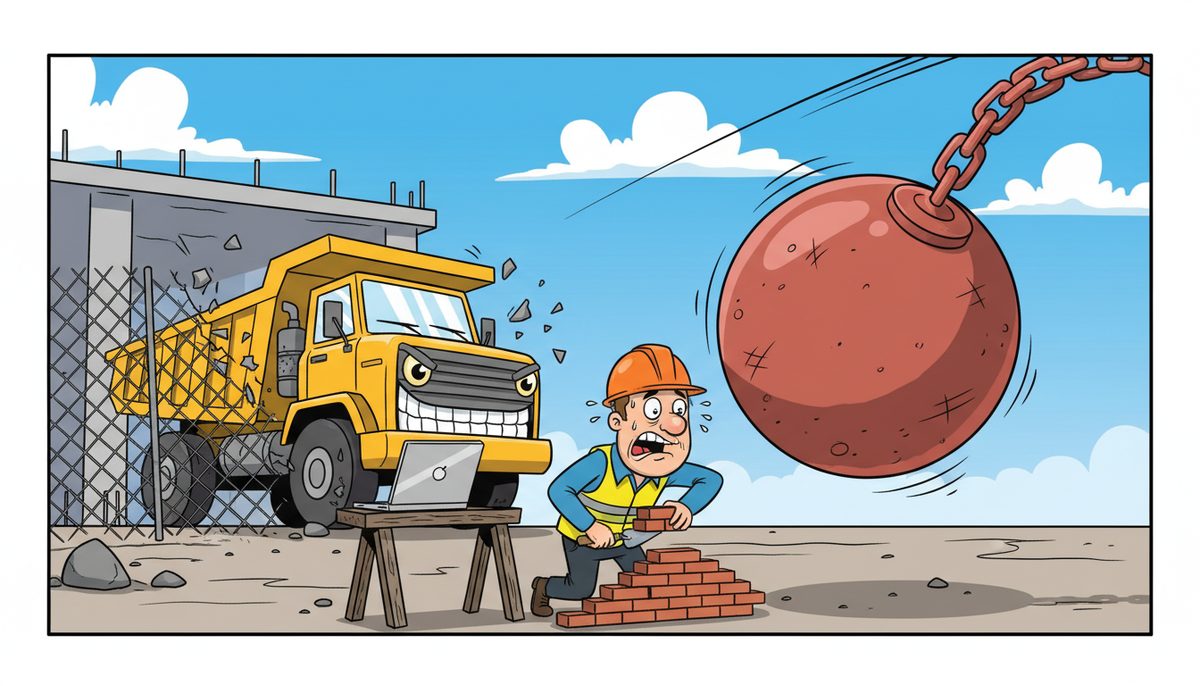
Cybersecurity is the practice of protecting computer systems, networks, and digital data from unauthorized access, theft, or damage through multiple layers of technical defenses and security protocols. It works by combining firewalls, antivirus software, encryption, access controls, and continuous monitoring to detect and block threats before they compromise your systems—with modern cybersecurity suites typically protecting devices for $25–$50 per device per month.
For construction companies in Victoria, cybersecurity protects the bid documents, project plans, client data, and financial records that keep your business running. When your estimating software holds the numbers for a $2 million tender due tomorrow, or your project files contain sensitive information subject to FIPPA requirements for government projects, a security breach doesn’t just cost money—it can cost you the contract.
Why do construction companies need cybersecurity?
Construction firms handle valuable data that cybercriminals target: banking information for progress billing, proprietary estimating methods, client contact lists, and detailed project plans. A ransomware attack can lock you out of your systems hours before a bid deadline, forcing you to choose between paying thousands in ransom or missing the submission window entirely.
Victoria’s construction sector faces unique risks. You’re coordinating between island job sites and mainland suppliers, often sending sensitive documents over public Wi-Fi at site offices. Your field staff access project files from tablets and phones that might lack proper security. Subcontractors connecting to your network can inadvertently introduce malware.
WorkSafeBC requires digital reporting for construction incidents and safety programs. BC’s Builders Lien Act demands meticulous documentation with strict timelines. If a cyberattack corrupts your records or makes them inaccessible, you risk regulatory penalties and legal complications beyond the immediate business disruption.
A Victoria construction company experienced firsthand how security gaps affect operations: “Our systems were running slow in the past. DataStream installed a new backup system, provided security for our network, and established a roadmap for future projects.” After DataStream thoroughly cleaned their file sharing and implemented password control, his company regained control of their network and eliminated the performance issues that were slowing daily operations.
The construction industry increasingly relies on cloud-based project management, BIM software, and digital collaboration tools. Each connection point represents a potential vulnerability that needs protection.
How does cybersecurity actually protect my systems?
Cybersecurity works through layered defenses, often called “defense in depth.” Think of it like securing a job site: you don’t just lock the gate—you also secure equipment, limit access to sensitive areas, install cameras, and maintain visitor logs. Digital security follows the same principle.
Firewalls act as the first barrier, monitoring incoming and outgoing network traffic and blocking suspicious connections based on predetermined security rules. They sit between your internal network and the internet, filtering out malicious traffic before it reaches your computers.
Antivirus and anti-malware software scans files, emails, and downloads for known threats. Modern solutions use behavioral analysis to detect new threats that don’t match existing virus signatures, catching zero-day exploits that traditional antivirus might miss.
Encryption converts your data into unreadable code during transmission and storage. When you send project plans to a client or back up files to the cloud, encryption ensures that even if someone intercepts the data, they can’t read it without the decryption key.
Access controls limit who can view or modify specific files and systems. Your project manager might need full access to bid documents, while field staff only need to view schedules and submit daily reports. Role-based permissions ensure employees only access what they need for their jobs.
Email filtering blocks spam and phishing attempts before they reach your inbox. Phishing emails—fraudulent messages designed to trick you into revealing passwords or downloading malware—remain one of the most common attack vectors. Advanced email protection services typically cost $5–$15 per user per month and catch threats that standard spam filters miss.
Continuous monitoring watches for unusual activity: login attempts from unfamiliar locations, large data transfers at odd hours, or software trying to communicate with suspicious servers. When monitoring detects anomalies, it alerts your IT team to investigate before minor issues become major breaches.
Effective cybersecurity combines these technologies into a coordinated system that adapts to evolving threats in real-time.
What happens when cybersecurity detects a threat?
When your security systems identify a potential threat, the response depends on the threat type and severity. Automated systems handle many threats immediately without human intervention, while others trigger alerts for investigation.
If antivirus software detects malware in a downloaded file, it quarantines the file immediately—moving it to an isolated area where it can’t harm your system. The software logs the incident and may send an alert to your IT support team. You’ll typically see a notification that a threat was blocked, and the infected file becomes inaccessible.
Firewalls blocking suspicious connection attempts work silently in the background. When a known malicious IP address tries to access your network, the firewall denies the connection and logs the attempt. Unless you’re reviewing security logs, you won’t notice these blocked attempts—the system simply prevents them from reaching your computers.
Email filtering quarantines suspicious messages in a separate folder for review. Obvious spam gets deleted automatically, but messages that might be legitimate despite suspicious characteristics are held for you to review. This prevents both malicious emails from reaching your inbox and legitimate messages from being deleted by mistake.
More sophisticated threats trigger immediate response protocols. If monitoring detects ransomware attempting to encrypt files, advanced security systems can automatically isolate the affected computer from your network, preventing the ransomware from spreading to other machines and servers. This containment happens in seconds, before the infection spreads.
For Victoria construction companies working across multiple job sites, rapid response matters. DataStream’s local technicians in Victoria, Nanaimo, Duncan, and Cobble Hill can provide on-site support when remote resolution isn’t sufficient, critical when you’re facing a security incident hours before a tender deadline.
After containing a threat, security teams investigate the incident: how the threat entered your system, what data or systems were affected, and what additional vulnerabilities need addressing. This post-incident analysis strengthens your defenses against similar future attacks.
How do I know if my current cybersecurity is working?
Effective cybersecurity operates mostly invisibly—you don’t notice it until something goes wrong or you specifically check its status. Several indicators reveal whether your protections are functioning properly.
Regular security reports show blocked threats, attempted intrusions, and system health. If you’re not receiving any reports or alerts, either your security is so effective that nothing is attempting to breach it (unlikely) or your monitoring isn’t configured properly (more likely). Most networks face dozens of blocked connection attempts daily from automated scanning tools probing for vulnerabilities.
Software update status indicates security health. Outdated software contains known vulnerabilities that attackers exploit. If your systems aren’t receiving regular updates—operating system patches, antivirus definition updates, and application security fixes—you’re exposed to threats that have been publicly documented and easily exploited.
System performance can signal security issues. Malware often consumes system resources, causing computers to run slowly, freeze, or crash unexpectedly. If your estimating software suddenly takes twice as long to open, or file transfers crawl, it might indicate a security problem rather than just aging hardware.
Employee complaints about blocked websites or restricted access sometimes indicate security is working correctly. If your web filtering blocks access to suspicious sites or your access controls prevent unauthorized file access, employees might complain—but these restrictions protect your business. The key is ensuring legitimate work isn’t unnecessarily blocked.
Daryl Wood from a Victoria construction firm puts it bluntly: “Considering all the cyber threats facing businesses today, you have to ask, what happens if your systems go down and you can’t operate for several days? If this would cause you big problems, I’d suggest protecting yourself by selecting DataStream as your security partner and get some peace of mind knowing they have it covered.”
Professional security assessments provide objective evaluation. An IT provider can audit your current protections, test for vulnerabilities, and identify gaps. Many construction companies discover their security isn’t as comprehensive as they assumed—missing patches, weak passwords, or unsecured remote access points that create easy entry for attackers.
The absence of security incidents doesn’t necessarily mean your security is strong—it might mean you haven’t detected a breach yet. Many cyberattacks remain undetected for weeks or months while attackers quietly steal data or establish persistent access for future exploitation.
What does complete cybersecurity coverage include?
Comprehensive cybersecurity for construction companies requires multiple integrated components working together. No single technology provides complete protection—you need layered defenses addressing different threat types and attack vectors.
Network security forms the foundation: enterprise-grade firewalls, secure Wi-Fi with proper encryption, and network segmentation that isolates critical systems from general access. Your accounting software and project files shouldn’t be on the same network segment as the guest Wi-Fi you provide to subcontractors visiting your office.
Endpoint protection secures every device: computers, laptops, tablets, and phones. Each endpoint needs antivirus software, encryption for stored data, and security policies that enforce strong passwords and automatic screen locks. Mobile devices accessing company data from job sites require the same protection as office computers.
Email security blocks phishing attempts, malware attachments, and spam. Advanced solutions analyze email content, sender reputation, and link destinations to identify sophisticated attacks that bypass basic spam filters. Given that email remains the primary vector for ransomware and credential theft, robust email protection is essential.
Data backup and recovery ensures business continuity after an attack. Automated backups running multiple times daily, stored both locally and in secure cloud locations, let you restore systems and files if ransomware encrypts your data or hardware fails. Backup systems must be isolated from your main network—ransomware specifically targets backup files to prevent recovery.
Data backup and recovery services protect against both security incidents and accidental data loss, critical for construction companies managing project documentation subject to BC’s Builders Lien Act timelines.
User awareness training addresses the human element. Employees who can recognize phishing emails, understand password security, and follow proper procedures for handling sensitive data become part of your defense rather than your weakest link. Training typically costs $5–$15 per user per month and significantly reduces successful social engineering attacks.
Access management controls who can access what data and systems. Multi-factor authentication adds a second verification step beyond passwords, preventing unauthorized access even if passwords are compromised. Regular access reviews ensure former employees and contractors no longer have system access.
Security monitoring and incident response provides continuous oversight. Automated systems watch for threats 24/7, while human security analysts investigate alerts and respond to incidents. For construction companies without dedicated IT staff, managed security services provide this expertise without hiring full-time security personnel.
Vulnerability management identifies and patches security weaknesses before attackers exploit them. Regular security assessments, penetration testing, and prompt patching of discovered vulnerabilities close gaps that could allow breaches.
Complete cybersecurity coverage requires these components working as an integrated system, not isolated tools purchased separately.
Essential cybersecurity components for construction companies
- Network security: Enterprise firewalls, encrypted Wi-Fi, and network segmentation to isolate critical systems
- Endpoint protection: Antivirus, encryption, and security policies for all computers, tablets, and phones
- Email security: Advanced filtering to block phishing, malware attachments, and social engineering attempts
- Data backup: Automated daily backups stored locally and in secure cloud locations, isolated from main network
- User training: Regular education on recognizing threats, password security, and proper data handling procedures
- Access controls: Multi-factor authentication and role-based permissions limiting data access by job function
- 24/7 monitoring: Continuous threat detection and incident response from security analysts
- Vulnerability management: Regular assessments, penetration testing, and prompt patching of security weaknesses
Frequently asked questions
How much does proper cybersecurity cost for a construction company?
Comprehensive cybersecurity for construction companies typically ranges from $25–$50 per device per month for core protection, with additional costs for email security ($5–$15 per user monthly) and user training ($5–$15 per user monthly). Total costs depend on your company size, number of devices and users, and specific security requirements. Most construction firms find managed security more cost-effective than hiring dedicated IT security staff.
Can’t I just use free antivirus software instead of paying for cybersecurity?
Free antivirus provides basic protection against known malware but lacks the comprehensive defenses construction companies need: advanced threat detection, email filtering, network security, data backup, monitoring, and incident response. Free solutions also don’t include support when problems occur. For businesses handling sensitive project data and client information, free antivirus is insufficient—like using a padlock on a job site trailer but leaving the windows open.
How quickly can cybersecurity be set up for my construction business?
Basic cybersecurity implementation typically takes one to two weeks: installing endpoint protection, configuring firewalls, setting up email filtering, and establishing backup systems. Comprehensive security including network segmentation, access controls, and monitoring may require three to four weeks depending on your existing infrastructure complexity. DataStream’s local Victoria technicians can assess your current setup and provide a realistic timeline based on your specific needs and priority areas.
What happens if we experience a cyberattack despite having security in place?
Layered security significantly reduces breach likelihood but can’t guarantee 100% prevention. If an attack succeeds, your security systems work to contain damage: isolating infected systems, preventing spread, and preserving evidence. Your IT provider investigates the incident, restores systems from clean backups, patches exploited vulnerabilities, and implements additional controls. Response speed matters—having local support means technicians can be on-site quickly rather than troubleshooting remotely from another province.
Do subcontractors and field staff need the same cybersecurity as office employees?
Anyone accessing your company data needs appropriate security, but the specific protections vary by role. Field staff using tablets to view schedules need device encryption and secure authentication but may not need full endpoint protection suites. Subcontractors shouldn’t access your main network—provide guest Wi-Fi isolated from company systems. Employees accessing financial data, client information, or bid documents require comprehensive protection including email security and multi-factor authentication regardless of location.



